
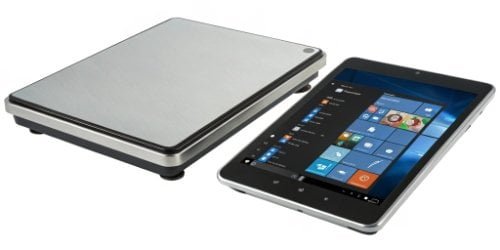
Choosing the wrong operating system for your industrial scales can cause major headaches. It can disrupt your workflow, frustrate your team, and waste valuable time and money.
The best operating system for an industrial smart scale depends on your specific needs. Android offers unmatched flexibility and a modern, touch-friendly interface. Windows provides powerful enterprise integration and a familiar environment for businesses already using Microsoft products. We help you choose the one that fits perfectly.
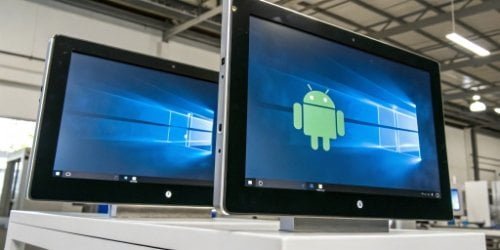
The choice between Android1 and Windows2 is not always simple. It is a strategic decision that impacts everything from employee training to data integration3. To make the right call, you need to look beyond the surface and understand how each system performs in a real-world industrial setting. Let’s break down the details to help you find the perfect match for your business. You might be surprised by what you discover.
What Are the Pros and Cons of Using Android for Industrial Smart Scales?
You want a modern and flexible OS for your scales. But you are worried about security and how it will fit into your demanding industrial environment. We will look at both sides.
Android’s main advantages are its open-source nature, large developer community, and user-friendly touch interface. The potential disadvantages, like fragmentation and security worries, are manageable with industrial-grade hardware and proper configuration from an experienced manufacturer like us.
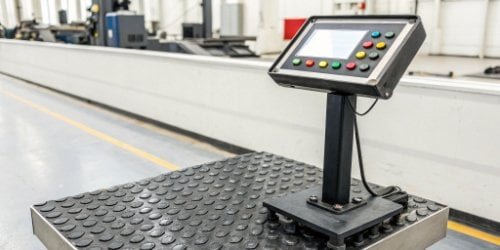
Over my 19 years in this industry, I’ve seen Android evolve from a consumer OS to a powerful industrial tool. Its biggest strength is customization4. As an OEM/ODM partner, we don’t just install the standard consumer version. We build a customized, hardened Android operating system designed specifically for industrial weighing. This means we can remove unnecessary apps, lock down settings, and create a secure, single-purpose device that is simple for your staff to use. For you as a software vendor, the Android platform is a huge plus. Your developers are likely already familiar with it, which makes creating or porting your software faster and more cost-effective. The massive global developer community5 means resources and support are always available.
| Feature | Pro (Advantage) | Con (Disadvantage) |
|---|---|---|
| Customization | Highly flexible, can be tailored to specific tasks. | Can lead to fragmentation if not managed by one provider. |
| User Interface | Modern, intuitive, and touch-friendly for faster operations. | May require some training for users accustomed to older systems. |
| App Ecosystem | Huge library of apps and strong developer support. | Requires vetting to ensure industrial-grade quality and security. |
| Cost | Generally lower licensing costs, reducing total cost of ownership6. | Perceived as less secure, though this is mitigated in industrial versions. |
How Does Windows Compare to Android for Smart Scale Operations?
Your business probably runs on Windows. Integrating new devices can be a painful process. You need a smart scale that fits into your existing IT ecosystem without creating more problems.
Windows is the best choice for environments that already depend on Microsoft software. It offers powerful PC-like applications, simple integration with enterprise systems, and familiar management tools. This makes deployment and training much easier for your team.
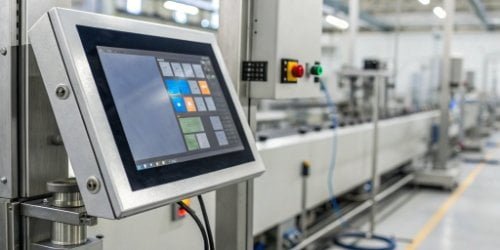
Many of our clients, especially larger enterprises, trust Windows for a simple reason: it works with what they already have. Windows IoT Enterprise, the version we use for our scales, is designed for seamless integration. If your company uses Active Directory for user management7 or relies on specific .NET applications, a Windows-based scale is practically plug-and-play. I remember a client who managed a large warehouse. They needed their scales to communicate directly with their custom-built ERP system, which was a Windows application. Choosing our Windows-based scales saved them months of development time. The interface is another key factor. Operators who have used a PC will feel right at home, which reduces training time and potential for errors. It brings the full power and familiarity of a desktop computer right to your production line.
| Operational Feature | Windows | Android |
|---|---|---|
| System Integration | Excellent, especially in Microsoft-heavy environments (ERP, SQL). | Very good, uses standard APIs but may require middleware. |
| User Interface | Familiar desktop-like experience. | Modern touch-centric mobile experience. |
| App Environment | Runs powerful .NET and legacy Windows applications. | Huge ecosystem of mobile-first apps. |
| IT Management | Easily managed with standard tools like Group Policy. | Managed with Mobile Device Management (MDM) solutions. |
Which Operating System Offers Better Security Features for Industrial Scales?
In your industry, data security is everything. A weak point in a connected scale is a serious threat. You need an operating system that you can trust to protect your valuable information.
Both Windows and Android offer strong security, but they do it differently. Windows has decades of enterprise-level security tools like BitLocker. Industrial Android uses app sandboxing, regular patches, and custom lockdowns to secure devices effectively.
Security isn’t just about the operating system. It’s about how the hardware manufacturer8 implements it. When we build a scale, we think about security from the ground up, no matter which OS you choose. For our Windows scales, we leverage the full suite of Microsoft’s enterprise security tools. This includes using BitLocker drive encryption to protect data at rest and applying strict Group Policies to control user access and prevent unauthorized software installation. These are tools your IT department already knows how to use. For Android, our approach is different. We start with a clean version of the OS and harden it. We implement Security-Enhanced Linux (SELinux) policies to enforce strict access controls. Each application runs in its own “sandbox,” meaning it can’t access data from other apps. As your manufacturing partner, we also control the update process, ensuring that only certified and secure software updates are installed.
| Security Feature | Windows IoT Enterprise | Industrial Android |
|---|---|---|
| Device Control | Group Policy, AppLocker, Device Guard | Custom ROM, Kiosk Mode, MDM Policies |
| Data Protection | BitLocker Encryption, Encrypting File System (EFS) | File-Based Encryption, App Sandboxing |
| Threat Prevention | Windows Defender Antivirus, Firewall | Google Play Protect (or equivalent), SELinux |
| Updates | Windows Server Update Services (WSUS) | Manufacturer-controlled Over-The-Air (OTA) updates |
How Do Android and Windows Affect the Performance of Smart Scales in Industrial Settings?
Slow equipment kills productivity. Your smart scales must be fast and responsive every single time. A sluggish operating system can become a major weak point in your operations.
Performance depends on both hardware and software optimization. Android is generally lighter and can feel faster on less powerful hardware. Windows needs more resources but can handle complex, PC-level applications and heavy data processing more effectively.
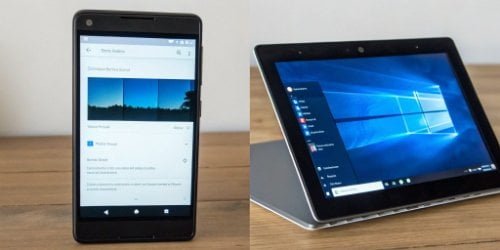
At Weigherps, we do more than just install an OS. We optimize it for the specific hardware inside each scale. This ensures you get the best possible performance, whether you choose Android or Windows. Android is built on Linux and is known for being lightweight and quick to boot. This can be a noticeable advantage in fast-paced environments where scales are turned on and off frequently. It is highly responsive to touch inputs, making tasks feel immediate. Windows, being a more comprehensive OS, generally requires more powerful hardware to run as smoothly. Its strength lies in handling heavy multitasking9 and processing-intensive applications, behaving much like a dedicated industrial computer. The “best” performance often comes down to your team’s habits and familiarity. This is exactly why we offer both options. In fact, for clients with specific ecosystem needs in certain markets, some of our advanced series can even run Huawei’s HarmonyOS. Our goal is to provide the tool that works best for you.
| Performance Metric | Windows | Android |
|---|---|---|
| Resource Usage | Higher (RAM, CPU). Needs more powerful hardware. | Lower (RAM, CPU). Runs well on efficient hardware. |
| Boot Time | Generally slower to start up. | Typically faster to boot. |
| Responsiveness | Good, especially with keyboard/mouse. | Excellent, optimized for touch interaction. |
| Multitasking | Strong, designed for running multiple complex apps. | Good, but more focused on a single-app experience. |
Conclusion
The best operating system depends on your needs, systems, and team. We provide both Android and Windows solutions to ensure a perfect, customized fit for your business.
- Discover the benefits of Android in industrial settings and how it can enhance your operations. ↩
- Learn how Windows IoT Enterprise can streamline your industrial processes and improve integration. ↩
- Learn about the importance of data integration in enhancing productivity and decision-making. ↩
- Find out how tailored solutions can optimize the performance of your industrial smart scales. ↩
- Find out how a robust developer community can enhance support and resources for Android applications. ↩
- Explore the various factors that influence the total cost of ownership for industrial scales. ↩
- Understand the importance of effective user management in industrial applications. ↩
- Understand the critical role of hardware manufacturers in ensuring optimal performance. ↩
- Discover the impact of multitasking capabilities on the efficiency of industrial scales. ↩

Comments (0)