
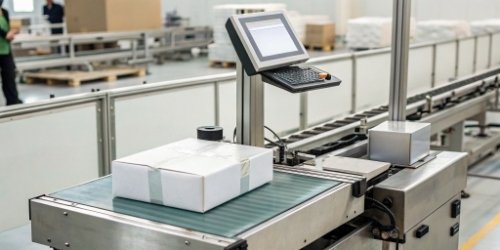
Struggling with slow, error-prone manual data entry on your scales? These mistakes lead to wrong prices and frustrated customers. Imagine a scale that pulls all the correct product information automatically.
Yes, modern smart label printing scales can connect directly to your business databases, like an ERP system or product library. They use integrated software to automatically find product information, process it, and print accurate labels instantly, removing the need for any manual input.
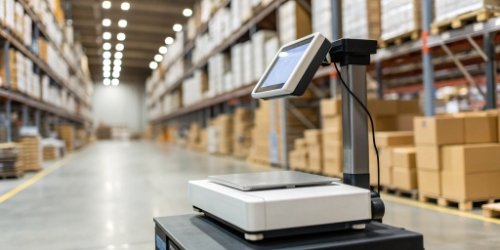
This direct connection is more than just a convenient feature. It represents a major upgrade in how businesses handle critical data right at the weighing station. It links your whole operation together, from the central office to the production floor. Let's break down how this technology works and why it's so important for businesses today.
How Do Label Printing Scales Access Product Databases for Information Retrieval?
Are your scales operating like stand-alone islands, disconnected from your main business systems? This separation creates extra work and data conflicts. Let's bridge that gap by connecting them directly.
Scales access databases using standard network connections like Wi-Fi or a wired Ethernet cable. Through software interfaces called APIs, they send a simple query, like a product code, and instantly receive all related data like price, name, and ingredients for printing.
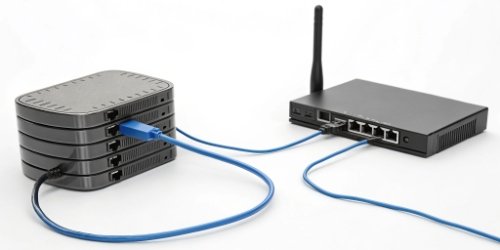
The process of connecting a scale to a database might sound complex, but it's built on a few straightforward technical principles. As a manufacturer, we build our smart PC scales1 to handle these connections easily. The key is how the scale and the database talk to each other.
Key Communication Methods
There are two primary ways a scale communicates with your central product database:
- Network Connection: The scale must join your company's local network. This is usually done through a stable, wired Ethernet connection for reliability or through Wi-Fi for more flexibility in placing the scale.
- Software Interface (API): Once connected, the scale's software needs a way to "ask" the database for information. This is typically done through an Application Programming Interface (API). Think of an API as a special menu that the scale uses to order specific data from the database.
Here is a simple breakdown of the data retrieval cycle2:
| Step | Action | Description |
|---|---|---|
| 1. Trigger | Barcode scan or product selection | An operator scans a product's barcode or chooses it from the scale's touchscreen menu. |
| 2. Query | Scale sends a request | The scale's software takes the product code and sends a request to the database via the network. |
| 3. Response | Database sends back data | The database finds the matching product and sends back a complete data package. |
| 4. Process | Scale populates the label | The scale's software receives the data and automatically fills it into a pre-set label template3. |
| 5. Print | The label is printed | A complete, accurate label is printed in seconds. |
This entire cycle happens almost instantly. It removes the chance of human error and makes the weighing and labeling process incredibly fast.
What Are the Benefits of Database Integration with Label Printing Scales?
Are you worried about how small mistakes in labeling add up to big losses? Inconsistent pricing or incorrect ingredient lists can damage your profits and your brand's reputation. Integrating your scales solves this.
The biggest benefits are improved accuracy, faster operations, and consistent data across your business. This leads to better inventory control, happier customers, and simple compliance with industry rules, saving you a lot of time and money.
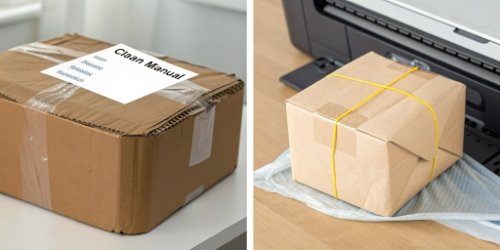
Connecting your scales directly to your central database provides benefits that extend far beyond just printing a label. It transforms the scale from a simple measuring device into an intelligent part of your business operations4. I remember working with a retail client who was struggling with pricing updates across their 20 stores. Integrating their scales saved their team hundreds of hours each month.
Accuracy is Everything
When your product information5 lives in one central place (your ERP or database), you create a single source of truth. Any update made there is instantly available to every connected scale. This eliminates typos and ensures that every label, whether for price, weight, or ingredients, is 100% correct.
Huge Boost in Efficiency
Think about the time saved. An operator can weigh, label, and pack products much faster when they don't have to manually look up or type in any information. This means you can process more orders and serve more customers in the same amount of time.
Here's a quick comparison:
| Feature | Manual Data Entry | Integrated Database System |
|---|---|---|
| Speed | Slow, requires manual lookup | Instant, automated retrieval |
| Accuracy | Prone to human error (typos) | Extremely high, data is verified |
| Consistency | Varies by operator and location | Uniform across all devices |
| Updates | Requires updating each scale one-by-one | Central update applies to all scales |
This integration turns a potential bottleneck into a smooth, fast, and reliable part of your workflow.
How Does Automated Product Information Querying Work in Printing Scales?
Do you understand the benefits but feel like the technical process is a black box? This uncertainty can stop you from adopting a better system. We can walk you through the process step-by-step.
Automation begins when a product is identified, usually with a barcode scanner or a tap on the screen. The scale’s software uses this ID to send a request to the database, which returns the product details. The scale then fills out a label template and prints it.

The magic of automation happens inside the scale's software. At Weigherps, we design our PC-based scales to act as the central brain for this operation. The software we develop is the bridge between the physical act of weighing and your digital business data. Let's look at the simple, three-step workflow that makes this automation possible.
Step 1: Identifying the Product
The process has to start with knowing what's on the scale. This is usually done in one of a few ways:
- Barcode Scanning: The most common and fastest method.
- Touchscreen Menu: The operator selects the product from a list or grid of images on the scale's screen.
- PLU Code: The operator types in a Price Look-Up (PLU) number.
Step 2: The Software Bridge
Once the product is identified, the scale's software takes over. It's programmed to know exactly where your database is on the network and how to ask it for information. It takes the product code, formats it into a query the database can understand, and sends it off. This happens in the background without the operator needing to do anything.
Step 3: Processing the Data and Printing
The database instantly responds with all the necessary information—product name, price per kilogram, barcode, expiration date, etc. The scale's software receives this data and intelligently places each piece of information into a pre-designed label template. It then combines this with the live weight reading from the scale and prints a perfect label. This ensures every label is not only accurate but also meets your specific branding and layout requirements.
What are the Technical Requirements for Database Connectivity in Printing Scales?
Are you ready to make the switch but concerned your current setup isn't compatible? This hesitation can delay major improvements. Let's go over the simple technical needs to get you started on the right path.
You need a stable network connection (wired Ethernet is best), a scale with the right software to communicate, and a database that is accessible over the network. Your database may also need a simple API to allow the scale to retrieve information securely.
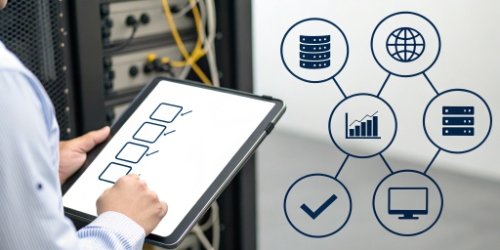
Getting your scales connected to your database is more straightforward than it might seem. Most modern businesses already have much of the necessary infrastructure in place. From our 19 years of experience, we've found that success comes down to checking a few key technical boxes on both the scale side and the database side. This planning ensures a smooth and successful integration.
Your Simple Connectivity Checklist
Before you begin, you can use this table to review your setup. It covers the essentials needed for a successful connection.
| Component | Requirement | Notes |
|---|---|---|
| Network | A stable local area network (LAN) | Ethernet is recommended for reliability, but Wi-Fi works for mobile setups. The scale must be on the same network as the database server. |
| The Scale | A smart, PC-based scale | The scale needs an operating system and software capable of networking. It must have an Ethernet port or a Wi-Fi adapter. |
| The Database | Accessible over the network | Your database (e.g., SQL, Oracle) must be configured to accept connections from other devices on the network. |
| Security | Firewall and permissions | You'll need to make sure your network firewall allows communication between the scale and the database. The database should also have user permissions set up for security. |
| Software | Compatible software or an API | The scale's software and the database need to speak the same language. An API is the modern standard for making this happen easily and securely. |
We work with our clients to make sure all these pieces fit together. Often, the biggest step is simply ensuring your IT team and your scale provider are communicating to make the connection happen.
Conclusion
Connecting your label printing scale to a database is a powerful upgrade. It makes your operations faster, much more accurate, and prepares your business for future growth and success.
-
Learn about the features and benefits of smart PC scales for modern businesses. ↩
-
Understand the steps involved in the data retrieval cycle and its importance. ↩
-
Discover how label templates streamline the labeling process for businesses. ↩
-
Explore how technology can transform and enhance overall business operations. ↩
-
Discover the importance of accurate product information management for business success. ↩


Comments (0)