
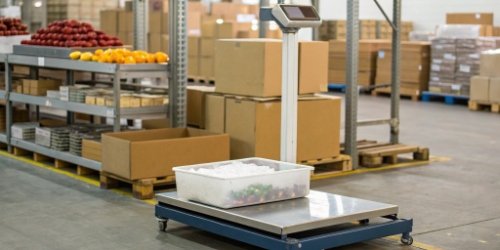
Juggling different labels for products is a huge headache. This constant switching wastes time and causes costly errors. A single smart scale can handle all your labeling needs.
Yes, a single scale can support multiple label formats. This is done with modern smart scales that run on flexible software. You can create different templates and choose the right one for each product or customer directly on the scale's interface, making your process much simpler.
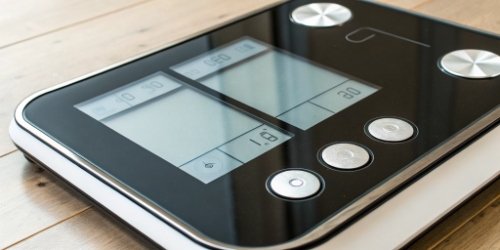
Having one flexible scale sounds great. But how does it actually work in a busy factory? The secret is in the mix of good hardware and smart software. Let's look at how these systems are built to handle such varied tasks so easily. Knowing this will help you choose the right equipment for your business.
How Can a Scale Handle Multiple Label Formats for Diverse Product Needs?
Your products have different labeling requirements, from ingredients to barcodes. A single, rigid label format just does not work. Smart scales solve this by adapting to each product's specific needs.
A smart scale manages diverse labels by linking them to specific products in its database. When you select a product using a code, the scale automatically pulls up the correct, pre-assigned label format. This ensures accuracy for every item you weigh.
Dive Deeper
In my 19 years of making industrial scales, I’ve seen technology change a lot. Old scales were simple. Their functions were built into the hardware, which made them very rigid. A change in label format often meant buying a new scale or complex firmware updates. Today, the game has completely changed thanks to software.
The Power of the Product Database
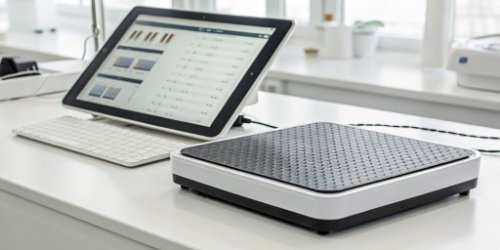
Modern scales aren't just weighing devices; they are small computers. The most important feature for label flexibility is the product database1, often managed through Product Look-Up (PLU) codes. Each product in the database is an entry that contains much more than just a name and price. It holds a complete profile. We work with clients to build software that links each product entry to a specific label template ID2. This turns a complex task into a simple, automated process3 for the operator.
| Product Name | PLU Code | Price/kg | Label Template ID |
|---|---|---|---|
| Organic Apples | 1001 | $3.99 | Template_Fruit_v1 |
| Ground Beef | 2005 | $8.50 | Template_Meat_v2 |
| Cheddar Cheese | 3012 | $12.00 | Template_Deli_v3 |
When an operator places beef on the scale and enters PLU 2005, the software instantly knows to use "Template_Meat_v2." This eliminates guesswork and human error completely.
What Features Enable a Scale to Support Various Label Formats Simultaneously?
Are you looking for a scale that can do more than just weigh items? Basic models just don't have the intelligence for complex labeling tasks. The key features are all found in the scale's software and the hardware that runs it.
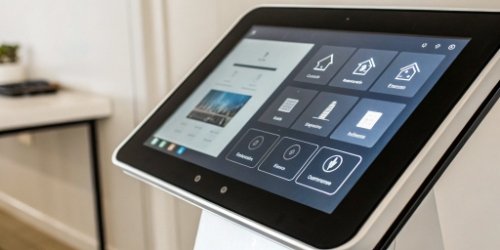
Key features include a powerful processor, enough memory, and a user-friendly touchscreen. Most importantly, it is the customizable operating system that allows for a label design module and a database. This lets you switch between formats instantly.
Dive Deeper
As a manufacturer, we know that the inside of the scale is what makes this flexibility possible. A discussion with a technical director always comes down to the core components and the software stack. It’s not just about a load cell and a display anymore. A modern smart scale4 is a fully integrated system.
Core Hardware and Software Stack
The internal architecture is designed specifically for this kind of flexible work. It's built much like a specialized tablet or industrial computer. We ensure the hardware is robust enough to run whatever software our clients, especially software vendors, need to deploy. Here is a breakdown of the essential features and their roles:
| Feature | Role in Flexible Labeling |
|---|---|
| Touchscreen UI | Provides an intuitive way for operators to select products and customers. |
| Onboard Processor & RAM | Runs the operating system and application software smoothly without lag. |
| Database Storage | Holds thousands of PLUs, customer profiles, and label templates locally. |
| Customizable OS | This is the foundation. It lets us or our clients build custom apps. |
| Connectivity (Wi-Fi/LAN) | Allows for remote updates, database syncing, and integration with other systems. |
The customizable operating system5 is the most critical part. It’s what allows us at Weigherps to offer truly tailored solutions. We provide the stable hardware and a base OS, and our clients can build on top of it. This partnership model is perfect for software companies looking to integrate their solutions with high-quality weighing hardware.
Can Label Scales Be Adapted to Print Customized Formats for Different Customers?
Your wholesale customers often have their own unique labeling demands. Managing this manually is complex and can lead to rejected shipments. A truly smart scale can be customized for each specific customer.
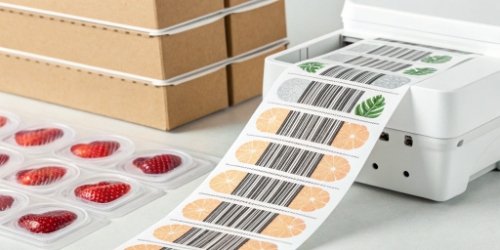
Absolutely. Smart scales can be programmed with customer-specific profiles. When processing an order for "Customer A," you select their profile, and all labels are printed in their required format, with their logo and specific barcode. This is all controlled by software.
Dive Deeper
This is where we see our clients gain the biggest competitive advantage. Customizing labels per product is one thing. Customizing them per customer is another level of service that can win you major contracts. This is not a standard feature on most scales, but it’s something we specialize in developing because we understand the needs of the supply chain6.
A Real-World Example
I remember working with a seafood distributor. They supplied fresh fish to three different supermarket chains. Each chain had its own strict rules for labels: one required a "Packed On" date, another needed a specific GS1-128 barcode, and the third wanted its own logo featured prominently. Before, they had three separate labeling stations, which was a nightmare of confusion and mistakes. We developed a custom application for their smart scales. The software workflow was simple: the operator first selected the customer (e.g., "Chain A") on the touchscreen. This action then filtered the list of products and automatically assigned the correct label format for that specific customer.
| Customer Profile | Product | Resulting Label Template |
|---|---|---|
| Chain A | Salmon Fillet | ChainA_Seafood.LBL (with logo) |
| Chain B | Salmon Fillet | ChainB_GS1.LBL (with GS1 barcode) |
| Chain C | Salmon Fillet | ChainC_Date.LBL (with Packed On date) |
This system eliminated their labeling errors7 overnight. It turned a major pain point into a smooth, efficient process. This is the power of custom software on the right hardware platform.
How Do Scales Manage Different Label Requirements Across Multiple Products?
Your business might have hundreds of products, each needing its own specific label. Trying to manage this portfolio of templates manually is disorganized and highly inefficient, especially as you grow.
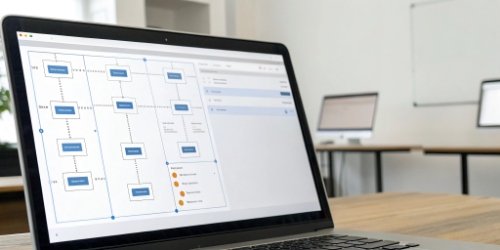
Scales manage this complexity using centralized software and network connectivity. You can design, edit, and assign label formats on a computer and then push updates to all connected scales at once. This avoids programming each scale one by one.
Dive Deeper
In the past, managing a new label meant walking to every single scale on the factory floor with a USB drive or manually programming it through a clunky keypad. Imagine doing that for 20 scales. As an OEM/ODM provider, we design systems that solve this exact problem. The key is to move management off the scale and onto a central computer.
The End of One-by-One Programming
We provide our clients with a backend management system. This is a piece of software that runs on a manager's PC. From this single interface, they have full control. They can design new labels with a drag-and-drop editor8, add hundreds of new products to the database, or change pricing across the entire product line. When they are done, they just click "Sync." The software then uses the factory's Wi-Fi or LAN network to push these updates to every single scale on the floor. The scales receive the new data and are ready to go in seconds. This centralized approach is fundamental for any serious operation.
| Benefit of Central Control | Impact on Operations |
|---|---|
| Single Point of Update | Saves countless hours of manual labor and reduces downtime. |
| Version Control | Ensures every scale uses the most current, compliant label. No outdated formats. |
| Scalability | Adding a new scale to the system is as simple as connecting it to the network. |
| Security & Access Control | You can restrict who is allowed to make changes to labels or pricing. |
This networked approach transforms scale management from a tedious chore into a simple, controlled, and scalable IT task.
Conclusion
Yes, a single smart scale can manage all your label formats. Through customizable software, we help you achieve total flexibility, efficiency, and accuracy in your weighing and labeling operations.
-
Find out how product databases streamline labeling and improve accuracy. ↩
-
Learn about label template IDs and their role in product labeling. ↩
-
Explore the advantages of automation in labeling and weighing operations. ↩
-
Explore how smart scales revolutionize labeling processes with advanced technology. ↩
-
Explore how customizable operating systems enhance the functionality of smart scales. ↩
-
Learn about the role of smart labeling in optimizing supply chain efficiency. ↩
-
Explore strategies to reduce labeling errors in manufacturing processes. ↩
-
Learn how drag-and-drop editors make label design user-friendly and efficient. ↩


Comments (0)