

Your standard scale software creates bottlenecks. It forces your team to adapt to the machine, causing delays and errors. You need a solution that fits your process, not the other way around.
Yes, a weighing scale’s software can be fully customized to your specific workflow. This involves tailoring the user interface, automating data capture, and integrating with your existing systems like ERPs. This ensures the scale operates as a natural extension of your unique production line.
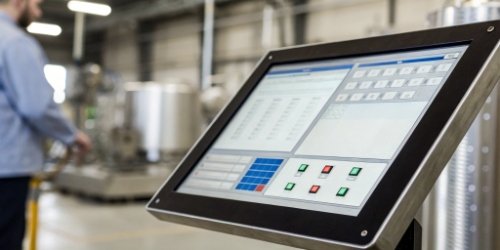
Generic, off-the-shelf software rarely fits a specialized industrial process perfectly. Every extra step, every confusing menu, and every manual data entry point is a potential source of inefficiency and error. What if your weighing equipment could understand and adapt to your exact operational steps, simplifying tasks for your team and capturing data flawlessly? As a manufacturer with nearly two decades of experience, I’ve seen firsthand how an investment in tailored software transforms an operation. It turns a simple scale into a powerful, intelligent tool1 that drives productivity. Let’s explore how this customization works and what it can do for you.
How Can Weighing Scale Software Be Tailored to Meet Unique Workflow Requirements?
You see the potential of custom software. But the process of creating it seems complicated and overwhelming. You worry about the time and resources needed to get it right.
Software tailoring begins with a deep analysis of your workflow. We then modify the interface, develop specific modules for tasks like recipe management, and use APIs to connect with your business systems. This creates a seamless flow of information that matches your exact operational needs.
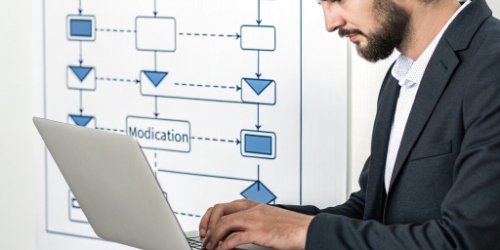
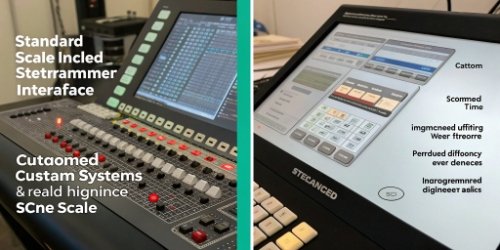
At Weigherps, we approach this by first understanding your process from start to finish. We don’t just ask what you want the scale to do; we ask why. This deep dive helps us build a solution that solves core problems. We have two main approaches based on this analysis. For many commercial applications, a standardized software package with simple modifications is enough. We can easily adjust settings and integrate with common systems. However, for complex industrial workflows, we build from the ground up.
Key Customization Areas
We focus on several key areas to ensure the software is a perfect fit.
- Workflow Logic: We program the exact sequence of steps your operators need to follow. This can include mandatory checks and prompts to guide them.
- Data Integration: We connect the scale directly to your Enterprise Resource Planning (ERP)2, Manufacturing Execution System (MES)3, or other databases.
- User Interface (UI): We design the screen to show only what’s necessary for the task, using clear language and simple controls.
| Customization Aspect | Description | Practical Example |
|---|---|---|
| User Interface (UI) | We modify screen layouts, buttons, and prompts. | Adding a large "PRINT" button for an operator wearing gloves. |
| Data Integration | We connect the scale to other software via APIs. | Weight data is sent automatically to your inventory system. |
| Workflow Logic | We program specific, sequential operational steps. | A guided, step-by-step recipe process with quality checks. |
What Are the Benefits of Customizing Onboard Software for Weighing Scales?
Customization sounds good, but you see it as an extra cost. You are not sure if the return on investment will justify the initial expense. Is it a luxury or a necessity?
The primary benefits are greater efficiency, fewer human errors, and perfect data integration. Custom software simplifies tasks, automates data entry, and ensures consistent operations. This leads directly to higher productivity, better quality control, and significant long-term cost savings.
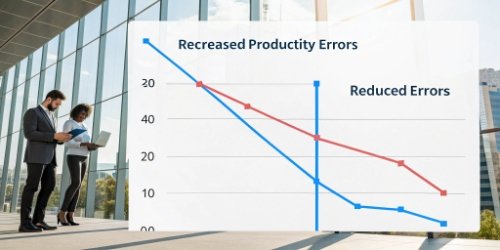
The value of custom software4 becomes clear when you measure its impact on your daily operations. It’s not just about making a scale easier to use; it’s about making your entire process more robust and profitable. We’ve seen clients transform their production lines by eliminating the small, repetitive issues that plague a generic setup.
Boosting Operational Speed
A custom workflow removes unnecessary steps. An operator doesn’t need to navigate through menus they never use. Every button and prompt is exactly what they need for their specific job. This makes the weighing process faster and more intuitive.
Slashing Errors and Improving Quality
Manual data entry is a major source of costly errors. By automating data capture5 and integrating with other systems, we eliminate typos and mistakes. For example, in a batching process, the software can lock the system if the wrong ingredient or an incorrect weight is added. This simple check guarantees perfect product quality batch after batch.
Gaining Real-Time Insights
When your scale is fully integrated, it provides a stream of real-time data6 on production. This allows managers to make faster, more informed decisions. You can track material usage, monitor output, and identify bottlenecks as they happen, not at the end of a shift.
How Do Software Customization Options Improve the Efficiency of Weighing Operations?
Your current weighing process feels slow and clumsy. Every extra button press and manual data log costs valuable time and introduces the risk of error. You need to find and eliminate these inefficiencies.
Custom options improve efficiency by automating repetitive tasks, simplifying the user interface, and providing real-time operator guidance. By programming workflows and integrating peripherals like scanners, the scale actively helps the operator, speeding up the process and preventing mistakes.
Efficiency isn’t about working harder; it’s about working smarter. Custom software turns a scale into an active participant in your workflow, guiding users and handling tedious tasks automatically. This creates a smoother, faster, and more reliable process. I remember a client in the logistics industry whose team was manually keying in package weights. After we implemented a system that integrated a barcode scanner and an automatic data link to their shipping software, their throughput increased by over 30% in the first month alone.
Workflow Automation
We can program a complete sequence of operations. Consider a typical shipping station workflow:
- Operator scans a package barcode.
- The scale automatically pulls up the order details.
- Operator places the box on the scale.
- The software captures the weight and prints the correct shipping label.
This turns a complex, multi-step process into a simple, guided action.
Peripheral Integration
Connecting other devices is a huge efficiency booster. We can integrate barcode scanners, label printers, RFID readers, and even actuators. This means an operator can scan a product, and the scale automatically knows the target weight. Or, once the correct weight is reached, a label is printed without any user input.
In What Ways Can a Customizable Software Interface Enhance Scale Functionality?
A cluttered and confusing scale interface frustrates your employees. It makes training difficult and leads to simple but costly mistakes during a busy shift. You need a tool that is poweful yet simple.
A custom interface enhances functionality by displaying only relevant information and controls. It allows for larger buttons, incorporates company branding, and can display prompts in multiple languages. This makes the scale more intuitive, reduces training time, and improves overall user satisfaction and accuracy.
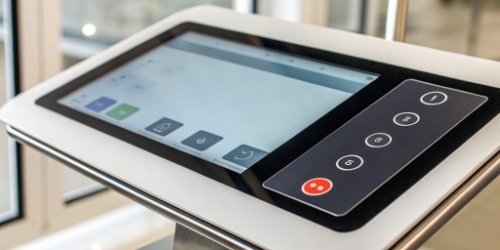
The user interface7 (UI) is where your operator connects with the machine. If that connection is confusing, the machine’s power is wasted. A well-designed UI turns a complex piece of equipment into a simple-to-use tool. Functionality is not about how many features a scale has, but how easily your team can access the features they need.
Creating a User-Centric Design
We design the interface around the user and their environment.
- For operators wearing gloves: We design large, easy-to-press on-screen buttons.
- For low-light environments: We use high-contrast color schemes for better visibility.
- For complex tasks: We create guided step-by-step wizards that walk the operator through the process.
The interface is built to serve the user, not the other way around.
Streamlining Information Display
Standard interfaces often show too much data. We remove the clutter. For a simple checkweighing task, the display might only show the current weight, a target range, and a clear GREEN or RED status indicator. This clarity prevents operators from misreading information and helps them make faster decisions.
| UI Feature | Functionality Enhancement |
|---|---|
| Large, clear fonts | Improves readability in all factory lighting conditions. |
| Role-based views | Shows simple options for operators and advanced settings for supervisors. |
| Multi-language support | Eases use and reduces errors for a diverse workforce. |
| Visual pass/fail indicators | Provides instant feedback with color bars, checkmarks, or sounds. |
Conclusion
Customizing your scale’s software is a strategic decision. It aligns your equipment with your workflow, cutting errors and boosting efficiency, which directly improves your profitability and operational control.
-
Learn how advanced features turn standard scales into intelligent tools. ↩
-
Understand how ERP systems integrate with your operations for better efficiency. ↩
-
Find out how MES can enhance real-time monitoring and control in production. ↩
-
Discover the transformative power of custom software tailored to your specific needs. ↩
-
Learn how automating data capture can reduce errors and streamline your workflow. ↩
-
Understand the significance of real-time data for operational insights. ↩
-
Explore the key elements of an effective user interface that boosts productivity. ↩


Comments (0)