

Struggling to get weight data into your app? Manual entry is slow and full of errors. We offer a direct connection to your Android device for instant, accurate results.
Yes, you can measure weight in Android by connecting your device to a professional, Bluetooth-enabled industrial scale. This method allows your application to receive precise weight data directly, which removes manual errors and makes your workflow much smoother and more efficient.
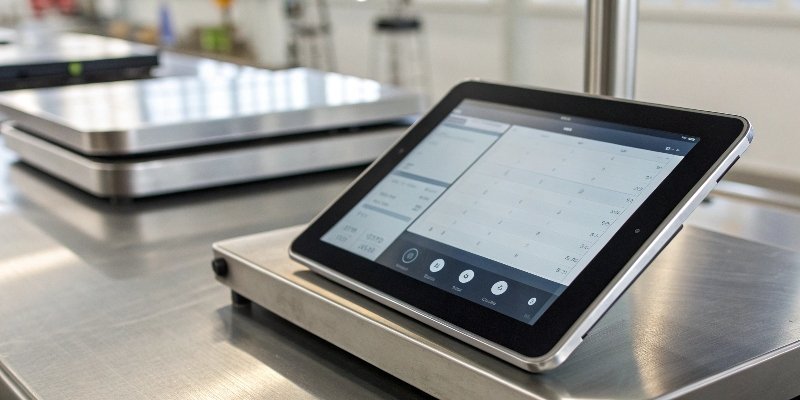
You know it's possible, but the details are what matter. How do you choose the right hardware? What technical specs should you look for to ensure a stable connection and accurate data? I've spent 18 years helping clients solve this exact problem. Let's walk through the essential things you need to know to make your project a success.
How to measure weight using an Android phone?
Need to get accurate weight data into your Android system? Manual input is slow and a major source of errors. We offer a direct connection for seamless, instant data transfer.
You can measure weight with an Android phone by pairing it via Bluetooth to a compatible industrial electronic scale. After connecting, a special app or your own software receives the real-time weight data, sending it directly into your inventory or ERP system.

To make this work reliably, you have to focus on the connection itself. It's not just about finding any Bluetooth scale; it's about finding one with the right performance for your specific environment. I always tell my clients to start by thinking about the hardware's communication capabilities1 first.
Transmission Performance is Key
The heart of the connection is the Bluetooth module. We prioritize scales with Bluetooth 5.0 modules2, often using robust chips like those from CSR. Why? Because they offer a strong connection that doesn't use a lot of power. This is very important for devices that run on batteries in a busy workshop.
Matching Range to Your Workspace
Next, think about distance. The distance between your scale and your Android device determines the type of module you need.
| Environment | Required Transmission Distance | Recommended Model |
|---|---|---|
| Indoor Production Line | Up to 30 meters | An economical 30m module is perfect. |
| Large Warehouse / Workshop | Up to 100 meters | A 100m long-range model is necessary. |
For example, our Weigherps A12E is a popular choice for warehouses because its 100-meter range gives operators the freedom to move around without losing the connection. For a more fixed setup, like a conveyor belt, a 30-meter model is more cost-effective and does the job perfectly.
Can I use my phone as a weighing scale?
You wish your phone could just weigh things directly, right? Lots of apps claim they can, but they are not accurate for professional work. Real precision comes from using real hardware.
No, you cannot use your phone itself as an accurate weighing scale. Your phone's internal sensors are not designed for measuring weight and are highly unreliable. For any serious business use, you must connect your phone to a professional external weighing scale.
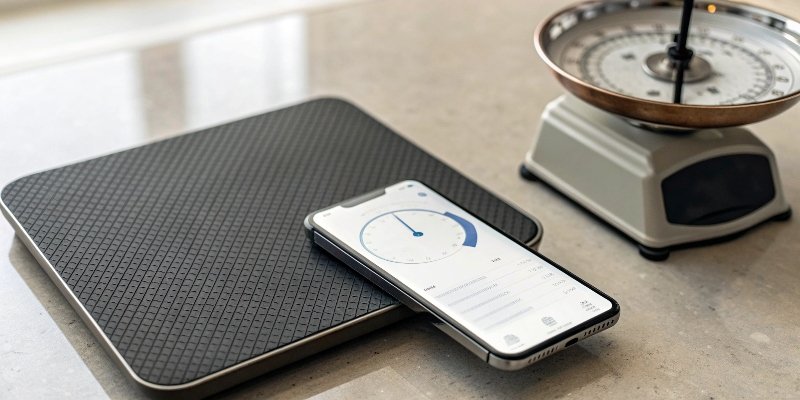
Let's be clear about why your phone fails at this task and what makes a real scale the only option for industrial use. I've seen too many people waste time with app-based gimmicks before realizing they need a professional tool.
Why Phone Sensors Are Not Enough
Your phone has sensors, like accelerometers and sometimes pressure sensors, but they are not load cells3. A load cell is a highly specialized transducer that converts force (or weight) into a measurable electrical signal. Phone apps try to guess weight based on pressure or balance, which is not accurate enough for business.
What to Look for in a Professional Scale
A true industrial scale is defined by its precision and durability. Here’s what you need to consider:
-
Load Bearing and Precision: The right scale depends on what you are weighing. Industry Common Weight Range Required Precision Logistics / Warehousing 30 - 500 kg 0.01 kg Chemical / Pharmaceutical 1 - 10 kg 0.001 kg -
Material and Protection Level: The scale also has to survive in its work environment. Application Scenario Recommended Material IP Rating Standard Warehouse Carbon Steel (painted) IP67 Wet / Dusty Areas 304 Stainless Steel IP68 Salty / Corrosive Air 316L Stainless Steel IP68 + Anti-Acid Coating
Choosing the right combination of these features ensures your measurements are not just accurate, but also consistent over the long term.
How to measure weight on Google?
Searching "how to weigh things" on Google? The results are a confusing mix of fun tricks and serious tools. Let's make it clear what you really need for a business.
Google itself cannot measure weight. A search on Google will show you many apps that claim to turn your phone into a scale, but these are not accurate. To do this professionally, you should search for "industrial scales with Android connectivity" to find proper hardware.
The real goal is not to weigh something on Google. The goal is to get weight data from a scale into the business systems you use, which might be cloud-based. This is where system integration4 becomes the most important part of the conversation, especially for you as a software vendor.
Focus on System Integration
Your software needs to talk to our hardware. It’s that simple. We build our scales with this in mind. As a software developer or purchasing manager, you need to be sure that the scale you choose can easily connect with your existing infrastructure.
Making the Connection Work
We ensure our scales are compatible with major systems. For example, our devices can integrate with major ERP systems5 used in markets like South America, such as SAP Business One. We achieve this by supporting standard communication protocols. Many of our models, like the XK3190-A27E indicator, support the Modbus protocol, which is a common language in industrial automation. This makes it much easier for your developers to get the data they need from the scale and into your software, creating a seamless flow of information from the physical world to the digital record. This is the kind of reliable integration that builds a strong product.
Which device is used to measure weight?
Feeling overwhelmed by all the weighing devices out there? The wrong choice can cost you money and cause big headaches. Let me help you simplify the decision.
A dedicated electronic weighing scale is the correct device to measure weight. For industrial work that needs Android integration, you should use a smart scale with a built-in Bluetooth connection. The best model depends on your industry, precision needs, and work environment.

Over my 18 years in this business, I've learned that the "best" device is the one that perfectly matches the job. It's not about having the most expensive features; it's about having the right ones. To make it easier, I’ve put together a reference table based on what we see our most successful clients using.
Our Top Recommendations for Android Integration
This table should give you a great starting point for finding the right scale for your specific application.
| Application Scenario | Recommended Model | Core Advantages | Price Range (USD) |
|---|---|---|---|
| Express Logistics | Yaohua A12E Bluetooth | 100m range, IP67 waterproof, connects to multiple devices | $800 - $1,200 |
| Food Processing | weigherps-A8E | 304 stainless steel, IP68 waterproof, real-time app sync | $1,500 - $2,000 |
| Chemical (Explosion-Proof) | Jutian JDFWN-B20S | 316L stainless steel, ATEX certified, data to PLC | $2,500 - $3,500 |
| E-commerce Warehouse | Langkun LKB-300 | Carbon steel frame, Bluetooth 5.0, 120-hour battery life | $600 - $900 |
One final tip from my experience: always check the power specifications6. For clients in regions like South America, many areas use both 110V and 220V power. We make sure our models are compatible, but it’s always smart to confirm your local power standard before you buy.
Conclusion
In short, Android devices can measure weight with a professional Bluetooth scale. Choosing the right scale based on performance, environment, and system integration is the key to your success.
-
Learn about the communication capabilities that ensure effective data transfer in weighing systems. ↩
-
Learn why Bluetooth 5.0 modules are essential for reliable connections in industrial applications. ↩
-
Understand the role of load cells in accurate weight measurement and their applications. ↩
-
Learn about the importance of system integration for seamless data transfer in industrial settings. ↩
-
Discover how ERP systems can streamline your business operations and integrate with weighing scales. ↩
-
Learn how power specifications can affect the performance and compatibility of weighing scales. ↩



[…] For your needs as a software vendor, communication protocols3 are critical. Does the scale support Modbus4, Ethernet/IP5, or offer a simple serial output? A flexible API6 can be a game-changer for your […]
[…] Modbus1 has been the workhorse of industrial automation2 for almost as long as we've been in business, and for good reason. Its master-slave architecture is very straightforward. One device, the master like a PLC3, requests information from other devices, the slaves, like our weighing scales. This simplicity makes it incredibly reliable and easy to troubleshoot when issues arise. As a software provider, supporting it is non-negotiable for industrial applications. […]