
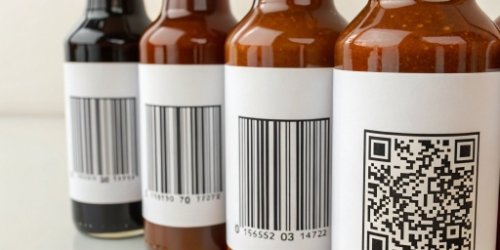
Static labels can limit your data and tracking abilities. This means lost opportunities in efficiency and marketing. A dynamic labeling system offers a powerful, flexible alternative for modern business needs.
Yes, you can absolutely create labels with dynamic barcodes, QR codes, and serialized numbers. Modern systems combine specialized software with capable printers. This allows you to generate unique, data-rich labels on-demand for enhanced tracking, marketing, and security for every single product.
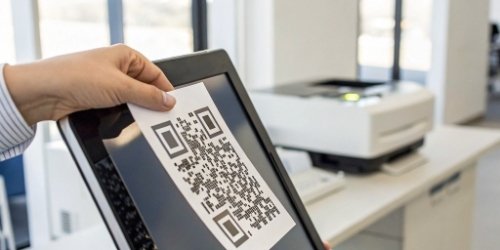
The ability to give every product a unique, dynamic identity is a game-changer for many industries. It opens up new possibilities for tracking, customer engagement, and security. But you might be wondering how this technology actually works in a real-world production environment. It's simpler than you might think when you have the right tools. Let's break down the key questions to understand how you can implement this powerful system.
How Can Dynamic Barcodes and QR Codes Be Incorporated into Label Printing?
You want to use dynamic codes but are not sure how to integrate them. This can seem complex and daunting. The solution involves connecting your printer to a dynamic data source.
Dynamic codes are integrated by linking your label printing software to a database or cloud service. The software pulls unique information, like product data or a web link, for each label. It then generates a distinct barcode or QR code on the fly before printing.
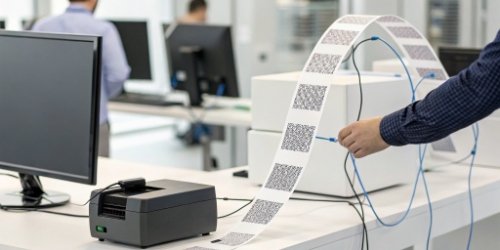
The Data Source
This is the heart of your dynamic labeling system1. Your data source2 can be a simple Excel spreadsheet, a complex SQL database, or a cloud-based platform. This source holds the unique information that will go into each code. For example, our IoT weighing systems can generate real-time weight data3. This data can feed directly into your database, ready to be printed on a label. This is essential for industries like food processing or logistics, where every gram counts.
The Software Bridge
This bridge is your label design software4. You configure it to connect to your data source. When a print job is triggered, the software does more than just print a static design. It sends a request to the data source for the next piece of information, like a unique URL or the next serial number in a sequence. This is the step that makes each label unique.
The Printing Process
The software takes the static part of your label template and merges it with the dynamic data it just received. It then sends this complete, unique label file to the printer. This entire process happens almost instantly. Imagine weighing fresh meat. Our scale captures the exact weight, the software generates a unique QR code with the weight, price, and packing date, and the label is printed. This "on-demand printing5" is perfect for any business where information changes from one item to the next.
Is It Possible to Generate Labels with Serialized Numbers Automatically?
Manually tracking serial numbers is slow and full of potential errors. These mistakes can be costly for your business. Automation is the only way to guarantee accuracy and efficiency in your serialization.
Yes, generating labels with automatically serialized numbers is a standard feature in modern label software. You can define the starting number, the increment value, and the format. The software then handles the automatic sequencing, ensuring no duplicates or missed numbers.
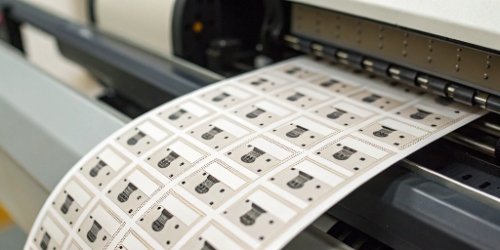
Setting Up the Sequence
In most professional label design software, setting up serialization is a simple process. You typically find a function where you can input your rules. I once worked with a client in the electronics assembly business. They needed to label thousands of small components each day. They set a starting number of CMP-10001 and an increment of 1. The software automatically printed CMP-10002, CMP-10003, and so on for each component. This simple change eliminated all their manual entry errors and saved them hours of work.
Advanced Serialization
The true power of this feature comes from more complex setups. You can combine different data sources or add rules to your serial numbers. This gives you complete control over your product identification6. Let's look at some common options.
| Feature | Description | Example |
|---|---|---|
| Prefix/Suffix | Add static text or characters before or after the number. | BATCH-A-[SerialNumber] |
| Padding | Make sure the number has a fixed length by adding leading zeros. | 0001, 0002, 0003 |
| Database Link | Pull the next available serial number from a central database. | Prevents duplicates across multiple print stations. |
| Rollover | Reset the counter after it reaches a certain number. | A-9999 resets to B-0001 |
This level of control ensures that you can create a unique and fully traceable identifier for every single item you produce or handle.
What Tools Allow for the Creation of Labels Featuring Dynamic QR Codes and Barcodes?
You know that you need dynamic labels, but you are not sure where to start. The market is full of different tools, which can be confusing. We can help you identify the essential components for a successful system.
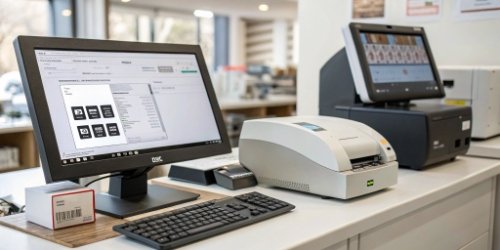
You need three main tools: 1) Professional label design software. 2) A printer that can handle variable data. 3) A reliable data source, like a database or an integrated system like our intelligent weighing scales.
The Software
The software is the brain of the entire operation. You should look for professional solutions like Bartender, CodeSoft, or NiceLabel. They are industry standards for a good reason. They are built specifically for creating complex, data-driven labels7. These programs include easy-to-use wizards to connect to almost any database, including SQL, Oracle, or even a simple Excel file. As a software vendor yourself, you will appreciate their powerful APIs, which allow for seamless integration with your own enterprise systems.
The Hardware
The printer is your workhorse. Most modern thermal transfer or direct thermal printers are perfect for this job. They are fast, reliable, and produce clear, scannable barcodes8. The most important thing is to make sure the printer's driver is fully compatible with your chosen label design software. Our custom weighing systems are designed to integrate directly with leading printer brands like Zebra, Sato, or Honeywell, creating a very smooth workflow.
The Integrated System
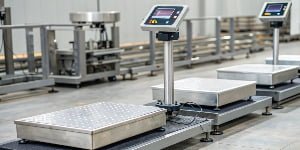
This is where we, as Weigherps, provide unique value. Our IoT electronic scales and custom weighing systems can be more than just a scale. They can act as both the data source and the trigger for printing. For instance, an item is placed on the scale. The scale instantly captures the weight, sends that data to the label software, and initiates the printing of a dynamic, serialized label. This creates a fully automated and highly efficient workflow, connecting the physical act of weighing with the digital world of data.
Can Label Printing Systems Support Dynamic Serialization for Inventory Management?
Is your inventory a black box? Inaccurate counts and lost products can drain your company's profits. Dynamic serialization gives you the item-level visibility you need to take back control of your stock.
Yes, this is one of the main reasons to use it. Dynamic serialization is the foundation of modern inventory management. By giving each item a unique serial number through a barcode or QR code, you can track its entire lifecycle with amazing accuracy.

From Production to Warehouse
Imagine an item coming off your production line. It is placed on one of our scales and immediately gets a label with a unique serial number. That unique code is then scanned as the item enters the warehouse. It is scanned again when it moves to a different shelf, when it's picked for an order, and finally when it is shipped. Your Warehouse Management System (WMS) now has a real-time, item-level history of every single product. This almost completely eliminates manual counting errors and makes stock-taking much faster. It also helps you precisely manage First-In, First-Out (FIFO)9 or Last-In, First-Out (LIFO) inventory strategies.
Enhancing Security and Traceability
This "one-item-one-code" method is also a very powerful security tool. It allows you to track the exact journey of every single product. This is critical for preventing counterfeit goods and stopping unauthorized sales in other markets. For industries like pharmaceuticals, food, or high-value electronics, this kind of traceability is not just a nice-to-have feature; it is often a legal requirement. It provides a strong chain of custody that builds trust with your business partners and, most importantly, with your end consumers. This data security protects your brand and your bottom line.
Conclusion
Implementing dynamic barcodes, QR codes, and serialization is not just possible. It's essential for modern efficiency, security, and traceability. Let us help you build a smarter weighing and labeling solution.
-
Explore this resource to understand how dynamic labeling can enhance your business efficiency and marketing. ↩
-
Understand the various data sources that can enhance your dynamic labeling system. ↩
-
Learn how real-time weight data can enhance the accuracy of your labeling process. ↩
-
Get insights on essential features to consider when choosing label design software. ↩
-
Learn about on-demand printing and how it can benefit your business operations. ↩
-
Explore best practices for effective product identification to streamline your operations. ↩
-
Understand the concept of data-driven labels and their impact on product tracking. ↩
-
Discover tips for creating scannable barcodes that enhance your labeling efficiency. ↩
-
Learn about the FIFO method and its importance in inventory management. ↩


Comments (0)