
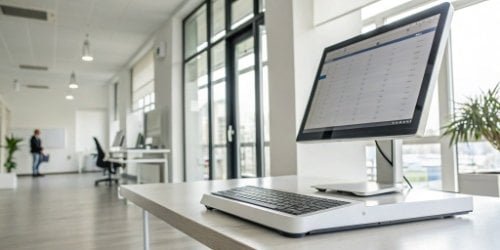
Are you struggling to find hardware that supports your custom software? It’s a common problem. You need a reliable platform, not a compatibility roadblock that stalls your entire project.
Yes, our smart PC scales are designed specifically to run your custom Android or Windows applications. We offer models with either operating system pre-installed. We also provide the necessary software development kits (SDKs) and technical support to ensure your application integrates seamlessly with our hardware’s weighing functions.
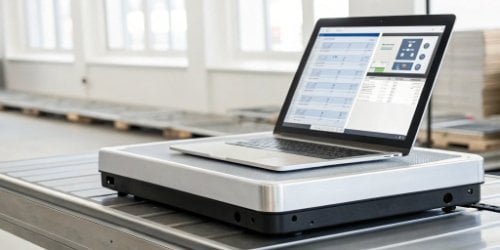
As a manufacturer, I’ve seen countless software companies in your position. You’ve developed an amazing application—for logistics, retail, or industrial automation1—but finding the right hardware to run it on is a major hurdle. The wrong choice can lead to endless troubleshooting and unhappy clients. You need a hardware partner who understands software needs. We built our smart PC scales2 to be that partner. Let’s explore how we make this process easy and reliable for you, ensuring your software performs exactly as you designed it.
What Are the Requirements for Running Custom Applications on Smart PC Scales?
Are you worried that a smart scale won’t have the right specs for your app? Choosing hardware with the wrong specifications can lead to performance issues, crashes, and project delays.
To run a custom application, a smart PC scale needs a compatible operating system (like Windows or Android), enough processing power (CPU/RAM), and standard physical connection ports. We ensure our scales meet these core requirements for smooth and reliable software performance.
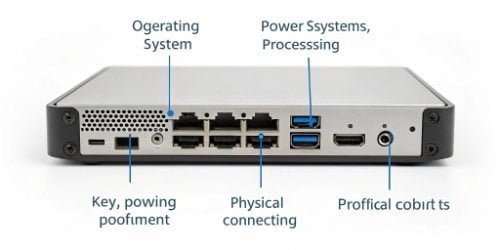
When we designed our smart PC scales, we thought like software developers. We knew that for your application to work well, the underlying hardware has to be solid. It starts with the operating system3. Since most business applications are built for Windows or Android, we give you the choice between both. This is the most critical first step.
Next is performance. A powerful application needs a capable machine. Our scales are equipped with modern processors and sufficient RAM to handle multitasking4 and data-intensive operations without lagging. We understand that your software might need to process inventory data, communicate with a server, and control the weighing function all at once.
Finally, we looked at connectivity. Your application needs to talk to other devices. Our scales include a range of standard ports.
| Requirement | Our Specification | Why It Matters for You |
|---|---|---|
| Operating System | Windows or Android (Client’s choice) | Your developers can use familiar environments and tools. |
| Hardware Specs | Industry-standard CPU, ample RAM, solid-state storage | Ensures your application runs smoothly without lag or crashes. |
| Connectivity | USB, RS232, LAN, Wi-Fi | Allows you to connect printers, scanners, and network resources easily. |
How Can Smart PC Scales Support Custom Android or Windows Applications?
Do you just get a scale with an OS and are left on your own? Integration is more than just a compatible system; a lack of development support can completely stall your project.
We support your custom application by providing comprehensive Software Development Kits (SDKs) and clear API documentation. This gives your developers the tools and direct access they need to control the scale’s weighing functions from within your own software.
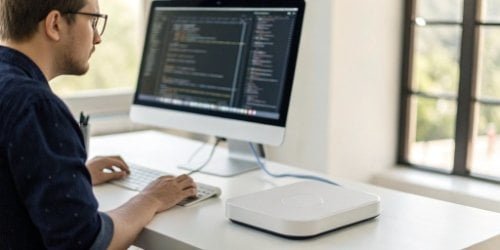
In my 19 years of experience, a “compatible” device is useless without the proper tools to make it work for you. That’s why we don’t just sell you a piece of hardware. We provide a complete development solution. Think of our Software Development Kit (SDK) as a toolbox. It contains all the necessary code libraries, instructions, and examples your team needs to get started. It simplifies the process of making your application “talk” to our scale. For example, instead of your team needing to figure out complex hardware commands, our SDK might provide a simple function like getWeight().
This approach saves you a huge amount of development time and money. Because we use standard Windows and Android platforms, your developers don’t have to learn a new, proprietary system. They can use the development environments5 they already master, like Visual Studio for Windows or Android Studio for Android apps. And if they ever get stuck, our technical support6 team is here to help.
What Compatibility Features Allow Smart PC Scales to Run External Software?
Are you concerned about your software connecting properly with the scale and other devices? Integration failures are expensive and frustrating, and we know you need a system that just works.
Our scales ensure compatibility through standard operating systems, open communication protocols like TCP/IP, and a full suite of physical ports. This open-architecture approach allows for easy integration with your software and any external hardware you need to connect.
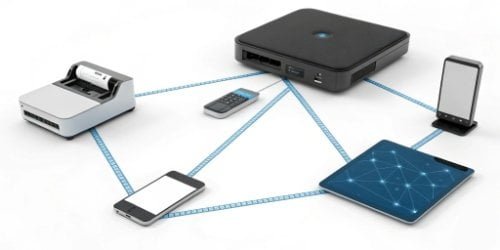
We intentionally designed our smart PC scales to be open and flexible. The most important feature is the use of standard operating systems. Unlike closed, proprietary systems that lock you in, our scales run on Windows or Android. This means if your software can run on a typical desktop PC or Android tablet, it can run on our scale. There are no special versions or complicated workarounds needed.
This philosophy extends to how our scales communicate. They use standard TCP/IP7 protocols for networking, so they can easily connect to your local network and cloud services8. We also include the physical ports that are essential in industrial and retail environments.
| Port/Feature | Example Use Cases |
|---|---|
| USB Ports | Connecting barcode scanners, keyboards, mice |
| RS232 Port | Interfacing with older industrial equipment, printers |
| LAN (Ethernet) | Reliable, wired connection to your company network |
| Wi-Fi/Bluetooth | Wireless connectivity for mobility and peripherals |
I remember working with a logistics software provider from Europe. They needed to connect a label printer and a handheld scanner to the scale. Because our scale had standard USB and RS232 ports, the integration was plug-and-play. Their software immediately recognized the devices, and they were up and running in a single afternoon.
How Do Smart PC Scales Manage Integration with Custom Developed Apps?
Is the integration process complicated and unsupported? We know the fear of being left with a device and a manual, facing a mountain of technical hurdles alone.
We manage integration with a structured, supportive process. It begins with a consultation to understand your needs, followed by providing the necessary SDKs and direct access to our technical team for development, testing, and deployment support.
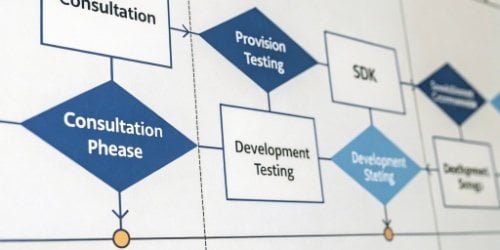
We believe a successful integration is a partnership. We don’t just hand you a product; we guide you through the process from start to finish. Our goal is to make it as smooth as possible for your technical team.
Here’s how our process works:
- Consultation: First, we listen. Our team talks with your purchasing managers and technical directors to fully understand what your application does and what it needs from the hardware. We’ll recommend the right scale model and operating system.
- Tools and Documentation: Once we have a plan, we provide your developers with everything they need: the PC scale, the chosen operating system, and our comprehensive SDK with clear API documentation9 and code samples.
- Dedicated Support: This is where we truly stand apart. Your developers will have a direct line to our engineers. As they build and test the integration, we’re here to answer questions, troubleshoot issues, and provide guidance. We can even help with proof-of-concept testing10 to ensure everything works before a full rollout.
- Deployment and Beyond: Once your application is tested and ready, deploying it is simple. It’s the same process as installing software on any other PC or Android device. We also provide support for managing updates and ensuring long-term stability11.
Conclusion
Our smart PC scales serve as an open platform for your custom software. With full support for both Android and Windows, we provide the tools and expert backing to ensure your success.
- Learn about the impact of smart scales on improving efficiency in industrial automation. ↩
- Explore how smart PC scales can enhance your custom applications with tailored features and support. ↩
- Find out which operating systems are most compatible with custom application development. ↩
- Explore the impact of multitasking on application performance and user experience. ↩
- Find out which development environments are most effective for building applications. ↩
- Discover the types of technical support that can help you successfully integrate hardware with your software. ↩
- Learn how TCP/IP protocols enable seamless communication between devices. ↩
- Explore how integrating cloud services can improve the capabilities of smart devices. ↩
- Discover how API documentation supports developers in integrating software with hardware. ↩
- Understand the importance of proof-of-concept testing in validating your application. ↩
- Learn strategies to maintain long-term stability and performance for your applications. ↩



Comments (0)