
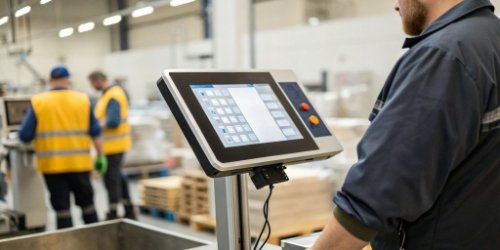
Your team struggles with slow, button-based scales. This eats up valuable time and leads to costly errors. A touchscreen interface can streamline your entire workflow immediately.
Yes, a touchscreen interface drastically speeds up workflows. It streamlines operations by offering direct, intuitive control. Users can quickly access features, input data, and reduce errors, making it much faster than traditional button-based scales.
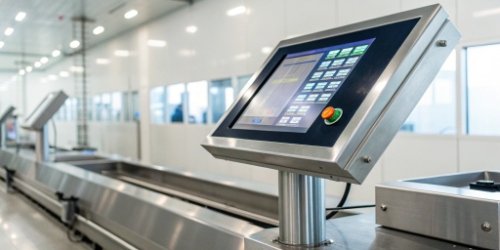
The jump from an old button phone to a smartphone changed everything. The same is happening with industrial scales1. The move to a touchscreen is more than just a cosmetic upgrade; it’s a fundamental shift in how we interact with our equipment. Let’s break down exactly how this technology can change your daily operations.
What are the advantages of a touch screen interface?
Are you unsure what real benefits a touchscreen brings to an industrial scale? This uncertainty can make you miss out on major efficiency gains. Here are the key advantages.
Advantages include intuitive operation, increased speed, and enhanced flexibility. The graphical interface is easy to learn, reducing training time. It also allows for custom software, better data management, and integration with other systems, which physical buttons cannot offer.
A touchscreen turns a simple scale into a smart device. Think about how we moved from basic phones to smartphones. It was about opening up a world of new possibilities.
Simplified User Experience
A graphical user interface (GUI) on a touchscreen is visual and intuitive. We use icons and clear text to guide the user. New operators can understand how to use the scale much faster. This drastically cuts down on training time and reduces the chance of someone pressing the wrong button during a complex sequence.
Enhanced Data and Integration
With a touchscreen, managing data becomes simple. You can easily view historical data, export reports, and connect to your company’s IoT network2 or ERP system. This is something we specialize in at Weigherps. We create custom software3 that meets your exact needs for seamless integration.
Future-Proof Flexibility
A key advantage is software upgradability4. Your business needs will change. With a touchscreen scale, we can push a software update to add new features or improve existing ones. This is impossible with a fixed-button scale. Your investment is protected for the future.
| Feature | Touchscreen Interface | Traditional Button Interface |
|---|---|---|
| Ease of Use | Highly intuitive, visual | Steeper learning curve |
| Training Time | Minimal | Significant |
| Data Entry | Fast, with on-screen keyboard | Slow, requires cycling |
| Flexibility | Software is updatable | Hardware-limited functions |
| Integration | Seamless with IoT/ERP | Limited or complex |
What are the disadvantages of a touch screen as an output device?
Worried that a touchscreen might be fragile or hard to read in your work environment? These fears could stop you from making a smart upgrade. Let’s tackle these concerns directly.
Disadvantages can include glare, potential for physical damage, and responsiveness issues with certain gloves. However, modern industrial-grade screens solve this. We use anti-glare coatings, rugged enclosures, and specific touch technologies that work reliably in tough conditions.
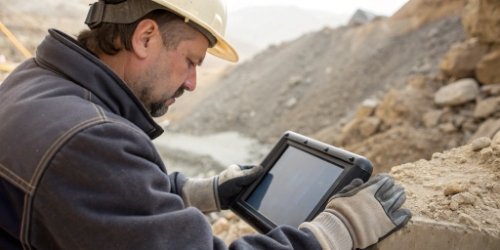
As a manufacturer, I understand that an industrial environment is not an office. Concerns about touchscreen durability5 and usability are valid. We have spent years engineering solutions for these exact problems.
Durability and Environment
A standard consumer tablet would not last a day on most factory floors. That’s why our industrial scales use reinforced screens and are housed in rugged, often stainless steel, enclosures. They are designed to resist impact, water, dust (IP-rated), and cleaning chemicals. We built them for the reality of your workspace.
Visibility and Glare
Poor lighting or direct sunlight can make a screen hard to read. Our screens come with high brightness levels and anti-glare coatings6. This ensures the output displayed on the screen is clear and readable for the operator in all conditions, reducing eye strain and errors.
Input Challenges
Many industrial settings require workers to wear gloves. We have options. We can equip our scales with resistive touchscreens7 that respond to pressure, not just a bare finger. This technology also works if the screen is wet or has debris on it, ensuring reliable input no matter what.
| Common Concern | Our Solution |
|---|---|
| Screen Damage | Reinforced glass, rugged IP-rated enclosures |
| Glare/Poor Visibility | High-brightness, anti-glare coatings |
| Glove Usage | Resistive touch technology for pressure input |
| Cost | Focus on Total Cost of Ownership (TCO) not just price |
What is the advantage of using a touch screen as an input device?
Do you see a touchscreen as just a fancy display? This perspective misses its biggest strength: revolutionizing how fast your team can input data and commands. Let’s see how.
The biggest input advantage is speed. An on-screen keyboard allows for rapid entry of product names, batch numbers, or tare weights. This is far more accurate and efficient than using physical buttons to slowly select each character or number.
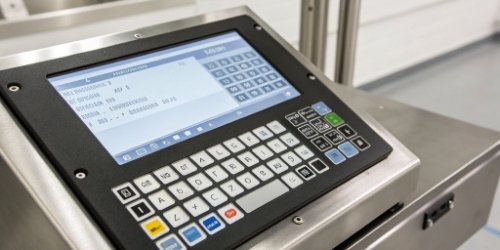
Using a touchscreen for input is fundamentally different than using buttons. It’s the difference between pointing directly at what you want versus giving someone verbal directions to get there. The direct interaction is the key.
Speed of Data Entry
Imagine your operator needs to input a product code like "PROD-18B-XYZ". With physical buttons, they might have to cycle through the alphabet for each letter. With a touchscreen, a full QWERTY keyboard appears. They can type it in seconds. The time savings on this single task, multiplied over a day, are enormous.
Reduction of Input Errors
The visual nature of a touchscreen helps reduce errors. Instead of pressing an abstract "F2" button, the operator touches a large button clearly labeled "Save Tare Weight". The function is obvious. This reduces cognitive load and makes mistakes less likely, which is critical for compliance and quality control.
Dynamic and Contextual Controls
A touchscreen’s input controls can change based on the task. When weighing, you see weighing controls. When entering data, a keyboard appears. This dynamic interface only presents the relevant options to the operator, simplifying a complex workflow into easy steps. Our software can be customized to create the perfect workflow for your process.
| Task: Enter Tare Weight for "Box-A" | Touchscreen Input | Button Input |
|---|---|---|
| Action 1 | Touch "Tare" button on screen | Press physical "Function" button |
| Action 2 | Touch "Manual Input" | Press physical "Enter" button |
| Action 3 | Type "Box-A" on on-screen keyboard | Cycle through letters to spell "Box-A" |
| Action 4 | Touch "Confirm" | Press physical "Save" button |
| Estimated Time | ~5 seconds | ~30 seconds |
What are two advantages of using a touch screen over a mouse?
You might think, "Why not just use a mouse and keyboard with the scale?" This introduces issues with clutter, cleaning, and durability in an industrial space. A touchscreen is better.
A touchscreen saves physical space by combining the monitor and input device. It also increases durability because there are no external mice or keyboards to clean, damage, or get tangled. It’s a more rugged and efficient all-in-one solution.
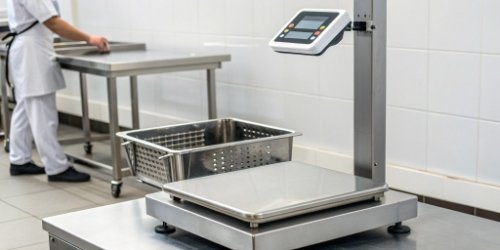
A mouse is a familiar tool, but it was designed for a desk, not a production line. In our 19 years of building weighing solutions, we’ve learned that the environment dictates the best tool for the job.
Advantage 1: Space Optimization and Ergonomics
Workspace on a factory floor or in a lab is precious. A mouse and keyboard require a flat, stable, and clean surface. A touchscreen scale is a self-contained unit. It saves valuable real estate. Operators can also interact with it directly without reaching for a separate device, which is faster and more ergonomic. There are no trailing cables to get snagged or become a hazard.
Advantage 2: Enhanced Durability and Hygiene
An external mouse is a liability in many industries. It has moving parts, crevices that trap dirt, and a cable that can fail. Cleaning a mouse thoroughly is almost impossible. This is a major problem in food processing or pharmaceutical environments. Our touchscreen scales are often sealed (IP65 or higher). They can be wiped down or even washed down without risk of damage. This makes maintaining a hygienic workspace much simpler.
| Factor | Touchscreen | Mouse and Keyboard |
|---|---|---|
| Space Required | Minimal, self-contained | Significant, needs surface |
| Durability | High, sealed unit | Low, external parts and cables |
| Hygiene | Easy to clean, often sealed | Difficult to clean, traps debris |
| Ergonomics | Direct interaction | Requires specific posture and reach |
Conclusion
A touchscreen interface isn’t a luxury. It’s a powerful tool that boosts speed, ensures accuracy, and modernizes your entire weighing workflow for better results.
-
Stay updated on the latest innovations in industrial scales and their functionalities. ↩
-
Explore the benefits of integrating touchscreen scales with IoT for better data connectivity. ↩
-
Learn how custom software solutions can optimize touchscreen scales for specific tasks. ↩
-
Understand how software upgradability protects your investment in touchscreen scales. ↩
-
Learn about the engineering behind durable touchscreen scales for harsh environments. ↩
-
Discover how anti-glare technology enhances usability in bright environments. ↩
-
Explore the advantages of resistive touchscreens in industrial applications. ↩

Comments (0)