

Struggling with generic weighing software that doesn't fit your needs? This mismatch causes errors and inefficiency. A customized software solution is the key to unlocking your system's full potential.
The best way to customize software for weighing systems is by starting with a deep analysis of your specific operational workflows, hardware components, and data management needs. A specialized provider can then develop a bespoke solution that integrates seamlessly, enhancing both accuracy and productivity.
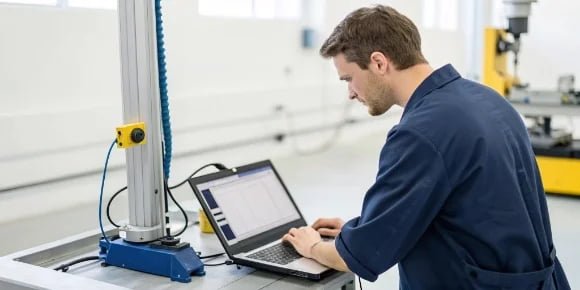
As a manufacturer of industrial scales for nearly two decades, I've seen it all. A powerful, accurate scale is only half the battle. The software is the brain of the operation. Many of our clients, especially software vendors looking to integrate weighing data, initially feel trapped by off-the-shelf software that just doesn't quite work. They feel it's a compromise they have to make. But I'm here to tell you that's not the case. Your software can and should be a perfect fit for your hardware and your business. Let's explore how you can achieve this and what to look for in a partner who can provide a truly tailored solution.
What Are the Best Practices for Customizing Software for Various Weighing Systems?
Your weighing system process is unique, but generic software treats it as standard. This creates frustrating workarounds and data gaps. The best practice is a structured, collaborative development approach.
Effective customization follows a clear path: detailed discovery of your needs, modular design for scalability, API-first development for easy integration, and rigorous real-world testing. This ensures the final software perfectly solves your specific challenges and can grow with your business.
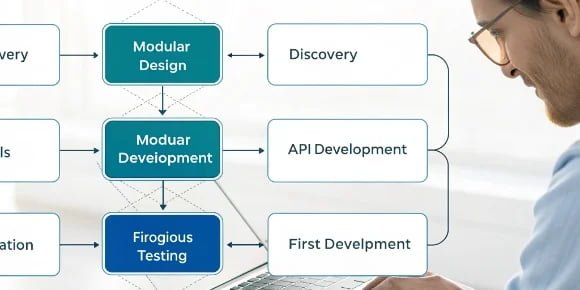
At Weigherps, we believe a successful customization project isn't magic; it's a disciplined process. It starts with us sitting down with you, not just to talk about software, but to understand your entire operation. We want to know your pain points. Where are the bottlenecks? What data is crucial for your success? Once we have that deep understanding, we move into the design phase. We advocate for a modular approach. This means we build the software in functional blocks. Need to add a new feature later? We just add a new module, rather than rebuilding the entire system. This saves you time and money. Then comes development, where we prioritize building robust APIs. This is critical for you as a software vendor because it guarantees that our weighing data can flow seamlessly into your existing platforms. Finally, we test everything relentlessly on the actual hardware before it ever goes live at your facility.
The Customization Lifecycle
| Stage | Key Activities | Why It Matters |
|---|---|---|
| 1. Discovery & Analysis | Workflow mapping, identifying pain points, defining data requirements. | Ensures the software solves real problems, not just perceived ones. |
| 2. Modular Design | Breaking the system into independent, functional components. | Provides flexibility for future upgrades and easy maintenance. |
| 3. API-First Development | Building communication protocols before the user interface. | Guarantees seamless integration with your other business systems (ERP, WMS). |
| 4. Rigorous Testing | Simulating real-world scenarios, stress testing on hardware. | Catches bugs and confirms accuracy before deployment, preventing costly downtime. |
| 5. Deployment & Training | On-site installation, user training, and documentation handover. | Empowers your team to use the new system effectively from day one. |
| 6. Ongoing Support | Providing technical assistance, updates, and maintenance. | Ensures the system remains reliable and secure over its lifetime. |
How Can You Tailor Software to Meet Specific Needs of Different Weighing Systems?
A logistics firm and a food processor both use scales, but their needs are vastly different. Using the same software for both is inefficient. The solution is tailoring features to the industry.
You tailor software by identifying industry-specific functions. For logistics, this means integrating with Warehouse Management Systems (WMS). For food production, it involves recipe management and lot traceability. A capable partner can build these unique modules directly into your software.
One of the biggest advantages of our 19 years in this business is that we've worked with clients across countless industries. This experience has shown us that tailoring is all about understanding the specific job the scale needs to do. For example, a client in the chemical industry needed a system for mixing precise formulas in a hazardous environment. Their custom software needed an interface simple enough to be used with gloves, with built-in safety checks to prevent incorrect ingredient additions. Conversely, a large retail distribution center needed a system to quickly weigh thousands of outbound packages and feed that info directly into their shipping software to print labels. Their focus was speed and integration. Because we manufacture the hardware and develop the software, we can create these highly specialized, integrated solutions from the ground up. We modify the hardware for the environment and code the software for the specific workflow.
Tailoring Software by Industry
| Industry | Primary Weighing Task | Key Custom Software Feature | Business Benefit |
|---|---|---|---|
| Logistics & Warehousing | Shipping, receiving, order fulfillment. | Direct integration with WMS and shipping carrier APIs. | Faster processing, reduced shipping errors, automated data entry. |
| Food & Beverage | Batching, recipe management1, portion control. | Recipe storage, ingredient lot tracking, compliance reporting2 (e.g., HACCP). | Consistent product quality, full traceability for food safety. |
| Chemical & Pharma | Precise formulation, material dispensing. | Multi-level user permissions, formula security, hazardous material warnings3. | Enhanced safety, protection of intellectual property, regulatory compliance. |
| Waste Management | Calculating waste by weight for billing. | Customer database integration, automated invoicing4, vehicle tare weight memory. | Accurate billing, improved operational efficiency. |
What Are the Key Considerations When Modifying Software for Diverse Weighing Applications?
Excited about new software, but worried it won't scale or be secure? These are valid concerns. Ignoring key technical and user considerations during modification can lead to long-term problems.
The key considerations are scalability, security, user-friendliness (UI/UX), data management, and compliance. Ensuring your software is built on a flexible, secure foundation that is easy for your team to use is crucial for a successful implementation and long-term value.
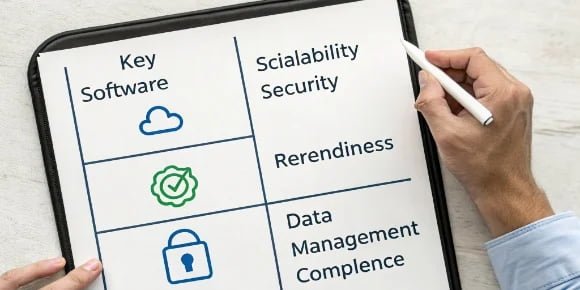
I remember a client who came to us after a failed software project with another vendor. The software worked, but the interface was so complicated that their operators kept making mistakes or reverting to manual methods. They focused only on function and forgot about the user. This is a classic pitfall. When we approach a modification project, we think about the entire lifecycle. Is the architecture scalable? Your business will grow, and your software must be able to handle more data, more users, and more devices without breaking. Is it secure? Weight data can be sensitive, affecting billing and inventory. We ensure it's protected. Most importantly, we involve the end-users in the design process to create an intuitive User Interface (UI). An easy-to-use system gets adopted quickly and reduces human error, maximizing your return on investment.
Core Considerations for Software Modification
| Consideration | Questions to Ask | Why It's Critical |
|---|---|---|
| Scalability | Can the system handle 10x the current volume? Can new features be added easily? | Your software should support your growth, not limit it. |
| Security | Who can access the data? Is data encrypted? Is there an audit trail? | Protects sensitive business information from unauthorized access or tampering. |
| User Interface (UI/UX) | Is it intuitive for operators? Does it minimize clicks and potential errors? | A good UI drives user adoption and reduces costly human error. |
| Data Management | Where is data stored (cloud/local)? How is it backed up? How can it be exported for analysis? | Ensures data integrity, accessibility for business intelligence, and disaster recovery. |
| Compliance | Does the system meet industry standards (e.g., CE, legal for trade)? | Ensures you meet legal and quality requirements, avoiding fines and recalls. |
How Can Custom Software Solutions Improve the Functionality of Weighing Systems?
Is your current weighing process slow, prone to errors, and a data black hole? You're missing out on valuable insights and efficiency gains. Custom software can completely transform your operations.
Custom software improves functionality by automating manual tasks, eliminating human error, and providing real-time data for better decision-making. It turns your scale from a simple measuring device into a smart hub that drives efficiency, ensures quality, and boosts profitability.
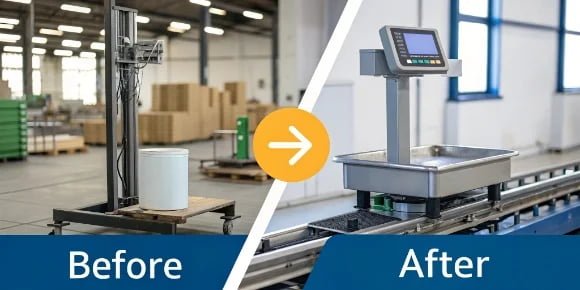
The impact of moving from a generic or manual system to a custom software solution is often dramatic. We worked with a manufacturing client whose team was manually writing down weights, leading to frequent transcription errors that cost them thousands in material waste5 each month. We developed a custom solution that captured weights directly from the scale, compared them against the production order, and automatically logged the data. The errors dropped to zero overnight. This is just one example. Custom software connects the dots. It can automate quality control checks6 by flagging out-of-tolerance weights. It can provide managers with a real-time dashboard showing production output per hour. It creates a complete, accurate, and instant record of your operations, enabling a level of control and insight that just isn't possible with a disconnected system. This is how we help our clients achieve a quantum leap.
Tangible Improvements with Custom Software
| Metric | Before Custom Software (Typical Scenario) | After Custom Software (Achievable Result) |
|---|---|---|
| Speed | Manual data entry, paper-based processes, operator guesswork. | Automated data capture, streamlined workflows, guided processes. |
| Accuracy | Prone to human error (transcription, calculation mistakes). | Direct data transfer from scale, built-in validation checks, error rate near zero. |
| Data Access | Data locked in paper logs or isolated spreadsheets, delayed reporting. | Real-time dashboards, centralized database7, instant report generation. |
| Traceability | Difficult and time-consuming to trace products or batches. | Instant lot and batch tracking with a complete digital history8. |
| Profitability | Material waste from inaccuracies, high labor costs, inefficient processes. | Reduced waste, optimized labor, increased throughput, and data-driven cost savings9. |
Conclusion
Ultimately, customizing software bridges the gap between standard hardware and your unique operational needs. It transforms a simple scale into a powerful, intelligent tool that drives efficiency, accuracy, and growth.
- Understand the importance of recipe management in ensuring food safety and quality. ↩
- Learn how compliance reporting ensures adherence to industry standards. ↩
- Learn how software can enhance safety in hazardous environments. ↩
- Find out how automation can streamline billing processes and reduce errors. ↩
- Explore strategies to minimize waste and optimize resource use through software. ↩
- Learn how automation can improve accuracy and reduce human error in quality control. ↩
- Discover how a centralized database can improve data accessibility and reporting. ↩
- Understand how digital records enhance traceability and accountability. ↩
- Learn how leveraging data can lead to significant cost reductions in operations. ↩



[…] to building a true partnership with the hardware provider. A good partner works with you to ensure seamless integration2 from the start. They provide clear documentation, responsive technical support, and a commitment […]