
Struggling with manual data entry errors from your scales? These costly mistakes disrupt inventory. Integrating scales with your ERP/WMS via API provides a seamless, accurate solution.
You can integrate tare weight data by connecting your weighing scale's software to your ERP or WMS system using an Application Programming Interface (API). This involves matching the API keys from both the scale and your system, allowing them to communicate and share data automatically.

This API1 connection is the key to automating your workflow. But you might be wondering how this works with specific, complex systems like SAP. Many of our clients ask about this. Let's break down how you can make this integration happen, especially within a sophisticated environment like SAP EWM2. The process is more straightforward than you might think, and the benefits are enormous. Let's explore the details.
How Do You Integrate a Weighing Scale with SAP EWM?
Finding SAP EWM scale integration complex? This challenge can delay warehouse automation. You can achieve this using API connectors that link the scale's software directly to your SAP system.
To integrate a weighing scale with SAP EWM, you use an API. Our smart scales have an API key, and your SAP system has one too. We either adapt our software to your SAP API, or you configure your system to accept data from our scale's API.

The core of this integration is communication. Think of it like two people who speak different languages needing a translator. The API is that translator. As a manufacturer with our own R&D team, we facilitate this process in a few key steps. First, we need to understand how your SAP EWM is set up. We exchange API documentation to see the technical requirements. From there, we decide on the best integration path. This flexibility is something our clients, especially software vendors, really value.
Step 1: API Key Exchange and Analysis
We provide the full documentation for our scale's API. You, the client, provide the API documentation for your SAP EWM environment. Our technical team then analyzes both to identify the most direct and stable connection method.
Step 2: Customization and Development
This is where our 18 years of OEM/ODM experience comes in. If needed, we can customize our scale's firmware or software to match your system’s specific data format and protocols. This avoids placing the development burden entirely on you.
Step 3: Data Mapping and Testing
We then map the data fields. For example, the scale’s “Net Weight” output is directed to the correct “Weight” field in your SAP EWM handling unit. We perform all testing in a sandbox environment to ensure flawless operation before going live.
What Benefit Does Integrating Supply Chain Management (SCM) and Enterprise Resource Planning (ERP) Systems Provide?
Are your SCM and ERP systems disconnected? This leads to data silos and poor visibility. Integrating them creates a unified data source, streamlining your entire business operation from start to finish.
Integrating SCM and ERP systems centralizes your data. It gives you real-time visibility into inventory, orders, and finances. This improves forecast accuracy, reduces operational costs, and helps you make faster, more informed business decisions by having one single source of truth for everything.
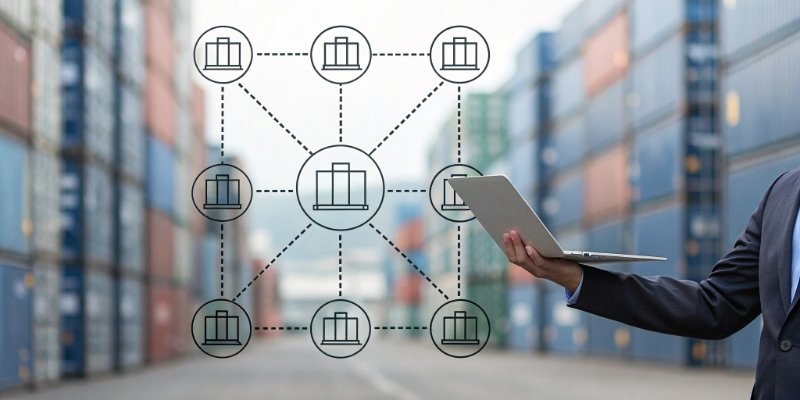
When real-world data from a weighing scale feeds into this integrated system, the benefits become even more powerful. It’s no longer about just connecting two software platforms. It's about connecting your physical operations on the factory floor directly to your high-level business strategy. I've seen clients transform their operations with this single change. They move from reactive problem-solving to proactive management. The integration creates a single, reliable source of information that flows effortlessly across departments. This eliminates arguments over which department has the "right" numbers because everyone is looking at the same real-time data.
Enhanced Visibility and Control
Imagine a pallet of raw materials arrives. It gets weighed, and that data is instantly available in your SCM for inventory tracking and in your ERP3 for financial accounting. There is no delay and no chance for human error. You have a complete, transparent view of your assets from the moment they enter your facility.
Improved Financial Accuracy
Accurate weight data is critical for billing. When a shipment's weight is automatically logged from the scale into the ERP, invoices are generated with perfect accuracy. This simple step eliminates costly billing disputes and improves your overall cash flow cycle.
Streamlined Operations
This integration empowers your team to achieve a new level of efficiency. An operator weighs a finished product, and the system automatically updates stock levels, confirms the order is complete, and flags it as ready for shipment. This reduction in manual tasks allows your team to focus on more valuable activities, driving growth and profitability.
How Does SAP EWM Integrate with SAP ERP?
Unsure how SAP's own systems, EWM and ERP, actually connect? This can cause hesitation. SAP designed them for seamless integration, primarily using a Core Interface (CIF) for smooth data exchange.
SAP EWM integrates with SAP ERP through the Core Interface (CIF). This standard tool transfers master data (like products and suppliers) and transactional data (like inbound/outbound deliveries) between the two systems. This ensures both platforms are always synchronized with the same core business information.

Understanding this native connection is important because it shows how robust the SAP ecosystem is. Our job at Weigherps is to plug our hardware into this powerful system in the most efficient way possible. The CIF acts as a dedicated information highway, not just a simple connection. It's designed by SAP for SAP, ensuring reliability and high performance. This is great news for any business running on SAP, as it means the foundational integration work is already solid. Our scale integration then becomes the critical link that feeds accurate, real-world data into this already powerful system.
The Role of the Core Interface (CIF)4
Think of the CIF as a pre-built, highly-optimized bridge connecting your central business functions in ERP with your warehouse logistics in EWM. It ensures that both systems speak the same language fluently.
Data Synchronization Handled by CIF
The interface manages two key data types:
- Master Data: This is core information like material lists, vendor details, and customer addresses. Typically, the ERP is the source of truth, and CIF ensures EWM has an identical copy.
- Transactional Data: This involves daily activities. For example, when a sales order creates an outbound delivery in ERP, CIF instantly sends this delivery document to EWM to start the picking and packing process.
How Our Scale Completes the Picture
When our scale is connected to EWM, it adds a final layer of validation. A weight captured for an outbound delivery in EWM can be sent back to ERP via the CIF. This confirms the exact shipment weight, ensuring the final invoice generated in ERP is perfect.
How Do You Actually Connect a Weighing Scale to a Computer or System?
Have a great industrial scale but unsure how to connect it? Without a link, it's just a display. Modern scales use standard ports like RS232, USB, or Ethernet for data connection.
You connect a weighing scale using its output port. This can be a serial port (RS232), USB, or an Ethernet port for network access. Once physically connected, software on the computer reads the data stream from the scale, which can then be used by other applications.
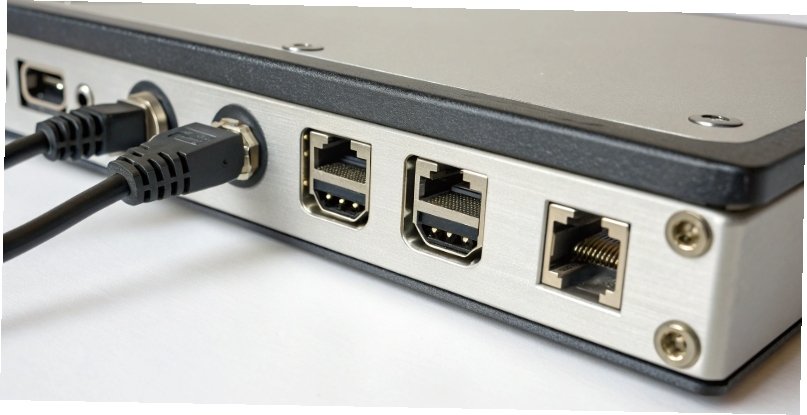
This is the foundational step for any data integration project. Before we even talk about complex APIs or ERP systems, we have to establish a basic physical connection. We design our scales to be as versatile as possible because we know our clients work in diverse IT environments. Some have legacy systems requiring a serial port, while others have advanced networks where an Ethernet connection is standard. The goal is to provide a reliable a physical link so that the valuable data from the scale can be captured digitally. This is the first link in the chain of automation. Once this physical connection is solid, the software layer can take over.
Choosing Your Connection Method
Selecting the right physical port is your first decision. We build our scales with multiple options to ensure they fit right into your setup.
| Connection Type | Best For | Technical Note |
|---|---|---|
| RS232 (Serial) | Direct connection to a single PC or legacy terminal. | A reliable, time-tested standard for industrial equipment. |
| USB | Quick and easy connection to a modern PC. | Plug-and-play functionality, but typically for shorter distances. |
| Ethernet (LAN) | Connecting the scale to your entire company network. | Allows multiple PCs or systems to access the scale's data. This is ideal for ERP/WMS integration. |
The Software Layer
After making the physical connection, software is needed to understand the data. This can be a simple program that logs weight to a file, or it can be the sophisticated API integration we've been discussing. As part of our service, we provide the necessary drivers, software development kits (SDKs)5, and technical support to ensure you can not only connect the scale but also use its data effectively.
Conclusion
Integrating your scales via API streamlines data flow into your ERP/WMS. This boosts accuracy, enhances efficiency, and provides a solid foundation for business growth and profitability.
- Exploring API functionality can enhance your understanding of seamless data integration across systems. ↩
- Exploring SAP EWM can provide insights into advanced warehouse management solutions. ↩
- Learning about ERP systems can help you streamline operations and improve overall business efficiency. ↩
- Learning about CIF can provide insights into how SAP systems communicate and share data. ↩
- Exploring SDKs can enhance your ability to integrate and utilize software solutions effectively. ↩


[…] ERP/WMS Integration2: The weight data is sent directly to your Enterprise Resource Planning (ERP) or Warehouse […]
[…] main worry was how their POS software1 would communicate with our scales. We provided our clear API documentation2. Their developers created a basic connection in just one […]
[…] director3 can plan shipments with up-to-the-minute information. Our scales come with robust APIs4, making it simple for your team to integrate this data […]