
Your digital scales are failing, giving inaccurate readings, and costing you money and downtime. This frustration leads to production errors and questions about your quality control. This guide shows you how.
Proper digital scale care involves regular cleaning, correct operation, periodic calibration, and smart battery maintenance. Following these simple steps ensures long-term accuracy and extends the life of your essential equipment, protecting your investment.
As a manufacturer with nearly two decades of experience, I've seen how simple habits can make a huge difference. A well-maintained scale is a reliable part of your team, while a neglected one can become a constant source of problems. The good news is that expert-level care is easier to achieve than you might think. Let's break down the most common issues you'll face and how to solve them, one by one, so you can keep your operations running smoothly.
How do you troubleshoot and fix the most common digital scale errors?
A scale that won't turn on or shows unstable readings is a major headache. Production halts, and you're left guessing if it's a simple fix or a major repair.
To troubleshoot common errors, first check the power source, battery, and ensure the scale is level. For unstable readings, look for environmental interference. If readings are inaccurate, a simple recalibration is often the solution.
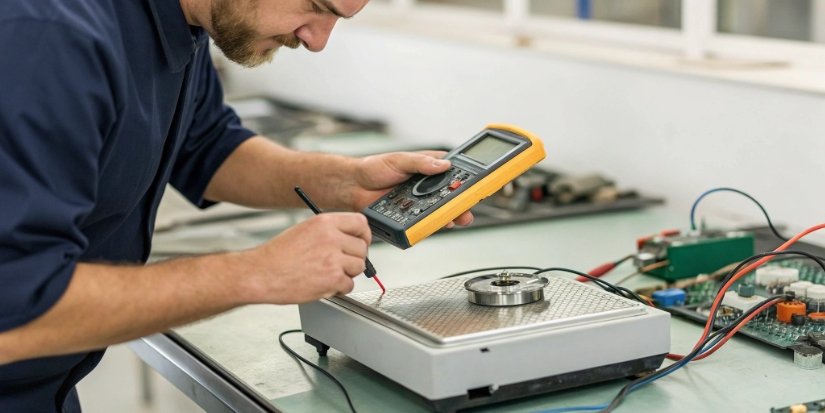
When a scale acts up, the issue is often one of a few common culprits. The key is to work through them systematically instead of assuming the worst. I remember a client whose scale was drifting wildly; it turned out to be placed right under an air conditioning vent. A simple move fixed everything. Before you call for service, run through this quick diagnostic checklist.
A Quick Troubleshooting Guide
Here’s a breakdown of the most frequent problems and the steps you can take to resolve them yourself.
| Common Problem | Possible Causes | Step-by-Step Solutions |
|---|---|---|
| Scale Won't Turn On | No power, dead battery, faulty connection. | 1. Check if the power cord is plugged in securely. 2. Test the power outlet with another device. 3. Inspect the battery compartment for clean contacts and correctly installed batteries. 4. If applicable, check the fuse. |
| Unstable Readings (Drift) | Uneven surface, air drafts, vibrations, static electricity. | 1. Ensure the scale is on a solid, level surface. 2. Move the scale away from fans, vents, or open doors. 3. Make sure there is no nearby equipment causing vibrations. |
| Inaccurate Readings | Needs calibration, debris on the platform. | 1. Perform a calibration using certified standard weights. 2. Make sure there is no dirt or debris under or on the weighing platform. 3. Ensure the item being weighed is centered on the platform. |
| Buttons Not Working | Debris under keys, moisture damage. | 1. Gently try to dislodge any visible debris from around the keys. 2. If you suspect moisture, turn off the scale immediately and let it air dry completely. If it persists, it needs professional repair. |
What is the proper way to clean a digital scale without damaging the sensors?
You know you need to clean your scales, but you're afraid of damaging them. One wrong move with water or harsh chemicals could destroy sensitive sensors, leading to costly repairs.
Clean your scale with a soft, dry cloth. For tougher messes, use a cloth lightly dampened with a mild detergent solution, then wipe with a clean, damp cloth and dry immediately. Never allow moisture to seep inside.
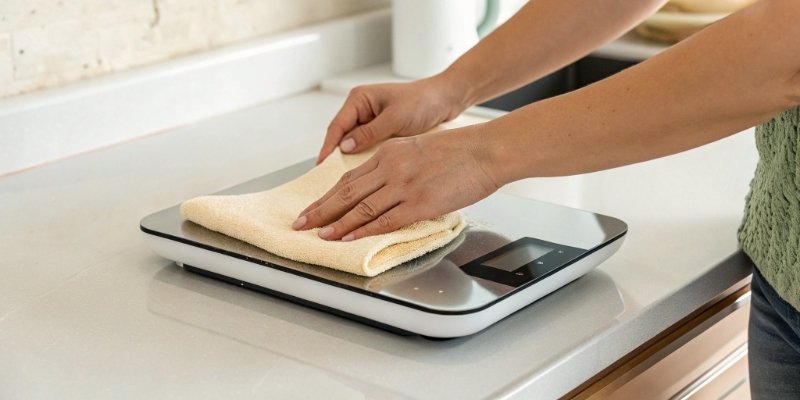
In our production facility, cleanliness is directly linked to accuracy. We build our scales to be robust, often using sealed components, but proper cleaning is the user's first and best line of defense. The goal is to remove dust, residue, and spills without letting any liquid get into the electronics or load cell1. Aggressive cleaning does more harm than good. Follow a gentle but thorough process to keep your scale in pristine condition.
Safe Cleaning Protocols
Here’s how to approach cleaning your scale to keep it working perfectly.
Daily Dusting and Wiping
For routine cleaning, a soft, dry, lint-free cloth is your best tool. Gently wipe down the display, keypad, and weighing platform. This prevents the buildup of dust and small particles that could work their way into crevices and affect the scale’s mechanisms over time.
Tackling Grease and Sticky Residues
If you encounter oil, grease, or other sticky substances, you'll need a bit more cleaning power.
- Mix a small amount of mild, neutral detergent with water.
- Lightly dampen a soft cloth with the solution—the cloth should not be dripping wet.
- Gently wipe the soiled area.
- Follow up immediately with a second cloth dampened with only clean water to rinse away any detergent residue.
- Finally, wipe the entire area dry with a third clean, dry cloth.
The "Never-Do" List for Cleaning
To protect your investment, absolutely avoid these:
- Never pour water or any liquid directly onto the scale.
- Never use abrasive cleaners, scouring pads, or harsh chemicals like solvents or acetone.
- Never spray the scale with high-pressure air or water jets.
- Never submerge any part of the scale in water.
How often does a digital scale need to be calibrated to ensure accuracy?
Your scale seemed accurate yesterday, but are you sure it is today? Inaccurate measurements can lead to product giveaways or quality control failures, silently eating into your profits and reputation.
For most industrial applications, you should calibrate your digital scale every 3 to 6 months. However, if a scale is moved or subjected to shock, more frequent calibration is recommended to guarantee consistent accuracy.
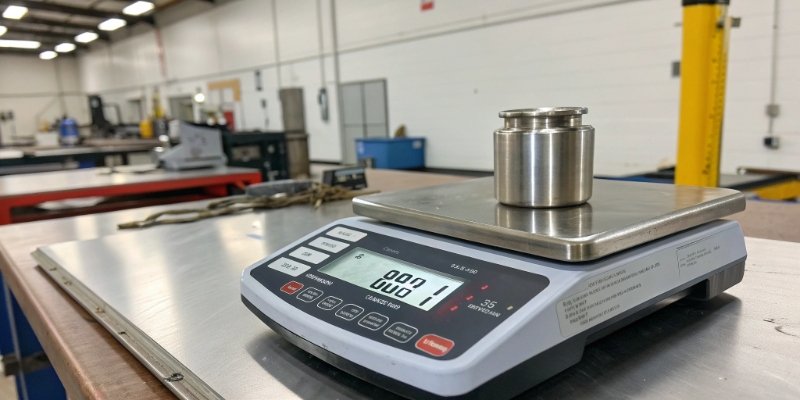
Calibration isn't just a suggestion; it's a necessary process to trust your measurements. Think of it as tuning an instrument. Over time, factors like temperature changes, mechanical stress, and regular use can cause a scale to drift from its true setting. A regular calibration schedule2 is the only way to catch and correct this drift before it causes a problem. At Weigherps, we emphasize that a scale is only as reliable as its last calibration.
Creating Your Calibration Schedule
Your ideal frequency depends on your specific use case.
The General Rule: 3-6 Months
For scales used in a stable, temperature-controlled environment with moderate use, calibrating every 3 to 6 months is a solid baseline. This ensures you catch any gradual drift before it becomes significant. Using certified standard weights for this process is non-negotiable for an accurate result.
When to Calibrate More Often
Certain events should trigger an immediate calibration, regardless of your schedule:
- After Moving: Any time the scale is moved to a new location.
- After a Shock: If something has been dropped on the scale or the unit itself has been dropped.
- After Major Temperature Swings: If the ambient temperature changes significantly.
- Before Critical Tasks: If you are performing a highly sensitive weighing task where precision is paramount.
A Simple Daily Check
A great habit is to perform a quick daily or weekly check. Keep a known test weight near the scale. At the start of each day, place it on the scale. If the reading is exactly right, you can proceed with confidence. If you notice the reading is off, even slightly, it's time to perform a full calibration. This proactive check takes less than a minute and prevents small errors from becoming large ones.
What are the key maintenance tips to extend the lifespan of your digital scale?
Industrial scales are a significant investment you want to protect. But without proper care, they can degrade quickly, forcing you into expensive replacements sooner than you planned or budgeted for.
To extend your scale's lifespan, always operate within its weight capacity, handle it gently, and manage the battery properly. Store it in a dry, stable environment and protect it adequately during transport.

Extending the life of a scale comes down to respecting its design limits and protecting it from environmental harm. During our 18 years of manufacturing, we have seen that the most common causes of premature failure are almost always preventable. Things like overloading, dropping items on the platform, and improper battery care cause the most damage. By adopting a few simple best practices, you can ensure your scale serves you reliably for many years.
Lifespan-Extending Habits
Incorporate these practices into your daily operations.
Operational Best Practices
The fastest way to destroy a scale's load cell is by exceeding its maximum capacity. Never overload it. Also, place items onto the platform gently—don't drop them. The shock from an impact can be just as damaging as a static overload. Finally, position your scale away from areas with high humidity, extreme temperatures, or strong electromagnetic fields (like large motors), as these can degrade the electronic components3 over time.
Smart Battery Management
For portable or battery-powered scales, proper battery care is vital. Avoid letting the battery drain completely, as this can reduce its long-term health. Recharge it as soon as the low-battery indicator appears. If you plan to store the scale for an extended period (more than a month), it's best to remove the battery entirely to prevent potential leakage and damage. Periodically, check that the battery contacts are clean and free of corrosion.
Proper Storage and Transport
When not in use, store your scale in a clean, dry, and temperature-stable location. A simple dust cover can prevent debris from settling on it. If you need to transport the scale, use its original packaging if you still have it. It was designed specifically to protect it. If not, use plenty of cushioning material like foam to absorb shocks and vibrations during transit.
Conclusion
Proper maintenance—cleaning, calibration, and careful operation—is simple but powerful. It ensures accuracy, extends your scale’s life, and protects your investment for years to come.


Comments (0)