
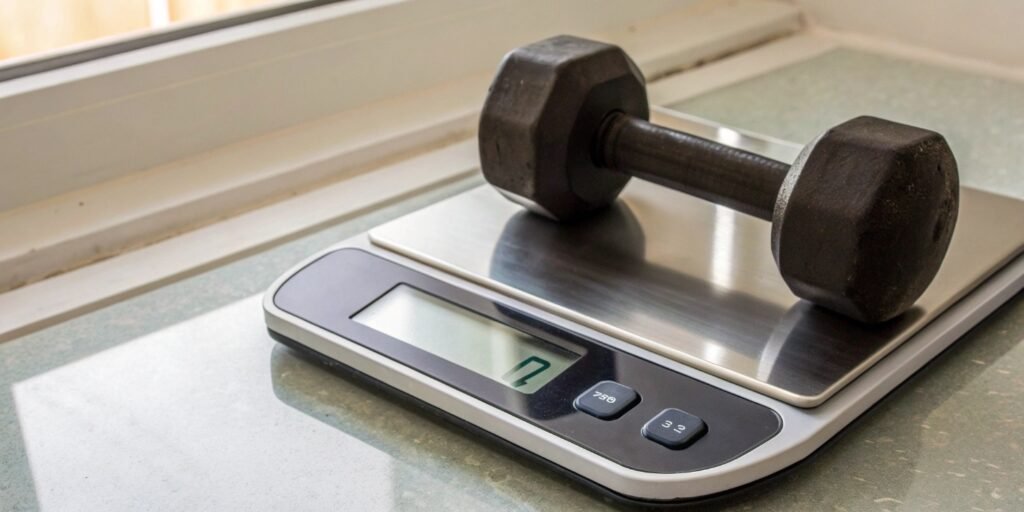
Your production slows down, and you suspect the scale is faulty. This uncertainty costs time and could lead to shipping inaccurate orders. Here are the clear signs it needs attention.
A broken digital scale often shows fluctuating readouts, inaccurate weights, display errors, or power issues. Checking for unstable numbers, a drifting zero point, or failure to power on are the quickest ways to diagnose the problem.
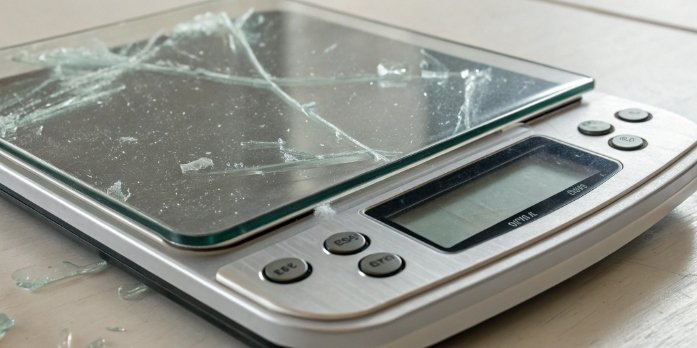
Seeing those flickering numbers is frustrating, but don't panic just yet. I’ve seen this happen many times on factory floors. The first step to a solution is understanding the specific symptoms, which often point to a simple fix. Let's break down exactly what to look for, so you can confidently decide whether it's a quick fix or time to call a professional. This will help you get your operations back on track quickly.
How to tell if a digital scale is broken?
Unsure if your scale's odd behavior is a minor glitch or a major breakdown? This guesswork disrupts your workflow and adds stress. Here's how to diagnose the symptoms with confidence.
You can tell a scale is broken by looking for three main issues: display errors like flickering numbers, weighing inaccuracies like a drifting zero, and power problems like failing to turn on. These are key indicators.
When a client calls me about a malfunctioning scale, I always start with a diagnostic checklist1. The signs of a problem usually fall into a few clear categories. Breakdowns rarely happen without warning. By learning to spot these signals early, you can prevent bigger issues down the line. It's about knowing what's normal and what's a red flag. Let's go through the most common signs.
Display Malfunctions
The display is your scale's main communication tool. If it starts acting strange, it's often the first sign of trouble. You might see numbers that jump around without anything on the platform. Sometimes, digits are missing, or the backlight flickers or won't turn on at all. These problems can point to a loose sensor connection, moisture inside the unit, or even electrical interference from other nearby machinery.
Weighing Inaccuracies
This is the most critical failure. If your scale can't weigh correctly, it's not doing its job. Signs of this include a "drifting" zero point that won't stay at 0.00, or consistently large errors when you weigh a known object. You might also find that the scale doesn't respond at all when you place an item on it. These issues often suggest a damaged load cell2, failed calibration3, or a physical obstruction under the weighing platform.
Power and Other Failures
Sometimes, the problem is as simple as a power issue. The scale might not turn on, or it might shut off unexpectedly. This could be due to a dead battery, a faulty power adapter4, or a blown internal fuse. Other common issues I've seen include unresponsive buttons from wear and tear or error codes5 like "Err" or "Hhh" appearing on the screen. These codes are the scale’s way of telling you it has a serious internal fault.
| Symptom | Possible Cause | What to Check First |
|---|---|---|
| Unstable Numbers | Vibration, loose connection | Move the scale, check sensor cables |
| Incorrect Weight | Needs calibration, damaged sensor | Recalibrate, inspect for damage |
| Won't Power On | No power, blown fuse | Check outlet, battery, and fuse |
| Error Code Displayed | Internal circuit fault | Restart the scale, consult manual |
How long do digital scales last?
Budgeting for new equipment is tough without knowing its lifespan. An unexpected scale failure can throw your finances and operations into chaos. Let’s clarify what longevity you can realistically expect.
A digital scale's lifespan ranges from a few years to over a decade. Its longevity depends heavily on build quality, usage environment, and how well it is maintained. Industrial-grade scales are built for durability.

One question I get all the time is, "How long should this last?" There's no single answer, but I can share what I've learned over 18 years of making them. The lifespan of a scale is not just a number on a spec sheet; it’s a result of how it's built and how it's treated. I remember visiting a client whose Weigherps floor scale was still working perfectly after 15 years in a tough, dusty warehouse. Their secret was simple but effective: consistent maintenance.
Build Quality and Environment
The biggest factors are build quality and the environment. A cheap, plastic scale used in a clean room might last for years, while that same scale wouldn't last a month in a wet, corrosive industrial setting. That's why we focus on using robust materials like stainless steel for our industrial scales. They are designed to resist dust, water, and impact. A scale's IP (Ingress Protection) rating tells you how well it's sealed against these elements, which directly impacts its lifespan.
Usage and Maintenance
How you use the scale matters just as much. Consistently overloading a scale is the fastest way to destroy its load cell, which is the heart of the machine. Dropping heavy items on it can also cause serious damage. On the other hand, a simple routine can dramatically extend its life. This includes regular cleaning to prevent debris buildup, performing routine calibrations to ensure accuracy, and storing it properly when not in use. A little bit of care goes a very long way in maximizing your investment.
How do you know if your digital weighing scale is accurate?
You rely on your scale for critical measurements every day. But what if it's slowly becoming inaccurate, threatening your product quality, compliance, and even your profits? Let's ensure your measurements are always precise.
To verify a scale's accuracy, use a certified calibration weight. Place the weight on the scale. If the reading matches the weight's certified value, your scale is accurate. If not, it needs recalibration.
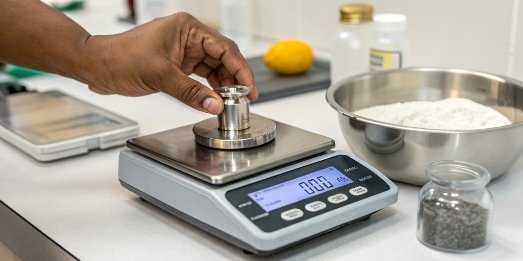
Accuracy is not a "set it and forget it" feature. Over time, all scales can drift due to temperature changes, wear and tear, or accidental bumps. That's why verifying accuracy isn't a one-time task; it's an ongoing process. For our clients in regulated industries, this isn't just good practice—it's a requirement. The simplest and most reliable way to check this is with something that has a known, unchangeable mass.
The Calibration Weight Test
The gold standard for checking accuracy is using a set of certified calibration weights. These aren't just random pieces of metal; they are manufactured to incredibly precise mass standards (like OIML or NIST classes). The process is simple: first, zero the scale. Then, place a calibration weight on it. For example, if you place a 5 kg certified weight on the platform, an accurate scale should read exactly 5.000 kg. If it reads 5.015 kg, you know it's off and needs to be recalibrated.
Understanding Tolerances
Now, perfect accuracy is a goal, but in the real world, we work with tolerances6. A small deviation might be acceptable depending on your application. For example, weighing bulk raw materials might have a wider tolerance than weighing precise chemical ingredients. Your industry standards or internal quality control procedures will define what's acceptable. The key is to check your scale's accuracy regularly—daily or weekly for high-use scales—and ensure it stays within your required tolerance. If it drifts outside that range, it's time to run the recalibration procedure outlined in your scale's manual.
How to fix digital scale not working?
Your scale is down, and production has stopped. The pressure is on to get it working again immediately. Here are the first steps to take before calling for expensive professional repairs.
Start with simple troubleshooting. Check the power supply, ensure the scale is on a flat surface, and try a restart. Also, inspect for any physical obstructions beneath the platform. These steps solve most common issues.
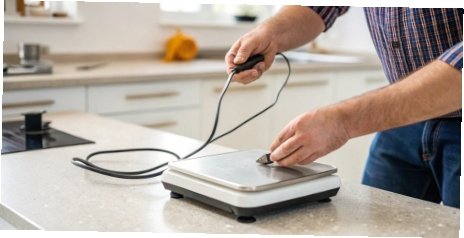
As an OEM manufacturer, we design scales to be reliable, but sometimes things just go wrong. The good news is that many "broken" scales I've encountered just need a simple fix. Before you assume the worst, a quick troubleshooting sequence can often get you back up and running in minutes. Think of it as first aid for your weighing equipment. I always advise my clients to follow these logical steps before picking up the phone to call for service.
Step-by-Step Troubleshooting Guide
-
Check the Basics: This sounds obvious, but you’d be surprised how often it's the solution. Is it plugged in firmly? Is the outlet working? If it's battery-powered, are the batteries fresh? Also, ensure the scale is on a solid, level surface, away from vibrations or drafts, as these can cause errors.
-
Restart and Reset: Turn the scale off, wait about 30 seconds, and turn it back on. This simple power cycle can often clear temporary electronic glitches. If the problem persists, try to perform a zero reset by pressing the "Zero" or "Tare" button with nothing on the platform.
-
Inspect for Physical Problems: Carefully lift the weighing platform. Look for any debris, dirt, or foreign objects that may have gotten stuck underneath, preventing the platform from moving freely. This is a very common issue in dusty industrial environments.
-
Attempt Recalibration: If the scale is consistently inaccurate, it may just need to be recalibrated. Follow the manufacturer's instructions to perform a calibration using certified weights. If the scale fails to calibrate, it may indicate a more serious problem with the load cell.
If you’ve gone through all these steps and the scale is still not working correctly, it likely points to a deeper issue with the internal electronics or the sensor. At that point, it’s best to contact a professional. Our technical support team is trained to diagnose these complex problems and can guide you on the next steps to get your equipment serviced efficiently.
Conclusion
By checking for these signs and doing basic maintenance, you ensure your scale's accuracy and extend its life. This simple diligence helps you avoid costly downtime and protect your bottom line.
-
A comprehensive checklist can streamline your troubleshooting process and enhance scale reliability. ↩
-
Learn about load cells to understand their importance in accurate weight measurement. ↩
-
Regular calibration is essential for accuracy; find out how often it should be done. ↩
-
Explore solutions for faulty power adapters to ensure your scale remains operational. ↩
-
Understanding error codes can help you quickly diagnose and fix scale issues. ↩
-
Understanding tolerances is key to ensuring your measurements meet industry standards. ↩



Comments (0)