
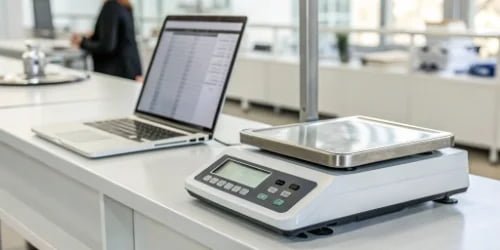
Tired of manual data entry errors causing chaos in your inventory and billing? These small mistakes cost time and money. Smart PC scales can stop these errors before they happen.
Smart PC scales eliminate human error by automating data capture and integrating directly with your business software. They use features like barcode scanning, data validation rules, and visual confirmation to ensure every weight is logged accurately without any manual typing, preventing costly mistakes.
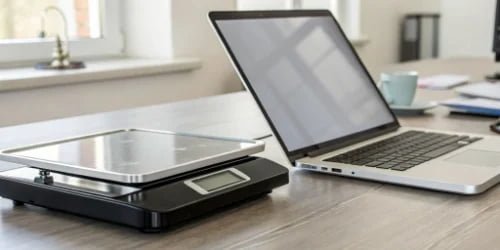
As a manufacturer of industrial scales for nearly 20 years, I’ve seen countless businesses struggle with the consequences of a simple typo. A misplaced decimal point or a misread number can lead to shipping the wrong quantity, incorrect billing, and inaccurate inventory records. These aren’t just minor inconveniences; they directly impact your bottom line and customer trust. The good news is that technology has provided a powerful solution to this age-old problem. It’s time to move beyond just weighing and start using data intelligently. Let’s explore exactly how these scales work to protect your operational integrity.
What Technologies Do Smart PC Scales Use to Minimize Data Entry Mistakes?
Data mistakes often come from using complex or unclear systems. It’s frustrating when technology seems to cause more problems. But the right tech simplifies tasks and prevents these errors.
Smart PC scales use technologies like direct software integration, barcode scanning, and RFID to automatically identify products. These tools capture and log weight data instantly, removing the need for manual input and drastically reducing the chances of making a mistake.
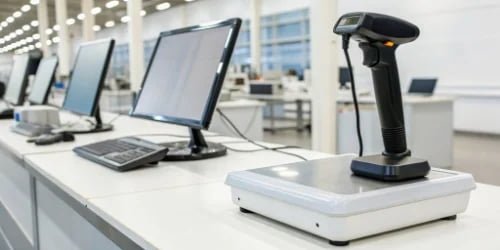
The magic of a smart PC scale isn’t just in its ability to weigh accurately; it’s in the technology that connects that weight to your business data. At Weigherps, we focus on building these connections seamlessly for our clients. The goal is to create a system where human intervention, the primary source of error, is minimized as much as possible. This is achieved through a combination of hardware and software working together.
Automated Identification Technologies
The first step in eliminating data entry errors is to remove the “entry” part. Instead of an operator typing in a product code, the scale system should identify it automatically.
- Barcode Scanners: This is the most common method. A simple scan of a barcode on the product or a work order instantly pulls up all the relevant information in the system.
- RFID1 Readers: For more advanced operations, Radio-Frequency Identification (RFID) tags can be used. An operator can bring a pallet of goods near the scale, and the reader identifies every tagged item at once.
Visual and Logical Confirmation
My insight from years in this field is that technology should also provide sensory confirmation. After scanning a product, our custom software can display a picture of the item on the scale’s PC screen. This gives the operator an immediate visual check, confirming they have the right product. It’s a simple but incredibly effective way to prevent mix-ups before the weight is even recorded.
How Can Automated Systems in Smart PC Scales Reduce Human Error?
You trust your team to do a good job, but everyone is human and makes mistakes. Automation isn’t about replacing people; it’s about giving them better tools for repetitive tasks.
Automation in smart scales creates a closed-loop system2 where data flows directly from the scale to your database. The scale captures the weight, the system identifies the item, and the data is sent instantly. This removes all manual steps like writing down numbers or typing.
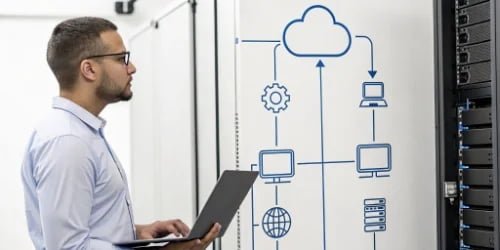
The core strength of an automated weighing system is its ability to create a secure and unbroken chain of data. Think of the traditional process: an operator weighs an item, writes the weight on a piece of paper, walks to a computer, and types the number into a spreadsheet. There are three potential points of failure right there. Automation collapses this process into a single, instant action.
The ‘Closed-Loop’ Data Workflow
When we design a solution for a client, we map out their entire workflow to identify these points of failure. The goal is to build a “closed loop” where data is never manually handled.
- Place & Scan: The operator places an item on the scale and scans its barcode.
- Identify & Weigh: The system instantly identifies the product and captures its stable weight.
- Validate & Transmit: The software checks the data against pre-set rules and sends it directly to the ERP, WMS, or other business software.
There is no paper, no transcription, and no chance for a typo.
Real-Time Alerts and Validation
Another key part of automation is real-time feedback. Based on what our clients need, we can program the system with expected value ranges. For example, if you are weighing boxes of screws that should weigh between 10kg and 10.5kg, the system can be configured to flag any weight outside this range. If a box suddenly weighs 15kg, the screen can flash an alert, prompting the operator to check for a problem. This proactive check prevents an error from ever entering your system.
Are Smart PC Scales Effective in Ensuring Accurate Data Transmission?
Getting the weight right is only half the battle. If the data gets lost or corrupted on its way to your server, all that initial accuracy is wasted.
Yes, they are extremely effective. Smart PC scales use secure connections like Ethernet or Wi-Fi along with data verification protocols. This ensures that the data leaving the scale is exactly what arrives in your software, complete and intact, with no corruption.
Data transmission is an invisible but critical part of any smart weighing system. As a manufacturer serving global software providers, we know that data integrity3 is non-negotiable. Our clients’ customers depend on the data from our scales to run their businesses. That’s why we build our scales with robust connectivity and data-handling features to guarantee reliability.
Stable Connectivity Options
The choice of connection depends on the environment.
| Connection Type | Best For | Why? |
|---|---|---|
| Ethernet (Wired) | Stable, fixed installations (e.g., production lines) | Offers the most reliable, high-speed connection, immune to wireless interference. |
| Wi-Fi (Wireless) | Mobile carts or flexible warehouse layouts | Provides freedom of movement. Modern Wi-Fi is very stable and secure. |
| Serial (RS-232) | Connecting to older or specialized industrial equipment | A long-standing, simple, and very reliable standard for direct device-to-device links. |
Data Buffering for Uninterrupted Operation
What happens if your network goes down? We’ve considered this. A high-quality smart PC scale should have internal memory to buffer weighing data. If the connection to the server is lost, the scale continues to weigh and store records locally. Once the network is back online, it automatically transmits all the saved data in the correct order. This simple feature prevents any data loss during network outages, ensuring 100% data capture.
What Features Enable Smart PC Scales to Prevent Data Entry Errors?
The best tools are the ones that actively help you avoid mistakes. It’s frustrating when a device only records data without any checks. Smart scales should be proactive partners.
Key features include customizable software with data validation rules, intuitive user interfaces with product images, and logical checks. The scale can be programmed to prevent saving a record if a required field, like a lot number, is missing, guaranteeing complete and accurate data every time.
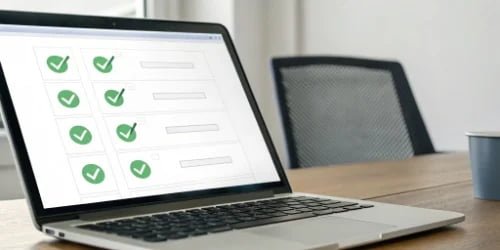
From my experience, the difference between a good scale and a great one lies in its software intelligence. The hardware needs to be accurate, but the software is what prevents human error4. We work closely with our clients, who are often software vendors themselves, to create UIs and logic flows that are tailored to specific tasks. This customization is key to actively preventing mistakes.
Proactive Validation and User Guidance
The system can be much more than a passive data recorder. We build in features that guide the user.
- Logical Checks: My insight is that the system can use historical data to spot potential errors. If a user manually enters a product quantity and the value is drastically different from previous entries for the same product, a pop-up can ask, “This value is unusual. Please confirm it is correct.”
- Forced Compliance: For quality control or traceability, certain data fields can be made mandatory. An operator cannot complete the weighing process until a lot number is scanned or an inspector’s name is selected from a dropdown menu. This ensures you always capture the complete dataset you need.
Feature Breakdown for Error Prevention
Here’s a summary of how specific features solve specific problems:
| Feature | How It Prevents Errors |
|---|---|
| Barcode/RFID Integration | Eliminates typing product IDs, the most common source of error. |
| Visual Product Display | The operator sees an image of the item, providing sensory confirmation they weighed the right thing. |
| Pre-set Value Tolerances | Automatically flags weights that are outside the expected norm for a specific product. |
| Mandatory Data Fields | Prevents incomplete records from being saved, ensuring data is complete for traceability. |
| Automatic Data Sync | Instantly sends validated data to the server, bypassing all manual transfer steps. |
Conclusion
In short, smart PC scales use automation and intelligent software features to eliminate costly data entry errors. This makes your entire operation more accurate, efficient, and reliable.
- Learn about RFID technology and its role in automating inventory processes. ↩
- Understand the concept of closed-loop systems and their importance in data accuracy. ↩
- Discover the significance of data integrity in maintaining trust and reliability. ↩
- Identify the sources of human error and learn how to mitigate them effectively. ↩


Comments (0)