

Manual data entry from scales is slow and full of errors. These mistakes create inventory chaos, production delays, and cost your business money. It's a constant, frustrating problem.
The best way to bridge this gap is by using a smart, PC-based scale with specialized software. This software captures the weight data, processes it, and then transmits it directly to your ERP system using an Application Programming Interface (API), creating a seamless and automated connection.
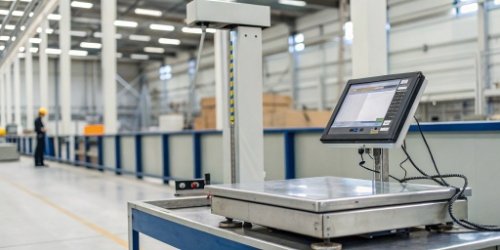
Connecting your physical operations to your digital management system seems like a huge task. Many people I talk to feel overwhelmed by the technical details. They know they are losing money and efficiency with old methods, but they don't know where to start the upgrade. The good news is that the solution is more straightforward than you might think. We have helped countless businesses make this transition. Let me break down how this process works, step by step, so you can see a clear path forward for your own operations.
What does physical system integration in ERP involve?
You know you need to connect your hardware, but the term "integration" feels vague. Without understanding the specific components, you can't properly budget or plan for a project.
ERP integration for a physical device, like an industrial scale, involves three core parts. You need the physical hardware, a software layer to process the data, and an API endpoint to receive that data in your ERP. These three pieces work together to automate data flow.
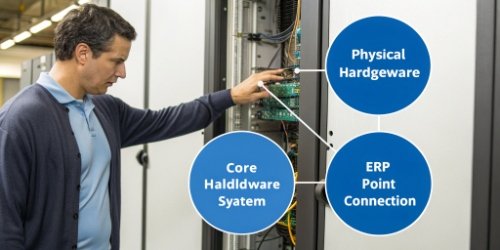
In my 19 years of experience, I've seen that the most successful integrations treat this as a single, unified project. It's not just about buying a scale; it's about building a bridge for data. Let's look at the essential parts of that bridge.
The Hardware Layer
This is the starting point. It’s your physical device, like one of our industrial scales. But a modern scale is more than just a weighing platform. For seamless integration, we often use PC-based scales. These scales have a built-in computer, which allows them to run the necessary software directly on the device. This eliminates the need for a separate, tethered computer, simplifying the setup and reducing potential points of failure. The hardware's job is to capture the raw data—the weight—accurately and reliably, every single time.
The Software "Middleware"
This is the most critical part of the bridge. It's the software that runs on the PC scale or a connected computer. We can develop this custom software for you. Its job is to take the raw weight from the scale, allow the operator to add context (like product ID or batch number), and then format this information correctly for your ERP. It speaks the language of the scale and the language of your ERP, acting as a translator.
The ERP Endpoint (API)
This is the destination. Your ERP system must have a way to receive the data. This is almost always done through an API. Think of the API as a secure digital doorway. The middleware software knocks on this door and delivers the data package (weight, product ID, timestamp) in a format the ERP understands. Your software team exposes this endpoint, and we configure our middleware to send data to it.
| Process Step | Manual Method | Integrated Method |
|---|---|---|
| 1. Weighing | Operator weighs an item. | Operator weighs an item. |
| 2. Recording | Operator writes weight on paper. | Scale software captures weight instantly. |
| 3. Data Entry | A different person types the data into the ERP. | Middleware sends data to ERP via API. |
| 4. Verification | Manager checks for data entry errors. | Data is automatically validated and recorded. |
As you can see, integration removes the inefficient and error-prone manual steps completely.
What other systems does ERP integrate with?
You know your ERP is a central business tool. But you might be missing chances to streamline other parts of your business by not connecting them, which could hurt your competitiveness.
ERPs are designed to be the central hub of a business. They commonly integrate with Customer Relationship Management (CRM), Warehouse Management Systems (WMS), Manufacturing Execution Systems (MES), and Supply Chain Management (SCM) software to create a single, unified view of the entire operation.

Thinking beyond just weighing scales is key to unlocking the full power of your ERP. When data flow1s freely between all your systems, your entire business becomes smarter and faster. I remember working with a client who only wanted to connect their scales. Once they saw the benefits, they quickly asked us about connecting other parts of their factory floor. An ERP's true potential is realized when it becomes the heart of your digital ecosystem. It connects disparate operations and gives you a level of control you never thought possible. Here are some of the most common integrations we see and why they matter.
Connecting to Other Operational Systems
Your ERP doesn't have to work in isolation. By linking it to other key platforms, you create a powerful, automated workflow that spans your entire company.
| System Acronym | Full Name | Why Integration Matters |
|---|---|---|
| CRM | Customer Relationship Management | Connects sales orders directly to production and inventory. Your sales team knows what's available to sell in real-time. |
| WMS | Warehouse Management System | Synchronizes inventory levels between the warehouse floor and the ERP. Our scale data can feed directly into a WMS for perfect stock counts. |
| MES | Manufacturing Execution System | Tracks the entire production process. Integrating it with ERP ensures that raw material usage (based on weight) is perfectly aligned with financial records. |
| SCM | Supply Chain Management | Provides visibility into procurement and logistics. When a shipment of raw materials arrives, its weight can be verified and instantly updated in the ERP. |
Each integration point removes another data silo, reduces manual work, and gives your managers a more accurate, up-to-the-minute view of business health. It transforms the ERP from a simple accounting tool into a strategic command center.
How does an ERP system handle data integration and synchronization across different departments?
Data silos are a major business problem. If your sales and production teams are looking at different numbers, it causes confusion, bad decisions, and a lot of internal friction.
An ERP system solves this by using a single, centralized database as the "single source of truth." When data is updated in one area, like inventory from a weigh-in, it is instantly available and correct for all other departments, like finance and sales, through automated workflows.

The magic of an ERP system is its ability to ensure everyone is on the same page. This isn't just a convenience; it's a fundamental requirement for running an efficient modern business. A technical director at a client's company once told me their biggest challenge was resolving disputes between the warehouse manager and the finance department over inventory values. After we helped them integrate their weighing systems directly into their ERP, those arguments simply disappeared. The data became undeniable. This is achieved through a few core technical principles that ensure data integrity across the entire organization.
The Central Database
At the core of every ERP is one database. When a new batch of products is weighed and its data is sent from one of our scales, it doesn't just update an "inventory" spreadsheet. It updates the central record. Instantly, the finance module sees the new asset value, the sales module sees the updated stock available for sale, and the purchasing module knows whether it's time to reorder raw materials. There are no duplicates and no conflicting versions of the truth.
APIs and Automated Workflows
Data gets into and out of this central database through APIs. But more importantly, the ERP has built-in rules, or "workflows." For example, a workflow can be set up so that when inventory of "Product A" drops below 100 kg (a data point provided by the integrated scale), it automatically triggers a purchase alert for the procurement team. This automation is what prevents human error and ensures processes are followed consistently.
Synchronization Methods
Not all data needs to be updated instantly. ERPs can handle different timing needs.
| Sync Method | Description | Best Use Case |
|---|---|---|
| Real-Time | Data is updated the instant it's created. | Our weighing systems, where immediate inventory accuracy is critical. |
| Near-Real-Time | Data is updated every few seconds or minutes. | Syncing with a web storefront's order data. |
| Batch | Data is updated in large groups on a schedule (e.g., nightly). | End-of-day financial reports or syncing with a legacy accounting system. |
Understanding these methods allows you to design an integration strategy that is both effective and cost-efficient.
What is ERP system integration?
You constantly hear the term "ERP integration." To many, it just sounds like another expensive and complicated IT project with an unclear return on investment. This uncertainty can stop projects before they start.
ERP system integration is the process of connecting your ERP software with other business systems, like our weighing scales. The goal is to automate data flow between them, create a single operational view, and eliminate the costs and errors of manual work.
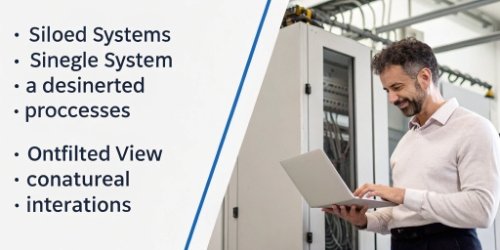
At its heart, ERP integration2 is about making your technology work for you, not the other way around. It's about turning a collection of separate tools into one smart, cohesive machine. I worked with a client in the food processing industry who was experiencing this exact pain. Before integration, they were losing thousands of dollars every month due to inaccurate material measurements during recipe batching. Their staff did their best, but small manual entry errors added up. The process was slow and unreliable. After we helped them connect our precision scales directly to their ERP, everything changed.
Boosting Operational Efficiency
The first and most immediate benefit is speed. By integrating our scales, the weighing and data entry process became one single action. The time saved from manually writing down weights and typing them into the system was immense. Across hundreds of batches per day, this translated into a significant increase in production throughput. They were able to produce more with the same number of staff. The workflow was no longer stopping and starting; it was a continuous flow.
Improving Data Accuracy
The second, and perhaps more valuable, benefit was accuracy. With an integrated system, the exact weight—down to the gram—was sent to the ERP automatically. There was no chance for a number to be transposed or misread. This had a domino effect. Their inventory accuracy hit 99.9%. Their recipe costing became exact. And their regulatory compliance reports, which relied on accurate batch records, became simple to generate.
Enabling Better Decision-Making
Finally, with accurate, real-time data3 flowing into their ERP, the client's managers could finally make decisions with confidence. They could see live raw material levels and finished goods inventory. They were able to optimize their purchasing and reduce waste because they trusted the numbers they were seeing. This is the true power of integration: it transforms raw data from the factory floor into business intelligence4 in the boardroom.
Conclusion
Ultimately, bridging your physical scales and ERP system is not just an IT upgrade. It combines smart hardware with tailored software to automate data, eliminate costly errors, and drive real business growth.
-
Discover methods to streamline data flow and enhance operational efficiency. ↩
-
Gain insights into the significance of ERP integration for business efficiency. ↩
-
Learn about the significance of real-time data in making informed decisions. ↩
-
Understand how business intelligence tools can provide valuable insights for growth. ↩


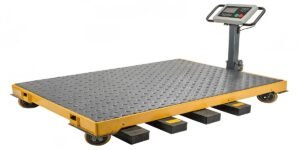
[…] my company, Weigherps, we have designed our intelligent weigh-labeling scales to achieve this seamless sync2. Your software can directly command our hardware, making the entire operation feel like a single, […]