
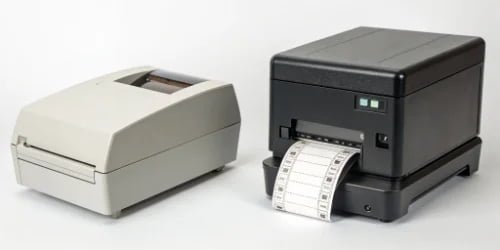
Choosing the wrong scale creates huge problems, from production delays to unhappy customers. This simple mistake can cost you time and money, but understanding your core needs makes the choice easy.
The right choice depends on your environment. Retail scales prioritize speed, ease of use, and customer interaction for checkout counters. Industrial scales focus on durability, high precision, and integration with automated production lines in harsh factory settings.
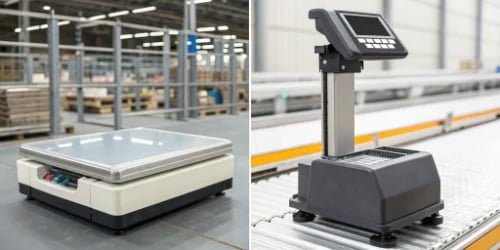
I’ve been in the weighing industry for nearly 20 years, and I’ve seen this decision trip up many businesses. It seems simple, but the details matter. A scale that is perfect for a busy deli counter will fail in a wet food processing plant, and an industrial workhorse would be overkill at a local butcher shop. Let's break down the factors so you can find the perfect fit for your operation. Getting this right from the start saves you from future headaches and ensures your workflow runs smoothly.
What Factors Should Be Considered When Selecting a Label Printing Scale for Retail?
Are your checkout lines getting longer because of a slow scale? Inaccurate prices and lagging printers frustrate customers and staff, directly impacting your sales. The right retail scale changes that.
For retail, you must prioritize speed, a user-friendly interface, and easy integration with your Point of Sale (POS) system. Look for fast printing, simple label roll changes, and software for managing prices.

When I talk to retail clients, their needs are very different from my industrial partners. The retail floor is all about customer experience1 and throughput. You can't have a customer waiting while an employee struggles with a complex machine. That’s why the software and hardware must work together seamlessly to make every transaction as quick as possible.
Key Retail Features Breakdown
The most important features are those that eliminate friction at the point of sale. This includes everything from the physical design to the software running inside.
| Feature | Importance in Retail | Why It Matters |
|---|---|---|
| Print Speed | Very High | Reduces customer wait times and keeps lines moving. |
| User Interface | Very High | Staff, often with high turnover, must be able to use it with minimal training. |
| POS Integration | Essential | The scale must communicate flawlessly with your cash register system. |
| PLU Keys | High | Programmable keys for non-barcoded items (like produce) speed up transactions. |
| Customer Display | Essential | Builds trust by showing the customer the weight and price clearly. |
| Certifications | Mandatory | Must be "Legal for Trade" approved to comply with local regulations. |
Think about a busy supermarket deli. The employee weighs cheese, types in a code, and a price label prints instantly. This is possible because of pre-programmed Price Look-Up codes (PLUs), a fast thermal printer2, and a simple interface. The software allows the store manager to update prices for thousands of items from a central computer, ensuring consistency across all scales. It's this combination of thoughtful hardware and smart software that defines a great retail scale.
How Do Industrial Requirements Influence the Choice of Label Printing Scales?
Is your production line stopped because a scale failed? Dust, water, and constant use can easily break a standard scale, leading to expensive downtime and missed deadlines. This is a common problem.
Industrial needs demand extreme durability, high accuracy, and deep integration with factory systems. Look for robust materials like stainless steel, high IP ratings for protection, and advanced software connectivity for automation.
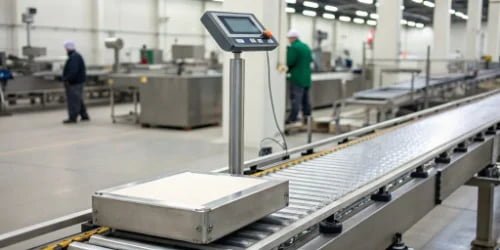
In my experience manufacturing scales, the industrial environment is the ultimate test. Unlike a clean retail store, a factory can be wet, dusty, and subject to extreme temperatures. The scales we build for these clients are not just for weighing; they are critical control points in a larger automated system. They have to withstand daily washdowns and keep running 24/7. When a purchasing manager from a software company asks me about integration, I know they understand that the scale is just one piece of a much larger puzzle.
Industrial Durability and Integration
The choice here is driven by the production environment and the level of automation required. A scale in a dry packaging area has different needs than one in a meat processing plant that is hosed down with high-pressure water every night.
A key specification to look for is the IP rating3.
- IP65: Protected against dust and low-pressure water jets.
- IP67: Dust-tight and can be submerged in up to 1 meter of water.
- IP68: Dust-tight and protected against continuous immersion in water.
Beyond durability4, connectivity is king. An industrial scale must talk to other machines. This includes Programmable Logic Controllers (PLCs)5, Manufacturing Execution Systems (MES)6, and ERP software. This is crucial for tasks like automatic checkweighing7, where a conveyor moves a product onto the scale, which then directs a label applicator8 to place the correct label on it. As one of my clients pointed out, the process could involve printing a label for a manual application or sending data to an inkjet printer to spray information directly onto a box. The software is the brain that makes this orchestration possible.
What Are the Differences Between Retail and Industrial Label Printing Scales?
Do you think all scales basically do the same thing? Using a retail scale in a factory is like using a family car to haul construction materials. It will fail.
The core differences are in construction, software, and intended environment. Retail scales use plastic and focus on POS features. Industrial scales use stainless steel for harsh conditions and feature software for production data.
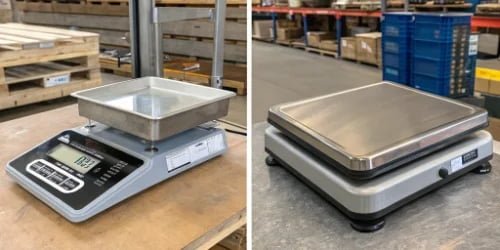
I often have to explain this distinction. A customer might see a lower price on a retail model and wonder if it can work for their factory. The answer is always no, and the reason becomes clear when we look at them side-by-side. The design philosophy is completely different. One is built for pleasant customer interaction, and the other is a fortress built for survival and efficiency in a demanding environment.
Head-to-Head Comparison: Retail vs. Industrial
Breaking it down into a simple table makes the differences obvious. Every feature is a direct response to the problems and demands of its intended workplace.
| Attribute | Retail Label Printing Scale | Industrial Label Printing Scale |
|---|---|---|
| Construction | Typically ABS Plastic | Stainless Steel (e.g., 304-grade) |
| Environment | Clean, indoor, climate-controlled | Wet, dusty, extreme temperatures |
| IP Rating | Low or none | High (IP65, IP67, IP68) |
| Software Focus | POS Integration, pricing, promotions | ERP/MES integration, process control |
| Connectivity | USB, Ethernet for POS | Ethernet, RS-232, Wi-Fi for PLC/systems |
| Typical Use | Deli, butcher, supermarket produce | Food processing, logistics, manufacturing |
| Cost | Lower | Higher |
A retail scale’s plastic body is easy to clean and looks good on a countertop, but it would corrode and fail in a washdown food facility. An industrial scale's stainless steel housing is necessary for hygiene and durability. Similarly, the software for a retail scale is designed for cashiers, while our industrial software is built for engineers and line operators to track batches, manage inventory, and ensure quality control in real-time.
Which Features Are Essential for High-Volume Label Printing in Different Environments?
Is your operation struggling to keep up with demand? When you process thousands of items a day, a slow printer or a complicated process creates a serious bottleneck, hurting your entire workflow.
For high-volume retail, prioritize fast print speeds and programmable keys. For high-volume industrial settings, you need robust print engines, automation capabilities, and software that handles complex, variable data without fail.
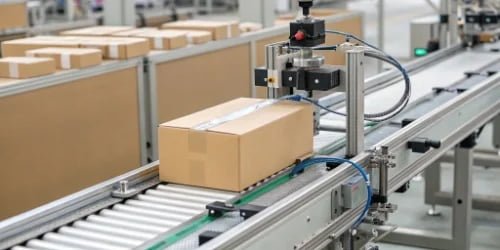
Whether it's a supermarket on a busy holiday weekend or a factory running three shifts, volume magnifies every small inefficiency. In my 19 years of manufacturing, I've learned that you can't just scale up a standard solution. You need features specifically designed for high-throughput operations. The goal is to make the process of weighing and labeling as invisible and seamless as possible, so your team can focus on their main tasks.
High-Volume Retail Must-Haves
In retail, volume means serving more customers faster. The scale's features must support this goal directly. The print head should be a high-quality thermal printer, capable of speeds over 100 mm/second to ensure labels are ready instantly. The design should allow for large label rolls, minimizing the downtime needed to replace them. Most importantly, the software and programmable PLU keys must be so intuitive that an employee can weigh dozens of different items per hour without a single mistake.
High-Volume Industrial Essentials
In an industrial setting, volume is about continuous, automated production9. The scale is often part of a line with conveyors. It needs to perform checkweighing—weighing a product in motion—and trigger a label applicator or printer instantly. The print engine must be incredibly robust, designed for millions of labels. This is where software becomes the absolute core of the operation. Our clients need to print labels with complex information that changes with every item: batch codes, production dates, sequential serial numbers, and multiple barcode formats for tracking. The common ground is that both retail and industrial users need software to print labels that meet their specific requirements. Our role is to provide that flexible, powerful software backbone that makes it all work.
Conclusion
Choosing the right scale means matching its design—retail speed or industrial strength—to your environment. Effective software is the key that unlocks maximum efficiency for any application you have.
-
Discover effective strategies to enhance customer satisfaction and loyalty. ↩
-
Learn about thermal printers and their advantages in high-volume printing. ↩
-
Find out how IP ratings determine the suitability of equipment for various environments. ↩
-
Find out how durability impacts the efficiency and longevity of industrial scales. ↩
-
Learn how PLCs enhance automation and efficiency in industrial settings. ↩
-
Understand the role of MES in optimizing manufacturing processes. ↩
-
Discover the significance of checkweighing in maintaining product quality. ↩
-
Explore the functionality of label applicators in automated production lines. ↩
-
Learn how automation can enhance efficiency and reduce operational costs. ↩



Comments (0)