

Your software is powerful, but the scale's generic interface creates a disconnect. This frustrates users and weakens your brand. A custom UI can bridge this gap for a seamless experience.
You can create a custom user interface on a programmable weighing scale by working with the manufacturer. We use a Software Development Kit (SDK) to design, code, and deploy an interface that matches your software's branding, workflow, and specific data requirements, creating a unified user experience.
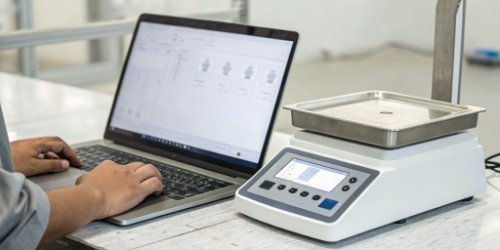
Creating a custom user interface1 might sound like a huge technical challenge. Many of our clients, particularly software vendors, worry about compatibility and development time. But it's more straightforward than you might think when you have the right partner. At Weigherps, we have spent years perfecting this process. We provide the tools and expertise to make this a smooth and rewarding project. Let's break down how we can bring your ideal user interface to life on our hardware.
What Steps Are Involved in Designing a User Interface for Programmable Weighing Scales?
You want a custom interface but don't know where to begin. Starting without a plan can lead to missed requirements and costly rework. Following a structured process ensures a successful outcome.
The main steps are defining requirements, wireframing the layout, creating the visual design, developing the software, and finally, testing and deploying the UI onto the scale. This ensures every user need is met and the final product is stable and intuitive for operators to use.
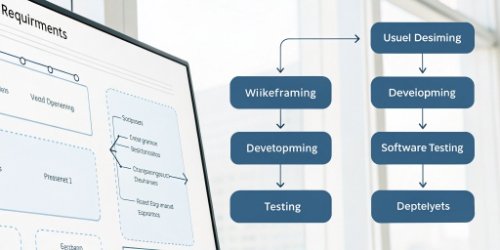
The journey from a standard interface to a fully customized one is a collaborative process. We work closely with our clients, who are often technical directors or purchasing managers at software companies, to ensure the final product perfectly aligns with their system. Over my 19 years in this industry, I've seen that a clear, step-by-step approach always delivers the best results.
Phase 1: Discovery and Planning
This is the most critical stage. We start with a deep dive into your needs. We need to understand the exact tasks operators will perform. What data do they need to see? What information must they enter? We document everything, from branding guidelines2 to specific API endpoints3 your software needs to communicate with. This initial planning prevents scope creep and ensures we are all working toward the same goal.
Phase 2: Design and Prototyping
Once we have the requirements, our team creates wireframes. These are basic blueprints of the screen layout. They show where buttons, text fields, and readouts will be. You get to review these and provide feedback. After you approve the layout, we move to high-fidelity mockups4. This is where we apply your brand colors, logos, and fonts. You see exactly what the final interface will look like before we write a single line of code.
Phase 3: Development and Testing
With the approved design, our developers get to work. They use our robust Software Development Kit (SDK)5 to build the interface. After development, our quality control department takes over. Every feature is rigorously tested. We check button responses, software integrations, and overall stability. We even test the battery life and hardware performance with the new UI. Only when it passes every test is it ready for deployment to your scales.
| Phase | Key Actions | Our Role at Weigherps |
|---|---|---|
| 1. Planning | Define user workflows6, data needs, and brand specs | We provide expert consultation and document requirements |
| 2. Design | Create wireframes and high-fidelity visual mockups | Our design team creates prototypes for your approval |
| 3. Development | Code the UI using the scale's SDK | Our experienced engineers build and integrate the UI |
| 4. Testing | Conduct comprehensive quality assurance checks7 | We test software, hardware, and weight accuracy |
How Can You Customize the Interface of a Programmable Weighing Scale?
Your brand has a unique look and feel. A generic interface on your hardware breaks that consistency. This can confuse users and make your integrated solution feel less professional.
You can customize almost every aspect of the interface. This includes changing the color scheme, adding your company logo, and designing custom button layouts. You can also create specific operational workflows, add required data entry fields, and display customized alerts or messages for operators.
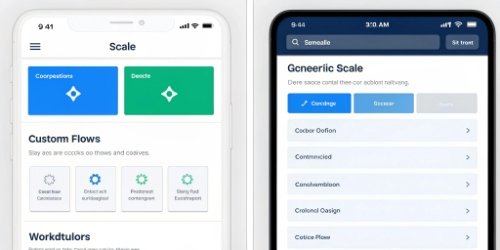
Customization goes far beyond just skinning an existing interface. With our smart PC scales, which often run on familiar operating systems, the possibilities are vast. We think of it as giving you a blank canvas. As a manufacturer specializing in OEM/ODM solutions, we've helped hundreds of clients build interfaces that are a true extension of their software and brand. The goal is to make the operator feel like they are using one single, cohesive system, not a separate scale and computer.
Branding and Visuals
This is the most visible type of customization. We can ensure the scale's interface perfectly matches your software's aesthetic. This includes:
- Logos: Placing your company or product logo prominently on the main screen.
- Color Schemes: Using your specific brand colors for backgrounds, buttons, and text.
- Fonts: Implementing your brand's typography to maintain consistency.
This visual alignment reinforces your brand identity and builds user trust.
Workflow and Functionality
This is where customization delivers the most value. We can design the UI to mirror your exact operational process.
- Task-Specific Screens: Create unique screens for different jobs, such as receiving, packing, or quality control.
- Simplified Inputs: Remove unnecessary buttons and fields to reduce clutter and minimize operator error.
- Guided Steps: Program a sequence of prompts to walk an operator through a complex weighing procedure step-by-step.
This streamlines work, improves accuracy, and reduces training time for new employees.
Data Integration and Display
The interface can be tailored to display the exact data you need, in the format you want. We can customize the UI to show information pulled from your ERP or WMS system, such as order numbers or product names. Similarly, the data captured by the scale can be formatted and sent back to your system seamlessly. This deep integration is key to leveraging our IoT-enabled scales and achieving a truly smart weighing solution.
What Tools Are Needed to Develop a Custom User Interface on Programmable Scales?
You want to start development but are unsure what's required. Using the wrong tools or an incomplete kit can stall your project. You need the right resources to build efficiently.
The essential tool is the Software Development Kit (SDK) provided by the scale manufacturer. This package typically includes APIs, sample code, a compiler, and documentation. You will also need a standard Integrated Development Environment (IDE), like Visual Studio or Android Studio, to write and manage the code.
We understand that our clients in the software business need professional, reliable tools to get the job done. That’s why we invest heavily in our SDKs. Our goal is to make the development process as smooth as possible for your technical team. We provide a complete package that empowers you to build a stable, functional, and visually appealing user interface. We provide everything needed to connect your software's logic to our hardware's capabilities.
The Core Component: The SDK
The Software Development Kit is the heart of the customization process. A good SDK, like the one we provide, contains several key elements:
- APIs (Application Programming Interfaces): These are the hooks that allow your code to talk to the scale's hardware. You can use them to get the weight, tare the scale, or control other functions.
- Libraries: Pre-written code that simplifies common tasks, saving your developers valuable time.
- Sample Code: Working examples that show your team how to implement various features. This is a great starting point for any project.
- Documentation: Clear instructions and references that explain every part of the SDK.
Development and Design Tools
While the SDK is specific to the scale, the other tools are standard in the software industry.
- Integrated Development Environment (IDE)8: This is the software where your team will write, compile, and debug the code for the UI. The choice often depends on the scale's operating system (e.g., Android Studio for Android-based scales).
- Graphic Design Software: Tools like Adobe XD, Sketch, or Figma are used to create the visual mockups of the UI before development begins.
Here is a simple breakdown of the tools involved:
| Tool Category | Example(s) | Purpose |
|---|---|---|
| Manufacturer Provided | Weigherps SDK | Control scale functions, access data, and deploy the UI |
| Development Environment | Android Studio, Visual Studio | Write, compile, and debug the application code |
| Design & Prototyping | Figma, Adobe XD | Create the visual layout and user experience mockups |
| Version Control | Git, GitHub | Manage code changes and collaborate with team members |
How Do Programmable Scales Allow for Personalized User Interface Creation?
You wonder what makes a modern scale "programmable." It seems like a simple device, so how can it be so flexible? The secret is in the architecture and technology inside.
Programmable scales allow for this by using open operating systems, like Android or Linux, and powerful processors. This separates the user interface from the core measurement functions. It provides developers access through an API, turning the scale into a specialized computer with a touchscreen.
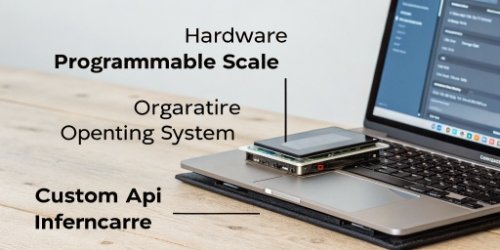
This is a fundamental shift from traditional weighing indicators, which were closed systems with fixed functions. As an industrial scale manufacturer, we recognized this shift early on. Our vision is to empower customers to revolutionize conventional weighing. We achieve this by building our smart scales on modern, open platforms. This architecture is what gives you the power and flexibility to create a truly personalized interface that grows with your business needs.
The Role of the Operating System
The biggest enabler is the operating system (OS). Many of our advanced PC scales run on embedded versions of Android or Linux.
- Flexibility: These are open and well-documented operating systems. This means developers can use standard programming languages and tools, dramatically reducing the learning curve.
- Rich UI Capabilities: A modern OS can support high-resolution graphics, smooth animations, and responsive touch controls. This allows for the creation of a user-friendly interface that looks and feels like a modern tablet or smartphone.
The Power of APIs
An API (Application Programming Interface) is a set of rules that allows different software applications to communicate with each other. Our scales have a well-defined API that exposes all the core weighing functions.
- Decoupling: The API acts as a bridge between your custom UI application and the scale's internal firmware. This means you can design the entire user experience without needing to worry about the low-level metrology functions. The scale handles the weighing; your application handles the presentation and workflow.
- Safe and Secure: This separation also ensures that a custom UI cannot interfere with the certified accuracy and reliability of the weighing components.
Hardware That Enables Customization
Modern hardware is the final piece of the puzzle.
- Responsive Touchscreens: High-resolution, capacitive touchscreens provide the canvas for your custom UI and allow for intuitive user interaction.
- Powerful Processors: Fast CPUs and ample RAM ensure that your custom application runs smoothly, even if it includes complex graphics or communicates with a network.
This combination of an open OS, a robust API, and modern hardware transforms the scale from a simple measuring tool into a fully programmable terminal for your business.
Conclusion
Creating a custom UI for programmable scales is a straightforward process with the right partner. It aligns the hardware with your brand, streamlines workflows, and boosts efficiency for your end-users.
-
Explore how a custom user interface can enhance user experience and brand consistency. ↩
-
Understand the importance of branding guidelines in maintaining brand consistency. ↩
-
Learn about API endpoints and their role in software communication. ↩
-
Understand the differences between high-fidelity and low-fidelity mockups in design. ↩
-
Understand the role of SDKs in software development and how they facilitate custom solutions. ↩
-
Discover how understanding user workflows can improve software usability. ↩
-
Learn about the significance of quality assurance in delivering reliable software. ↩
-
Learn about IDEs and their role in software development. ↩


Comments (0)