
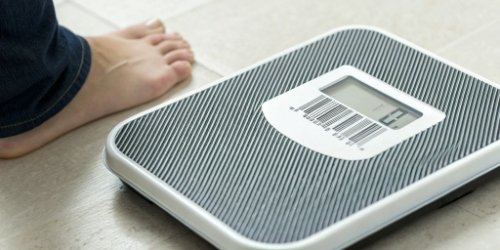
You promise your clients efficiency, but their staff are stuck manually typing in codes. This is frustrating, slows down operations, and makes your integrated software solution look unreliable.
To ensure a barcode printed by a scale is scannable every time, you must combine high-quality hardware with perfectly matched consumables. This means using a superior thermal print head and certified label materials, all configured through years of expert integration and rigorous testing.
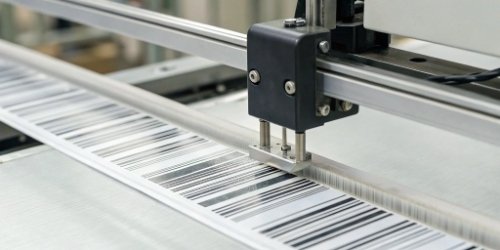
This sounds straightforward, but making these components work together flawlessly is where our expertise comes in. It is more than just buying good parts; it is about creating a system where every single print is as perfect as the last. Getting this wrong can undermine the entire efficiency of a business, causing delays and errors that ripple through the supply chain.
Let's break down exactly how we guarantee that perfect scan every single time. It's a combination of technology, quality control, and deep-seated experience that we've built over nearly two decades.
What Techniques Ensure Consistent Barcode Quality in Scale Printing?
Faded, smudged, or poorly defined barcodes are a constant headache for your customers. This leads to manual entry, slows down operations, and undermines the efficiency your software promises.
Consistent barcode quality comes from using the right thermal printing technology and perfectly matching it to the label material. At Weigherps, we finely tune the print head's heat and speed with specific label types to guarantee crisp, durable, and consistently scannable barcodes for any application.

Ensuring a perfect print involves deep technical knowledge1 of the printing process itself. The two main technologies are Direct Thermal2 and Thermal Transfer3, and choosing the right one is the first critical step.
Choosing the Right Printing Technology
The choice between Direct Thermal and Thermal Transfer printing depends entirely on the label's intended use and lifespan. Direct Thermal printing uses heat-sensitive paper that darkens when the print head applies heat. It’s simple and cost-effective, with no need for ink or ribbons, making it ideal for applications with a short shelf life, like shipping labels or retail receipts.
Thermal Transfer, on the other hand, uses a heated print head to melt a wax or resin ribbon onto the label. This creates an extremely durable print that is resistant to heat, light, and abrasion. It’s the go-to choice for long-term applications like asset tracking, warehouse bin labels, or product identification that needs to last for years.
The Importance of Material Synergy
The hardware in our weighing systems is sourced directly from original manufacturers, and the label material4s are from trusted, quality-controlled factories. However, the real secret is the 19 years we have spent perfecting the synergy between them. We know from experience exactly which label material, adhesive, and ribbon (if applicable) works best with a specific print head under different environmental conditions. This perfected integration is what truly ensures a reliable, scannable barcode every time.
| Feature | Direct Thermal | Thermal Transfer |
|---|---|---|
| Method | Heat-sensitive paper | Heat melts ribbon onto label |
| Durability | Lower, fades with time/heat | Higher, resistant to elements |
| Cost | Lower initial cost, no ribbon | Higher initial cost, ribbon needed |
| Best For | Short-life labels (e.g., retail) | Long-life labels (e.g., logistics) |
How Can You Verify Barcode Scannability from Scale Prints?
You've printed a label, but how can you be certain it will scan correctly at every point in the supply chain? A single bad batch of labels can cause massive disruptions.
To truly verify scannability, you must use a professional barcode verifier, not just a scanner. A verifier grades the barcode against international ISO/IEC standards, analyzing print contrast, defects, and dimensions to predict its performance across a wide range of scanning devices and environments.
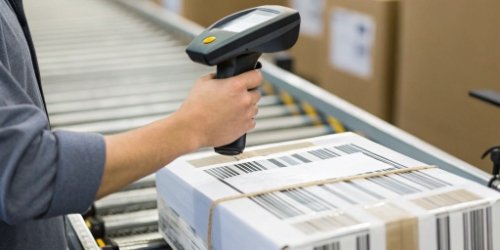
Many people think that if a barcode scans with their phone or a handheld scanner, it's good. This is a common and costly mistake. A simple scan only tells you that it works with that one specific scanner in those specific lighting conditions. It doesn't guarantee it will work everywhere.
Scanners vs. Verifiers: What's the Difference?
A scanner simply tries to read a barcode. It gives you a binary "pass/fail" result. A barcode verifier5 is a much more sophisticated scientific instrument. It doesn't just read the code; it analyzes and grades it on a scale from A to F, based on globally recognized quality parameters. An "A" grade means it's a near-perfect barcode that will scan everywhere, while an "F" grade means it's unreadable.
I remember a client who was having major issues. Their barcodes scanned perfectly fine in their warehouse with their new laser scanners. But they were getting constant complaints from retailers whose older CCD scanners couldn't read them. The problem was a tiny imperfection in the "quiet zone6" – the blank space around the barcode. A simple scanner couldn't detect this, but a verifier would have graded it as a "C" or "D" and flagged the issue instantly. This experience taught us that verification isn't optional; it's essential.
Our Multi-Step Verification Process
This is why our quality control process7 is non-negotiable.
- Software Check: Our scale software has built-in logic to ensure the data string sent to the printer conforms to the chosen barcode standard (like Code 128 or QR).
- Physical Print Test: We print test labels for every new configuration.
- Broad Scanner Testing: We use a variety of scanners in our lab—older CCD models, modern lasers, and 2D imagers—to simulate different real-world conditions.
- Professional Verifier Grading: The final and most important step. We use an ISO-compliant verifier to analyze the print. We refuse to ship any system that does not consistently produce barcodes with at least a "B" grade, the accepted industry standard for supply chain reliability8.
What Steps Can Be Taken to Guarantee Reliable Barcode Scanning from Labels?
You need a system that just works, without requiring constant adjustments or support calls. Unreliable printing leads to frustrated employees, lost productivity, and a constant drain on your technical resources.
Guaranteeing reliability involves a holistic approach: using premium source materials, implementing strict quality control during manufacturing, and providing robust after-sales support. This creates a closed-loop system where quality is maintained from our factory to your client's floor.

A reliable barcode is the end result of a reliable process. It's not something you can add on at the end; it must be built in from the very beginning. Here’s how we ensure that reliability is a core feature of every scale we produce.
Step 1: Sourcing Excellence
We don't cut corners on components. A reliable scale starts with reliable parts. The print head, which does the most critical work, is sourced directly from top-tier, original manufacturers known for their durability and precision. The same goes for the main processor and drive motor. Over our 19 years in business, we've built deep relationships with these source factories, which ensures we get a consistent, top-grade supply. This foundation of quality parts eliminates a huge source of potential failure down the line.
Step 2: Rigorous Quality Control
Before any scale is boxed for shipment, our quality inspection department puts it through a comprehensive battery of tests. This is far more than a quick check. We test for weight accuracy across the scale's full range. We test battery performance, including charge cycles and longevity. We test the software for stability and responsiveness. And, of course, we run extensive tests on the barcode printing function. We print dozens of labels and verify them for quality. Only devices that pass every single test with a perfect score are cleared for shipment. No exceptions.
Step 3: Proactive After-Sales Support
Our commitment to you doesn't end when the scale is shipped. We stand behind our products with a 12-month after-sales service guarantee. If you or your client face any issues, our expert technical team is ready to help you diagnose and solve the problem quickly. Because we built the system from the ground up, we can provide targeted and effective support, ensuring minimal downtime and maintaining your client's confidence in your solution.
How Do Print Settings Affect Barcode Scannability on Scales?
Your scale has top-tier hardware, but the printed barcodes are still inconsistent. You're left fiddling with menus, wasting time and labels, without understanding the root cause of the poor quality.
Print settings are absolutely critical to scannability. The three main factors are print speed, darkness (heat), and resolution (DPI). These settings must be carefully balanced. For instance, printing too fast can reduce clarity, while applying too much heat can cause bars to blur together.

The most common reason for poor barcode quality, assuming the hardware is good, is improper configuration. You can have the best car in the world, but it won't perform well if it's not tuned correctly. The same is true for thermal printers.
The Golden Triangle: Speed, Darkness, and DPI
Think of these three settings as a triangle; changing one often requires adjusting another to maintain balance and quality.
- Print Speed (IPS): Measured in Inches Per Second. A higher speed means more labels printed per minute, but it gives the print head less time to heat each spot. This can result in faint or incomplete bars if the darkness setting isn't increased to compensate.
- Darkness (Heat): This setting controls the temperature of the print head. It needs to be hot enough to fully activate the thermal paper or melt the ribbon. However, too much heat can cause the black bars to "bleed" or widen, reducing the size of the critical white spaces between them and making the code unreadable.
- Resolution (DPI): Dots Per Inch. Most industrial scales use 203 DPI or 300 DPI print heads. A higher DPI allows for clearer prints and the ability to create smaller, denser barcodes (like QR codes). However, it's crucial that the software and label design are configured for the correct DPI.
We once worked with a software partner whose client in a busy warehouse couldn't figure out why their labels weren't scanning consistently. They had cranked the print speed9 to the maximum setting for higher throughput. We advised them to simply reduce the speed by 15% and increase the darkness setting by one level. Instantly, every barcode scanned perfectly. It's this simple, practical knowledge that we bring to all our partnerships.
| Setting | Effect on Quality | Effect on Throughput | Best Practice |
|---|---|---|---|
| Speed | Higher speed can reduce clarity | Higher speed increases output | Start slow, then increase until quality just begins to degrade. |
| Darkness | Too low is faint; too high bleeds | No direct impact | Match the heat level to the specific label and ribbon manufacturer's specs. |
| Resolution | Higher DPI is clearer, crisper | Higher DPI can be fractionally slower | Use 203 DPI for standard labels, 300+ for very small or dense 2D codes. |
Conclusion
Achieving a perfect scan every time requires quality hardware, expert integration, and precise settings. We combine these elements to provide you with the reliable weighing solutions your business needs.
-
Explore how deep technical knowledge can lead to better barcode printing outcomes. ↩
-
Learn about the benefits of Direct Thermal printing, especially for short-life labels. ↩
-
This resource explains Thermal Transfer printing, ideal for long-lasting labels. ↩
-
Explore this guide to understand how label material affects barcode performance. ↩
-
Learn why using a barcode verifier is crucial for ensuring scannability across various devices. ↩
-
Discover how the quiet zone affects barcode readability and scanning success. ↩
-
This resource outlines essential steps to ensure barcode quality and reliability. ↩
-
Learn about the critical role of barcode quality in maintaining supply chain efficiency. ↩
-
Learn how adjusting print speed can improve barcode clarity and scannability. ↩


Comments (0)