

Your workflow is almost perfect, but manual data entry from your scale creates errors. This slows down production and hurts your bottom line, making seamless automation feel just out of reach.
To integrate a label printing scale, you typically use the manufacturer's Software Development Kit (SDK) or API. This allows your inventory software to communicate directly with the scale, pulling weight data and sending printing commands. A manufacturer with an in-house software team can greatly simplify this process.

Integrating new hardware into a finely tuned software environment can seem like a major challenge. You worry about compatibility, downtime, and technical roadblocks. But it doesn't have to be a source of stress. The key is breaking the process down into manageable steps and, more importantly, working with a hardware partner who understands the software side of the equation. As a manufacturer with our own software development team, we've guided countless software vendors like you through this process. Let's walk through exactly how it's done, so you can achieve that perfectly automated workflow.
What Steps Are Involved in Connecting a Label Printing Scale to Inventory Software?
You have the scale and the software, but they can't communicate. This disconnect halts your entire operation, forcing your team back to inefficient manual processes and creating frustrating bottlenecks.
To connect them, first, ensure physical and driver-level connections are established. Then, use the provided SDK or API to configure data communication protocols. Finally, map the scale's data fields to your software's database and run extensive tests to confirm accurate data transfer and label printing.
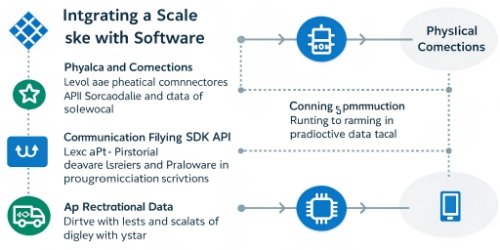
Connecting a scale to software is a logical process. Over my 19 years in this industry, I've seen that success comes from being methodical. At Weigherps, we treat this as a collaborative project1, not just a hardware delivery.
Step 1: Assessment and Preparation
First, we look at the hardware and software environment. What communication ports are available (USB, RS232, Ethernet)? What operating system are you running? We also review your software's architecture to see if it has an existing API2 or plugin system for external hardware. This initial check prevents major headaches later.
Step 2: Physical Connection and Driver Installation
This part is straightforward. You connect the scale to the computer or network. Then, you install the necessary drivers. Our team provides fully tested drivers for various operating systems, ensuring the computer recognizes the scale properly. For network scales3, we help configure the IP address so it's visible on your local network.
Step 3: Software-Level Integration
This is the core of the work. Our software team provides your developers with our SDK. It contains all the commands needed to:
- Request weight from the scale.
- Check the scale's status (e.g., stable, busy).
- Send data (like product name, price, barcodes) to the scale.
- Trigger a label print command.
Step 4: Data Mapping and Testing
Once the communication is established, we map the data fields. For example, the weight value from our scale needs to be directed to the [weight] field in your database.
| Scale Output | Your Software's Input Field |
|---|---|
StableWeight_kg |
product_weight |
BarcodeData |
item_sku |
Timestamp |
weighing_time |
Finally, we test everything. We don't just check if it weighs; we test edge cases. What happens if the network drops? What if the printer runs out of labels? Thorough testing4 ensures the final solution is robust and reliable.
How Can Compatibility Issues Be Avoided When Integrating Scales with Software?
You've invested in a new scale, only to find it won't work with your custom software. This mistake costs you valuable time, money, and development resources in trying to force a connection.
The most effective way is to partner with a hardware manufacturer that has a dedicated software team. They can provide clear documentation, robust SDKs, and direct support to solve compatibility problems before they arise.

Compatibility is the number one concern for every technical director I speak with. A scale is useless if it can't talk to your system. The assumption is often that hardware and software are two different worlds, and bridging them is the client's problem. We see it differently. As an OEM/ODM source manufacturer, our job is to make the hardware work seamlessly within your world.
The Power of In-House Expertise
This is where our own software team becomes your greatest asset. Because we build both the hardware and the software that runs it, we have deep knowledge of every command and protocol. When your developers have a question, they aren't talking to a generic support line; they are talking directly to the engineers who designed the system. We can quickly explain how to get the data you need or even create a custom firmware5 adjustment if necessary. This eliminates weeks of guesswork and troubleshooting6. I remember a client in Germany who was struggling to integrate a competitor's scale. After two frustrating weeks, they contacted us. Our software team had a video call with their developers and solved the issue in under an hour by providing a specific code sample from our SDK.
A Proactive Approach
We avoid compatibility issues7 by being proactive. Before you even purchase, we can review your software's technical requirements. We check the following:
| Compatibility Check | Our Solution |
|---|---|
| Communication Protocol | We offer scales with Ethernet, Wi-Fi, RS232, and USB to match your infrastructure. |
| Data Format | Our scales can output data in common formats like plain text, JSON, or custom strings. |
| Operating System | We provide stable drivers for Windows, Linux, and support for IoT environments. |
| Development Language | Our SDK includes libraries and examples for popular languages like C#, Java, and Python. |
By addressing these points upfront, we ensure the integration project starts on a solid foundation. You get a partner, not just a scale.
What Are Best Practices for Ensuring Smooth Integration of Scales and Inventory Systems?
The scale and software are connected, but the system is buggy. Data drops and incorrect labels are causing inventory chaos, making you question if the integration was worth the effort.
For a smooth integration, prioritize clear documentation and standardized protocols. Implement thorough error handling in your code, and conduct extensive end-to-end testing with real users before deploying the system live.

A successful integration isn't just about making it work once. It's about making it reliable for thousands of operations. Over the years, we've developed a set of best practices that we share with all our software partners to ensure long-term stability.
Start with a Clear Plan
Before writing a single line of code, define the entire workflow.
- What action triggers the weighing?
- Where does the weight data go?
- What information needs to be printed on the label?
- How does the system confirm a successful print?
Answering these questions creates a clear roadmap. We often help our clients map this out, using our experience to highlight potential issues they haven't considered.
Adopt Standardized Data Formats
While we can support custom data strings, we always recommend using a standard format like JSON. It's human-readable, easy to parse, and supported by virtually all modern programming languages. This makes the code cleaner and easier for new developers to understand and maintain in the future. For example, a JSON output might look like this: { "weight": 1.25, "unit": "kg", "stable": true }. This is much more robust than trying to parse a complex, proprietary string.
Build-In Robust Error Handling
What happens if someone unplugs the scale? Or if the network connection drops for a second? A resilient system must anticipate these issues. We advise our partners to build logic that can handle these scenarios gracefully. For instance, the software should attempt to reconnect automatically. If it fails, it should alert the user with a clear message like "Scale disconnected. Please check connection." instead of just crashing. This prevents data loss and minimizes downtime. I once saw a system fail because it couldn't handle a simple scale restart. Proper error handling8 would have prevented the entire production line9 from stopping.
How Do You Troubleshoot Integration Challenges Between Scales and Software?
Your integrated system has suddenly stopped working. Production is at a standstill, every minute of downtime is costing you money, and the pressure is on to find a fix immediately.
First, check the physical connections and power. Next, verify software settings like COM port or IP address. If it still fails, restart the scale and the application. Finally, examine log files for error codes, which provide the clearest clues.

Even with the best planning, issues can pop up. The key is to have a systematic troubleshooting process. Panicking doesn't help. As an equipment manufacturer, providing clear troubleshooting guidance is a core part of our after-sales support. We empower our clients to solve common problems quickly themselves, but our technical team is always ready to step in for more complex challenges. Here is the process we recommend.
The Troubleshooting Hierarchy
Start with the simplest potential cause and work your way up to the most complex. Don't start by digging into code.
- Physical Layer Check: Is the scale turned on? Is the USB, Serial, or Ethernet cable plugged in securely at both ends? I know it sounds basic, but you would be surprised how often a loose cable is the culprit.
- Configuration Check: Has anything changed? Did a Windows update reassign the COM port? Did the scale's IP address change? Verifying these settings in both the device manager and your software's configuration panel is the next logical step.
- The "Turn It Off and On Again" Rule: A simple restart of both the scale and your software application can resolve many temporary glitches or memory issues. It forces both systems to re-establish their connection from scratch.
Using a Troubleshooting Table
For more persistent issues, a structured approach is best. We provide our partners with a guide like this:
| Symptom | Common Cause | Quick Solution |
|---|---|---|
| Software can't see the scale. | Incorrect COM Port / IP Address. | Verify settings in Device Manager/network scanner and match them in the software. |
| Data is scrambled or junk. | Mismatched baud rate (for serial). | Ensure the baud rate setting on the scale matches the software configuration. |
| Weight is received, but no print. | Incorrect print command / template issue. | Use our diagnostic tool to send a raw print command. If it works, the issue is in the software logic. |
| Connection drops intermittently. | Network congestion / faulty cable. | Ping the scale's IP continuously to check for packet loss. Try a new Ethernet cable. |
This methodical process solves over 90% of integration issues. For the other 10%, our dedicated software and hardware engineers are available to our partners for direct, expert-level support.
Conclusion
Ultimately, successful scale integration is less about code and more about collaboration. Choosing the right hardware partner with software expertise ensures you get a seamless, reliable solution, not just a scale.
-
Collaboration can lead to better solutions and smoother integration processes. ↩
-
APIs are crucial for enabling communication between different software systems. ↩
-
Understanding network scales can help you choose the right solution for your needs. ↩
-
Thorough testing ensures reliability and functionality of integrated systems. ↩
-
Custom firmware can enhance device functionality and compatibility. ↩
-
Knowing how to troubleshoot can save time and reduce downtime in operations. ↩
-
Avoiding compatibility issues is crucial for a smooth integration process. ↩
-
Effective error handling can prevent system crashes and improve user experience. ↩
-
Automation can significantly enhance productivity and reduce errors in manufacturing. ↩


Comments (0)