

Frustrated by inaccurate scale readings affecting your profits? Every milligram counts in business. Learning to zero your scale correctly ensures precision and stops costly errors in their tracks.
To zero a digital scale, first place it on a stable, level surface with nothing on it. Then, simply press the "Zero" or "Tare" button. This action resets the scale's baseline to 0.00, ensuring all future measurements are accurate and start from a true zero point.

Getting that perfect zero is the foundation of reliable weighing. But what happens when you're working with containers, or if the scale stubbornly refuses to reset? Over my 18 years in the industrial scale1 business, I've seen it all. Let's dive deeper into the specific steps and troubleshoot common issues so you can weigh with confidence every single time. It's simpler than you think.
How to zero a digital scale?
Need a foolproof way to zero your scale every time? Small errors add up, damaging your process consistency. Follow this simple procedure for perfect accuracy and peace of mind.
Place the empty scale on a firm, level surface. Let it stabilize. Press the "Zero" or "Tare" button until the display reads "0.00." This simple process sets the starting point, making sure your measurements are accurate from the very beginning. It's the most crucial daily check.
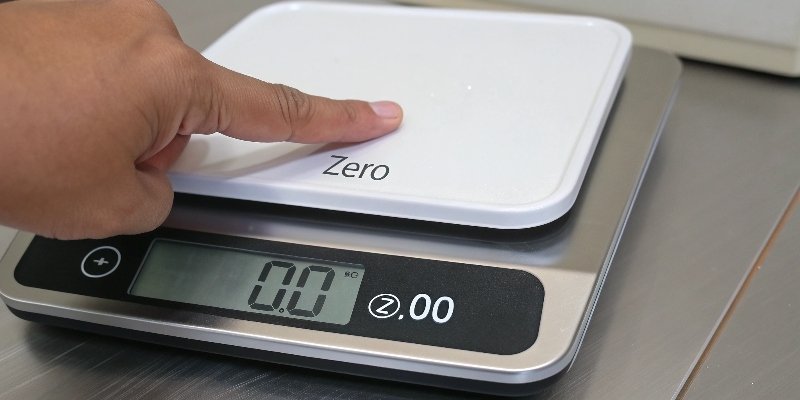
Mastering the zeroing process is easy once you understand the key elements involved. It's not just about pressing a button; it's about setting the scale up for success. I always tell my team, a good measurement starts before anything is even on the scale.
1. Find the Right Spot
The surface is critical. A wobbly table or soft carpet will ruin your accuracy. Always choose a hard, flat, and level surface like a sturdy workbench or a tile floor. This ensures the load cells2 inside the scale receive even pressure, which is essential for a correct reading.
2. Let it Settle
Once you place the scale, give it a moment. Temperature changes can also affect a scale's internal components. If you've just moved it from a cold warehouse to a warm office, let it acclimate for at least 30 minutes. This prevents "temperature drift3" from causing a false zero point. This simple step is one we emphasize in our quality control process for every unit we ship.
How do you reset the scale to 0?
Confused by the "Zero" and "Tare" buttons on your scale? Using the wrong one can throw off your entire batch. Learn the difference to ensure perfect net weight measurements.
To reset the scale to a true zero, press the "Zero" button when the platform is empty. To measure an item's net weight inside a container, use the "Tare" button. It subtracts the container's weight, effectively resetting the display to zero with the container on it.
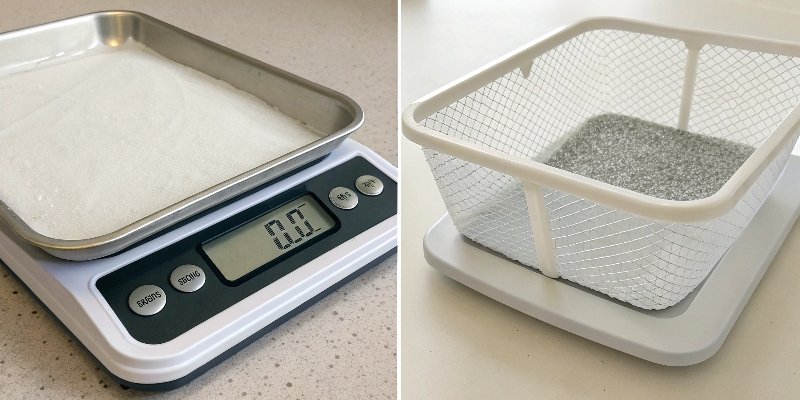
The "Zero" and "Tare" functions seem similar, but they serve distinct purposes. Understanding this difference is crucial for any business that relies on net weight, like food production or chemical mixing. In our custom solutions for clients, we often configure the user interface to make this distinction crystal clear. Let's break it down. The 'Zero' function establishes the absolute baseline. You do this once at the start with an empty scale. The 'Tare' function creates a temporary, floating zero point. It's designed for when you need to weigh something in something else.
| Function | When to Use | What it Does |
|---|---|---|
| Zero | Before you begin weighing, with an empty platform. | Establishes the true zero point (0.00). |
| Tare | After placing an empty container on the scale. | Ignores the container's weight, resetting the display to 0.00. |
For example, if you place a bowl on the scale and press "Tare," the scale will show 0.00. Then, any powder you add will be the only weight display4ed. This net weighing is fundamental for quality control in many industries.
What does it mean to zero out a scale?
Ever wonder what's happening inside when you zero a scale? It's not just a digital trick. Understanding the science behind it helps you trust your equipment and your data.
Zeroing a scale calibrates its internal sensors to the current environment. It tells the scale's processor that the current state—with no load—is the new "zero" baseline. This accounts for minor drifts from temperature, humidity, or even slight dust accumulation, ensuring every measurement is accurate.
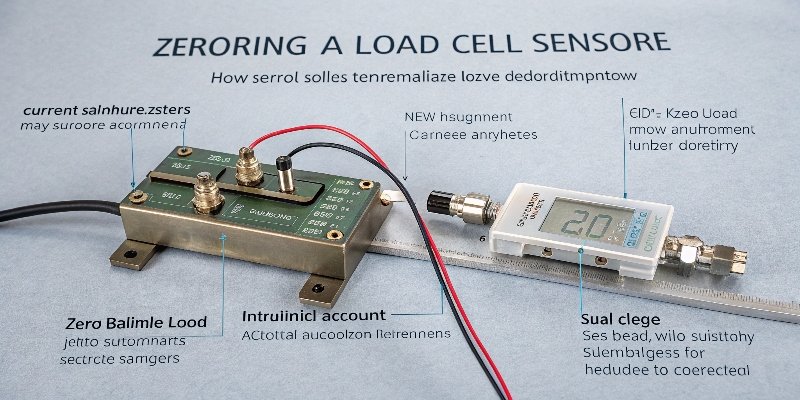
When you "zero out" a scale, you're performing a fundamental calibration. Think of the scale's weighing sensor, or load cell, as a highly sensitive instrument. It's constantly subject to tiny influences from its surroundings.
Setting the Baseline
Environmental factors like temperature fluctuations, humidity, and even air pressure can cause the sensor's baseline signal to "drift" slightly. Zeroing tells the scale's internal software, "Okay, whatever signal you're reading right now, with nothing on the platform, consider that our new starting point." It effectively erases any accumulated electronic "noise" or minor drift.
From Zeroing to Calibration
While daily zeroing handles minor drifts, true precision requires periodic calibration. This is a more advanced procedure where you use a certified, known weight (like a 10kg standard). You tell the scale, "This object is exactly 10kg." The scale then adjusts its internal formula to match, ensuring accuracy across its entire weighing range. We perform this on every IoT scale before it leaves our factory.
Why won't my scale zero out?
Is your scale refusing to zero out, showing an error code? This frustrating problem can halt your workflow. Let's quickly diagnose and fix the most common causes right now.
A scale may fail to zero if it's on an unstable surface, has low batteries, or is experiencing a software glitch. Check for error codes like "Err" or "LO," ensure it's level, and try a power cycle. If it persists, the load cell might be damaged.
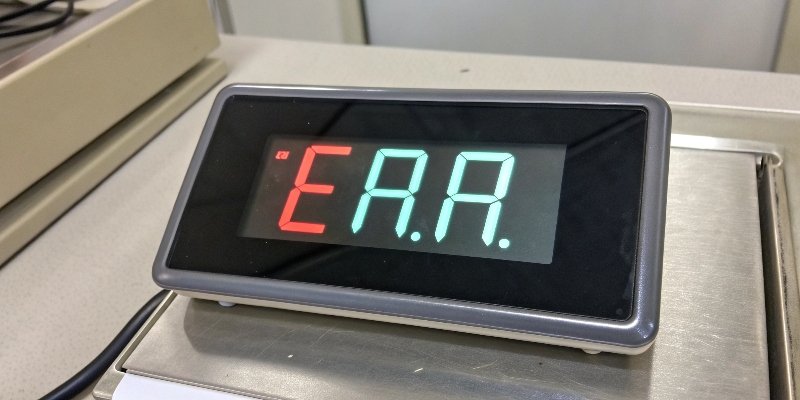
A scale that won't zero is a dead stop for any operation. I get calls about this all the time. Fortunately, the fix is usually simple. Before you assume it's broken and call for service, run through this checklist we provide to all our partners.
1. Check the Environment
Is the scale perfectly level and stable? Even a slight wobble can prevent the sensors from finding a stable zero point. Also, check if anything is touching the weighing platform, even a stray cable or debris underneath it. Strong air currents from a fan or vent can also be a culprit.
2. Power and Error Codes
Many scales will display an error code. "LO" or a battery icon almost always means the batteries are weak. A weak power source can lead to unstable electronics. "E," "Err," or "O-Ld" could mean the scale is overloaded or the load cell is damaged. Try turning it off, removing the batteries for a minute, and starting again. This simple reboot solves a surprising number of software glitch5es. If the problem persists after these steps, it may indicate a need for professional service.
Conclusion
Zeroing your digital scale is the simple, crucial step for accurate measurements. Master this, understand your scale's functions, and you'll ensure reliable, professional results every single time.
-
Discover the unique features of industrial scales that make them suitable for various applications. ↩
-
Gain insights into how load cells work to ensure precise weight measurements. ↩
-
Learn how temperature changes can affect scale accuracy and how to mitigate it. ↩
-
Explore the technology behind weight displays to better understand your scale's readings. ↩
-
Understand common software issues that can affect scale performance and how to fix them. ↩



Comments (0)