

Wasting time walking between a fixed scale and your products? This inefficient workflow costs you money and slows down your entire operation. A mobile setup can fundamentally change how you work.
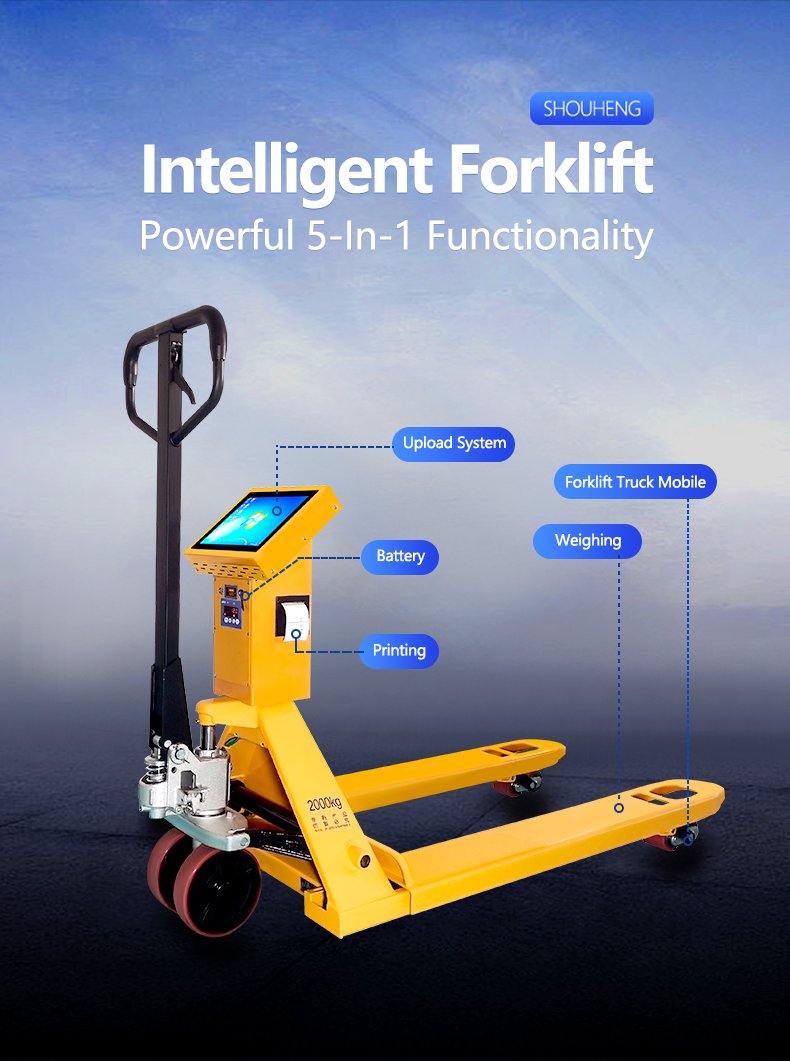
A label printing scale fits into a mobile cart by using a compact design, a stable power source like a rechargeable battery, and wireless connectivity such as Wi-Fi or Bluetooth. This integration combines weighing, pricing, and labeling into one portable unit, streamlining tasks like inventory management and order fulfillment.
You see the basic idea, but making it work perfectly for your specific needs requires more than just placing a scale on a cart. Over the last 19 years, I've seen what works and what doesn't. We've helped hundreds of our clients go mobile, and I can tell you that success is in the details. It's about smart integration that makes the technology feel like a natural extension of your workflow. Let's break down what we have learned.
What Are the Key Considerations for Integrating a Label Printing Scale into Mobile Workstations?
Are you worried your mobile scale setup might be unstable or lose connection? A poorly planned integration can create more problems than it solves. Let's make sure your mobile workstation is a reliable asset, not a new headache.
Key considerations include power management (battery life), physical stability on the cart, and wireless connectivity strength. You must also think about software compatibility with your existing systems and the scale's durability to withstand movement and potential bumps. Getting these things right is crucial for success.
I have seen people try to cut corners on this. One client simply put a standard bench scale on a cheap, wobbly cart. The bouncing and movement meant the readings were never consistent. Worse, the delicate internal load cells were not designed for that kind of vibration. The scale failed in less than three months. This is why we take a holistic approach. It is not just about the scale, but the entire mobile ecosystem. Based on our experience, here are the most important factors to get right.
| Consideration | Why It's Important | Our Professional Advice |
|---|---|---|
| Power Management | The workstation is useless if the battery dies mid-shift. | Choose scales with high-capacity, swappable batteries. Plan for at least 8-10 hours of continuous use. We design our mobile-ready scales with power-saving modes. |
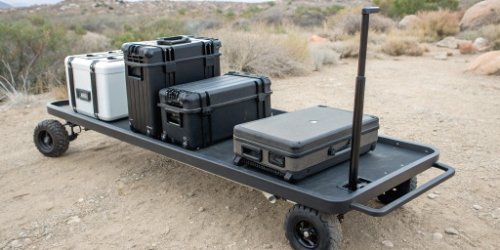
| Physical Stability | Inaccurate weights and equipment damage result from instability. | Use a sturdy cart with lockable wheels. The scale needs a perfectly flat, non-slip surface or a secure mounting bracket to ensure level operation. |
| Wireless Connectivity | Lost data packets mean lost productivity and potential errors. | Test your Wi-Fi coverage thoroughly. If your facility has dead spots, Bluetooth may be a more reliable option for connecting directly to a nearby tablet or scanner. |
| Software Integration | The scale must talk to your other systems without issues. | This is critical for our software vendor partners. We provide robust SDKs and APIs. Our technical team works directly with yours to ensure our hardware integrates smoothly with your WMS, ERP, or custom software. |
| Durability | The unit will be moved, bumped, and used in various environments. | Look for scales with a rugged construction1. An IP rating is important if you operate in dusty or wet conditions. The components must be shock-resistant. |
How Can a Label Printing Scale Be Adapted for Use in Mobile Cart Configurations?
Do you think your current scales cannot be made mobile? You might feel stuck with an inflexible, static system. The truth is, many scales can be adapted with the right components and a little bit of expert guidance.
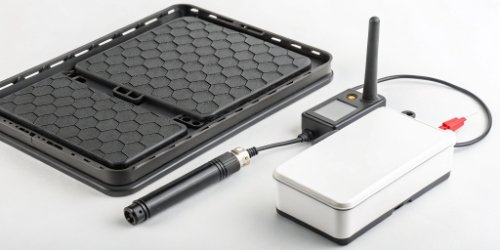
A scale is adapted for mobile use through modular components. This includes adding a portable power pack, integrating wireless data transmission modules, and using compact, rugged enclosures. Custom mounting brackets can also secure the scale and printer assembly to various cart types for a seamless fit.
This process of adaptation is at the heart of what we do. It is about integrating the weighing module at the physical level to make it easier for the user. A few years ago, a logistics client had dozens of our standard bench scales. They wanted to improve their order-picking process but did not have the budget to replace all their equipment. We worked with them to create a custom "mobile kit." It was a great example of adapting what they already owned.
First, we tackled the physical adaptation. We designed a kit with a ruggedized battery pack that could power both the scale and a small thermal label printer2 for a full 8-hour shift. It was a simple, self-contained power solution.
Next came the data adaptation. This was the most important part for them. Their scales had standard RS-232 serial ports. We supplied them with a small, plug-in Wi-Fi module that connected directly to that port. This simple addition allowed the scale to send weight data wirelessly to their Warehouse Management System (WMS). Suddenly, their old scales were IoT devices3.
Finally, we addressed the structural adaptation. We gave them the design schematics for a simple metal mounting plate. They had a local fabricator produce the plates cheaply. This plate ensured the scale and printer were perfectly level and securely fastened to their existing carts. It was a cost-effective solution that transformed their operations without a huge capital investment.
Why Is a Label Printing Scale Valuable in a Mobile Workstation Environment?
Are manual data entry errors and slow workflows hurting your bottom line? Static workstations create bottlenecks that slow everyone down. A mobile solution offers a direct path to higher efficiency, greater accuracy, and a better return on investment.
Its value lies in boosting operational efficiency. By bringing the weighing and labeling process directly to the product, it eliminates unnecessary foot traffic, reduces product handling time, minimizes data entry errors, and accelerates tasks like inventory counts, order picking, and shipping preparation.

The difference is not small; it is transformative. Imagine your current workflow for a moment. An employee likely walks to a pallet, picks up an item, walks it over to a fixed scale, weighs it, jots down the number, walks to a computer, inputs the data, prints a label, and finally walks back to apply it. There is so much wasted motion.
Now, let's look at the process with a mobile workstation. The employee rolls the cart directly to the pallet. They weigh the item right there. The scale instantly sends the data to the system, and the label prints on the spot. They apply it and move to the next item. All the walking is gone.
Here is a simple breakdown of the impact:
| Old Way (Static Workstation) | New Way (Mobile Workstation) |
|---|---|
| 1. Walk to product | 1. Roll cart to product |
| 2. Carry product to scale | 2. Place product on cart scale |
| 3. Weigh & write down result | 3. Weigh, data captured automatically |
| 4. Walk to PC & enter data | 4. Label prints instantly |
| 5. Print label & walk back | 5. Apply label |
| 6. Apply label |
We had a client in the food processing industry who implemented this mobile solution. They cut their order fulfillment4 time by nearly 40%. But the value is not just speed. It is also about accuracy. Automatic data capture eliminates the human errors that come from writing down and re-typing numbers. For businesses that deal with catch-weight items where every gram matters for pricing, this level of accuracy is critical for profitability and compliance.
What Are the Best Practices for Setting Up a Mobile Cart with a Label Printing Scale?
Are you ready to build your first mobile workstation but not sure where to start? A poorly planned setup can lead to equipment failure, unreliable performance, and frustrated staff. Let's do it right the first time.
Best practices include choosing a sturdy cart with high-quality casters, ensuring a dedicated and stable power supply, and organizing cables neatly to prevent snags. You should also perform a wireless site survey to guarantee connectivity and train staff on proper use and battery management protocols.
Over the years, we have developed a clear checklist for a successful mobile deployment. Following these practices will help you build a reliable and long-lasting mobile workstation.
The Foundation: The Cart
Start with a high-quality industrial cart. Do not use a flimsy office cart. Look for one with large, lockable casters that roll smoothly but can be secured firmly in place. The top surface must be completely flat and large enough to hold the scale, printer, and a tablet or scanner without being crowded. Think about ergonomics5 too; the working height should be comfortable for your operators to prevent strain.
The Powerhouse: The Battery System
Do not just use a consumer-grade power bank. Invest in a commercial mobile power system designed for industrial environments. We have tested and can recommend specific power solutions that integrate seamlessly with our weighing equipment. The most important practice is creating a disciplined charging routine6. For example, have a set of swappable batteries charging at all times so there is zero downtime.
The Brains: Connectivity and Software
Before you deploy a single cart, perform a full wireless site survey7 of your facility. Use a tool to map your Wi-Fi signal strength and identify any dead spots. You may need to reposition your wireless access points for complete coverage. For our partners who develop software, we strongly advise testing the complete solution—your application on the tablet, the wireless connection, and our scale—in a controlled environment before rolling it out. Our technical support8 team is always available to help with this integration testing.
The Details: Cable Management and Training
This sounds small, but it is a major safety and reliability issue. Use zip ties, cable sleeves, or conduits to manage all wires. A loose cable can get caught on a shelf, damaging the equipment or causing an accident. Finally, train your team. Show them how to properly handle the cart, connect and disconnect batteries, and perform basic troubleshooting. A well-trained team will treat the equipment with care, dramatically extending its life.
Conclusion
Integrating a label printing scale into a mobile cart boosts efficiency and accuracy in your operations. With proper planning, the right components, and expert guidance, it is a powerful upgrade.
-
Rugged construction ensures your equipment can handle tough working conditions. ↩
-
Understanding thermal label printers can enhance your labeling efficiency in mobile operations. ↩
-
Exploring IoT integration can transform your existing equipment into smart solutions. ↩
-
Exploring mobile order fulfillment can reveal significant efficiency gains for your business. ↩
-
Prioritizing ergonomics can improve operator comfort and productivity. ↩
-
Establishing a disciplined charging routine can prevent downtime and ensure readiness. ↩
-
Conducting a site survey is essential for ensuring optimal wireless coverage. ↩
-
Access to technical support can facilitate smoother integration and troubleshooting. ↩


Comments (0)