
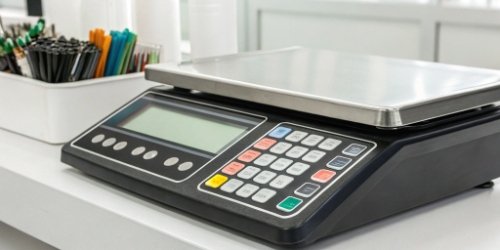
Tired of complex button combinations and long training times? Old systems cause errors and slow down production. A touch screen interface transforms this into a simple, intuitive experience.
A touch screen simplifies tasks by replacing complex physical buttons with a visual, intuitive interface. Operators can calibrate, tare, and log data with simple taps, significantly reducing the learning curve, minimizing operational errors, and simplifying after-sales service needs.
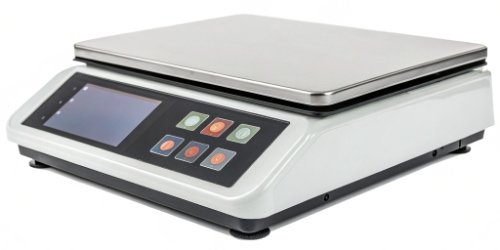
This change seems simple, but its impact on daily operations is huge. I've seen it firsthand in facilities we've worked with. The moment you replace a keypad with a screen, the whole dynamic changes. Let's explore exactly what makes these touch screens so powerful and how they can benefit your business.
What Are the Advantages of Using Touch Screens on Label Printing Scales?
Are you looking for ways to boost speed and accuracy on your production line? Clunky interfaces on older scales often hold back your team's potential. Touch screens offer a direct solution.
The main advantages are increased operational speed, improved accuracy through visual confirmation, and greater flexibility. Operators can complete tasks faster with fewer mistakes, and the interface can be easily updated or customized for specific needs.
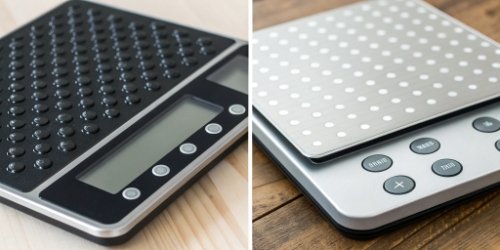
When we design our scales, we think about the real-world pressures of a busy production floor. The advantages of a touch screen directly address these pressures. Based on my 19 years of experience, the benefits fall into three main categories.
Speed and Efficiency
Think about how you use your smartphone. You don't read a manual; you just tap the icon you need. A touch screen on a scale works the same way. All functions, from setting a tare1 weight to searching for a product code, are right there on the screen. There are no secret button combinations to remember. This means tasks that used to take multiple steps can now be done with a single touch. An operator can move from one task to the next without hesitation, which significantly increases throughput.
Accuracy and Error Reduction
With physical buttons, it's easy to press the wrong one. An operator might accidentally hit a '5' instead of a '6', leading to an incorrect product code and a mislabeled package. A touch screen provides clear, visual feedback. When you select a product, you often see a picture of it. You see the numbers as you type them on a large on-screen keypad. This visual confirmation2 step is simple but incredibly effective at catching mistakes before they happen. Fewer errors mean less waste and happier customers.
Flexibility and Future-Proofing
A key advantage for software vendors is flexibility3. The interface on a touch screen is software-based. This means we can update it, add new features, or even create completely custom layouts for your clients. We can add multilingual support with the tap of a button. If a new regulation requires a change in your label format, it's a simple software update, not a hardware replacement. This makes a touch screen scale a much better long-term investment.
How Do Touch Screens Enhance User Experience for Scale Operators?
Do your operators seem frustrated or slow when using your current scales? A poor user interface can be a hidden drain on morale and productivity. Touch screens are designed with the user in mind.
Touch screens enhance the user experience by being highly intuitive, similar to the smartphones people use daily. This familiarity reduces the learning curve and training time. Visual guides and clear on-screen prompts lead to a less stressful, more confident operator.
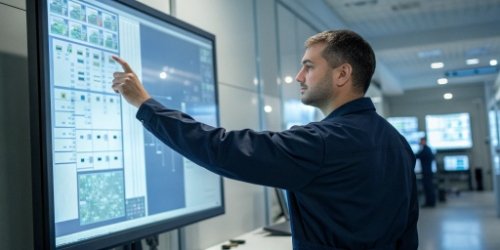
A happy operator is an efficient operator. I remember visiting a client's warehouse where they were struggling with high staff turnover. Training new people on their old, button-heavy scales was taking days. We replaced a single unit with one of our touch screen models as a test. The results were immediate. A better user experience4 isn't a luxury; it's a core component of a productive workplace.
Intuitive Navigation
The single biggest boost to user experience is how intuitive these screens are. We use icons, colors, and clear text. Instead of a manual filled with diagrams, an operator can look at the screen and understand their options. For example, a large green button might say "Print Label," while a red one says "Clear." This visual language is universal. I saw a new employee at that warehouse learn the basic functions in under 10 minutes, simply by exploring the on-screen menus. This drastically reduces the need for lengthy, one-on-one training sessions.
Reduced Mental Strain
Old systems force operators to memorize product lookup (PLU) codes and operational sequences. This requires constant mental effort and concentration. Over a long shift, this leads to fatigue and mistakes. A touch screen offloads that mental work. The scale remembers the codes. It guides the user. This frees up the operator to focus on the physical task of weighing and handling products, which they are best at. The result is a smoother workflow with fewer stress-induced errors.
What Features on Touch Screens Aid in Streamlining Scale Operations?
Are you wondering what specific functions make a touch screen so much better? It's not just about tapping; it's about powerful built-in tools. These features are designed to eliminate extra steps and centralize work.
Key features include on-screen keyboards for easy data entry, customizable layouts to match specific workflows, and visual product databases with images. These tools centralize tasks on one screen, eliminating the need for separate devices or paper lookups.
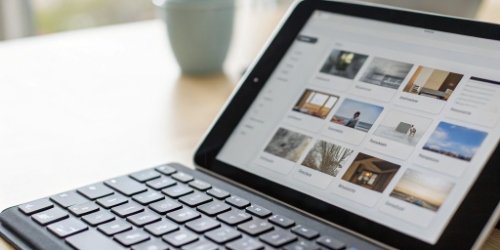
When we develop the software for our scales, we focus on features that solve real problems. It's not about adding technology for its own sake. It's about asking, "How can this screen save the operator five seconds on every transaction?" Over an eight-hour shift, those seconds add up to real gains in productivity. These built-in features are what turn a good scale into an essential business tool. Here are some of the most impactful ones we've implemented for our clients.
| Feature | How It Streamlines Operations |
|---|---|
| On-Screen Keyboard | Eliminates the need for an external keyboard to type product names, codes, or notes. It's a faster and more integrated process. |
| Visual Product Library | Operators can select products by tapping an image instead of typing a code. This reduces selection errors significantly. |
| Customizable UI | We can tailor the main screen to show only the buttons needed for a specific task. This simplifies the view and prevents confusion. |
| Step-by-Step Guides | For complex tasks like calibration, the screen can display visual instructions, guiding the user through the process and reducing service calls. |
These features work together to create a seamless workflow. The operator never has to leave the scale's interface. Everything they need is right at their fingertips. This level of integration is simply not possible with a traditional button-based scale. It removes physical and mental clutter from the workspace.
How Can Touch Screen Interfaces Improve Efficiency in Label Printing Tasks?
Is your labeling process a bottleneck in your workflow? Every second counts in a busy environment, and a slow interface directly costs you money. Touch screens are built for speed and efficiency.
Touch screen interfaces improve efficiency by automating multi-step processes into single-tap macros. They reduce the time spent searching for products, entering data, and correcting errors. This results in a higher throughput of accurately labeled products per hour.
Ultimately, for our B2B clients, it all comes down to the bottom line. Efficiency isn't just about moving faster; it's about creating a smarter, more streamlined process that delivers better results with less effort. When we design custom weighing systems, our primary goal is to identify and eliminate these efficiency drains. Touch screens are our most powerful tool for achieving this.
Workflow Optimization
A touch screen allows us to create custom workflows. For a client in the food packaging industry, we programmed a single on-screen button to perform a four-step sequence: weigh the product, subtract the container's tare weight, calculate the price based on weight, and print a label with the product name, weight, price, and expiration date. The operator places the item on the scale and taps one button. That's it. This level of automation is impossible on a keypad-based scale. It transforms a complex task into a simple, repeatable action.
Seamless Data Integration
These modern scales are essentially networked computers. The touch screen interface5 can display information directly from your client's ERP or inventory management system. An operator can see current stock levels or customer order details right on the scale's screen. This eliminates the need to walk back and forth between the scale and a computer terminal. And when a label is printed, the data is sent back to the system in real time, ensuring that inventory records are always accurate. This improves data integrity and reduces manual entry errors.
Conclusion
Ultimately, touch screens on label printing scales simplify complex tasks. They reduce errors, speed up workflows, and make your entire operation more efficient and user-friendly.
-
Understand the concept of tare and its significance in accurate weight measurements. ↩
-
Understand the role of visual confirmation in reducing errors and improving accuracy. ↩
-
Explore the advantages of flexible technology solutions for adapting to changing business needs. ↩
-
Discover key principles for enhancing user experience in technology products. ↩
-
Explore how touch screen interfaces can enhance productivity and user experience in various industries. ↩


Comments (0)