
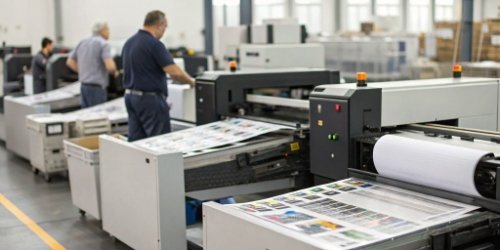
Your production line is moving, but profits aren't keeping up. The bottleneck could be hiding in plain sight. Let's find a way to fix it and boost your throughput.
The print speed of an integrated scale directly controls your operational throughput. A faster, more reliable printer means more products can be weighed, labeled, and shipped per hour. A slow printer creates a bottleneck, forcing your entire production line to wait and reducing overall efficiency.
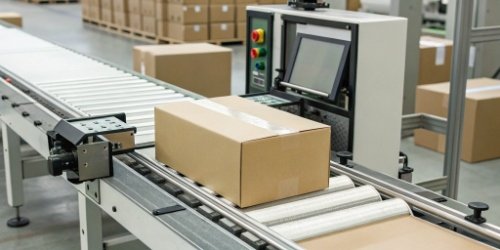
In my 19 years of manufacturing industrial scales, I’ve seen companies invest millions in automation, only to be held back by something as simple as a slow printer. It's a critical detail that has a huge impact on your bottom line. We provide our clients with weighing solutions that look at the complete process, not just one component. This ensures that every part of the system works together smoothly. If you're looking to optimize your production, it's worth taking a closer look at how every second is spent. Let's break down how print speed1 can either supercharge your operation or slow it to a crawl.
What does print speed affect?
You think a few seconds per label doesn't matter much. But those seconds add up to hours of lost productivity and delayed shipments, directly hitting your revenue and customer satisfaction.
Print speed directly impacts your production line's pace, your labor costs, and your ability to meet shipping deadlines. It’s not just a technical spec; it's a key factor in your operational agility and profitability. A faster printer can significantly reduce cost-per-unit produced.
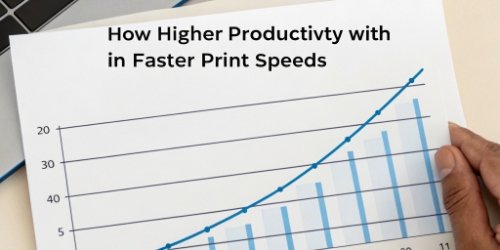
From our experience, the effects of print speed are felt across the entire business. It’s not an isolated number on a spec sheet. It’s a variable that influences your real-world performance. When a client comes to us with an efficiency problem2, the printer is one of the first things we analyze. We help them see the bigger picture.
Labor Costs
A slow printer makes your team wait. If an operator has to stand by for 5 seconds for each label on a line processing thousands of items a day, that idle time adds up quickly. This translates directly to higher labor costs3 for the same amount of output. A faster printer allows each employee to process more items, making your entire workforce more efficient.
Data Accuracy and Flow
The speed of printing also relates to how fast data is processed and applied to a physical product. In a fast-paced environment, especially with IoT integration, a slow printer can cause a data lag. This might lead to mismatches or errors. A printer that keeps pace ensures that real-time data is instantly converted into a physical label, maintaining the integrity of your tracking and inventory systems.
Supply Chain Velocity
Your entire supply chain's speed depends on how fast you can get products out the door. A slow printing process at the final weigh-and-label station can delay an entire shipment. This affects everything downstream, from logistics planning to retail stocking. By increasing print speed, you increase your entire supply chain's velocity, making your business more responsive to market demands.
Does print speed affect flow rate?
Your production line can handle 100 units per minute, but you're only shipping 60. This frustrating gap is a classic bottleneck problem, and the printer is often the culprit.
Yes, absolutely. The print speed of your scale can be the single biggest limiting factor on your production line's flow rate. If the printer can't produce labels as fast as products arrive, it creates a traffic jam that slows down the entire operation.
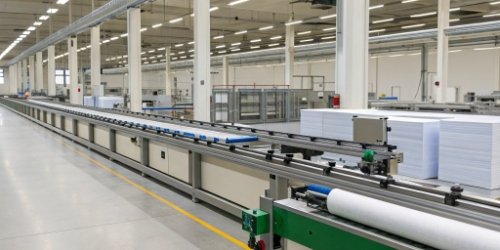
I once visited a client’s new food processing facility. They had state-of-the-art machinery everywhere, but products were piling up at the final packaging station. The reason? The integrated scale's printer couldn't keep up. It was a simple fix for us, but it was costing them thousands in lost output every day. The flow rate4 of your line is only as fast as its slowest point.
The Bottleneck Effect
Think of your production line5 as a highway. The weigh-and-label station is one of the lanes. If this lane is slower than all the others, traffic will back up. It doesn't matter how fast the other lanes are.
- Upstream Impact: Processes before the printer may be forced to slow down or stop, leading to idle machinery and wasted capacity.
- Downstream Impact: Processes after the printer, like packing and shipping, are starved of products, leading to idle workers and delayed orders.
Synchronizing Speed for Optimal Flow
The goal is to match the print speed with the pace of your production line. At Weigherps, we don’t just sell a scale; we provide a solution. We analyze your line's target flow rate and recommend a weighing and printing system that can comfortably exceed it. This provides a buffer for peak times and ensures the printer is never the reason your operation slows down. A synchronized system means a smooth, consistent flow from start to finish. This is how you maximize your return on investment6.
What is the significance of printing speed measured in PPM or IPM in different printing environments?
You're comparing two printers, one rated in PPM and the other in IPM. Choosing the wrong one for your needs can lead to a purchase that completely fails to meet expectations.
For industrial scales, IPM (inches per minute) is the crucial metric. It measures the real-world speed of label material printing. PPM (pages per minute) is for office document printers and is not a reliable indicator for industrial label printing performance.
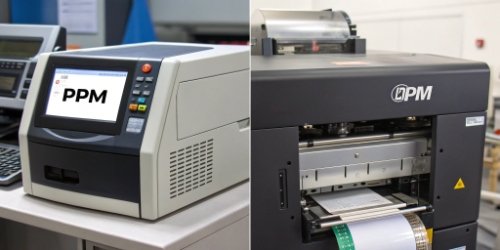
As a technical director or purchasing manager, getting this detail right is critical. We often have to educate new clients on this difference. They see a high PPM7 number and think it means fast performance, but that's misleading for our industry. Understanding the context of these metrics ensures you are comparing products correctly and investing in technology that will actually deliver.
Understanding the Metrics
| It's important to know what these measurements actually tell you. They are not interchangeable. | Metric | Stands For | Best For | What it Measures |
|---|---|---|---|---|
| IPM8 | Inches Per Minute | Industrial Labels | The physical speed at which the label roll moves through the printer. | |
| PPM | Pages Per Minute | Office Documents | The number of standard-sized sheets of paper printed in one minute. |
For industrial weighing, you are printing labels of various lengths, not standard A4 pages. A printer’s IPM rating tells you exactly how fast it can produce a 4-inch label versus a 6-inch label. A PPM rating is useless for this calculation.
Context is Key for Your Application
The right metric depends entirely on your environment.
- High-Volume, Small Labels: In an application like food packaging where you print thousands of small labels daily, a high IPM is essential to maintain throughput.
- Low-Volume, Large Labels: For logistics and pallet labeling9, you might print fewer but much larger labels. Here, IPM is still the correct metric to calculate the time per label and ensure it doesn't create a delay.
When we build custom weighing systems, we ask about your label size and daily volume. This allows us to spec a printer with an IPM rating that matches your specific flow rate needs, guaranteeing it will perform as expected in your environment.
Does slowing down print speed increase quality?
You're worried that printing at max speed will result in blurry barcodes that can't be scanned. But intentionally slowing down your line feels like you're leaving money on the table.
Not necessarily. With modern thermal printers, you can achieve excellent print quality at very high speeds. If you have to slow down for quality, it often points to a problem with the printer's technology, its settings, or the quality of your labels and ribbons.
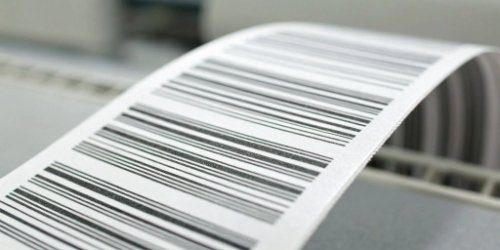
This is a concern we hear often. A few years ago, there was a clearer trade-off between speed and quality. But technology has improved a lot. My insight is simple: a quality printer shouldn't force you to choose. Unreadable labels can cause huge losses, from returned shipments to manual data entry costs. The solution isn’t to slow down; it's to use the right equipment.
Technology Matters More Than Speed
The quality of a printed label, especially a barcode10, depends on the dot-to-dot heat transfer.
- Direct Thermal vs. Thermal Transfer: Thermal transfer printers generally offer more durable and sharper prints at higher speeds because they use a ribbon. The quality is less dependent on the label material11 itself.
- Printhead Resolution (DPI): A higher DPI (dots per inch) printhead can produce clearer, more detailed text and barcodes even when moving quickly. For small, complex barcodes, a 300 DPI printer will perform better at high speeds than a 203 DPI one.
- Proper Configuration: The printer's heat and speed settings must be matched to the label and ribbon material. A mismatch is the most common cause of poor quality, not the speed itself.
The Real Cost of "Playing it Safe"
Slowing down your printer to ensure quality is a temporary fix that creates a permanent efficiency problem. You are accepting a lower throughput every single day. The real solution is to invest in a system where quality at speed is guaranteed. When we conduct quality control12 on our scales before shipment, we test the integrated printers at their maximum rated speeds. We confirm they produce scannable, clear barcodes every time. This gives our clients the confidence to run their operations at full capacity without worrying about quality issues.
Conclusion
Ultimately, print speed is not just a feature. It is a core driver of your operational efficiency, throughput, and profitability. Choosing the right weighing and printing solution is a strategic investment.
-
Understanding print speed can help you optimize production efficiency and reduce bottlenecks. ↩
-
Discover methods to diagnose and address efficiency issues in your production line. ↩
-
Reducing labor costs can significantly improve your bottom line; find out how. ↩
-
Learn about the key factors influencing flow rate to optimize your production efficiency. ↩
-
Understanding production line components can help you optimize overall efficiency. ↩
-
Explore how strategic investments can enhance your manufacturing capabilities and ROI. ↩
-
Learn the differences between PPM and IPM to make informed purchasing decisions. ↩
-
Understanding IPM is crucial for selecting the right printer for industrial applications. ↩
-
Learn effective labeling practices to streamline your production process and improve accuracy. ↩
-
Learn how to print high-quality barcodes that ensure accurate scanning and tracking. ↩
-
Explore how different label materials impact printing performance and quality. ↩
-
Implementing effective quality control can significantly improve product reliability and efficiency. ↩



Comments (0)