
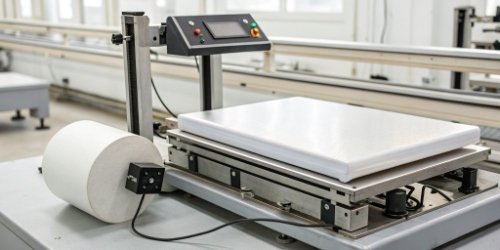
You have amazing software but feel trapped by inflexible hardware. This limits your features, frustrates your clients, and stops you from delivering a truly seamless experience to the market.
Your software can easily control our label designer through our comprehensive Software Development Kit (SDK) and APIs. This allows for deep integration, so you can manage layouts, data fields, and printing directly from your own application. It gives you and your customers complete control.
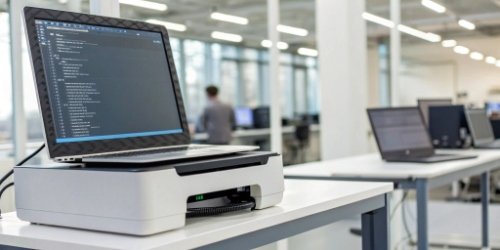
As a manufacturer, I talk to software companies every day. You build powerful systems to manage inventory, sales, and production. You need hardware that acts as a reliable extension of your software, not a roadblock. The biggest question I get is always about control. You don't want to be stuck with a closed system. You want to drive the hardware with your own logic and deliver a unified experience to your users. We built our scales with this principle in mind. We want to empower your software, not limit it. Let's dig into the details and answer the common questions you probably have right now.
Which software is used to design labels?
Are you worried about being forced to use clumsy, proprietary software? This concern can kill a project before it starts, locking you into a system that doesn't fit your workflow.
You can use our simple, built-in label design software for a quick setup. But for full integration, you can use your own software with our SDK and APIs. This is the method most of our software partners choose for maximum power and flexibility.

We understand that you are the software experts. Our goal is to give you a stable and open hardware platform to build upon. For this reason, we provide two clear paths for label design. The first path is our own software. It’s perfect for end-users who need to make simple labels quickly without any coding. It’s intuitive and gets the job done. The second path, designed for you, is direct integration. Our SDK gives your developers the tools to control every aspect of the label. You can create, store, and call templates, and populate them with dynamic data1, all from your application. This means your customer never has to leave your software environment.
Comparing Your Options
| Feature | Using Our Software | Using Your Software (SDK/API) |
|---|---|---|
| Control | Basic layout and data fields | Total control over every pixel and data point |
| Workflow | User must switch to our app | Seamless, integrated within your application |
| Best For | Quick-start, simple needs | Complex, dynamic, branded solutions |
| Flexibility | Limited to built-in features | Limited only by your software's capability |
How to adjust the printer to print labels?
Misaligned labels look unprofessional and waste expensive supplies. Constantly fiddling with confusing settings wastes time and causes major frustration for your team and your customers.
You can adjust the printer through simple software settings and physical calibration. Set margins, offsets, and print density via our software or directly from your application using our API commands. Physical adjustments for guides and rollers are just as straightforward.
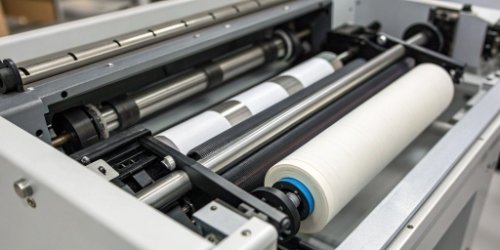
A perfectly printed label is a basic expectation. We ensure our scales make this easy to achieve. From a technical standpoint, we've broken down adjustments into two categories: software and physical. Through the API, your software can send commands to precisely control the print area. For example, you can define the X/Y starting position to a fraction of a millimeter or adjust the print darkness for different label materials. This programmatic control is essential for consistency. The physical adjustments are also simple. The label roll guides2 are easily moved to fit your label width, and the sensor that detects the gap between labels can be positioned with a simple slide. We provide clear documentation, so you or your end-users can get a perfect print every time without any guesswork involved.
Key Adjustment Parameters
- Software Control: Margin, Print Density, Speed, Label Dimensions, Top Offset.
- Physical Control: Label Guides, Platen Roller Pressure, Gap Sensor Position.
Do I need special software to print labels?
You don't want to manage another software license. It adds complexity, cost, and another point of failure. Your ideal solution is one that works with the systems you already have.
No, you do not need special or third-party software. Our scales can work in a standalone mode with pre-loaded templates. But to unlock the scale's full potential, integrating it with your system via our free SDK/API is the best path.

Flexibility is one of our core design philosophies. We know that different clients have different needs, so we offer multiple modes of operation. For very simple, repetitive tasks, an operator can use the scale's keypad to select a pre-designed label and print. No computer is needed. However, this is not the model for a modern, data-driven business3. That is why we champion the integrated model4. By using our SDK, your software becomes the 'special software'. You avoid having to buy, install, or support any other program. You send data and commands, and the scale responds. This simplifies the solution for your customer, reduces your support burden, and allows you to sell a more complete and powerful package. It puts you in total control of the user's experience from start to finish.
How does label printing work?
The process from data to a physical label seems complex. This technical uncertainty can be a barrier, making it hard to trust that the hardware will work reliably with your software.
It’s a simple, four-step process. Your software sends data to the scale via an API call. The scale’s processor merges this data with a stored template, renders the final image, and sends it to the internal printer.
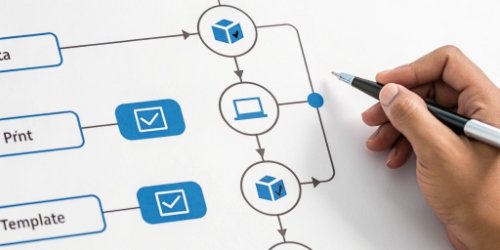
Let me demystify the process for you. It's actually very logical and built for reliability, which I know is critical for you as a software provider. Here is the step-by-step workflow when your application commands our scale to print a label. First, your application sends the relevant information, such as the weight from the scale, a product code, a price, and a "use-by" date, over the network. This is usually packaged in a standard format like JSON. Second, the scale receives this data and retrieves the correct label template from its internal memory based on an ID you provided. Third, the scale’s processor acts like a mail-merge engine. It intelligently places each piece of data into its designated spot on the template. It also renders your logo and any barcodes. Finally, this final, complete label image is converted into commands for the thermal print head5, and your perfectly formatted label is printed in seconds.
Conclusion
Our scales provide the open platform your software needs. We empower you to build powerful, integrated weighing and printing solutions that will impress your customers and grow your business.
-
Dynamic data allows for real-time updates and personalization, enhancing user engagement. ↩
-
Label roll guides are crucial for ensuring accurate label feeding and preventing jams. ↩
-
Being data-driven can significantly enhance decision-making and operational efficiency. ↩
-
Learning about integrated models can help you streamline operations and improve user experience. ↩
-
Understanding thermal print heads is essential for optimizing label printing technology. ↩



Comments (0)