
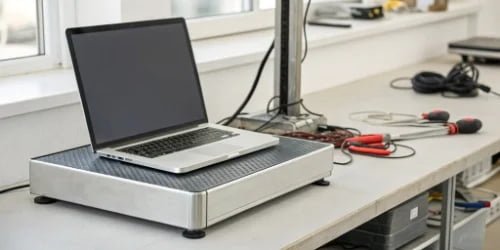
Your smart PC scale is a critical business asset, but you worry about its complex maintenance. Downtime is not an option, and ensuring long-term reliability is your top priority.
Proper maintenance for a smart PC scale involves a routine of physical cleaning, regular calibration checks, and consistent software and firmware updates. This combination of hardware care and software management is the key to ensuring the device’s accuracy, security, and longevity in a demanding industrial environment.

There is a saying I often think about: "The simpler things are, the more durable they are." Now, our smart PC scale1s are far from simple on the inside; they are packed with technology to offer incredible functionality. But we took that saying to heart when we designed them. We knew they had to perform in tough industrial environments. That’s why we use industrial-grade computer chips and a specially designed external structure. This robust shell protects the complex, powerful components inside. It’s our way of balancing advanced capability with the simple need for durability. This design philosophy makes maintenance more straightforward than you might think and ensures your investment continues to pay off. Let’s look at how that works in practice.
What Are the Best Practices for Maintaining a Smart PC Scale?
Your smart scale’s performance is crucial for your operations. If it’s slow or inaccurate, it can cause significant problems, costing you both money and your customers’ trust.
The best practices for maintaining a smart PC scale include regular physical cleaning, periodic calibration verification, applying necessary software updates, and ensuring all operators are properly trained. This proactive approach prevents most common issues and significantly extends the lifespan of your equipment.

To get the most out of your smart PC scale, you need a consistent maintenance routine2. It doesn’t have to be complicated. At our company, we recommend a simple but effective schedule to our partners. This approach keeps the hardware in peak condition and minimizes unexpected failures. Because we build our scales with an industrial-grade chassis to protect the sensitive electronics from dust and moisture, your main job is to keep the exterior and weighing platform clean. Following a simple checklist ensures the scale remains a reliable tool rather than a source of problems. It’s all about creating good habits that protect your investment and keep your business running smoothly.
Here’s a breakdown of the key practices:
| Practice | Recommended Frequency | Why It’s Important |
|---|---|---|
| Physical Cleaning | Daily or Weekly | Prevents dirt and debris from affecting sensor accuracy and keeps the device hygienic. |
| Calibration Checks | Monthly or Quarterly | Verifies that the scale is providing accurate readings, which is essential for compliance and quality control. |
| Software Health Check | Quarterly | Involves checking logs and running diagnostics to catch issues before they impact performance. |
| Operator Training | For All New Staff | Ensures the scale is used correctly, preventing damage from misuse and user-related errors. |
| Environmental Review | Annually | Confirms the scale operates in a stable environment, free from excessive vibration or temperature swings. |
How Often Should Software Updates Be Applied to a Smart PC Scale?
Software updates often feel disruptive. You worry that an update might break a perfectly functional system, causing more harm than good and leading to frustrating downtime.
For a smart PC scale, security updates should be applied immediately upon release. Larger feature updates are best deployed on a quarterly or semi-annual schedule. Always test updates in a controlled environment first to ensure stability before rolling them out across your operations.

Deciding when to update is a balancing act between security, stability, and access to new features. A good update strategy removes uncertainty from this process. Not all updates are created equal, and understanding the difference is key to effective management. As a hardware provider, we understand our partners—software vendors like you—need predictability. That’s why we communicate our update plans clearly and provide all the necessary documentation. Our goal is to make the update process seamless. We empower you to maintain system integrity while still benefiting from the latest enhancements, ensuring the end-user has a secure and feature-rich experience. This way, you stay in control of your deployment schedule.
Here’s how to think about different types of updates:
| Update Type | Recommended Frequency | Key Consideration |
|---|---|---|
| Security Patches | Immediately | These fix critical vulnerabilities. Waiting to apply them can expose your system to significant risk. |
| Minor Updates | Quarterly | These usually include bug fixes and small performance improvements. Test them before broad deployment. |
| Major Upgrades | Annually or Bi-Annually | These introduce new features. They require thorough testing and a planned rollout schedule. |
What Steps Are Involved in Ensuring Optimal Performance of a Smart PC Scale?
Your scale starts to feel sluggish, or you suspect the data isn’t quite right. These small inconsistencies can grow into major problems, affecting inventory, billing, and customer satisfaction.
Optimal performance comes from a holistic approach combining hardware care, software management, and user training. To ensure this, regularly check calibration, clean the device, apply updates, and confirm operators follow the correct procedures. This 360-degree view guarantees accuracy and reliability.

Ensuring optimal performance is less about reacting to problems and more about following a proactive process. Think of it as a simple health check-up for your device. We designed our scales to make this process easy. For example, the sturdy external design means that a quick visual inspection is often enough to spot potential issues. Internally, the industrial-grade components3 are built for longevity, so your focus can be on the simple, repeatable steps that keep everything running at 100%. By breaking down performance management into three distinct areas, you can create a simple yet powerful routine that anyone on your team can follow. This ensures nothing gets missed and the scale continues to be a high-performing asset.
1. Hardware Inspection
The first step is a physical check. Look at the weighing platter to make sure it’s level and clear of debris. Check all cable connections to ensure they are secure. Inspect the housing for any signs of damage. Our robust design protects the scale from the typical bumps and scrapes of an industrial setting, but a quick visual check is always a good habit.
2. Software & Data Integrity
Next, look at the software side. Most performance issues4 aren’t with the hardware but with the data flow. Use the built-in diagnostic tools5 to check for errors in the system logs. If your scale is connected to a network, verify that data is syncing correctly with your central system. This is also the time to ensure your software is up to date with the latest security and performance patches.
3. User Protocol
Finally, never underestimate the human element. Observe how operators use the scale. Are they placing items gently on the platter? Are they using the correct workflows in the software? Often, performance issues can be traced back to a simple training gap. Ensuring everyone follows the same, correct procedure is one of the easiest ways to maintain consistent and accurate performance.
How Can Firmware Updates Enhance the Functionality of a Smart PC Scale?
You might see your scale as a fixed tool with a specific function. Because of this, you could be missing out on powerful new capabilities that can improve your entire operation.
Firmware updates are vital as they control the scale’s core hardware operations. Updates can improve measurement accuracy, boost processing speed, add support for new accessories, and patch low-level security flaws. They transform the device and significantly enhance its long-term value.
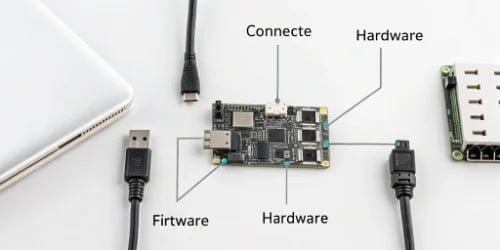
Many people get software and firmware confused, but the distinction is important. Software is the application you see and interact with. Firmware is the foundational code etched into the hardware components themselves, like the processor that interprets signals from the load cell. A firmware update is like a brain upgrade for your scale. At Weigherps, our R&D team is constantly working to improve this foundational code. When we develop a more efficient algorithm for filtering out vibrations or a faster way to process a weight reading, we deliver it through a firmware update. This means the scale you buy today can become more powerful and accurate tomorrow. It’s a key part of how we provide long-term value and help our partners stay ahead.
Firmware updates can deliver a wide range of powerful enhancements:
- Improved Accuracy: New filtering algorithms can be introduced via firmware to better compensate for environmental factors like vibration, leading to more stable and precise readings.
- Faster Response Time: We can optimize the low-level code that communicates with the load cell, resulting in near-instantaneous weight capture and a snappier user experience.
- New Hardware Support: A firmware update can activate new capabilities, such as enabling compatibility with a new model of barcode scanner or a different type of printer without needing new hardware.
- Enhanced Security: Some security vulnerabilities6 exist at the hardware level. Firmware updates are the only way to patch these deep-seated risks, providing an essential layer of security for the entire system.
Conclusion
Proper maintenance and timely updates are not chores. They are smart investments that ensure your PC scale remains a reliable, accurate, and secure asset for your business’s growth.
-
Explore how smart PC scales enhance efficiency and accuracy in industrial applications. ↩
-
Learn about best practices to keep your smart PC scale in optimal condition. ↩
-
Understand how robust components enhance durability and reliability. ↩
-
Identify and troubleshoot common problems to maintain scale accuracy. ↩
-
Explore tools that help monitor and maintain scale performance effectively. ↩
-
Understand potential risks and how to mitigate them through updates. ↩



Comments (0)