
Your scale's readings are all over the place, costing you time and money. I will show you how to diagnose and fix the problem quickly to restore accuracy.
A fluctuating digital scale is often caused by environmental interference, an unstable power source, or a faulty sensor. First, check that the scale is on a level, stable surface away from vibrations. Then, inspect connections and recalibrate using standard weights. This usually solves the issue.
As someone who has been manufacturing industrial scales for over 18 years, I've seen every possible reason for a scale to act up. The good news is that the fix is usually much simpler than you think. You just need a methodical way to check for the root cause. Below, I’ll walk you through the common problems we see and how you can solve them yourself, step by step. Let's get your equipment back to providing the reliable data you depend on.
Why does my digital scale fluctuate?
Frustrated by inconsistent readings that disrupt your entire production line? I'll explain the simple, common reasons behind this problem so you can get it fixed fast.
Your digital scale fluctuates due to environmental factors like vibrations or drafts, electrical interference from nearby equipment, or physical issues with the load cell. Identifying the specific cause is the first step toward getting stable, accurate measurements every time you use it.

When a client calls me about a fluctuating scale, my first questions are always about its surroundings. More often than not, the problem isn't with the scale itself, but with the environment it's in. Things you might not even think about can throw off a highly sensitive instrument. We need to look at both the physical and electrical environment to understand the full picture. I always say that a scale is only as good as the place you put it.
Environmental Factors
The most common culprit is the physical location. A scale needs a solid, level foundation to work correctly. Even small vibrations from heavy machinery, forklifts driving by, or even a strong HVAC system can cause the readings to jump around. Air currents are another sneaky cause. A simple draft from an open door or a fan can put enough pressure on the weighing platform to alter the reading.
Electrical and Component Issues
If the environment is stable, the next place I look is the power source and its connections. An unstable voltage supply or "dirty" power with lots of electrical noise can wreak havoc on sensitive electronics. We also see issues from electromagnetic interference1 (EMI) or radio frequency interference2 (RFI) from motors, welders, or two-way radios. Finally, the load cell3 sensor or its connection could be damaged or loose, causing intermittent signal loss that looks like fluctuation.
| Cause | Common Sources |
|---|---|
| Vibration | Forklifts, heavy machinery, conveyor belts |
| Air Currents | Fans, open doors, HVAC vents |
| Electrical Noise | Variable frequency drives (VFDs), motors, welders |
| Component Failure | Damaged load cell, loose internal wiring |
How to fix an inconsistent scale?
Need a reliable fix for your inconsistent scale? Bad measurements can lead to quality control nightmares. Let me guide you through my simple step-by-step troubleshooting process.
To fix an inconsistent scale, first eliminate environmental issues by moving it to a stable, draft-free surface away from machinery. Then, check the power supply and sensor connections for looseness. Finally, perform a full recalibration using certified standard weights as per the manufacturer's manual.
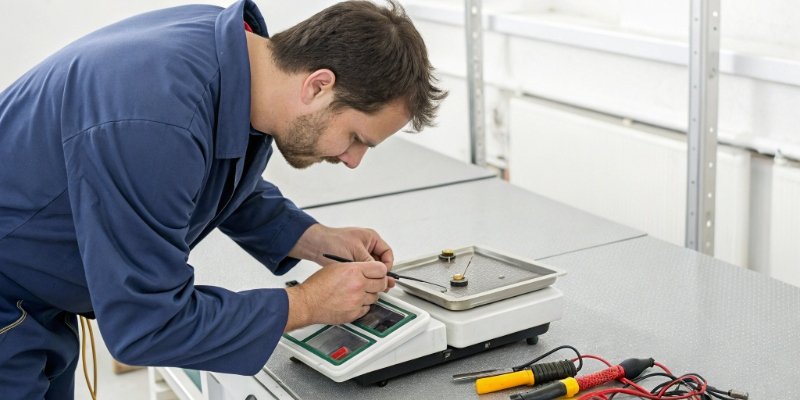
Fixing an inconsistent scale is all about being methodical. Don't just assume the scale is broken and needs replacement. I always advise my clients to follow a simple checklist to isolate the problem. By working from the outside in—starting with the environment and moving toward the scale's internal components—you can often find and solve the issue in minutes without needing to call for service. It’s a process of elimination that saves a lot of time and headaches.
Step 1: Secure the Environment
First, make sure the scale is on a rigid, level surface where it won't rock or wobble. Check for any nearby sources of vibration or drafts. If you find any, either move the scale or try to isolate it from the source. Sometimes, a simple anti-vibration mat4 can make a world of difference. Also, move any devices that produce strong magnetic fields, like large motors or transformers, away from the scale.
Step 2: Check Power and Connections
Next, inspect all the physical connections. Look at the power cord and the cable leading from the load cell to the indicator. Is anything loose, frayed, or damaged? I’ve seen cases where a partially broken wire was the only problem. If possible, plug the scale into a dedicated power outlet or use a power conditioner5 or UPS to ensure it gets clean, stable voltage.
Step 3: Recalibrate Correctly
If the environment and connections are good, the final step is recalibration. Your scale's accuracy can drift over time. Always use certified, standard test weights and follow the calibration procedure in your user manual exactly. Skipping steps or using incorrect weights will only make the problem worse. If the scale fails to calibrate properly, it may point to a hardware issue like a failing load cell.
Why is my digital scale jumping numbers?
Are jumping numbers on your scale making you question its reliability? This erratic behavior can halt your operations. I will pinpoint the exact reasons for this specific issue.
Your digital scale is jumping numbers likely due to strong radio frequency (RFI) or electromagnetic interference (EMI). This often comes from equipment like motors, welders, or even cell phones. It could also be a loose connection in the load cell cable creating an unstable signal.

When a scale's numbers are not just fluctuating but randomly and wildly jumping, it almost always points to electrical noise. Think of it like static on a radio. I once helped a client whose large platform scale started going haywire every day around the same time. After some investigation, we realized it coincided with a welding machine being used in the adjacent room. The electrical interference was so strong it was being picked up by the scale's sensitive wiring.
Identifying Electrical Noise
The most common sources of EMI and RFI in an industrial setting are variable frequency drives (VFDs), large electric motors, welding equipment, and even two-way radios. The wiring for the load cell can act like an antenna, picking up this noise and translating it into erratic signals that make the display jump. To test for this, try turning off nearby equipment one by one to see if the jumping stops. If it does, you've found your source. Using shielded cables for your load cells is one of the best ways to prevent this problem from the start.
Inspecting Physical Connections
The other major cause of jumping numbers is a poor physical connection. The signal from a load cell is very small, so any interruption can cause a big jump on the display. Check the entire length of the load cell cable for any signs of damage, especially at the connection points. The terminals inside the junction box or at the indicator can sometimes work loose due to vibration. I recommend opening it up and ensuring every wire is securely fastened.
| Symptom | Likely Cause | First Action to Take |
|---|---|---|
| Numbers Jumping | Electrical Interference (EMI/RFI) | Turn off nearby equipment to isolate the source. |
| Readings Unstable | Loose or Damaged Wiring | Inspect and tighten all cable connections. |
Why does my scale keep going up by itself?
Is your scale's weight reading creeping up with nothing on it? This "ghost" weight, or drift, can create serious inventory and batching errors. Let's uncover the cause.
A scale's reading creeping up by itself is often caused by temperature changes affecting the load cell, a buildup of debris under the platform, or moisture inside the electronics. It can also indicate a failing component that is slowly losing its stability, requiring service or replacement.
This issue, which we call "drift," is a frustrating one. It's not a wild fluctuation, but a slow, steady change in the zero point. This is particularly problematic in applications where small amounts are measured over time. I've seen this happen in food processing plants where temperature changes6 throughout the day as ovens and freezers are used. The gradual warming or cooling of the load cell causes its electrical resistance to change, which the scale interprets as a change in weight.
Understanding Thermal Drift
High-quality load cells are temperature-compensated to minimize this effect, but extreme or rapid temperature swings can still cause drift. If your scale is near a heater, an AC vent, or in direct sunlight, it is susceptible to thermal drift. The best solution is to position the scale in a temperature-stable location. Allow the scale to acclimate to the ambient temperature for at least 30 minutes after turning it on before you use it for critical measurements.
The Importance of Cleanliness and Maintenance
Another very common cause is much simpler: dirt. Debris, dust, or even sticky residue can build up under the weighing platform or around the load cell. This can interfere with the mechanism, causing friction or pressure that the scale reads as weight. A regular cleaning schedule is crucial. Also, check for any moisture, as it can cause corrosion on the circuit board and create small electrical shorts that lead to drift. A proper maintenance routine is the best defense against these kinds of gradual failures.
| Maintenance Task | Frequency | Purpose |
|---|---|---|
| Clean Under Platform | Weekly/Monthly | Remove debris that causes friction and false readings. |
| Inspect Cables | Monthly | Check for damage or loose connections7. |
| Check for Level | As Needed | Ensure the scale is perfectly level for accuracy. |
| Perform Calibration Test | Quarterly | Verify accuracy with standard weights. |
Conclusion
Fixing a fluctuating scale is usually simple. By methodically checking the environment, connections, and calibration, you can ensure your scale provides the accurate, reliable data your operations depend on.
-
Discover how electromagnetic interference can cause scale fluctuations and how to shield against it. ↩
-
Learn about the effects of radio frequency interference on scale performance and solutions. ↩
-
Learn about the role of load cells in scales and how they affect measurement accuracy. ↩
-
Discover how using an anti-vibration mat can stabilize your scale for better accuracy. ↩
-
Learn how a power conditioner can improve the performance of your digital scale. ↩
-
Understand how temperature fluctuations can impact scale accuracy and how to manage them. ↩
-
Find out how to inspect and secure connections to ensure your scale operates correctly. ↩


Comments (0)