
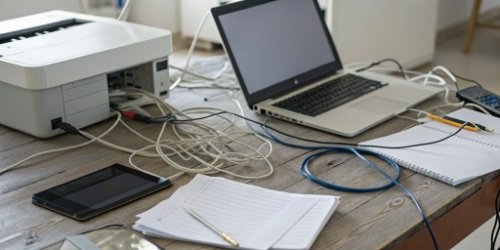
Your team is tangled in cables from separate scales, PCs, and printers. This mess slows them down and creates chaos. A single, integrated device solves this and boosts efficiency.
Yes, juggling devices absolutely reduces efficiency. An all-in-one weighing PC scale integrates weighing, data processing, and printing into one unit. This saves space, reduces cable clutter, and streamlines workflow, significantly boosting your team's operational efficiency and accuracy from a single point of operation.
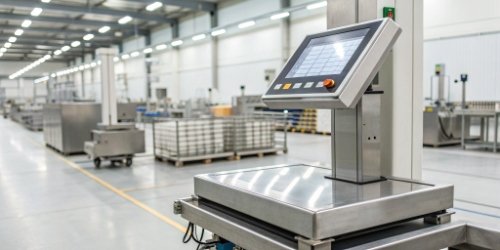
I've seen this issue firsthand in countless workshops and warehouses across the globe. A tangled mess of equipment isn't just ugly; it's a real drain on your bottom line. You might be wondering just how much this setup is costing you and what a streamlined alternative really looks like. Let's break down the specific problems and explore how consolidation1 is the answer you've been looking for. This isn't just a theory; it's a practical solution we've perfected over years.
How can streamlining devices improve team efficiency in operational settings?
A cluttered workbench with three different machines slows down every single task. This constant back-and-forth leads to errors and wasted motion, frustrating your skilled workers. Streamlining to one device simplifies tasks.
Streamlining devices into a single unit, like a weighing PC scale, cuts down on movement between stations. It standardizes the workflow, reduces training time, and minimizes data entry errors. This directly translates to faster task completion, higher throughput, and a more organized operational environment.

Boosting Throughput with a Single Point of Operation
When I visit client facilities, I often see operators perform a sort of dance. They weigh an item, walk to a separate PC to enter the data, then walk to a printer to retrieve a label. Each step adds seconds, and those seconds add up to hours of lost productivity over a week. An integrated device2 eliminates this "workflow3 dance." The operator stays in one place. They weigh, process the data on the same screen, and print the label from the same machine. This single point of operation drastically cuts down on non-productive time. It allows T_eam Members to focus on the task at hand, not on navigating their workstation. The result is a simple, repeatable process that naturally increases how many tasks can be completed per hour.
Reducing Errors and Improving Data Accuracy
Manual data entry is a huge weak point in many operations. Let's be honest, even the best employees make typos. Transcribing a weight from a scale's display to a PC keyboard is a common source of errors that can affect inventory, shipping, and billing. An integrated weighing PC scale solves this by automating data transfer. The weight is captured directly by the system, eliminating the possibility of human error during entry. For you, as a software vendor, data integrity is paramount. Our solution ensures the data entering your system is accurate from the very beginning. This builds a foundation of reliable data for all anaylsis and operations that follow.
| Aspect | Separate Devices (Before) | Integrated Device (After) |
|---|---|---|
| Workflow | Multi-step: Weigh -> Walk -> Type -> Print | Single-step: Weigh, Process, and Print at one station. |
| Data Entry | Manual entry, high risk of typos. | Automated capture, virtually zero entry errors. |
| Training Time | Longer; must learn three separate machines. | Shorter; only one simple, intuitive system to learn. |
| Physical Space | Requires large area for three devices and cables. | Compact footprint, saving valuable bench space. |
What are the drawbacks of using separate devices like scales, PCs, and printers?
Your workspace is overflowing with devices, tangled wires, and different power adapters. This setup isn't just messy; it’s a maintenance nightmare and a safety risk that slows down everything.
Separate devices consume excessive space and create a web of cables, posing safety hazards. They require individual maintenance, software updates, and power sources. This increases total cost of ownership, complicates troubleshooting, and introduces more points of failure into your workflow, creating significant operational friction.
The True Cost of Clutter and Cable Management
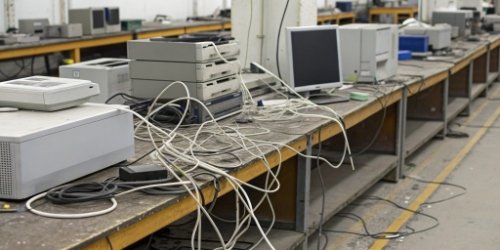
In the harsh and often crowded environments I see, physical space4 is a premium. A separate scale, PC tower, monitor, keyboard, and printer can easily take over an entire workbench. This isn't just inefficient; it's a safety hazard. I've seen countless workstations with a "spiderweb" of power and data cables running across the floor and bench. These are serious trip hazards and make cleaning nearly impossible. When a cable fails, your maintenance team has to waste precious time tracing it through the mess. This clutter has a real, tangible cost. It slows down movement, creates safety risks, and makes simple maintenance tasks far more difficult than they need to be. An all-in-one unit reclaims that space and eliminates the cable chaos entirely.
Maintenance and Supply Chain Headaches
As a purchasing manager or technical director, you know the headache of managing multiple vendors. With separate devices, you have different support contracts, different warranty periods, and different points of contact for service. When the printer fails, you call one company. When the scale needs recalibration, you call another. Troubleshooting becomes a blame game: Is it a hardware issue? A driver problem? A network conflict? This complexity increases the Total Cost of Ownership (TCO)5 significantly. In my 19 years as a manufacturer, we saw this pain point again and again. It's why we invested heavily in developing an all-in-one solution. With our complete supply chain here in China—a capability few others possess globally—we can design, build, and support the entire system. You have one device, one vendor, and one number to call. It simplifies everything.
How does consolidating equipment enhance productivity and workflow?
Your team follows a multi-step process for a single task, wasting precious seconds each time. These seconds add up to hours of lost productivity and create frustrating bottlenecks that stall work.
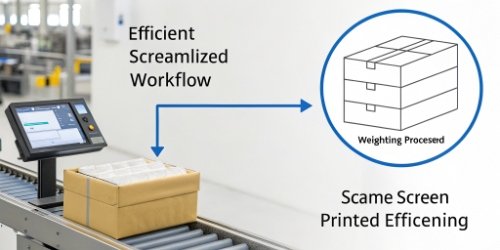
Consolidation transforms a choppy, multi-step workflow into a smooth, linear process. An item is weighed, its data processed on the same screen, and a label printed from the same machine. This eliminates non-value-added steps, reduces operator cognitive load, and creates a predictable, faster production rhythm.
Mapping the Old Workflow vs. the New
Let's make this very concrete. I've timed these processes in real-world settings. A typical workflow with separate devices looks something like this:
- Operator places an item on the scale.
- Reads the weight.
- Walks over to the PC.
- Manually types the weight into a program.
- Clicks through software to process the data.
- Sends the job to the printer.
- Waits for the label to print.
- Walks to the printer to retrieve it.
- Returns to the workstation to apply the label.
With a consolidated weighing PC scale, the workflow is transformed:
- Operator places an item on the scale.
- The weight is automatically captured on the attached screen.
- Operator confirms data and prints the label with one or two clicks.
- Applies the label.
The change is dramatic. We're cutting out walking, waiting, and manual entry, which are all steps that add time but no value.
The Impact on Training and Scalability
This streamlined workflow has a huge impact on your team management. A simpler process is easier to teach. We find that new employees can be trained on our integrated systems much faster than on a multi-device setup. This reduces onboarding time and gets new hires productive sooner. Furthermore, think about scalability6. When your business grows and you need to add more workstations, you are simply replicating a single, self-contained unit. You don't have to worry about sourcing three different pieces of hardware, managing all the cabling, and ensuring software compatibility between them. This makes scaling your operations much simpler, more predictable, and more cost-effective. It's a strategic advantage for any growing company.
What strategies help manage multiple devices to prevent efficiency losses?
You're stuck with separate devices for now and need to minimize the damage. Without a strategy, the chaos will only grow, continuing to hurt your team's output and creating frustration.
If you must use multiple devices, create dedicated ergonomic workstations. Use cable management solutions like conduits and ties. Standardize device models to simplify maintenance. However, these are workarounds; consolidation remains the most effective long-term strategy for peak efficiency.
Immediate Fixes for a Multi-Device Setup
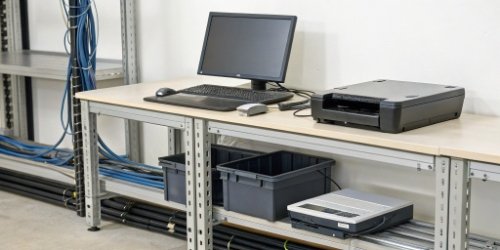
If replacing your setup isn't an option right now, you can still take steps to regain some control. The first step is organization. Design an ergonomic layout for each workstation that minimizes movement. Place the PC, scale, and printer as close to each other as logically possible. The second step is aggressive cable management7. Use cable trays, sleeves, and zip ties to bundle wires together and get them off the floor and out of the way. Label both ends of every cable so troubleshooting doesn't require a game of "follow the wire." Finally, if possible, standardize the models of your scales, PCs, and printers. Having the same models across your facility simplifies maintenance, spare parts inventory, and user training. These small actions can bring a degree of order to the chaos.
Why These Strategies Are Only a Band-Aid
While these management strategies can help, it's important to recognize them for what they are: temporary fixes. You are managing the complexity, not eliminating it. You still have three separate power supplies, three potential points of hardware failure, and three different service plans. Your workflow is still fundamentally broken up into inefficient steps. Cable management makes the mess look neater, but it doesn't change the fact that you still have three times the number of cables needed for the job. In my experience, these workarounds provide a small boost, but teams often hit a productivity ceiling. For a true leap in efficiency—the kind of quantum leap that impacts your profits and prepares your business for future growth—you must address the root cause. The most effective long-term strategy is to remove the problem by consolidating the technology.
Conclusion
Juggling devices slows you down. Our all-in-one weighing PC scale solves this by saving space, streamlining work, and cutting costs, giving your business a true competitive and productive edge.
-
Find out how consolidation can streamline operations and enhance overall productivity. ↩
-
Learn how integrated devices can streamline workflows and boost productivity in various settings. ↩
-
Find out how optimizing workflows can lead to significant productivity gains in your operations. ↩
-
Explore the significance of optimizing physical space for improved efficiency and safety. ↩
-
Get insights into how TCO impacts your equipment choices and overall operational costs. ↩
-
Learn about the key factors that influence scalability and how to plan for growth. ↩
-
Discover practical cable management solutions to reduce clutter and improve safety in your workspace. ↩


Comments (0)