

Are you tired of manually tracking different weight values? This juggling act is slow and often leads to errors, creating headaches in your shipping and inventory management processes.
Yes, scales that simultaneously record and print gross, tare, and net weights are widely available. These advanced industrial scales come equipped with smart weighing indicators and integrated printers. They are designed to automate data capture and streamline workflows in logistics, manufacturing, and commercial environments.
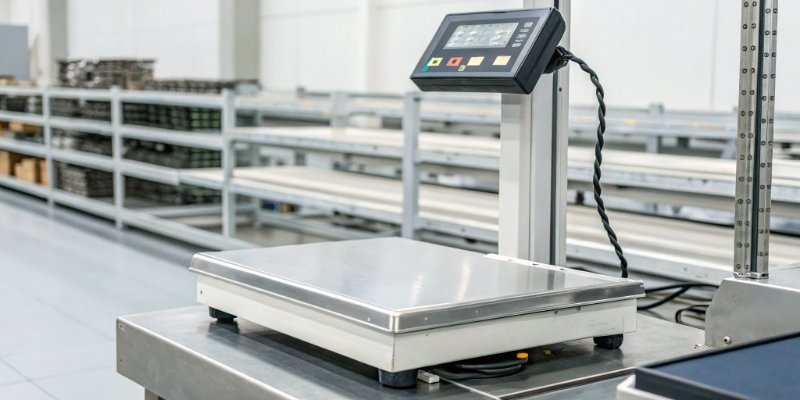
Having a single device handle all your weight recording1 and printing needs is a huge step up in efficiency. This capability eliminates human error, provides clear documentation for every transaction, and saves your team valuable time. But not all scales are created equal. Knowing what specific features enable this function is key to choosing the right tool for the job. Let's explore what makes these scales so powerful and how you can use them to your advantage.
What type of weighing indicator can print gross, tare, and net weight?
Choosing the right "brain" for your scale can feel confusing with all the technical options. Making the wrong choice means you are stuck with a system that can’t capture the data you need.
To print gross, tare, and net weights, you need a programmable weighing indicator. These devices have built-in software that allows you to customize the print format. They usually feature connectivity ports like RS232, USB, or WiFi to send data to a printer or a computer system.
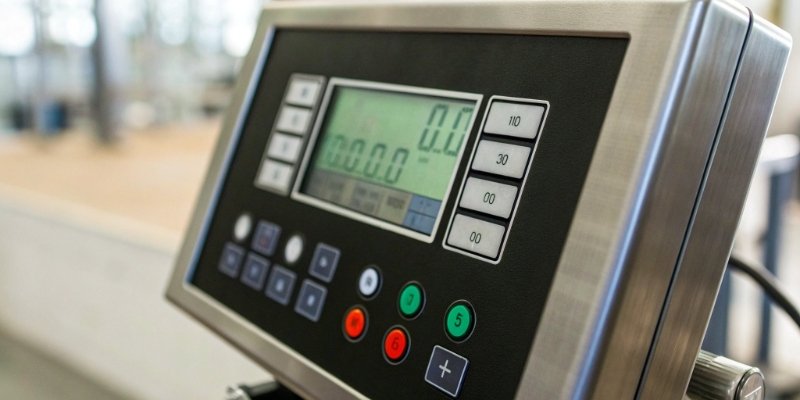
The weighing indicator is the control center of your scale. Think of it as the smart component that processes the weight and manages data. A standard indicator might only show one value at a time, but a programmable one unlocks much more functionality. In my 18 years as a manufacturer, I've seen how a powerful indicator can transform a simple scale into a data-management powerhouse. At Weigherps, we focus on indicators that give our clients control. The key is to look for models that allow you to define what information gets printed.
Here are the features that matter most in an indicator:
Key Indicator Features for Printing
| Feature | Why It Is Important |
|---|---|
| Programmable Print Format | Lets you design the ticket layout to include gross, tare, net, date, time, and even custom text like your company name. |
| Data Memory | Stores thousands of weight records directly on the device, providing a backup and allowing for batch reporting. |
| Connectivity Options | Ports like RS232 are essential for connecting to receipt printers, while WiFi or Bluetooth enable direct integration with your ERP or WMS. |
| User-Friendly Interface | An intuitive menu makes it easy for any operator to perform functions like taring a container and printing a ticket without extensive training. |
How can you configure a scale to print a ticket with multiple weight values?
You have the right scale and indicator, but getting it to print the exact layout you need seems complex. Default settings rarely match your specific workflow, leading to frustration and wasted time.
Configuration is done through the weighing indicator’s setup menu. You simply navigate to the "print format" or "ticket setup" section. There, you can select checkboxes or add fields for gross, tare, and net weight, along with other data like date, time, or product ID.
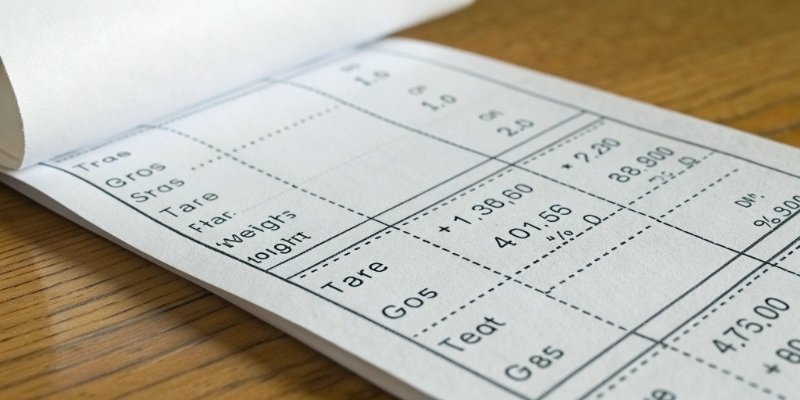
Setting up the perfect print ticket is easier than you might think. Most modern indicators are designed with the user in mind. While the exact steps can vary slightly between models, the general process is universal. As a manufacturer serving global brands, we at Weigherps understand that our clients need devices that are easy to deploy. They can't afford process delays. That's why we often pre-configure print format2s for our customers before shipping. It ensures the scale works exactly as needed, right out of the box.
Here’s a general guide to configuring your printout:
- Enter the Setup Menu: This usually involves holding down a button during startup or entering a specific code.
- Find Print Settings: Look for an option labeled "Print Format," "Ticket Layout," or "Serial Port Setup."
- Select Data Fields: You'll see a list of available data points (Gross, Tare, Net, Time, Date, etc.). You can turn each one "on" or "off."
- Arrange the Layout: Some indicators allow you to define the order in which the information appears.
- Add Custom Text: Add a header with your company name or a footer with a thank you message.
- Save and Test: Exit the menu, perform a test weighing, and press print to check your new ticket format.
Which industrial scales are best for data logging and receipt printing?
With so many different scales on the market, how do you know which one is the right tool? Picking the wrong type can lead to workflow bottlenecks, inaccurate measurements, and even safety hazards.
Bench scales, floor scales, and crane scales are the best choices for data logging and receipt printing. The ideal type depends on what you are weighing. All three can be paired with programmable indicators and printers to create a complete data management solution for your business.
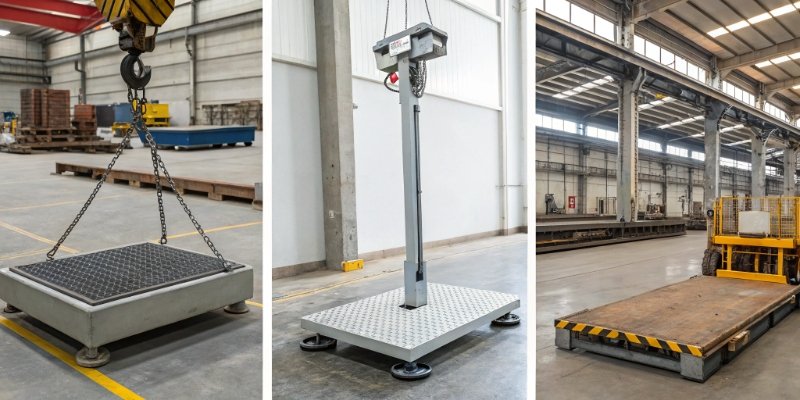
The foundation of any good weighing system is the scale platform itself. The type of scale you need is determined by the size, shape, and weight of the items you handle daily. In my experience, most industrial printing needs fall into one of three categories. As an OEM/ODM provider, Weigherps has built custom solutions across all these types, tailoring them for wholesalers and retailers worldwide. For instance, our popular SH seriesElectronic scale with weighing and printing function is a great example of a bench scale with integrated printing capabilities.
Here’s how to choose the right one for your application:
Comparing Industrial Scales for Printing
| Scale Type | Common Use Case | Advantage for Printing & Data Logging |
|---|---|---|
| Bench Scales | Weighing small parts, packages for shipping, food ingredients, quality control checks. | Ideal for fast-paced environments where items are weighed repeatedly. Provides quick and precise data for each item. |
| Floor/Platform Scales | Weighing pallets, large containers, drums, and carts in warehouses and production areas. | Built to handle heavy and bulky loads. It captures total gross weight for freight and can tare large containers. |
| Crane Scales | Weighing suspended loads in manufacturing, steel yards, and shipping ports. | Offers mobility and is essential for oversized or irregularly shaped items that cannot be placed on a floor scale. |
Why is it important to record gross, tare, and net weights in shipping?
You might think that just getting the final net weight is good enough for your records. But this oversimplification can lead to billing disputes, issues with shipping carriers, and a general lack of clarity in your operations.
Recording gross, tare, and net weights is critical for financial accuracy, logistical compliance, and operational transparency. Gross weight is for transport safety, net weight is for billing, and tare weight confirms the container's mass, creating an indisputable record for every shipment.

Recording all three weights provides a complete, auditable story for every item that leaves your facility. In a world driven by data, this level of detail is no longer a luxury—it’s a necessity. I once worked with a client in the wholesale sector who was constantly dealing with claims about shipment shortages. After they implemented scales that printed all three weights on every packing slip, those disputes vanished almost overnight. The clear documentation left no room for argument. This is the kind of business transformation we strive to enable for our partners.
Here is why this complete record is so valuable:
- Billing Accuracy: You sell your product, not your packaging. Separating net weight from tare weight ensures you invoice customers correctly and eliminates claims of overcharging.
- Logistical Compliance: Many freight carriers and international regulations, like the SOLAS (Safety of Life at Sea) convention, require the verified gross mass (VGM) of a container. Failure to provide it can result in fines and delays.
- Internal Auditing & Quality Control: A full weight history (gross, tare, and net) provides deep insight into your processes. It helps you track packaging material usage, verify production output, and resolve any discrepancies with confidence.
Conclusion
Yes, scales that print gross, tare, and net weights exist and are vital. They enhance accuracy, secure compliance, and streamline operations, making them a powerful investment for your business.



Comments (0)