

Your battery scale is dead, disrupting workflows and causing costly delays. You need a quick fix now, not a complicated manual. Here is how you can troubleshoot it fast.
The most common issues are dead or poorly connected batteries, a faulty sensor from being overloaded, or a damaged display. Start by checking the batteries and their contacts first, as this is the simplest and most frequent cause of failure.
Troubleshooting can feel overwhelming, but a step-by-step approach makes it much more manageable. As a manufacturer with nearly two decades of experience, I've seen it all. Let’s walk through the steps together to get your scale back online. Following this process can often save you the time and expense of a service call. Let's begin with the most common fixes.
How to fix a scale that's not working?
A non-working scale brings your operations to a halt. Guessing the problem wastes time and money. A systematic check is the fastest way to find and solve the issue.
Start with the basics: check the batteries for power and ensure the contacts are clean. Then, inspect the sensor for obvious damage and examine the display. If these checks don't work, it's time for professional service.

Based on my experience helping thousands of clients, most scale failures fall into a few categories. A logical process of elimination is your best tool. I remember one client whose entire production line stopped. It turned out to be a tiny bit of rust on a battery spring. A simple cleaning saved them a full day of downtime.
Quick Self-Check Steps
First, check the batteries. Don't just assume they are good. Use a multimeter1 set to DC voltage. A standard 1.5V alkaline battery should read above 1.3V. If it's lower, replace it. Also, check the battery compartment springs for any rust or debris.
Next, look at the sensor and display. If your scale has an external load cell, check that the cable isn't frayed or pinched. For the display, look for dark spots or flickering when you gently tap the screen's edge, which can indicate a loose connection or damage.
When to Call Us for Professional Help
If these simple checks don’t solve the problem, the issue is likely more serious and requires an expert. Trying to fix internal components without the right tools can cause more damage.
| Fault Symptom | Possible Cause | Recommended Action |
|---|---|---|
| Scale won't turn on | Mainboard failure or internal short | Contact us to replace the mainboard. |
| Weight is wrong > ±0.5kg | Sensor drift due to overload/wear | Requires professional recalibration2. We recommend this once every 12 months. |
| Display flickers or shows random characters | Crystal oscillator circuit failure | A technician needs to replace the component with special soldering tools. |
If your scale is over three years old and used heavily daily, consider replacing it. The average lifespan of an industrial electronic scale3 is about 5-8 years, and investing in a new one can be more cost-effective than repeated repairs.
How to reset an electric scale?
Glitches and random errors can plague even the best scales, showing frozen or inaccurate readings. You just want to clear the error, but the reset process isn't always obvious.
To perform a simple reset, remove all power sources, including batteries and any AC adapter. Wait for at least 60 seconds. This allows all residual power to drain. Then, reconnect the power and turn the scale on.

This basic reset, often called a "power cycle4," is surprisingly effective. It works just like restarting your computer. It clears out temporary glitches in the scale's memory without erasing any important settings like calibration data. But what if that doesn't work? There is a deeper reset you can try, but you need to be careful.
The Simple Power Cycle Reset
The first thing we always tell our clients is to try the power cycle. Unplug it from the wall and take out the batteries. Go get a cup of coffee. After a minute or two, put the batteries back in and plug it in. This process forces the scale’s internal processor to reboot completely, resolving many temporary software bugs. It’s safe, easy, and solves more problems than you might think.
The Deeper Calibration Reset
Most industrial scales also have a reset function within the calibration menu5. This is a more advanced option. You typically need to press and hold a "CAL" or "Function" button to enter a special mode. From there, you might find a "Reset" or "Clear" option.
However, be warned. This kind of reset may restore the scale to its factory defaults6, which could erase your specific calibration settings. Only perform a calibration reset if a power cycle fails and you are prepared to recalibrate the scale immediately afterward. You will need a set of certified standard weights to do this correctly. Always check your user manual first, as the exact procedure can vary between brands. Our Weigherps models, for example, have a clearly marked 'CAL' button for this purpose.
How do I know if my scale battery is bad?
Your scale is acting up, and you suspect the battery is the cause. But replacing it is a waste of money and resources if it's not the actual problem.
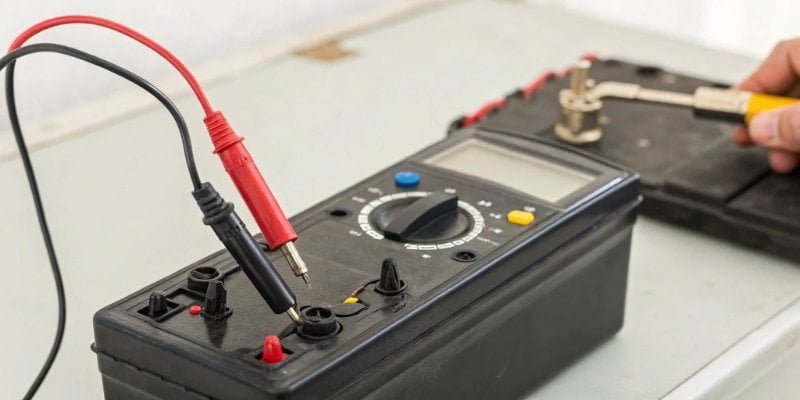
The most reliable way is to test the battery with a multimeter. A reading below 1.3V for a standard alkaline battery means it's bad. Other clear signs include a dim or flickering display, or the scale turning off right after you turn it on.
The battery is the heart of your portable scale, but its health isn't always obvious. I've had clients buy expensive new scales when all they needed was a fresh set of batteries. Learning to spot the signs of a failing battery can save you a lot of headaches.
Using a Multimeter for a Definitive Test
A multimeter gives you a clear, undeniable answer. Set it to the DC voltage setting (often marked as V⎓). For a standard AA or AAA battery, touch the red probe to the positive (+) end and the black probe to the negative (-) end. A new alkaline battery will measure around 1.5V to 1.6V. If it reads between 1.3V and 1.4V, it is getting weak. Anything below 1.3V is considered dead for a high-drain device like a scale and should be replaced.
Visual and Performance Clues
Even without a multimeter, your scale will give you clues.
- Dim or Flickering Display: This is the most common sign. The scale doesn't have enough power to fully light up the LCD.
- Slow or Lagging Response: If the weight reading takes a long time to stabilize, it could be due to low power.
- Turns On, Then Off: The scale has just enough power to start its boot-up sequence but not enough to run completely.
- Inaccurate Readings: A dying battery can cause the sensitive electronics to malfunction, leading to incorrect weight measurements.
We always recommend using high-quality alkaline batteries7. They provide a more stable voltage and last much longer than cheaper zinc-carbon types, which is critical for accurate industrial weighing.
How to fix a scale battery?
You can't really "fix" a dead battery, but often the problem isn't the battery itself. The issue could be a poor connection, causing frustration and unnecessary replacements.
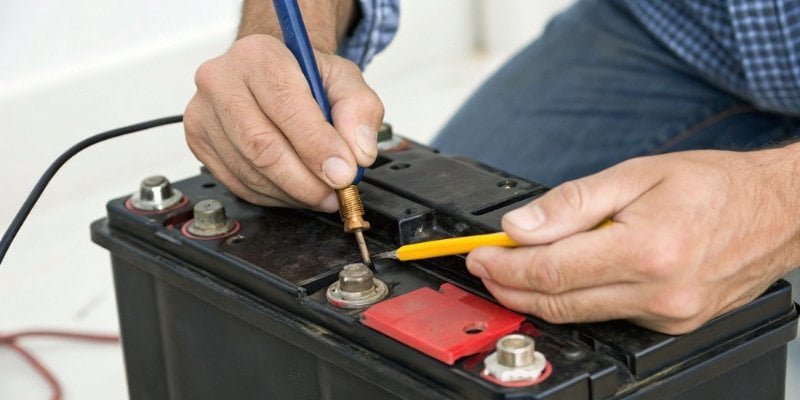
While you can't repair a depleted battery, you can easily fix connection problems. Use a standard pencil eraser to gently clean the battery terminals inside the scale and on the battery itself. This removes minor corrosion and restores a solid connection.
Before you throw out a seemingly bad battery or call for service, take two minutes to check the connections. In my years of work, I've seen that a bit of dirt or corrosion is responsible for a surprising number of "dead scale" reports. It's a simple fix that is often overlooked.
Cleaning the Battery Contacts
The metal contacts in the battery compartment can develop a thin layer of grime or oxidation over time, especially in dusty or humid industrial environments. This layer can block the flow of electricity.
- Use a Pencil Eraser: The rubber is slightly abrasive and is perfect for polishing the metal contacts without damaging them. Rub the eraser on the springs and flat contacts inside the compartment.
- Use Isopropyl Alcohol: For more stubborn dirt or leakage from an old battery, dip a cotton swab in isopropyl alcohol8 and carefully scrub the contacts. Make sure the alcohol has completely evaporated before putting new batteries in.
Never use water, which can cause rust, or abrasive materials like sandpaper, which can scratch off the protective plating on the contacts.
Ensuring a Secure Fit
Sometimes, the metal springs that hold the batteries in place can become compressed or bent. This leads to a loose fit, and the battery may not make consistent contact. Carefully use a small tool, like a flathead screwdriver, to gently bend the spring outward slightly. This will ensure it pushes firmly against the battery, creating a reliable connection. At Weigherps, we design our battery compartments with high-quality, corrosion-resistant springs to minimize these issues, but regular checks are always a good habit.
Conclusion
Start with simple fixes: check batteries, clean contacts, and perform a power reset. For deeper issues with sensors or displays, professional service is your safest and quickest solution.
-
Learning to use a multimeter effectively can help you diagnose battery issues accurately. ↩
-
Knowing when to seek professional help can save you from costly inaccuracies. ↩
-
Knowing the lifespan can help you plan for replacements and avoid downtime. ↩
-
Understanding power cycles can help you troubleshoot electronic devices more effectively. ↩
-
Accessing the calibration menu is crucial for maintaining accurate measurements. ↩
-
Knowing the implications of a factory reset can help you avoid losing important settings. ↩
-
Using the right batteries can significantly improve your scale's performance and lifespan. ↩
-
Learning the right cleaning methods can prevent damage to your devices. ↩


Comments (0)