
Struggling to integrate hardware with your software? Incompatible scales can cause major project delays and budget issues. We provide robust API/SDK support for seamless integration, removing the guesswork for you.
We offer comprehensive API and SDK support for both Windows and Android operating systems. This includes flexible data ports and detailed documentation to ensure developers can easily connect our smart PC scales with their existing software and systems.

I remember talking to a purchasing manager from a large software company. He told me their biggest fear wasn’t the hardware cost, but the hidden cost of integration. A bad API could double their project timeline. That really stuck with me. It’s why we’ve invested so heavily in making our developer tools1 as user-friendly as possible. This approach ensures that when you partner with us, you’re not just buying a scale; you’re getting a fully supported platform ready for your custom solutions2. Let’s explore what this support actually looks like and how it benefits your team.
What Are the Available APIs and SDKs for Integrating Smart PC Scales?
Searching for the right development kit for your project? Choosing an incompatible option can be a costly mistake. We provide specific API and SDK packages for both Windows and Android.
We offer dedicated Software Development Kits (SDKs) for Windows and Android platforms. Our Application Programming Interfaces (APIs) provide well-defined communication protocols, allowing direct interaction with the scale’s core functions, such as fetching weight data, managing tare, and accessing device status.
We understand that our clients operate in diverse technological environments. That’s why we don’t offer a one-size-fits-all solution. Our goal is to provide the specific tools you need for the platform you use.
OS-Specific Development Kits
Our support is divided by operating system to give your developers the most familiar and efficient tools. The Windows SDK is perfect for traditional desktop POS systems, industrial control terminals, and warehouse management software. It’s built to integrate with applications written in common languages like C# and C++. The Android SDK is designed for modern, mobile solutions. Think of tablet-based POS systems, mobile inventory management apps, and other flexible setups where mobility is key.
Core API Functions
Both SDKs provide access to a core set of API functions. These are the building blocks that allow your software to communicate with our hardware. You can get real-time weight streams3, trigger a tare or zero command, or check the scale’s current status and diagnostics, all from your own code. This gives you complete control.
| Feature | Windows SDK | Android SDK |
|---|---|---|
| Language Support | .NET, C++, C# | Java, Kotlin |
| Typical Use Case | Desktop POS, Warehouse Mgt. | Mobile POS, Inventory Apps |
| Connectivity | USB, Serial, Ethernet | Wi-Fi, Bluetooth, USB-OTG |
How Can Developers Utilize Your API/SDK for Custom Solutions with Smart PC Scales?
Need to build a custom application? Off-the-shelf software often doesn’t fit your unique workflow. Our API/SDK provides the tools for developers to create truly tailored solutions.
Developers can use our provided code samples and documentation to call scale functions directly from their applications. This allows them to build custom user interfaces, integrate weighing data into databases, and connect the scale with other enterprise systems like ERP or WMS for a unified solution.

The real power of our API/SDK comes alive when developers start building. I once worked with a logistics client who was frustrated with manual data entry errors in their shipping department. They were losing money and time. By using our API, their developers built a simple application that automatically captured the weight of each package and fed it directly into their Warehouse Management System (WMS)4. This single change eliminated errors and sped up their process significantly. It’s these kinds of real-world results that drive us.
Building a Custom Point-of-Sale (POS) System
Imagine a grocery store or deli. With our API, a developer can create a POS interface where placing an item on the scale instantly displays the weight and calculates the price in their own software. This creates a fast, seamless checkout experience for the customer and reduces the chance of cashier error.
Integrating with Enterprise Resource Planning (ERP)5
For manufacturing clients, accuracy is everything. Our API allows them to link our scales directly into their ERP system. During production, as components are weighed, the data is automatically logged against a work order. This provides perfect traceability and real-time inventory control, which is crucial for quality assurance and cost management.
What Features Are Included in the API/SDK for Smart PC Scale Integration?
Wondering what our API/SDK actually includes? A simple weight-out function is not enough for modern needs. Our developer kits are packed with features to manage the entire weighing process.
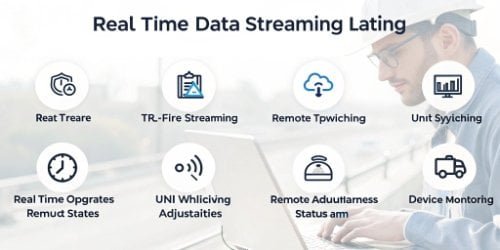
Our API/SDK includes real-time weight streaming, remote tare and zero functions, unit switching (e.g., kg to lb), and stability indicators. It also provides access to device status and diagnostic information, giving developers comprehensive control over the scale’s operation from their software.
We designed our API not just to report a number, but to give developers full command over the weighing process. This allows for the creation of smarter, more automated, and more reliable systems. A rich feature set is essential because it gives your team the flexibility to solve problems you haven’t even thought of yet. Below is a breakdown of the key features and why they are important for your development team.
Feature Breakdown
| Feature | Description | Developer Benefit |
|---|---|---|
| Real-Time Data Stream | Continuously sends weight data as it changes on the scale platter. | Enables the creation of live-updating user interfaces and dynamic calculations without needing to constantly poll the device. |
| Remote Tare/Zero | Programmatically sets the current weight as the tare value or zeros the scale. | Automates complex weighing workflows, reducing the need for manual operator actions and therefore minimizing human error. |
| Unit Switching | Allows the software to change the measurement unit (e.g., from kilograms to pounds). | Makes it easy to build one application that can adapt to different regional markets or product requirements without code changes. |
| Stability Detection | The API reports when the weight reading is stable and not fluctuating. | Ensures data integrity by preventing the software from capturing an inaccurate reading while the weight is still settling. |
| Device Diagnostics | Provides access to the scale’s serial number, error codes, and operational status. | Allows for remote monitoring, and proactive technical support6, which is critical for reducing downtime and managing assets. |
How Do You Ensure Comprehensive API/SDK Support for Smart PC Scale Development?
Worried about getting stuck during development? Lack of good support can bring your project to a standstill. We believe comprehensive support is as important as the code itself.
We ensure comprehensive support through detailed documentation, practical code samples, and direct access to our technical team. Our engineers, who built the scales and software, are available to help you troubleshoot issues and optimize your integration for the best performance possible.

Providing a powerful API is only half the job. If your developers can’t get the help they need, the project will fail. I always tell my team: when a developer calls for help, they are our partner, not just a customer. Their success is our success. That’s why we’ve built our support structure around three key pillars to ensure your team is never left in the dark.
Clear Documentation and Code Samples
We provide well-documented guides that explain every API function in detail. But we know that developers learn best by doing. That’s why we also include practical code samples7 for both Windows and Android. These samples provide a starting point for your projects, demonstrating how to establish a connection, retrieve data, and handle common tasks.
Direct Access to Our Technical Team
When you have a technical question, you won’t be routed through a generic helpdesk. You get direct access to our in-house engineers. These are the same people who design the scales and write the software. They understand the hardware and the code inside and out, so they can provide expert advice and solve complex problems quickly.
Continuous Improvement
Our API/SDK is not a static product. We actively listen to feedback from our partners. If you need a new feature or find a way we can improve, we want to know. We regularly update our SDKs to add new capabilities, enhance performance, and ensure compatibility with new OS versions.
Conclusion
We provide flexible API/SDKs for Windows and Android, packed with features and backed by expert support, making it easy to integrate our smart PC scales into your custom solutions.
- Knowing the right tools can streamline the development process, making integration faster and more effective. ↩
- Custom solutions can address unique business challenges, leading to improved efficiency and productivity. ↩
- Real-time weight streams provide immediate data, crucial for applications requiring instant feedback. ↩
- Understanding WMS can help optimize warehouse operations, improving efficiency and reducing errors. ↩
- Linking scales with ERP systems enhances traceability and inventory control, vital for operational efficiency. ↩
- Effective technical support can significantly reduce project delays and enhance developer satisfaction. ↩
- Code samples provide practical examples, helping developers understand and implement APIs more efficiently. ↩



Comments (0)