
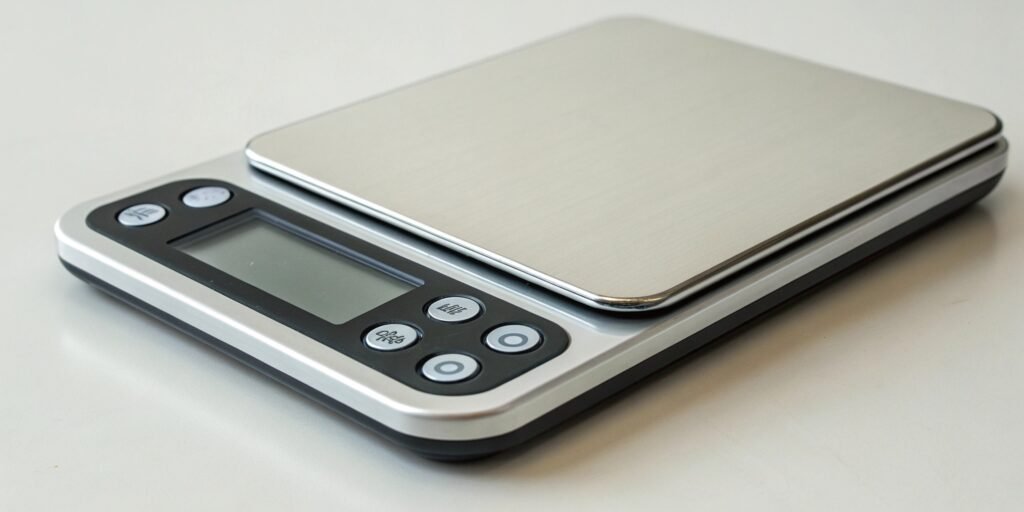
Struggling to understand what makes a smart scale "smart"? Outdated or bad firmware can lead to inaccurate readings and security risks. Understanding firmware is key to choosing reliable scales.
Weighing scale firmware is the embedded software that acts as the "brain" of a digital scale. It controls all operations, from processing sensor data to managing the user display and ensuring measurement accuracy. It turns basic hardware into a reliable, functional measuring device.

Now that you have a basic idea of what firmware1 is, you might wonder what it actually does inside the scale. Its role goes far beyond just showing a number on a screen. The quality of the firmware directly impacts the scale's performance, reliability, and the features you can offer your customers. Let's dive deeper into how this critical software component works and why it matters so much for your business.
What is the role of firmware in a digital weighing scale?
Think a scale just weighs things? Ignoring the firmware's role means you might choose products that are inaccurate, unreliable, and difficult to integrate with your software solutions.
Firmware is the command center of a digital scale. It interprets signals from the weight sensors, manages the screen display, handles button commands, and stores calibration data to maintain accuracy. It connects the physical parts of the scale to its intelligent functions.

As a manufacturer with 18 years of experience, I've seen how crucial firmware is. It’s the difference between a simple metal plate and a precision instrument. Let's break down its main jobs to help you understand why it's so important when you're selecting a hardware partner.
Core Data Processing
The first job of the firmware is to talk to the load cells, which are the sensors that detect weight. These sensors produce a tiny, raw analog signal. The firmware uses an analog-to-digital converter2 (ADC) to turn this signal into a digital number. But it doesn't stop there. It also runs filtering algorithms to ignore small vibrations or movements, ensuring the final weight reading is stable and accurate.
User Interface and Control
Everything you see and touch on a scale is managed by the firmware. It tells the LCD or LED screen what numbers to display and in which units (kg, lb, etc.). When a user presses a button, the firmware receives that command and performs the action, like taring the scale or changing a setting. For smart scale3s, it also controls connectivity like Bluetooth or Wi-Fi.
Maintaining Accuracy and Compliance
A scale is useless if it's not accurate. The firmware is responsible for storing and applying calibration parameters. These settings, like the zero point and span, are what guarantee correct measurements. For scales used in commerce or medicine, the firmware must also comply with strict international standards like OIML or NTEP, which we ensure in our products.
| Function | Basic Firmware | Our Advanced Firmware |
|---|---|---|
| Data Processing | Converts a signal to a weight value. | Uses advanced filtering for stability and speed. |
| User Interface | Shows weight in one or two units. | Manages multi-unit display, menus, and connectivity. |
| Error Handling | Basic "Error" message. | Displays specific error codes for easy troubleshooting. |
| Compliance | Not certified. | Designed to meet OIML and NTEP standards. |
How do you update the firmware on a smart scale?
Are you worried that the scales you sell will become outdated quickly? Without a way to update them, they can miss out on bug fixes, security patches, and new features.
Most modern smart scales receive firmware updates "over-the-air" (OTA). This process typically uses a connected smartphone app or a Wi-Fi connection to download the new software and install it on the scale automatically, keeping it secure and up-to-date.

Providing long-term value is essential, and firmware updates are a big part of that. A product that can be improved after purchase is a much better investment for you and your customers. I remember a client who was hesitant about this, but after we pushed an update that added a new feature they requested, they became a true believer. Here’s how it generally works and why it’s so important.
The Over-the-Air (OTA) Update Process
The OTA process is designed to be simple for the end-user. First, our server makes a new firmware version available. The user's companion app detects this update and prompts them to install it. With their approval, the app downloads the update file and securely transfers it to the scale, usually via Bluetooth Low Energy. The scale then reboots, installs the new firmware, and is ready to go in minutes. For our industrial clients, updates can also be managed through a connected PC or a secure USB port to ensure stability in a professional environment.
Why Regular Updates Matter
We don't just release updates for fun. Each update serves a purpose:
- Fixing Bugs: No software is perfect. We continuously test and release fixes to improve performance and accuracy.
- Patching Security: For connected devices, security is our top priority. We patch any vulnerabilities to protect user data.
- Adding Features: We can add new measurement units, improve algorithms, or even enable new functions that make the scale more valuable over time.
Our Commitment to Seamless Updates
As your partner, we understand that a failed update can be a disaster. Our technical team designs and tests our update process to be as robust and fail-safe as possible. We provide clear instructions and support to ensure that every update goes smoothly, protecting your investment and reputation.
How does firmware enable features like body composition analysis?
Have you ever wondered how a scale can measure body fat? It might seem like magic, but it's really about smart hardware controlled by even smarter firmware.
Firmware enables body composition analysis by managing a process called Bioelectrical Impedance Analysis (BIA). It directs a safe, tiny electrical current through the body, measures the resistance, and then uses complex algorithms to estimate metrics like body fat, muscle mass, and water percentage.
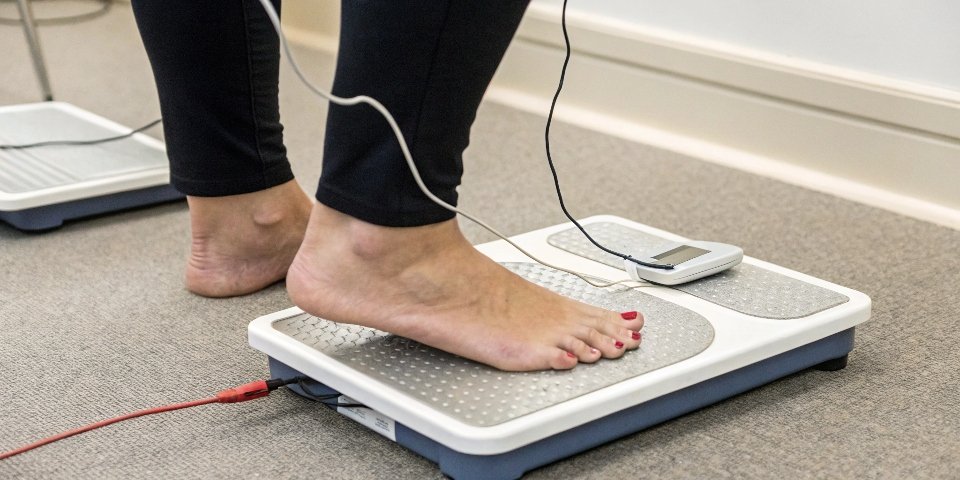
This is where firmware truly shines, turning a simple weighing device into a health analysis tool4. It’s not magic; it’s a combination of physics and sophisticated software. The key is in how the firmware interprets the data it receives. Let's look at how it works behind the scenes.
The Science of BIA
The principle behind BIA is simple: different body tissues have different levels of electrical conductivity. Body fat has high resistance (impedance) to an electrical current because it contains very little water. Muscle, bones, and body water have low resistance. The scale's firmware directs a very low and completely safe electrical current up one leg and down the other. By measuring the impedance, the firmware gets a raw data point about the body's overall composition.
The Firmware's Calculation Engine
This raw impedance data alone isn't enough. The firmware’s real job is to act as a powerful calculation engine. It takes the impedance measurement and combines it with the user's personal data, which is usually entered into the companion app:
- Age
- Height
- Gender
- Activity Level
The firmware then applies a scientifically developed predictive algorithm. This complex formula processes all these inputs to generate the estimated percentages for body fat, muscle mass, bone density, and total body water. The quality of this algorithm is what separates a good smart scale from a great one.
| Input to Firmware | What Firmware Does | Output |
|---|---|---|
| Impedance Measurement | Processes the raw resistance value from sensors. | - |
| User Data (Age, Height, Gender) | Applies personal data to a predictive algorithm. | Body Fat % |
| - | - | Muscle Mass % |
| - | - | Body Water % |
What are the risks of outdated firmware on a connected scale?
You might think, "If the scale is working, why bother updating it?" This mindset can be risky. Outdated firmware can expose your customers to security breaches and inaccurate data.
Outdated firmware on a connected scale creates major risks, including security holes that could expose private user data, measurement errors from unpatched bugs, and loss of functionality. It ultimately degrades the product's reliability and puts your brand's reputation at risk.
In my line of work, I treat firmware like the immune system of a scale. When it's up-to-date, it's strong and can defend against threats. When it's outdated, it becomes weak and vulnerable. For you as a software vendor, these risks can directly impact your business, as your software often relies on the data and connectivity our hardware provides. Let's break down the three biggest dangers.
Security Vulnerabilities
This is the most serious risk. Connected devices are targets for hackers. An old firmware version might have a known security flaw that a newer version has already fixed. If left unpatched, a hacker could potentially intercept the data being sent from the scale, exposing sensitive health information. In the worst-case scenario, a compromised scale could even be used as an entry point to attack other devices on the user's home network. As your partner, we take security seriously and regularly provide patches to protect against these threats.
Performance Degradation
Software bugs can cause all sorts of problems over time. A bug in the measurement algorithm could lead to "drift," where the scale slowly becomes less accurate. Another common issue is connectivity. When Apple or Google updates their phone operating systems, it can sometimes break compatibility with older Bluetooth protocols. Our firmware updates ensure that your scales continue to connect seamlessly with the latest smartphones and your software applications.
Compliance and Compatibility Issues
For industrial and commercial scales, standards can change. An update to a regulation like OIML might require a change in how the scale operates or stores data. Outdated firmware could put a business out of compliance, leading to fines. Furthermore, if you update your own software with new features, you need a hardware partner who can update the scale's firmware to ensure it remains fully compatible with your new system architecture.
Conclusion
Firmware is the essential brain of any modern scale. Keeping it robust, secure, and current is vital for accuracy, adding features, and protecting your business and your customers.
-
Understanding firmware is crucial for selecting reliable scales that ensure accurate measurements. ↩
-
Find out how ADCs transform analog signals into digital data for accurate weight readings. ↩
-
Explore how smart scales enhance user experience and functionality through advanced technology. ↩
-
Explore how smart scales provide valuable health insights beyond just weight. ↩



[…] is okay for general use but can still leave an error of around ±0.1%. For higher precision, a multi-point calibration4 using standard weights (like at 1/3 and 2/3 of the scale’s capacity) is necessary to reduce the […]