

Your industrial scale gives you the wrong numbers, ruining data and costing money. Understanding the causes is the first step to a reliable and quick fix.
Most often, an incorrect weight is due to sensor failure. Other major causes include environmental issues like temperature changes, improper calibration, and physical blockages. Even a low battery or simple software bugs can cause problems.
I know it's frustrating when you can't trust your equipment. But the good news is that most of these issues are easy to spot and fix once you know what to look for. I'll guide you through each potential problem, starting with the most common ones.
What are the most common reasons a weighing scale gives an incorrect reading?
You need precise measurements, but your scale is suddenly untrustworthy. This throws off inventory, quality control, and billing. Let's find out why this happens.
The top reasons are sensor faults, environmental interference, and calibration errors. Mechanical problems, like debris under the pan, or even a low battery also cause inaccuracies. Sensor issues are the biggest culprit, accounting for over a third of all weighing problems.
The Primary Suspects
It is really frustrating when technology does not work as expected. Based on my 18 years of experience building scales, most errors fall into a few clear categories. The biggest one is almost always the sensor, also known as the load cell1. This is the heart of the scale. But before you blame the hardware, you should check other things first. External factors like the environment play a huge role, more than most people think. Calibration is another big one; a scale is only as good as its last calibration. Finally, simple mechanical issues or power problems2 can trick you into thinking you have a major failure. Understanding these categories helps you troubleshoot the problem much faster and more efficiently.
Error Source Breakdown
To make it clearer, here is a breakdown of how often each issue occurs, based on our internal service data over the years.
| Cause Category | Frequency of Occurrence | Common Examples |
|---|---|---|
| Sensor Failure | 35% | Overload damage, sensitivity drift, loose wiring |
| Environment | 25% | Temperature swings, drafts, vibration, EMI |
| Calibration | 20% | Infrequent calibration, incorrect procedure |
| Mechanical Issues | 15% | Debris under pan, unleveled feet |
| Other | 5% | Low battery, software glitches |
As you can see, focusing on the sensor, the environment, and your calibration process will solve the vast majority of problems you might face.
How do you properly calibrate a digital scale to ensure accuracy?
You assume your scale is accurate. But without regular calibration, its readings can slowly become wrong, hurting your quality control. Let's make sure that does not happen.
To calibrate properly, first let the scale warm up on a stable, level surface. Then, enter its calibration mode. Place a certified calibration weight on the pan when prompted and let the scale register it. A consistent routine is key to long-term accuracy.

Why Calibration is Not Optional
Calibration is not just a suggestion; it is a necessary maintenance task3. Think of it like tuning a musical instrument. Over time, factors like use, temperature changes, and small impacts cause the scale's sensor to "drift." This means its zero point and sensitivity change slightly, leading to incorrect readings. I once had a client in the food processing industry who skipped calibration for six months. They ended up over-packing every single product, costing them thousands in lost profits before they noticed. Regular calibration resets the scale to a known, accurate standard. This ensures every measurement you take is correct and legally compliant, especially if you sell products by weight.
A Simple Calibration Checklist
The exact steps can vary by model, but the core process is always the same. Following a consistent procedure can improve precision and repeatability.
| Step | Action | Why It's Important |
|---|---|---|
| 1. Prepare | Place the scale on a level, stable surface, away from drafts. Let it warm up for 30 minutes. | Ensures a stable baseline for measurement. |
| 2. Enter Mode | Press the "Calibrate" or "CAL" button to enter calibration mode. | Tells the scale you're about to set a new standard. |
| 3. Zero the Scale | The scale will first establish a zero point with an empty pan. | Creates an accurate and true starting point. |
| 4. Apply Weight | Place the specified certified calibration weight on the center of the pan. | This is the known standard the scale will learn from. |
| 5. Confirm | The scale will display "END" or "PASS" when it has successfully registered the weight. | Confirms the new calibration is locked in. |
What environmental factors can interfere with a scale's performance?
Your scale is in your workshop, but is that the right spot? The environment around it could be secretly ruining your readings. Let’s expose these hidden problems.
The biggest environmental problems are temperature changes, air drafts, and vibration. Electromagnetic interference (EMI) from equipment like motors or welders, and even high humidity, can also cause unstable or incorrect readings. A stable location is essential for precision.

The Unseen Enemies of Accuracy
Your scale is a sensitive instrument. It can be affected by many things in its environment that you might not even notice. We recommend using our scales in a controlled environment around 20°C (68°F) for a good reason. Metal components, especially the load cell, expand and contract with temperature, which can alter readings. Air movement is another enemy. A draft from an open door or an HVAC vent can put pressure on the scale's pan, causing the reading to constantly fluctuate. Vibration is also a major issue. If your scale is near heavy machinery, the constant shaking can make it impossible to get a stable weight. These factors seem small, but they add up to create big errors.
Common Environmental Issues and Solutions
Here’s a quick guide to identifying and solving these common problems. Good placement can solve half your issues before they even start.
| Environmental Factor | The Problem It Causes | How to Fix It |
|---|---|---|
| Temperature Swings | Causes drift in the sensor's readings as materials expand and contract. | Keep the scale in a climate-controlled room away from direct sunlight or vents. |
| Air Drafts | Air pressure on the pan creates unstable, fluctuating numbers. | Use a draft shield or move the scale to a calmer area of the room. |
| Vibration | Shaking from the floor or bench prevents the scale from stabilizing. | Place the scale on a heavy, stable weighing table or use an anti-vibration mat. |
| EMI | Electrical "noise" from motors or radios can interfere with the electronics. | Keep the scale away from large motors, microwaves, and two-way radios. |
How can you troubleshoot and fix a scale that isn't weighing correctly?
Your scale is failing, and your work has stopped. Before you spend money on a technician, try these simple checks first. You might be able to fix it right now.
Start with the basics. Is the scale level? Is the power stable? Is anything touching the weigh pan? After checking, use a known weight to test it. If it’s still wrong, a quick recalibration is your next best step before assuming a major fault.
Your First-Response Checklist
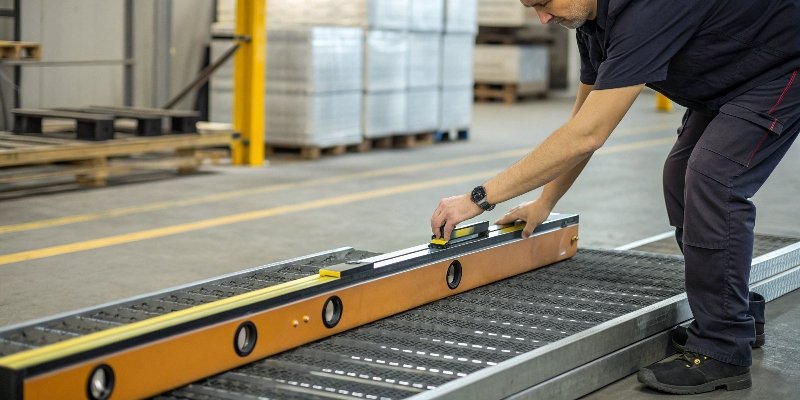
When a scale acts up, do not assume the worst. Over my career, I have seen countless "broken" scales fixed in under five minutes with a simple check. Before you do anything else, go through this list. It sounds basic, but you would be surprised how often the solution is here. Is it plugged in firmly? Is the battery charged? Look under the weighing pan—is there a stray screw, some dirt, or a zip tie caught in there? Make sure the scale is perfectly level by checking the bubble indicator. If it is not level, the weight will not be distributed correctly across the sensor, which will always give you a wrong reading.
A Step-by-Step Troubleshooting Guide
If the basics do not work, follow this logical process to narrow down the problem. This can save you a lot of time and money.
| Step | Action to Take | What It Solves |
|---|---|---|
| 1. Power Check | Confirm the power adapter is working or replace the batteries. | Fixes issues caused by low or unstable power, like flickering displays. |
| 2. Clean & Level | Clean any debris from around the sensor and pan. Adjust feet to level the scale. | Solves mechanical interference4 and ensures proper weight distribution. |
| 3. Test with a Known Weight | Place an object of a known weight, like a calibration weight, on the scale. | Quickly confirms if the scale is reading incorrectly or if the load is wrong. |
| 4. Recalibrate | Perform a full calibration using the correct procedure for your model. | Resets the sensor and electronics to a known standard, fixing drift. |
| 5. Check Environment | Turn off nearby fans, motors, or other equipment to see if the reading stabilizes. | Identifies if environmental interference is the root cause. |
If you complete all these steps and the scale is still inaccurate, it points to a more serious problem, most likely a faulty sensor. At that point, it is best to contact a professional for repair.
Conclusion
Inaccurate scales are often fixed with simple checks on environment, calibration, and setup. Regular maintenance is the key to reliable performance and data you can always trust.
-
Understanding load cells is key to grasping how scales measure weight accurately. ↩
-
Learn how power issues can lead to inaccurate readings and how to resolve them. ↩
-
Regular maintenance is essential for ensuring the reliability and accuracy of your scales. ↩
-
Understanding mechanical interference can help you maintain scale accuracy. ↩


Comments (0)