
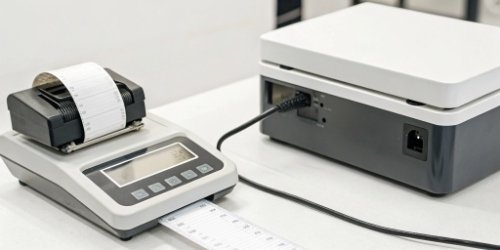
Your application holds valuable data, but getting it onto a physical label is often clumsy. This disconnect limits your product’s real-world use and creates frustrating workarounds for your customers.
Your application can print virtually any data it manages onto a label through our scale's API. This includes operator IDs, timestamps, SKUs, batch numbers, and even monochrome logos. The only real limitation is the physical size of the label you choose to use.
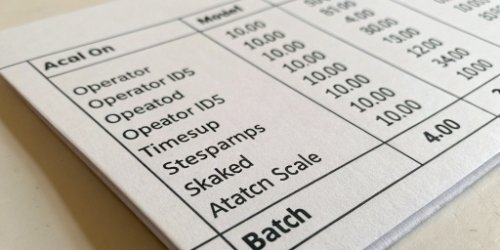
This capability can transform your software from a digital tool into a solution that directly interacts with the physical world. It puts the power of customization1 directly into your hands, allowing you to serve your clients' unique needs better. But how exactly does this work, and what can you really do with it? Let's explore the details.
How Can Your Application Utilize Our Scale's API for Custom Data Label Printing?
You know that integrating with hardware can be complex and full of delays. You worry about compatibility issues and wasting valuable development hours on a difficult API integration.
Your application uses our API by sending structured data, like a JSON command, to the scale. Our scale's software immediately reads this data, formats it onto a label template, and prints it. This process is fast, simple, and gives your application direct control over the physical label.

The beauty of this system is its simplicity. As a software provider, you already know how to work with API2s. Our goal was to make interacting with our hardware feel just as familiar as interacting with a web service. There's no need to learn a proprietary, complicated language. For my team and I, this was a critical design choice, as we've seen too many powerful software solutions get stuck because of difficult hardware integrations. The process is straightforward.
The API Call Process
First, your application establishes a secure connection to the scale using an API key. This ensures that only authorized software can control the printing functions. Once authenticated, your app prepares the data you want to print.
Data Structure and Templates
You then send this data in a simple format to the scale's print endpoint. The scale takes this data and applies it to the active label template3.
| Step | Description | Key Data Example |
|---|---|---|
| 1. Connect & Authenticate | Your app establishes a secure connection with the scale. | API Key, Device ID |
| 2. Prepare Data Payload | Your app gathers data and formats it into a JSON object. | {"weight": "10.5 kg", "sku": "ABC-123"} |
| 3. Send Print Command | Your app sends the payload to the scale's print endpoint. | POST /api/print |
| 4. Scale Processes & Prints | The scale formats the data onto the label and prints. | Physical Label with Data |
What Types of Custom Information Can Be Printed on Labels Using Our API?
Standard labels are limited and often lack the key information needed for modern logistics. This forces manual data entry, which leads to mistakes and tracking problems down the line.
You can print both static and dynamic information from your application. This includes core weight data, product details like name and SKU, operational data like operator ID and timestamp, barcodes, QR codes, and even custom text fields or small logos.
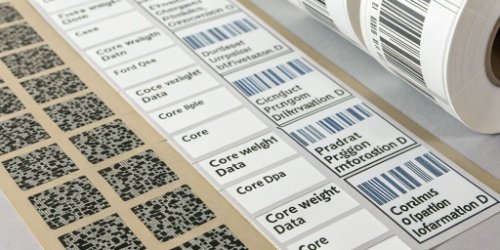
Think of the label not just as a sticker, but as a physical snapshot of your digital data at a specific moment in time. The core idea is that if your application can collect or generate a piece of information, our scale can print it on a label. This flexibility is what our software clients love the most. They can finally create labels that match their exact workflow, not the other way around. The main constraint really just becomes how much information you can fit onto the label itself.
Core Weighing Data
This is the fundamental information captured directly by our scale. It guarantees that the most critical measurement is accurate and tied to the rest of the data.
Application-Sourced Data
This is where the real power lies for you as a software vendor. Your application's database is the source of truth for all other information.
| Data Category | Examples | Source |
|---|---|---|
| Operational Data | Operator ID, Timestamp, Workstation No., Shift Number | Your App / Scale |
| Product Data | Product Name, SKU, Batch Number, Origin, Price | Your App's Database |
| Weighing Data | Gross Weight, Net Weight, Tare, Unit of Measure | The Scale |
| Visual/Tracking Data | Barcodes (1D/2D), QR Codes, Serial Numbers, Logos | Your App / Generated |
How Does Integrating Your App with Our Scale's API Enhance Label Data Customization?
Your customers demand flexible labeling for compliance or branding, but you feel limited by hardware. This makes your solution seem rigid and unable to adapt to different customer workflows.
Integration makes your application the "brain" of the operation. Instead of being stuck with the scale's fixed templates, your app dynamically decides what data to print for each specific task. This allows you to create unique labels for different products, customers, or workflows on the fly.

This changes the entire dynamic of the weighing and labeling process. For 19 years, we've seen the evolution from standalone scales with a few built-in templates to the connected world of today. The problem with old systems was that any change to a label's design required someone to manually update every single scale. It was slow and inefficient. By integrating with our API, you bypass this problem completely.
From Fixed Templates to Dynamic Content
A standalone scale is limited to the templates stored in its memory. With API integration, the label template on the scale can be very basic. Your application provides all the rich, variable content. This means the label can be context-aware. A label for outbound shipping can have a destination address, while a label for internal production can have a batch number and quality check status, all using the same hardware.
Centralized Control and Management
This is a huge benefit for scalability. If you need to add a new compliance4 code or change a logo on your labels, you no longer need to touch hundreds of scales. You simply update the logic in your software. That single change is then instantly active across all connected scales worldwide. This centralized control5 saves immense time and ensures 100% consistency.
What Advantages Does Custom Label Printing with Our Scale's API Offer for Data Management?
Inaccurate data capture at the weighing station creates huge downstream problems. This leads to inventory mistakes, traceability gaps, and costly manual work to fix the errors later.
The greatest advantage is creating a perfect physical "twin" of your digital record. This dramatically improves traceability, eliminates human error from manual entry, and ensures data consistency from the physical product all the way back to your software database via a simple scan.

This solves a fundamental problem in logistics and production: the gap between the physical world and the digital system. Every time an employee has to write something down or manually type a weight into a computer, there is a risk of error. Our API-driven printing process closes that gap. The data is captured, sent from your system, and printed in a single, automated step. This creates a reliable and unbroken chain of information.
Eliminating Data Discrepancies
The data on the label is sourced directly from your system and the scale. The weight, SKU, and timestamp printed on the label are the exact same as the data recorded in your database. There is no chance for a transcription error.
Enhancing Traceability and Compliance
For industries like food processing or pharmaceuticals, traceability6 is not optional. A custom label that includes a unique serial number, batch ID, exact weight, and timestamp provides a complete and reliable audit trail right on the product itself. This makes compliance checks simple.
| Advantage | Before API Integration | After API Integration |
|---|---|---|
| Accuracy | Manual data entry; high risk of error. | Data printed directly from system; highly accurate. |
| Traceability | Disconnected steps; hard to trace origin. | Scannable label links physical item to digital record. |
| Efficiency | Two-step process: weigh then manually label. | One-step process: weigh and print automatically. |
| Compliance | Difficult to add required tracking data dynamically. | Easily add batch, origin, and other compliance fields. |
Conclusion
Integrating our scale's API lets your application print any data onto a label. This boosts accuracy, enhances traceability, and places your software in complete control of the weighing process.
-
Discover the benefits of customization in product labeling for better branding and compliance. ↩
-
Understanding APIs is crucial for leveraging technology effectively in your applications. ↩
-
Explore how label templates streamline the printing process and enhance customization. ↩
-
Understanding compliance is essential for meeting industry standards and regulations. ↩
-
Centralized control simplifies management and ensures consistency across systems. ↩
-
Traceability ensures accountability and quality control in supply chains. ↩


Comments (0)