

Seeing a sudden error message on your scale can be worrying. It stops your work, and you might fear the equipment is broken, leading to costly downtime and repairs.
"Overload" simply means the weight on the scale is more than its maximum designed capacity. If your scale is rated for 100 kg, placing a 101 kg item on it will trigger an "overload" warning. Removing the excess weight usually resolves the issue.

This error message1 is not just a suggestion; it is a critical warning designed to protect the most sensitive parts of your equipment. Ignoring it can lead to problems that are far more serious than a simple warning light. But what exactly happens when a scale is overloaded, and what are the long-term consequences? Let's look closer at why this message is so important.
What happens if you overload a scale?
You have accidentally put too much weight on your scale, and now you are worried. Did you just cause permanent damage? The fear of expensive repairs and operational halts is real.
Overloading a scale can stretch its internal load cell sensor beyond its limits, causing inaccurate readings or permanent failure. While a single minor overload might not cause lasting harm, repeated or severe events will degrade the scale and eventually break it.

To understand the damage, you have to know a little about how a scale works. At the heart of every electronic scale is a component called a load cell2. You can think of it as a very precise metal spring. When you place a weight on the scale, the load cell bends slightly. This tiny change is converted into an electrical signal, which the scale's processor translates into the weight you see on the display.
Every load cell is designed to bend and return to its original shape perfectly, as long as the weight is within its capacity. This is its "elastic limit." When you overload the scale, you force the load cell to bend too far.
In my 18 years of manufacturing industrial scales3, I’ve seen this happen countless times. A slight overload might cause a temporary error, but a severe one can permanently deform the load cell. It will no longer return to its true zero point, making every future measurement inaccurate. This is why respecting the scale's capacity is the most important rule for ensuring its long life and accuracy.
| Impact Level | Immediate Effect | Long-Term Consequence |
|---|---|---|
| Minor Overload | "OL" or "Overload4" message. Reading returns to normal after removing weight. | None, if it's a rare event. |
| Repeated Overload | Readings become inconsistent. The scale may need frequent re-calibration. | Gradual sensor degradation. The scale's accuracy is compromised. |
| Severe Overload | "OL" message persists. The scale does not return to zero. | Permanent load cell damage. The scale is broken and needs repair. |
What does a scale overload with?
Your scale shows "overload," but you are sure the item is within the weight limit. This is confusing and can stop your workflow while you figure out what is wrong.
A scale overloads when the total force on its platform surpasses its capacity. This can be from a single item that is too heavy, many smaller items, or a sudden impact force, like dropping an object onto the scale.
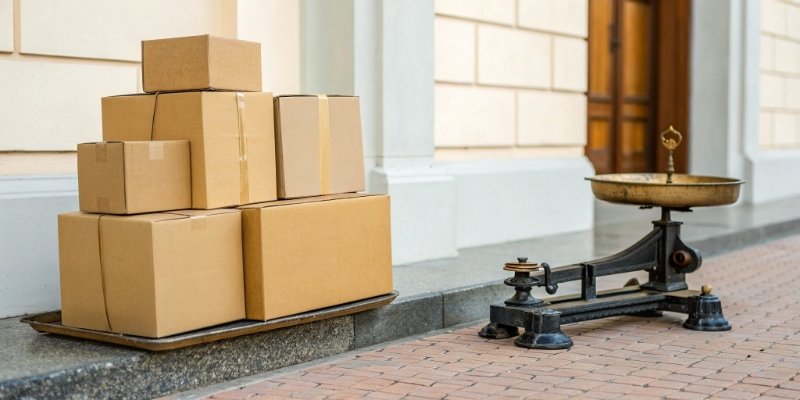
An overload error isn't always as straightforward as it seems. While the most obvious cause is a single object that's too heavy, other factors can trigger the same warning. The scale measures total force, not just static weight. Based on my experience helping clients troubleshoot these issues, there are a few common culprits.
I once worked with a client in the agricultural sector who kept getting overload errors on their bagging scale. The bags of grain were well within the scale's 50 kg capacity. After visiting their facility, I saw the problem immediately. Their conveyor system was dropping the bags onto the scale from about half a meter high. That dropping action created a huge spike in force, known as dynamic load5, which was momentarily overloading the sensor. The solution was simple: we adjusted their process to slide the bags gently onto the scale instead of dropping them.
Here are the main ways a scale can overload:
Common Causes of Overload
-
Static Overload
This is the most common cause. It happens when you place a single object on the scale that weighs more than its maximum capacity. For example, trying to weigh a 150 kg drum on a 100 kg platform scale. -
Cumulative Overload
This occurs when you place multiple items on the scale that, individually, are within the limit, but their combined weight is not. For example, stacking six 20 kg boxes on a 100 kg scale will result in a 120 kg load, causing an overload. -
Dynamic Overload (Shock Load)
This happens when you drop, throw, or slam an object onto the scale. The impact creates a force that can be many times greater than the object's actual weight, shocking the load cell and triggering an overload warning.
What does it mean when the bathroom scale says overload?
You step on your bathroom scale, and instead of a number, it just flashes "overload." This can be a frustrating and sometimes disheartening experience, making you wonder if your scale is broken.
When a bathroom scale says "overload," it means the weight on it is greater than its maximum capacity. Most personal scales are designed for weights up to 150-200 kg (330-440 lbs). Any weight beyond this limit will trigger the error message.
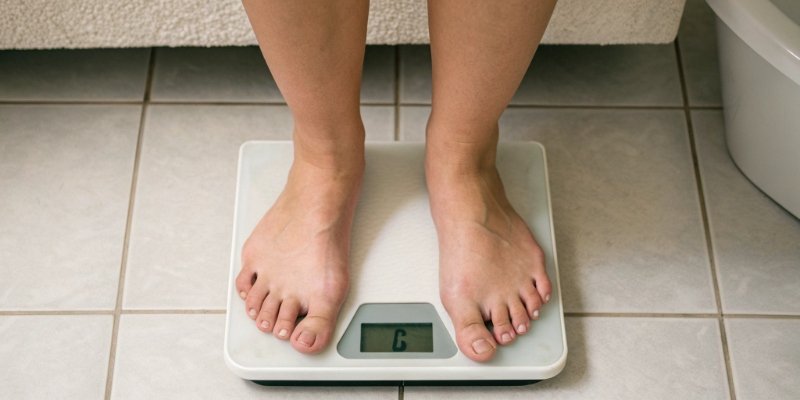
The principle behind an overload message is the same for a small bathroom scale6 as it is for a massive industrial scale in a factory. Both are telling you that their internal sensor is being subjected to more force than it was built to handle. However, there are some key differences in what might cause it and how durable the devices are.
Bathroom scales use smaller, simpler sensors and are built with consumer-grade materials. They are not designed for the harsh environments or heavy use that our industrial scales at Weigherps are. As a result, they can be more sensitive to issues beyond just excess weight. For example, low batteries can sometimes cause the scale's processor to malfunction and display an error like "Overload" or "Err." Similarly, placing the scale on a soft or uneven surface, like a carpet, can cause the weight to be distributed incorrectly, leading to an inaccurate reading or an error. In our industrial world, we ensure our scales are robust and provide guidance on stable, level installation. For your home scale, the same logic applies: always use it on a hard, flat floor and check the batteries if you get a strange reading.
What does OL mean on a scale?
A cryptic "OL" code flashes on your scale's display. You are not sure if this is a serious fault or a simple warning. Unclear error codes can cause confusion and slow you down.
"OL" on a scale is the most common abbreviation for "Overload." It is a standard warning indicating the weight on the platform is above the scale's maximum capacity. You should remove the load immediately to protect the scale from damage.

In the world of weighing, manufacturers need to communicate errors clearly on small digital displays. Short codes are the perfect solution. "OL" became the industry standard for "Overload" because it is short, simple, and easy to understand once you know what it means.
As a manufacturer, we use these standardized codes to help users quickly diagnose problems. In our user manuals, we always provide a troubleshooting table that explains what each code means and what to do about it. For our more advanced clients, especially those in the software and IoT space, these error codes7 are more than just a message. We design our IoT-enabled weighing systems to transmit these codes as data packets. So, when a scale on a factory floor shows "OL," it can also send an instant alert to a manager's dashboard or trigger an automated stop command in a production line. This turns a simple warning into a powerful tool for process control and asset protection.
While "OL" is the most common, you might see other codes depending on the brand and model:
| Error Code | Meaning | Common Action |
|---|---|---|
| OL | Overload | Remove the weight from the scale. |
| OFL | Overflow / Overload | Remove the weight from the scale. |
| ---- or EEEE | Error / Exceeded Limit | Usually means overload. Remove weight. |
| UNST | Unstable | The weight is fluctuating. Wait for it to settle. |
| Lo | Low Battery | Replace the batteries. |
Conclusion
Understanding "overload" is key to protecting your scale. This warning prevents damage, ensuring your equipment remains accurate and reliable for years. Always choose the right scale and use it correctly.
-
Knowing how to respond to error messages can prevent further issues with your scale. ↩
-
Learn about load cells to understand how scales measure weight and the importance of their integrity. ↩
-
Explore the differences to choose the right scale for your needs. ↩
-
Understanding the meaning of overload is crucial for maintaining your scale's accuracy and longevity. ↩
-
Explore dynamic load to understand how sudden impacts can affect scale readings. ↩
-
Learn how to troubleshoot overload messages on bathroom scales for accurate readings. ↩
-
Understanding error codes can help you quickly diagnose and resolve scale issues. ↩


Comments (0)