
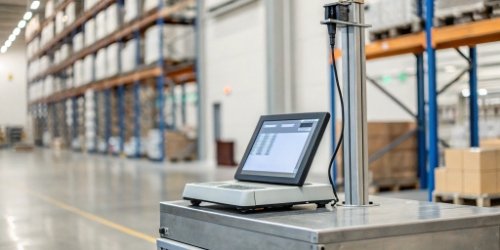
Manual data entry from scales is slow and creates errors. This leads to costly production delays and inventory mistakes. What if this entire process could be fully automated?
Integrating your weighing scale directly with your ERP system automates data transfer. This provides real-time, accurate inventory counts, streamlines production workflows, and eliminates costly human errors. Your business gets a huge boost in operational efficiency.
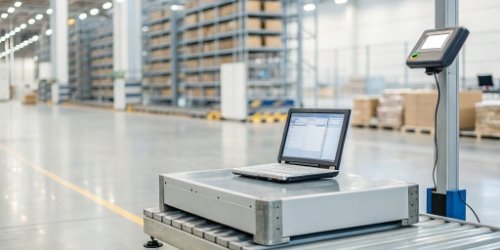
Connecting your physical operations to your digital management system seems like a huge leap. But it’s more achievable than you might think. For years, we’ve helped companies bridge this very gap. As a manufacturer of industrial scales, I’ve seen this transformation firsthand. An industrial scale is no longer just a tool for weighing. It’s a critical data point for optimizing your entire business. This integration is just one piece of a much larger, interconnected puzzle. Let’s explore how these systems work together to truly transform a business.
What other systems does ERP integrate with?
Your ERP is your business’s brain, but it is blind without sensory input. Siloed data from other systems prevents a complete operational view, leading to misinformed decisions.
ERP systems commonly integrate with Customer Relationship Management (CRM) for sales data, Supply Chain Management (SCM) for logistics, and Manufacturing Execution Systems (MES) for shop floor control. Integrating weighing scales provides crucial raw material and production data directly to these connected systems.

Think of your ERP as the central hub of your business operations. It needs to talk to other specialized systems to get a full picture. This creates a powerful ecosystem where data flows freely, enabling smarter decisions across the board. In my 19 years of experience, a well-integrated system is the number one thing that separates growing businesses from stagnant ones.
Integrating Key Business Systems
The goal is to eliminate data silos1. When your sales team, warehouse, and production floor all use data from the same source, everything runs smoother. This is where different system integrations become critical.
The Role of IoT and MES
Modern scales, like the ones we design, are essentially IoT devices2. They capture a vital piece of physical information—weight—and turn it into digital data. This data is often first sent to a Manufacturing Execution System (MES). The MES manages and monitors work-in-progress on the factory floor. It then feeds this verified production data to the ERP. This link ensures the ERP’s high-level plans are based on real-world, real-time activity.
Below is a simple table showing how these systems share information.
| System | Primary Function | Data Shared with ERP |
|---|---|---|
| CRM | Manages customer data and sales | Sales orders, customer history, demand forecasts |
| SCM | Manages inventory and logistics | Stock levels, supplier data, shipping status |
| MES | Manages factory floor operations | Production output, material consumption, quality control |
| IoT Scales | Captures weight data | Real-time raw material usage, finished good weights |
What are the limitations of an ERP system?
ERP systems promise to solve everything, but their reality can be rigid and expensive. Implementing them without understanding their downsides can lead to budget overruns and user frustration.
Key limitations include high implementation costs, complexity, and resistance to change from employees. Crucially, if the data fed into the ERP is inaccurate (like from manual weight entries), the system’s output will also be wrong. This is a "garbage in, garbage out" problem.

As a hardware provider, I focus on the "garbage in, garbage out" problem because it’s where we can make the biggest difference. An ERP is a powerful decision-making engine, but the quality of its decisions depends entirely on the quality of its data. We’ve seen multi-million dollar ERP projects fail to deliver a return on investment simply because the source data from the production floor was unreliable. The system can’t tell you how much material you’ve used if it doesn’t receive accurate consumption data.
Data Accuracy is Everything
The biggest weakness of any digital system is its connection to the physical world. A manager can’t make a good purchasing decision if the inventory numbers in the ERP don’t match the actual stock in the warehouse. This is often due to human error in manual data entry.
Overcoming Core Limitations
Automating data capture3 directly addresses this core weakness. By connecting a scale directly to your system, you eliminate the risk of an employee writing down the wrong number or making a typo. The data is sent instantly and accurately. This single change can dramatically improve the ROI of your entire ERP investment.
Here’s how automated data capture from scales solves some common ERP limitations.
| ERP Limitation | Business Impact | How Integrated Scales Provide a Solution |
|---|---|---|
| Data Inaccuracy | Wrong inventory, poor planning | Automates weight data entry, ensuring 99.9% accuracy. |
| Operational Blind Spots | Inability to track real-time use | Provides live data on material consumption and production output. |
| High Labor Costs | Employees spend time on manual entry | Frees up staff from data entry to focus on value-added tasks. |
How to pull data from an ERP system?
Your ERP holds valuable data, but getting it out for custom reports or other applications can be a technical headache. You need fast insights, not a complicated coding project.
You can pull data from an ERP using built-in reporting tools, Business Intelligence (BI) platforms, or Application Programming Interfaces (APIs). APIs are the most flexible method, allowing other software and devices—like our smart weighing scales—to both send and receive data automatically.

For a software vendor or a tech director, "API4" is a familiar term. It is the modern language of system integration. While built-in reports are useful for standard questions, APIs are what allow you to innovate. They let you connect different systems in unique ways to solve specific business problems. As a hardware manufacturer, we have invested heavily in making our scales "API-friendly." This means they can be easily integrated into your custom workflows.
The Power of APIs
APIs are the backbone of modern interconnected systems. They create a bridge for two different pieces of software to talk to each other. For example, our scale can use an API to send a weight measurement directly to your ERP’s inventory module. The ERP then processes this data and can even send a confirmation message back to the scale’s display. This two-way communication is powerful.
A Practical Workflow Example
Imagine this simple process, which we help clients set up all the time:
- Weigh: A worker places a pallet of finished goods on one of our industrial floor scales.
- Send: The scale’s software, via an API, sends the product ID and exact weight to the ERP system5.
- Update: The ERP instantly updates the "Finished Goods Inventory" module.
- Visualize: A BI tool, also connected to the ERP via API, pulls this new data and updates a production dashboard that the plant manager is watching on their screen.
This entire flow happens in seconds, without any manual entry, providing real-time visibility.
What are the 5 components of ERP?
Understanding an ERP feels like trying to map a huge city without a guide. Its many modules can be confusing, making it hard to see how they fit your business.
The five core components of a modern ERP system typically include: Financial Management, Human Capital Management (HCM), Supply Chain Management (SCM), Customer Relationship Management (CRM), and Manufacturing/Operations. Weighing data directly impacts the SCM and Manufacturing modules.
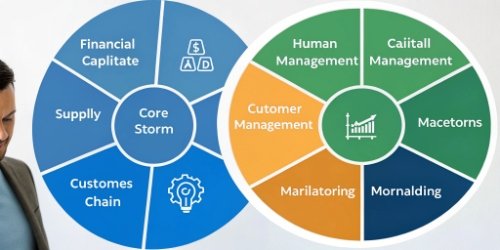
When we develop a custom weighing solution, we don’t just think about the scale. We think about where the data from that scale needs to go. Understanding the core components of your ERP helps us pinpoint exactly where our hardware can add the most value to your software ecosystem. For most of our industrial clients, the biggest impact is felt in their supply chain and manufacturing operations6. These are the areas that deal with physical goods, where accurate weight is a critical piece of information.
Where Weighing Data Fits In
Let’s break down how something as simple as a weight measurement becomes a vital piece of business intelligence within the ERP structure. Accurate weight data is the foundation for tracking physical assets as they move through your business.
Impact on SCM and Manufacturing
In Supply Chain Management (SCM)7, our scales help you verify incoming shipments, manage raw material inventory with precision, and ensure outgoing orders have the correct weight to avoid shipping fees. In Manufacturing, scales are used for recipe formulation, portion control, and tracking production output. This data feeds the ERP, ensuring your production plans are accurate and your costs are under control.
This table clarifies how weighing data supports key ERP functions:
| ERP Component | Key Function | How Weighing Data Helps |
|---|---|---|
| Financial Management | Manages accounting, budgets, and assets. | Provides accurate data for cost accounting on materials. |
| Human Capital Management | Manages payroll, hiring, and employee data. | Tracks employee efficiency in manual packing/weighing stations. |
| Supply Chain Management (SCM) | Manages inventory, purchasing, and logistics. | Validates received goods, tracks stock levels, verifies shipping weights. |
| Customer Relationship Management (CRM)8 | Manages sales, marketing, and customer service. | Helps ensure order accuracy, leading to higher customer satisfaction. |
| Manufacturing/Operations | Manages production planning and execution. | Ensures recipe accuracy, monitors material consumption, and tracks output. |
Conclusion
Integrating scales with your ERP transforms them from simple tools into vital data sources. This drives efficiency, accuracy, and smarter decisions, defining the future of industrial management.
-
Explore the concept of data silos and their negative impact on business decision-making. ↩
-
Explore the advantages of IoT devices in improving data collection and operational efficiency. ↩
-
Learn about automated data capture and its benefits for improving data accuracy. ↩
-
Understand the role of APIs in connecting different software systems for seamless data flow. ↩
-
Learn about ERP systems and their role in streamlining business operations and improving decision-making. ↩
-
Discover how technology can enhance efficiency and productivity in manufacturing operations. ↩
-
Understand the importance of Supply Chain Management in optimizing logistics and inventory. ↩
-
Learn how CRM systems work with ERP to enhance customer data management and sales. ↩



Comments (0)