
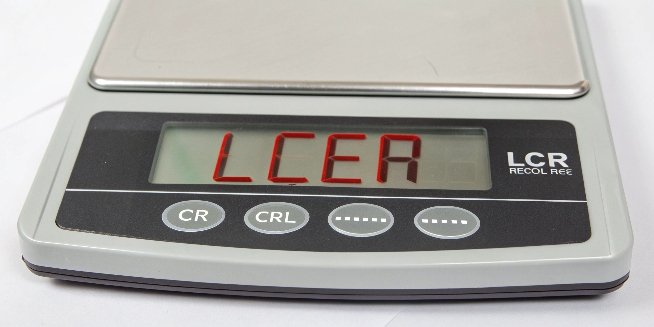
Your scale flashes an "LCER" error code, stopping production instantly. This makes your data unreliable and wastes valuable time. Understanding this error is the first step to a fast solution.
The "LCER" error on a digital scale almost always means "Load Cell Error." This indicates a failure in the weighing sensor or its connection to the main circuit. The weight reading is not trustworthy, and the issue requires immediate attention to prevent inaccurate measurements.

Seeing an error code on your equipment can be frustrating. However, in my 18 years of manufacturing industrial scales1, I’ve seen this exact issue many times. The good news is that it often points to a few specific problems that can be diagnosed systematically. Don't let this error code intimidate you. Let's walk through what’s really happening inside your scale and how you can get your operations back on track.
What Does LCEr Actually Mean on a Digital Scale?
Your scale flashes "LCEr," and work grinds to a halt. You're losing time and money with every passing minute. Let's decode this error so you can get back to business.
LCEr almost always stands for "Load Cell Error." This means the scale's core weighing component, the load cell sensor, or its connection to the main circuit board is failing. It's a serious signal that the weight data is unreliable.
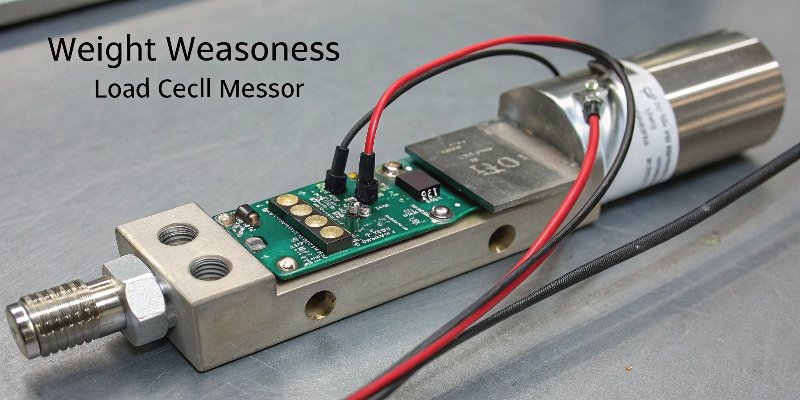
A load cell is the heart of any digital scale. It's a transducer that converts physical force or weight into a measurable electrical signal. The scale's indicator then reads this signal and displays it as a weight. When you see "LCEr," the indicator is telling you that the signal it's receiving from the load cell is corrupted, incomplete, or completely absent. I remember a client in Europe whose large floor scale kept showing this error. After a quick check, we found a tiny section of the sensor wire had been frayed by a passing pallet jack. It’s often something simple. Based on my experience, the problem usually falls into one of three categories, which we can organize into a simple table.
| Trigger | Description | Common Cause |
|---|---|---|
| Signal Line Problem | The wire connecting the sensor to the main board is broken, shorted, or has a poor connection. | Physical damage, corrosion on the plugs, loose connectors. |
| Sensor Damage | The internal components of the load cell itself are compromised and can't produce a stable signal. | Overloading, dropping the scale, sudden shock or impact. |
| Circuit Board Fault | The main circuit board that processes the signal is faulty and cannot interpret the data correctly. | Power surges, moisture damage, or electronic component failure. |
How Can You Fix a Digital Scale Error Like LCER?
An error code stops your workflow. You're not sure where to start, and every moment of downtime costs you. Here is a clear, step-by-step process to troubleshoot the issue efficiently.
Start with simple checks. Inspect all cables for damage and ensure they are securely connected. Power cycle the scale by turning it off and on again. If the error persists, you may need to check the sensor itself or recalibrate.
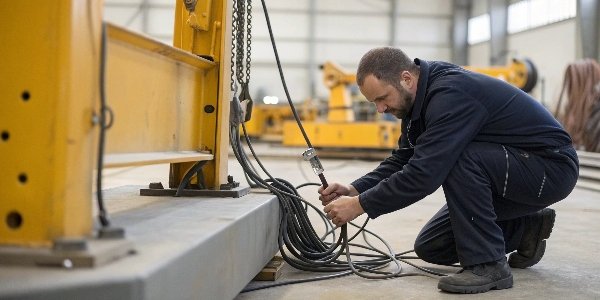
Troubleshooting an "LCEr" error doesn't always require an expert, at least not for the initial steps. As a manufacturer, we empower our clients to perform basic diagnostics themselves. It can save a lot of time and service costs. Follow this logical sequence to identify the root of the problem.
Step 1: Basic Visual Inspection
Before you touch anything, just look. Carefully inspect the entire scale for any obvious signs of physical damage. Check the cable that runs from the weighing platform to the indicator. Look for cuts, abrasion, or sharp bends that could damage the internal wires. It's surprising how often we find that a cable has been crushed or snagged.
Step 2: Check Connections and Power
This is the most common fix. Turn the scale off completely. Then, firmly unplug the load cell cable from the indicator. Look at the pins and connector for any dust, debris, or corrosion. If it looks dirty, clean it gently. Then, plug it back in securely. Now, turn the scale back on. This simple reset can often resolve the issue if it was just a bad connection.
Step 3: Test the Sensor (Advanced)
If the error is still there, the load cell itself might be the problem. For technical directors or maintenance teams, a multimeter2 can be used to check the sensor’s health by measuring its input and output resistance. If the readings are outside the manufacturer's specifications, the load cell has failed and needs to be replaced. Our technical support team always provides these specifications to our clients for just this reason.
Step 4: Seek Professional Help
If you’ve done all the above and the error remains, the problem likely lies with the main circuit board inside the indicator. At this point, it's best to contact your supplier or a professional technician. Continued troubleshooting without the right tools could cause more damage. Our after-sales service3 is built for this, ensuring you get the parts and expertise you need quickly.
Is an LCER Error Different from a Zero Error?
Your scale won't show zero when empty. This small error can lead to big inaccuracies in your inventory or production. Let's clarify what a zero error is and why it's a different problem.
Yes, they are very different. A zero error is when the scale shows a weight when empty, often fixable by pressing the "ZERO" button. An LCER error is a hardware fault indicating the scale cannot get a reading at all.
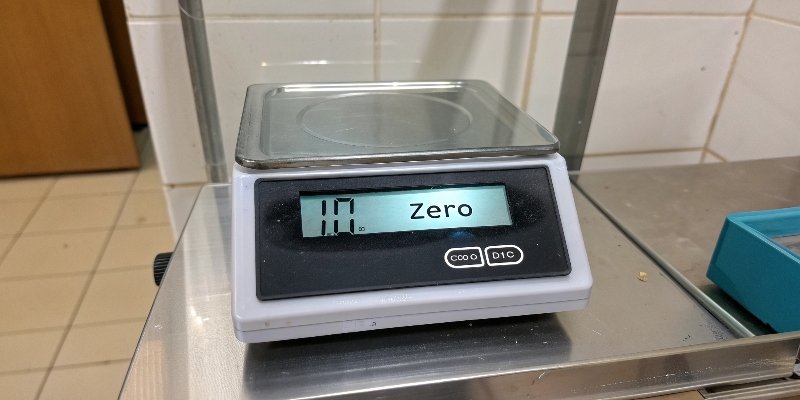
It's crucial to distinguish between these two issues because their solutions are completely different. A zero error4 is an accuracy problem, while an LCER error is a functional failure. Let's break it down.
Understanding Zero Error
A zero error means the scale's starting point is off. Imagine a tape measure where the first inch is missing—every measurement you take will be wrong. A zero error is similar. It happens for several reasons:
- Debris stuck under the weighing platform.
- The scale is not on a perfectly level surface.
- Sudden temperature changes affecting the sensor's sensitivity.
- The calibration has drifted over time.
Most of the time, this is resolved by cleaning the scale and pressing the "ZERO" button.
Understanding LCER Error
The LCER error, as we've discussed, is a system-down alert. The scale’s internal communication has broken down. It’s not a matter of a slight inaccuracy; the scale is fundamentally unable to perform its job. To make it clearer, here is a simple comparison.
| Feature | Zero Error | LCER Error |
|---|---|---|
| Display Reading | Shows a small positive or negative weight when empty. | Displays "LCER," "Err," or dashes. No weight is shown. |
| Root Cause | Debris, un-level surface, calibration5 drift, temperature. | Damaged sensor, broken cable, mainboard fault. |
| Simple Solution | Press "ZERO" or "TARE," clean the scale, check if it's level. | Check all cables and connections, reboot the scale. |
| Problem Severity | Minor, but affects measurement accuracy. | Critical, the scale is non-functional until repaired. |
How Do You Properly Reset a Scale to Zero?
You need an accurate starting point for every measurement. An incorrect zero point throws off all your data, affecting your product quality, inventory control, and ultimately your bottom line.
To reset a scale, ensure the platform is clean and empty. Then, simply press the "ZERO" or "TARE" button. The display should show 0.00. If it fails to zero out, a more thorough calibration may be required.
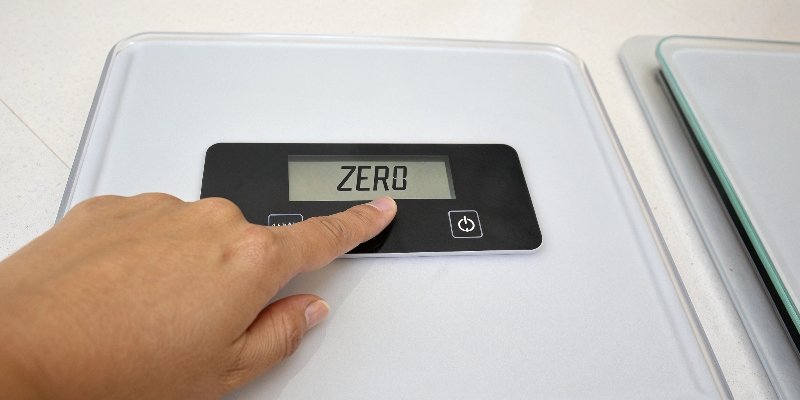
Using the zero function correctly is a basic but essential part of accurate weighing. Many users are confused about the "ZERO" and "TARE" buttons, but they serve distinct purposes. As a provider of weighing solutions, we always train our clients on these fundamentals to ensure they get reliable data.
The 'ZERO' Function
The "ZERO" function establishes the absolute zero point for the scale. This should only be used when the weighing platform is completely empty. Think of it as setting the foundation. We advise our clients to press the "ZERO" button at the start of a shift or before beginning a new batch of measurements. This cancels out any minor drift that may have occurred due to temperature changes or other environmental factors overnight.
The 'TARE' Function
The "TARE" function is used to subtract the weight of a container, so you only measure the weight of the contents. For example, a client who provides custom software might use our scales to package and ship hardware kits. They place an empty box on the scale, press "TARE," and the scale returns to zero. Now, as they fill the box with components, the display only shows the weight of the items being added. This is incredibly efficient and eliminates manual calculations.
When a Reset Fails: Recalibration
If you press the "ZERO" button but the scale still won't return to 0.00, or if it drifts away from zero quickly, it's a sign that the scale needs to be recalibrated. Calibration is a deeper process that adjusts the scale's internal programming to ensure it measures accurately across its entire capacity range. This involves using certified, standard weights. All high-quality industrial scales, including ours, come with a clear calibration procedure, as this is vital for maintaining accuracy and compliance with industry standards.
Conclusion
The LCER error indicates a serious hardware issue, but simple checks often point to the cause. Knowing the difference between this and a zero error saves valuable time and ensures proper troubleshooting.
-
Explore the advantages of industrial scales for your business operations and accuracy. ↩
-
Using a multimeter can help you diagnose load cell issues accurately and efficiently. ↩
-
After-sales service can provide essential support and parts for maintaining your scales. ↩
-
Understanding zero errors is crucial for maintaining accurate measurements in your operations. ↩
-
Proper calibration ensures your scale provides accurate measurements, essential for quality control. ↩
Comments (0)