
Struggling with slow, manual data entry at your weighing stations? These costly errors and delays are hurting your bottom line. Unattended terminal software is the solution you need.
Unattended terminal software is the central nervous system for automated operations. It connects hardware like weighbridges and traffic barriers with software like enterprise management systems. This integration creates a seamless, automated workflow that operates 24/7 without needing a dedicated staff member on-site.
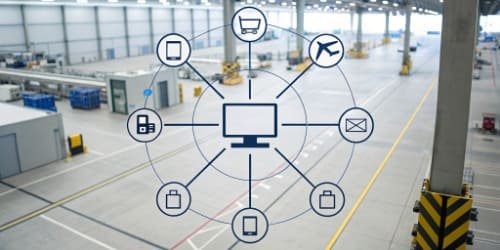
For over 19 years, I've seen countless companies transform their operations with automation. The key to this transformation isn't just buying a new scale or a new camera. The real magic happens when you have a powerful software brain that can control everything. This software eliminates the human element from repetitive tasks, which leads to massive gains in efficiency and accuracy. It acts as a translator, allowing your physical equipment on the ground to talk directly to your business management systems1 in the office. Let's explore how this technology works and why it's so critical for modern industry.
How Does Unattended Terminal Software Function in Automated Systems?
You have amazing hardware and powerful business software, but they don't talk to each other. This disconnect creates manual work and bottlenecks. The right software bridges this gap seamlessly.
This software functions as a central coordinator. It receives data from hardware like a vehicle recognition camera or a weighbridge. It then processes this information based on preset business rules and sends commands to other systems, like opening a gate or updating your inventory, all without human intervention.
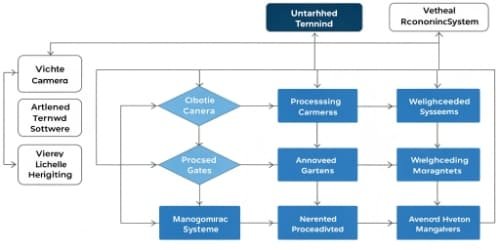
In my experience, the best way to understand its function is to break it down into a simple process. Think of a truck arriving at a facility to pick up a load. The entire process can be managed by the software in three distinct phases. It's a logical flow that we've helped hundreds of clients implement.
The Data Collection Phase
First, the software gathers information. As the truck approaches, an ANPR camera captures its license plate. The driver might scan an RFID card2 or a QR code at a kiosk. This data is instantly sent to the terminal software, which identifies the vehicle and pulls up the corresponding order from your ERP system. The truck then drives onto the weighbridge, and the scale sends the initial weight data to the software.
The Processing and Logic Engine
Next, the software thinks. It takes the gross weight, checks it against the order details, and waits. After the truck is loaded and returns to the scale, the software captures the tare weight and calculates the net weight of the product. It checks this against the order tolerance you've set. If everything matches, the transaction is approved.
The Action and Integration Phase
Finally, the software acts. It sends a command to print a ticket for the driver. It signals the exit barrier to open. Simultaneously, it pushes all the transaction data3—vehicle ID, weights, product type, timestamps—directly into your ERP or inventory management system4. The invoice can be generated automatically.
| Input (Data Collection) | Process (Logic Engine) | Output (Action & Integration) |
|---|---|---|
| Vehicle License Plate | Identify Vehicle & Order | Update ERP System |
| Gross & Tare Weight | Calculate Net Weight | Print Weighing Ticket |
| Driver ID (RFID/QR) | Verify Business Rules | Open/Close Gate Barriers |
What Are the Key Features of Unattended Terminal Software?
Not all automation software is the same. Choosing a basic system can lead to endless compatibility issues and operational headaches. You need to know what features truly matter for success.
The most important features are robust hardware integration, a highly customizable workflow engine, real-time data processing, and comprehensive security protocols. These elements work together to create a reliable and efficient system that can adapt to your specific operational needs and prevent fraudulent activity.

When we consult with software vendors looking for hardware partners, they are rightfully concerned about integration. Their reputation depends on their software working flawlessly with the hardware on-site. Based on what our most successful partners look for, here are the non-negotiable features your unattended terminal software must have. A system without these is simply incomplete. We build our hardware to be ready for these exact features, ensuring a smooth project for you and your end customer.
Robust Hardware and Software Integration
The software must have a flexible architecture, often using APIs, to connect with a wide range of devices. This includes weighbridges5, traffic lights, barriers, RFID readers, and cameras. It also needs to communicate seamlessly with higher-level business systems like ERP, WMS, and accounting software.
Customizable Workflow Engine
Every business operates differently. A key feature is the ability to easily define and modify the operational workflow without needing to write new code. For example, you should be able to set rules for what happens if a truck is overweight, or define a specific sequence of steps for different types of materials.
Real-Time Monitoring and Reporting
You need a window into your operations. The software should provide a live dashboard showing the status of all connected equipment and ongoing transactions. It must also generate detailed reports and analytics to help you track KPIs, identify bottlenecks, and make data-driven decisions.
| Feature | Benefit for Your Business |
|---|---|
| Hardware Compatibility | Freedom to choose the best equipment for the job without being locked in. |
| API for System Integration | Creates a single, unified data source across your entire organization. |
| Customizable Workflow | Adapts to your unique processes, improving efficiency and enforcement of rules. |
| Reporting & Analytics | Provides actionable insights to reduce costs and improve throughput. |
How Can Unattended Terminal Software Benefit Self-Service Kiosks?
Self-service kiosks promise efficiency but often cause user frustration. If the interface is complex or slow, you create new bottlenecks. The right software makes the kiosk experience intuitive and fast.
Unattended terminal software transforms a kiosk into a powerful operational tool. It guides the user through each step, from identification to final weigh-out. By automating these complex background tasks, it dramatically reduces wait times, eliminates data entry errors, and enables true 24/7 service.
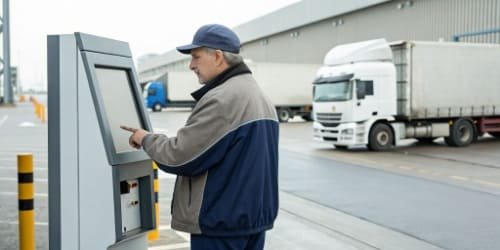
Over the years, I've seen the kiosk evolve from a simple terminal to the primary user interface for entire logistics sites. Its success depends entirely on the software running it. When software vendors partner with us, they find that our hardware is designed with this interaction in mind. The kiosk isn't an afterthought; it's the friendly face of a very powerful system. The software is what brings that friendly and efficient experience to life for the end-user, such as a truck driver who may be visiting for the first time.
Streamlined User Experience
The software provides a simple, intuitive interface on the kiosk screen, often with multi-language support. It gives the driver clear, step-by-step instructions, like "Drive onto the scale" or "Scan your badge." This minimizes confusion and empowers drivers to complete transactions independently, reducing the need for on-site support staff.
Drastic Reduction in Errors
Manual logbooks and data entry are prone to human error. A single wrong digit can cause major accounting and inventory headaches. The software ensures accuracy by capturing data directly from integrated hardware. The license plate from the camera and the weight from the scale are recorded perfectly every time, ensuring data integrity6 from the source.
Increased Throughput and 24/7 Operation
With software managing the process, transactions that used to take several minutes can be completed in under 60 seconds. This means you can process more trucks per hour without expanding your physical footprint. Furthermore, because no staff are needed on-site, your facility can run around the clock, receiving and dispatching goods 24/7 to meet demanding schedules. This is a game-changer for businesses in logistics, waste management, and agriculture.
What Security Measures Are Important for Unattended Terminal Software?
Automating your site opens a new door for potential fraud or data breaches. Without a person watching, a dishonest actor might try to cheat the system, costing you thousands.
Essential security measures include role-based access control, end-to-end data encryption, and comprehensive audit trails. These features work together to prevent unauthorized access, protect sensitive information, and create an unchangeable record of every single action performed by the system.
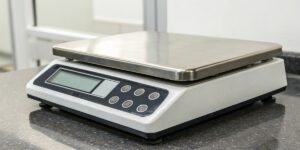
As a hardware manufacturer, we understand that physical and digital security are two sides of the same coin. Our scales can be equipped with sensors to detect vehicle position, ensuring a truck is fully on the scale. But this feature is only useful if the software can act on that information. The same is true for all security aspects. The software must be the intelligent guard that uses the data from hardware to protect the integrity of the operation. For any technical director, these software security features are not just nice-to-haves; they are fundamental requirements.
Role-Based Access Control (RBAC)
Not everyone needs access to everything. RBAC ensures that only authorized personnel can configure system settings, change business rules, or manually override a transaction. Operators may only have permission to view live data, while administrators have full control. This prevents accidental changes and malicious tampering.
Data Encryption and Security
All data, whether it's moving between the kiosk and the server (in transit) or stored in your database (at rest), must be encrypted. This makes the information unreadable to anyone who might intercept it. Using standard protocols like SSL/TLS is critical for protecting sensitive commercial data.
Immutable Audit Trails
The system must log every event: every vehicle weighed, every gate opened, every manual adjustment. This audit trail should be tamper-proof, providing a transparent and permanent record for accountability. If a discrepancy arises, you can trace the exact sequence of events to identify the cause, whether it was a system error or attempted fraud.
| Security Threat | Software Countermeasure |
|---|---|
| Unauthorized system changes | Role-Based Access Control (RBAC) |
| Data interception | End-to-end data encryption7 (SSL/TLS) |
| Fraudulent transactions | Immutable audit trails8 and real-time alerts |
| Vehicle not positioned correctly | Integration with positioning sensors to invalidate weigh-ins |
Conclusion
Ultimately, unattended terminal software is the essential brain connecting your physical assets to your digital systems. It's the key to achieving truly efficient, accurate, and secure automated weighing operations.
-
Discover the advantages of implementing business management systems in your operations. ↩
-
Discover the benefits of RFID technology in logistics and inventory management. ↩
-
Explore how transaction data is captured and processed in automated operations. ↩
-
Understand the role of inventory management systems in optimizing stock control. ↩
-
Discover the role of weighbridges in automation and how they enhance operational efficiency. ↩
-
Explore best practices for maintaining data integrity in automated systems. ↩
-
Discover how data encryption safeguards your business's sensitive information. ↩
-
Learn about the importance of audit trails in ensuring accountability and transparency. ↩


Comments (0)