
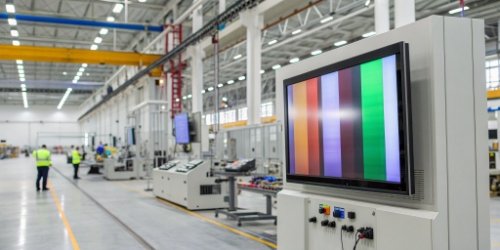
Industrial scales with confusing buttons and tiny screens are a headache. This complexity leads to costly errors and wasted time, slowing down your entire operation. Smart screens fix this problem.
A ‘smart screen’ transforms a scale from a basic measuring tool into an intelligent data hub. It achieves this by integrating multiple functions, simplifying complex operations with an intuitive interface, and connecting seamlessly to other factory systems, making it essential for modern production.
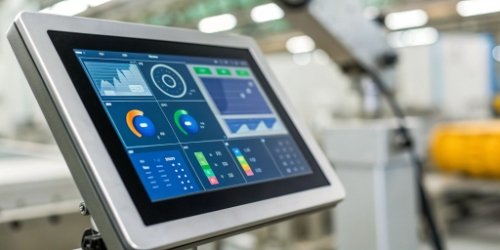
When I first started in this industry 19 years ago, an industrial scale did one thing: it weighed stuff. The operator would write down the number, and that was it. But today, that’s not enough. You need more than just a number; you need data that works for you. The real breakthrough isn’t just a prettier display. It’s how that intelligent screen becomes the central nervous system for your entire weighing process, connecting hardware and software into one seamless solution. Let’s explore how this transformation really works and why it matters so much for your business.
How Do Smart Screens Enhance Functionality and Usability on Industrial Scales?
Traditional scales have confusing buttons and limited displays. This makes training new operators difficult and daily operations slow and prone to mistakes. Smart screens provide an intuitive, user-friendly experience.
Smart screens enhance usability with graphical interfaces that feel like a smartphone, drastically reducing training time. They improve functionality by integrating features like data logging, recipe management, and network connectivity directly into the scale, streamlining workflows for every operator.
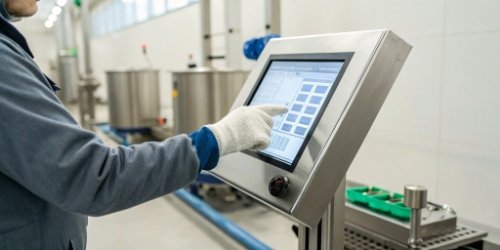
The jump from a basic digital readout to a full smart screen1 is like moving from a flip phone to the latest smartphone. It’s not just an upgrade; it’s a completely different way of working. Based on my experience helping clients globally, this change impacts two key areas.
Intuitive Interfaces for Everyone
The biggest immediate benefit is ease of use. Instead of memorizing complex button combinations, operators interact with clear icons and on-screen prompts. This graphical user interface2 (GUI) makes complex tasks simple. We’ve seen training times for new employees cut in half. An operator, whether they speak the local language fluently or not, can understand what an icon for "tare" or "print" means. This visual language breaks down barriers and reduces the mental load, leading to fewer errors and a less stressful work environment.
More Than Just Weighing
A smart screen turns the scale into a multi-functional workstation. It’s the core of how we create integrated solutions. We can load software directly onto the device for tasks like recipe formulation, quality control3 checks, or piece counting. The scale is no longer just a scale; it’s a data management terminal4.
| Feature | Traditional Scale | Smart Screen Scale |
|---|---|---|
| Interface | Physical buttons, basic LCD | Touchscreen, graphical icons |
| Training | Requires manual, memory-based | Intuitive, minimal training needed |
| Functionality | Weighing, taring | Weighing, data logging5, recipes |
| Data Entry | Manual, external device | On-screen keyboard, barcode scanner |
This integration means you need less equipment on your shop floor, simplifying the entire setup.
Which touchscreen is used for industrial purposes?
Your work environment is tough, with dust, water, and impacts. A standard consumer-grade touchscreen would break in days. You need a screen built specifically for these harsh conditions.
For industrial purposes, companies primarily use two types: resistive and projected capacitive (PCAP) touchscreens. Resistive screens work with gloves and are resistant to contaminants, while PCAP screens offer multi-touch clarity, protected by rugged, sealed casings to survive tough environments.
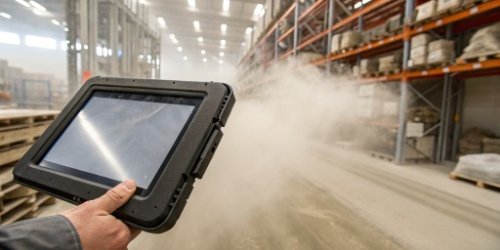
Choosing the right screen technology is critical for reliability. In my 19 years, I’ve learned that you can’t just put a tablet screen on an industrial scale and expect it to last. The technology inside has to match the environment outside. When we provide custom solutions, the screen type is one of the first things we discuss.
The Workhorse: Resistive Touchscreens
Resistive screens have been the industrial standard for years. They work through pressure. Two flexible layers are separated by a small gap; when you press down with a finger, stylus, or gloved hand, the layers touch and register the location. This makes them incredibly versatile. They are not affected by dust or splashes of water, which is a huge advantage in many manufacturing or food processing plants. While they might not be as bright or responsive as a smartphone screen, their reliability is unmatched in dirty or wet conditions.
The Modern Choice: Projected Capacitive (PCAP)
PCAP is the technology used in modern smartphones and tablets. It uses an electrical grid, and your finger disrupts the field to register a touch. These screens offer a much clearer, brighter display and allow for multi-touch gestures6 like pinching and zooming. For industrial use, we house them in extremely durable, sealed bezels with thick glass that can withstand impact and cleaning with harsh chemicals. They are perfect for complex applications where operators need to interact with detailed charts or schematics right on the scale.
| Screen Type | Best For | Key Advantage | Potential Downside |
|---|---|---|---|
| Resistive | Dirty, wet environments | Works with any glove | Lower screen clarity |
| PCAP | Complex software, clean areas | Multi-touch, high clarity | May not work with thick gloves |
Ultimately, the choice depends entirely on your specific workflow and environment, which is why a one-size-fits-all approach never works.
How Can Smart Screens Improve Efficiency in Industrial Weighing Processes?
Manual data entry and slow, multi-step procedures are major bottlenecks. These delays cost you valuable time and money while increasing the risk of human error in every batch. Smart screens automate these tasks.
Smart screens accelerate efficiency by automating data capture, which eliminates manual logging and costly transcription errors. They provide on-screen guided workflows for complex processes, reducing task time, ensuring procedural consistency, and getting every job done right the first time.
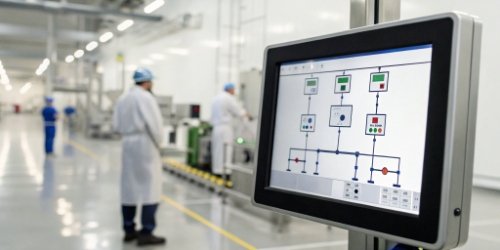
Efficiency isn’t just about speed; it’s about accuracy and consistency. A smart screen acts as a co-pilot for your operators, ensuring that processes are followed perfectly every single time. As a manufacturer myself, I know that reliable processes are the foundation of quality. A smart scale is a key tool for building that foundation. It’s how we help our clients transform weighing from a simple measurement into a controlled, value-adding step in their production line7.
Automating Data, Eliminating Errors
The most significant efficiency gain comes from automated data logging. Every time a weight is recorded, the smart screen can automatically capture the weight, product ID, operator ID, time, and date. This information can be saved locally or sent directly to your ERP or quality management system over Wi-Fi or Ethernet. Think about it: no more clipboards, no more spreadsheets, and no more someone trying to read messy handwriting. This single change eliminates a huge source of potential error and frees up your team to focus on more important tasks.
Guided Workflows for Perfect Results
For complex tasks like batching or recipe formulation, a smart screen is a game-changer. We can program the exact steps of the process into the scale. The screen will tell the operator, "Step 1: Add 10.5 kg of Ingredient A." As they add the ingredient, a progress bar fills up. The screen will turn green when the target weight is reached and will not allow them to proceed to Step 2 until the first step is completed correctly. This ensures that every batch is made to the exact same specification, regardless of who the operator is or how much experience they have. This level of process control is fundamental for quality and consistency.
What Impact Do Smart Screens Have on User Experience and Decision-Making in Industry?
Operators using old scales often just see a number. This doesn’t provide the context needed to make good decisions, leading to process deviations and inconsistent quality. Smart screens visualize data.
Smart screens improve user experience by replacing cryptic codes with clear graphics, reducing stress and errors. For decision-making, they provide real-time data visualization—like charts and status indicators—that empowers operators to spot problems and make correct, informed choices on the spot.
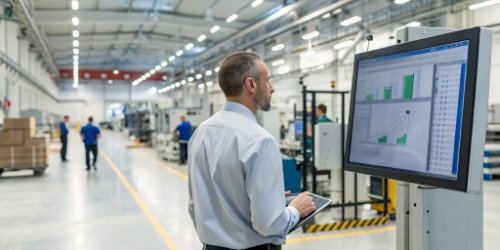
Ultimately, a tool is only as good as the person using it. A smart screen empowers your people. It gives them the right information, in the right format, at the right time. I visited a client’s facility once, and they told me their error rate in batching dropped by over 30% in the first month after installing our smart scales. The reason was simple: the operators could finally see what they were doing. The screen showed them in real-time if they were in or out of tolerance. That immediate feedback changed everything.
From Confusing to Clear
The user experience8 is about reducing cognitive load9. An operator shouldn’t have to think about how to use the scale; they should be thinking about the task. A clean, visual interface makes operation feel second nature.
- Before: A flashing code "Err-07" appears. The operator has to stop, find the manual, and figure out what it means.
- After: A pop-up message appears on the screen in plain language: "Warning: Weight unstable. Please check for vibration."
This clarity not only speeds things up but also reduces frustration and makes the job more satisfying for your employees.
Data that Drives Decisions
Empowerment comes from information. A smart screen can display data in ways that are immediately useful for making decisions. Instead of just showing a weight of "50.1 kg," it can show a bar graph with the target weight of "50.0 kg" and clear tolerance lines. The operator can instantly see they are within spec and can confidently move to the next step. This visual feedback allows operators on the floor to take ownership of quality control. It also enables supervisors to walk the floor, glance at a screen, and understand the status of a process without having to ask questions or pull reports. This is how you build a smarter, more agile operation from the ground up.
Conclusion
Smart screens do more than just display weight. They turn a simple scale into an intelligent, connected node in your production line, boosting efficiency, usability, and data-driven decision-making for your team.
-
Explore how smart screens enhance usability and efficiency in industrial settings. ↩
-
Explore how GUIs simplify complex tasks and enhance user interaction. ↩
-
Find out how technology can enhance quality assurance processes. ↩
-
Explore how data management terminals streamline operations and improve data accuracy. ↩
-
Discover how data logging can streamline operations and improve accuracy. ↩
-
Discover the benefits of multi-touch technology in industrial applications. ↩
-
Discover the role of smart technology in enhancing production workflows. ↩
-
Discover the link between user experience and operational efficiency. ↩
-
Learn how reducing cognitive load can enhance productivity and reduce errors. ↩
Comments (0)