
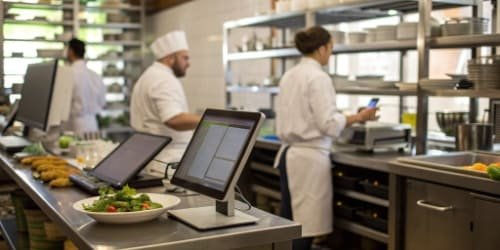
Your restaurant is losing profit from food waste and messy inventory. Manual tracking is slow and error-prone. The right software provides a clear, automated solution for better control.
Restaurants use a variety of inventory management software, often integrated with their Point of Sale (POS) systems. Popular choices include Toast POS, Lightspeed Restaurant, and TouchBistro, which track stock levels in real-time as items are sold and used by kitchen staff to manage inventory.

Choosing the right software is a great first step. But I've learned from 19 years in this business that even the best software is useless if the data going into it is wrong. That's where the connection between the software application and the physical hardware becomes critical. Let’s look at what makes some software platforms so popular and how they really work in a busy restaurant or canteen environment.
Which Inventory Management Software Is Most Popular Among Restaurants?
You know you need software but are overwhelmed by options. Choosing the wrong one is a costly mistake. We will highlight the top choices to simplify your decision.
Toast POS, Lightspeed, and TouchBistro are market leaders that combine POS functions with inventory tracking. Others like MarketMan and xtraCHEF focus purely on back-of-house operations, including supplier management and cost analysis, which is great for large-scale operations.
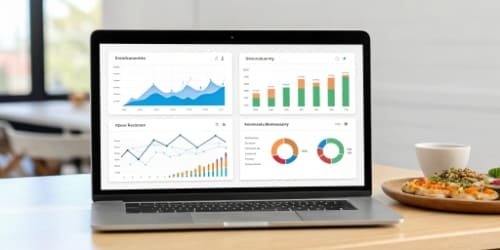
When we talk to our clients, who are often software providers themselves, they see two main types of systems in the market. The all-in-one POS systems are great for smaller cafes and restaurants. But for larger operations, dedicated inventory management platforms offer more power. These platforms are where we, as a hardware manufacturer, see the most potential.
I remember a conversation with a commercial kitchen manager in Germany. He had invested in a top-tier inventory software but was still struggling with inaccurate stock counts. The problem wasn't the software. It was the data entry. Staff were guessing weights or using old, uncalibrated scales. His expensive software was running on bad data. This is a story we hear all the time. The software can only be as accurate as the information it receives. That's why a robust hardware link is essential.
Software Type Comparison
| Software Category | Primary Function | Ideal User | Key Integration Need |
|---|---|---|---|
| All-in-One POS | Sales, payments, basic inventory | Small to medium restaurants | Direct link between sales & stock |
| Dedicated Inventory | Deep inventory, costing, procurement | Large restaurants, chains, canteens | API for POS and weighing hardware1 |
This is why we engineer our industrial scales with easy API integration in mind. We want to be the most reliable source of data for these powerful software platforms.
How Do Restaurants Utilize Inventory Software to Minimize Waste?
Food costs are soaring, and spoilage is eating your profits. You try to track waste, but it's inconsistent. Software provides the data-driven approach you need to stop guessing.
Software minimizes waste by tracking ingredient usage against sales. It highlights slow-moving items, flags products nearing expiration, and provides precise data on portion control. This allows chefs to adjust menus and purchasing to reduce spoilage and over-prepping significantly.
The real magic happens when software gets accurate, real-time data directly from the kitchen. It can then compare what should have been used based on sales with what was actually used. This is called variance reporting2, and it's a goldmine for finding hidden waste. But to get there, you need to move beyond theory and get into the practical details of kitchen operations3.
Precise Portion Control
A recipe calls for 150 grams of chicken. A chef using their eye might use 170 grams. Across hundreds of orders, this small difference adds up to huge losses. This is where we saw an opportunity to connect our hardware. We developed IoT-enabled weighing scales that sit on the prep line. A chef places the chicken on the scale, and the exact weight is automatically recorded and sent to the inventory system. The system can even flash a red or green light to confirm the portion is within tolerance. This enforces consistency and eliminates waste at the source.
Tracking Spoilage and Comps
Software allows staff to log spoiled items or complimentary ("comped") dishes with a reason code. But it's even better when this process is tied to physical weight. When a case of lettuce goes bad, placing it on an integrated scale4 and hitting a "spoilage" button provides the system with exact data on the loss. This is much more accurate than a manager just guessing "we lost about half a case." Accurate data leads to smarter purchasing decisions and less waste over time.
What Features Should Restaurants Look for in Effective Inventory Software?
All software promises to solve your problems. But many are complicated or lack key features. How do you choose a system that will actually help your business grow?
Look for key features like real-time inventory tracking, purchase order management, recipe and menu costing, and detailed sales analytics. Crucially, ensure it can integrate with other systems, especially your POS and, ideally, your hardware like weighing scales for accurate data input.

Over our 19 years of building weighing solutions, we've seen what separates a good software "partner" from a bad one. It almost always comes down to their approach to integration. A closed system that doesn't talk to other devices is no longer acceptable in a modern restaurant. As a software provider, you should be thinking about how to create a complete ecosystem for your client.
Core Functionality vs. Essential Integrations
We can break down features into two groups. The "core" features are what the software does by itself. The "integrations" are how it connects to the real world, which is arguably more important for data accuracy.
| Feature Type | Examples | Why It's Important |
|---|---|---|
| Core Functionality | Recipe Costing, Low Stock Alerts, Reporting & Analytics | These are the basic tools for managing inventory and making business decisions. They provide the 'brains' of the operation. |
| Essential Integrations | POS Integration, Accounting Software Sync, Weighing Scale API | These are the 'senses' of the operation. They feed the software real, accurate data5 from sales, finance, and physical goods. |
From our perspective at Weigherps, the weighing scale API is non-negotiable. A software solution that can pull real-time weight data for receiving, portioning, and waste tracking is ten times more valuable than one that relies on manual entry. We design our products with an open and well-documented API to make this connection seamless for software developers. This allows them to offer a more powerful, complete solution to their end customers.
How Can Inventory Software Streamline Ordering and Stock Management in Restaurants?
You're constantly running out of key ingredients or ordering too much. The manual ordering process is chaotic and stressful. There's a much smoother way to manage your stock.
Software streamlines ordering by using sales data and current stock levels to suggest purchase orders. It can set automatic reorder points for specific items, preventing stockouts. This also centralizes supplier information and purchasing history, making reordering a quick and accurate process.
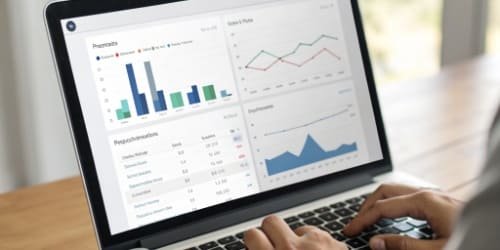
This automated process sounds perfect, but a system is only as good as its weakest link. We've found that the weakest link is almost always at the receiving dock. This is the first point of contact for all new inventory, and it's where accuracy must begin. If you get this step wrong, every other report and alert in your system will be based on a lie.
Automated Reorder Points
The software tracks your sales velocity for cheese. It knows you use, on average, 10kg per day and it takes 2 days for a delivery. It can automatically set a reorder point at 30kg of stock. The moment your inventory level drops below that, it generates a purchase order. This is incredibly efficient, but it completely depends on the system knowing you actually have 30kg.
The CRITICAL Role of Receiving
Here is where our hardware completes the picture. A supplier delivers a crate of cheese. The invoice says 25kg. Your staff member places it on one of our industrial platform scales connected to your network. The scale reads 24.1kg and sends that exact data to the inventory software. The system now knows the truth. It updates the stock level with the real number, not the number from the invoice. It can even flag the discrepancy for the manager to follow up with the supplier.
Without this step, a staff member might just type "25kg" into the system. The software now thinks you have 0.9kg more cheese than you do. This small error, multiplied across dozens of deliveries every week, is how a restaurant slowly loses control of its inventory. Accurate weigh-ins at the receiving dock are the foundation of a trustworthy inventory management system.
Conclusion
The right software is powerful. But pairing it with a reliable hardware weighing system is what transforms inventory management from a guess into a science, securing your restaurant's profits.
-
Understand the significance of weighing hardware in ensuring accurate inventory data. ↩
-
Learn about variance reporting and how it helps identify hidden waste in your restaurant. ↩
-
Explore how software can streamline kitchen operations for better efficiency. ↩
-
Learn about the advantages of integrated scales for accurate inventory tracking. ↩
-
Understand the importance of accurate data in making informed inventory decisions. ↩



Comments (0)