
Tired of messy workstations and tangled wires? Juggling multiple devices for one simple task is inefficient. It's a hidden cost that slows your whole operation down.
An integrated scale printer is the smart solution. It combines weighing and labeling into one action, saving physical space, reducing errors, and streamlining your workflow. This consolidation immediately eliminates unnecessary steps, hardware, and the potential for human error, making your process faster and more reliable.
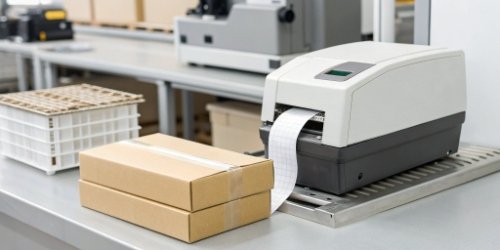
I've visited countless production floors and warehouses over my 19 years in this business. I often see the same scene: a perfectly good industrial scale connected to a computer, which is then connected to a desktop printer. It’s a setup that works, but it's far from optimal. The real "aha" moment for my clients comes when I show them how much simpler things can be. They see the wasted steps, the potential for error, and the unnecessary clutter they’ve been living with. Let’s break down exactly why a single, smart device is a better choice for your business. It's time to explore the clear advantages waiting for you.
What Benefits Come from Using a Scale Printer Instead of a Desktop Printer?
Are you managing separate maintenance schedules and supply orders for your scales and printers? This doubles your workload and introduces more points of failure, complicating a simple process.
The primary benefits are significant space savings, lower hardware costs, and fewer consumables to manage. Most importantly, it boosts accuracy by removing the risk of an operator incorrectly transcribing weight data onto a separate label.
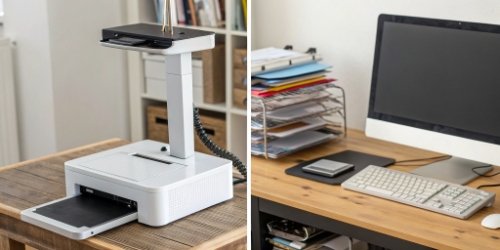
When I walk into a new client's facility, the first thing I notice is how they use their space. In production, every square inch of bench space is valuable. A setup with a scale, a dedicated PC, and a desktop printer can easily eat up a huge chunk of a workstation. An integrated scale printer1 gives all that space back. But the benefits go far beyond just tidying up. Think about the costs. A separate setup isn't just one purchase; it's three. And it doesn't stop there. I've broken it down for clients using a simple table, and the financial and operational impact is always clear.
The True Cost Comparison
| Cost Factor | Desktop Printer Setup | Integrated Scale Printer |
|---|---|---|
| Hardware Purchase | Scale + Computer + Printer | Single, all-in-one unit |
| Power Consumption | 3 devices drawing power | 1 energy-efficient device |
| Maintenance | Potentially 3 service contracts2 | 1 simplified service plan |
| Human Error | High risk of data entry mistakes3 | Data transfer is automatic |
The last point, human error4, is often the most expensive. I recall one client in the food processing industry who discovered they were losing thousands each month because an operator consistently typed "6.5 kg" instead of "5.6 kg". It was a simple, recurring mistake that an integrated system would have made impossible.
How Can Transitioning to Scale Printing Improve Efficiency?
Do you ever feel like your packaging or shipping line is held up by the labeling process? These bottlenecks stall your entire workflow, wasting valuable time and hurting your daily output.
It dramatically improves efficiency by cutting down process steps. An operator weighs an item and receives a printed label instantly, right at the point of action. This completely removes the need to walk between stations or wait for a shared printer, directly boosting your throughput.
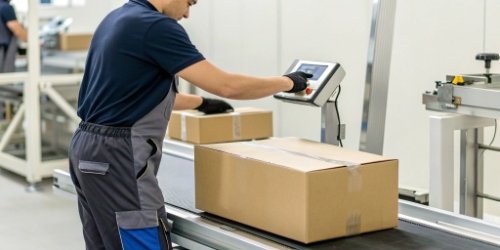
Let's get practical and walk through a workflow5 I see all the time. The difference between the old way and the new way is staggering, and it's where managers really see the value. The problem is that the "old way" feels normal until you see a better alternative in action. I love demonstrating this on-site because the reaction is always the same: "Why didn't we do this sooner?" The efficiency gain isn't just a small improvement; it's a fundamental change in how work gets done.
The Old Workflow: A Tale of Wasted Steps
- Place an item on the scale.
- Read and remember (or write down) the weight.
- Walk over to a shared computer station.
- Manually type the weight and other product data into a labeling program.
- Click print and wait for the label to come out of the desktop printer.
- Walk back to the item and apply the label.
The New Workflow: Weigh, Print, Done
- Place the item on the integrated scale printer.
- Press the "Print" button. The correctly formatted label prints instantly.
- Apply the label.
Imagine saving just 20 seconds per package. If your facility handles 1,000 packages a day, that adds up to over 5.5 hours of recovered labor time. Every single day. That time can be used for quality control, packing more items, or preparing for the next shipment. This isn't just about speed; it's about unlocking your team's true productive capacity.
Why Might a Scale Printer Be More Convenient Than a Desktop Printer for Labeling?
Are you frustrated by the jumble of power cords and data cables required just to print a label? This common workspace headache clutters your area and creates unnecessary trip hazards.
Its convenience stems from an all-in-one design. It minimizes setup complexity, drastically reduces the mess of cables, and contains the entire weighing and labeling task in one small footprint. The work gets done right where it needs to happen, without any extra fuss.
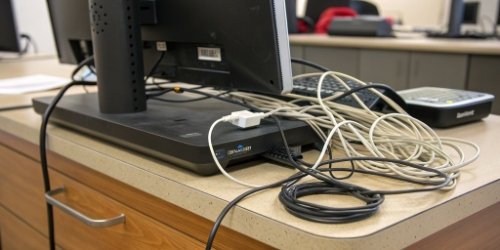
When we talk about convenience, we're talking about making life easier for the people who do the work every day. My insight from years of observation is this: a complicated setup leads to inconsistent results. Simplicity breeds consistency and reliability. The physical convenience is the most obvious benefit. Instead of needing three power outlets and multiple data cables for a scale, PC, and printer, you need just one power cable for the integrated unit. This immediately cleans up the workspace and reduces potential failure points. But the convenience goes deeper than that.
More Than Just Fewer Wires
- Simplified Support: With a separate system, who do you call when a label won't print? The scale company? The printer manufacturer? Your IT department? It can become a frustrating game of finger-pointing. With our integrated solutions at Weigherps, you have one point of contact. We handle everything.
- Faster Training: I once watched a new hire at a client's facility spend nearly an hour trying to learn their three-device labeling process. It was confusing and inefficient. We replaced that station with one of our integrated scale printers, and the next new hire was trained and working independently in under 15 minutes. That's operational convenience that directly impacts your bottom line.
- Portability: Many of our scale printers can be equipped with batteries, making them fully mobile. You can take the weighing and labeling6 station to the inventory, instead of bringing the inventory to the station. This is a game-changer for cycle counting and large warehouses.
What Are the Downsides of Relying on Desktop Printers Compared to Integrated Scale Printers?
Are you still dealing with shipping errors or inventory counts that don't add up? These small data entry mistakes snowball into huge problems that can drain your profits.
The major downsides are a high risk of human error from manual data entry, increased hardware failure points, and an inefficient workflow. Together, these factors create bottlenecks, drive up operational costs, and introduce inaccuracies into your system.
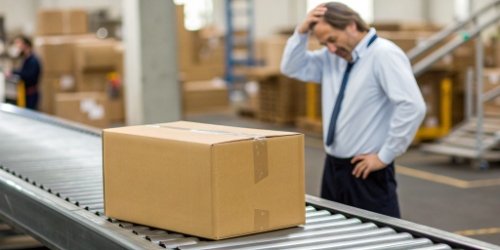
Sticking with a separate desktop printer setup isn't just a matter of preference; it comes with tangible risks and hidden costs7. As a partner to my clients, it's my job to help them see these risks before they turn into major losses. Many businesses accept these issues as "the cost of doing business," but they don't have to be. Let’s be very clear about the disadvantages you face by not integrating. These are not minor annoyances; they are active drains on your company's resources and profitability. I've summarized the key issues in a table I often share with purchasing managers to help them make a fully informed decision.
The Hidden Costs of a Separate Setup
| Disadvantage | The Problem with a Desktop Printer Setup | The Impact on Your Business |
|---|---|---|
| Accuracy Risk | Relies entirely on manual data entry from scale to PC. | High chance of typos and transposition errors, leading to wrong shipments, customer complaints, and costly returns. |
| Inefficiency | The process involves multiple steps and movement between stations. | Wasted labor hours, lower daily throughput, and production line bottlenecks8 that can delay entire orders. |
| Space Drain | Requires dedicated counter space for at least three separate devices. | A cluttered, disorganized, and potentially unsafe workspace. Less room available for value-added production tasks. |
| Unreliability | Three devices mean three potential points of failure. | A problem with the PC, printer, or scale can bring the entire labeling process to a halt, causing significant downtime. |
| Complex Maintenance | Involves multiple vendors, drivers, software, and service plans. | Time-consuming to troubleshoot and manage. It's difficult to get a quick resolution when problems occur. |
Conclusion
Ultimately, switching to an integrated scale printer is a simple move. It saves space, time, and money while dramatically improving accuracy. It’s a small change that delivers a big impact.
-
Discover how an integrated scale printer can streamline your workflow and reduce errors. ↩
-
Learn how a single service contract can save time and reduce frustration. ↩
-
Learn about the types of data entry mistakes and how to avoid them with integrated systems. ↩
-
Understand the risks of human error and how integrated systems can mitigate them. ↩
-
Learn how integrated systems can streamline your workflow and reduce bottlenecks. ↩
-
Learn about the efficiency of combining weighing and labeling in one device. ↩
-
Understand the hidden costs associated with traditional labeling setups. ↩
-
Discover how integrated systems can streamline your production process. ↩


Comments (0)