

Frustrated with a scale that won't settle? Unpredictable numbers can ruin your measurements and cause costly errors.
Your digital scale's numbers might be changing due to sensor issues, environmental factors like drafts, unstable power, or a need for recalibration. Ensuring a stable setup and checking connections can often fix this frustrating problem, giving you the accuracy you depend on.
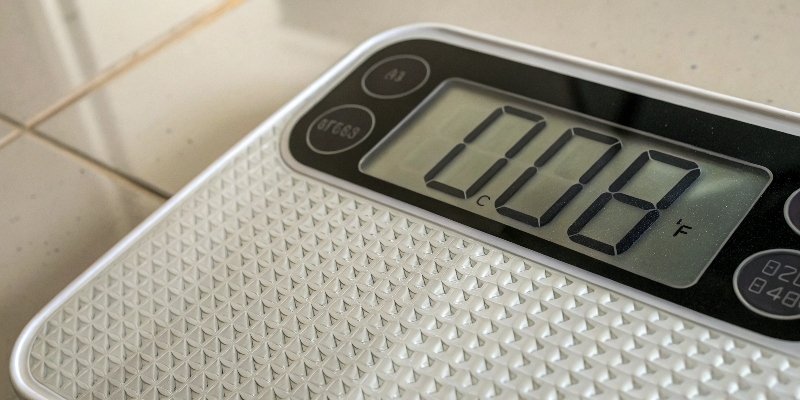
I've been in the weighing industry for 18 years. At Weigherps, we've seen countless cases of "jumping numbers1." It's a common problem, but the solution is usually straightforward. Chasing a fluctuating number is a waste of your valuable time. Let's break down the reasons why your scale is acting up and how you can fix it. It's time to get a stable, reliable reading you can trust. We can work through this together.
Why does my digital scale keep giving me different readings?
Do you get a different weight every time? This inconsistency wastes time and undermines your trust in your data.
Inconsistent readings often stem from environmental factors. Things like air drafts from an AC unit, vibrations from nearby machinery, or an unstable surface can cause the scale to fluctuate. Placing your scale in a stable, calm environment is the first step to accurate measurements.

I remember a client in a food processing plant. Their bagging scale was giving different weights for identical products. They were frustrated by the product giveaway. After a quick visit, we found the scale was right under a large industrial air vent. The constant airflow was pushing on the weighing platform, causing the inconsistent readings. We built a simple shield around the scale, and the problem vanished. The environment matters more than you might think. It's often the first place we look for a solution.
The Environment's Hidden Influence
Your scale is a sensitive instrument. It measures force, and anything that adds even a tiny, fluctuating force will affect the reading. This includes changes in temperature, which can cause internal components to expand or contract, leading to a drift in the zero point. Vibrations from floors or nearby equipment also directly interfere with the measurement.
How to Create a Stable Weighing Zone
Your goal is to insulate the scale. Keep it away from fans, heaters, and open doors. Place it on a sturdy, durable table, not a flimsy one. Make sure the surface is perfectly level.
| Environmental Problem | Simple Solution |
|---|---|
| Air Drafts | Move the scale or use a draft shield2. |
| Vibrations | Use an anti-vibration mat3 or move to a solid floor. |
| Temperature Swings | Keep the ambient temperature stable. |
| Unstable Surface | Place on a heavy, level, and sturdy workbench. |
Why does the number on the scale keep changing?
Watching the numbers on your scale flicker constantly? This digital dance can make getting an accurate measurement feel impossible.
Constantly changing numbers often point to power supply issues or sensor problems. An unstable power source, a low battery, or a faulty sensor can send erratic signals, causing the display to flicker. Checking your power connection and sensor wiring is a crucial diagnostic step.

We once had a customer contact our support team. They were very upset that their new bench scale's display was flickering non-stop. They were ready to send it back. Our technician asked them to try one simple thing: use the power adapter from another working scale. They did, and the flickering stopped immediately. The original adapter was faulty and creating "dirty" power. It's a simple check that saved them days of downtime. A clean, stable power source is the foundation of a stable reading.
Is Your Power Supply Stable?
Digital scales need a consistent voltage to work properly. If you are using a power adapter, make sure it is the correct one for your scale and is plugged in securely. A fluctuating voltage from the wall outlet can also be a culprit. If you're using batteries, a low charge is one of the most common reasons for a flickering display.
When the Sensor is the Culprit
The load cell4, or sensor, is the heart of the scale. Its wires carry a very sensitive signal. If these wires are loose, corroded, or damaged, the signal becomes unstable. Sometimes, the sensor itself can fail due to age or being overloaded.
| Power/Sensor Problem | Simple Solution |
|---|---|
| Low Battery | Replace the batteries or fully charge the unit. |
| Faulty Power Adapter | Test with a known good adapter. |
| Loose Sensor Wire | Open the housing and check for secure connections. |
| Damaged Sensor | Visually inspect the sensor. If damaged, it needs replacement. |
Why does my weight change every time I step on the scale?
Tired of second-guessing your scale's results? When your measurements change with each use, it's hard to know what's real.
If the weight changes every time you place an object on the scale, the issue could be mechanical. Check if the scale is perfectly level, if any debris is stuck underneath it, or if the feet need adjustment. Proper physical setup is essential for repeatable, trustworthy results.
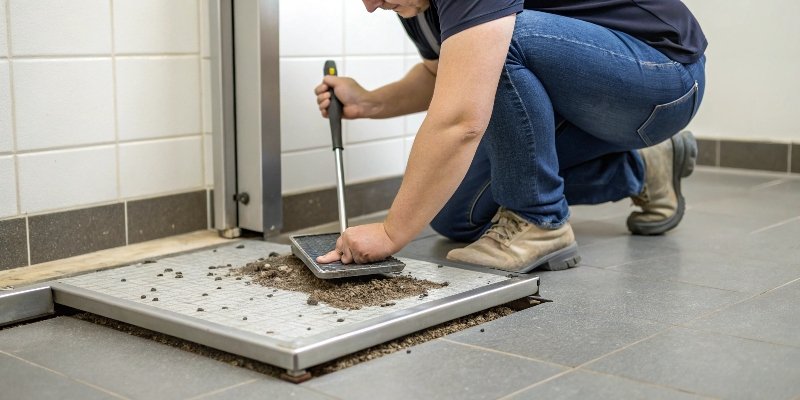
A warehouse manager called us, complaining that his large floor scale was giving him a different pallet weight every morning. The variance was small, but it added up to big inventory errors. I suggested he check under the scale. Sure enough, a small piece of a broken wooden pallet was lodged near one of the scale's load cells. It was not obvious, but it was enough to throw off the readings. A quick clean solved a month-long headache. Always check for physical obstructions.
The Importance of a Level Foundation
Most scales have adjustable feet. These are not just for stability; they are for leveling. If the scale is not level, the weight is not distributed evenly across all the sensors (load cells). This causes inconsistent and inaccurate readings. Use a spirit level on the weighing platform to ensure it is perfectly flat in all directions.
Clearing Physical Obstructions
It’s amazing what can get stuck under or around a scale. Dirt, debris, or even a misplaced cable can touch the weighing platform or interfere with the mechanics. This prevents the scale from moving freely and settling on a true weight. Make sure there is a clear gap around all sides of the scale platform.
| Mechanical Problem | Simple Solution |
|---|---|
| Scale Not Level | Use a spirit level and adjust the scale's feet until it is. |
| Debris Under Scale | Lift the scale and thoroughly clean the area underneath. |
| Platform Obstructed | Ensure nothing is touching the sides of the weigh platform. |
| Incorrect Limit Bolt Gap | Check the manual for correct spacing and adjust if needed. |
Why is my digital scale jumping numbers?
Is your scale's display jumping erratically? These sudden shifts aren't just annoying; they can corrupt critical data instantly.
Jumping numbers are often caused by outside interference or internal software issues. Electromagnetic interference (EMI) from nearby motors or incorrect calibration settings can make your scale's readings highly unstable. Isolating the scale and performing a fresh calibration are key solutions to this problem.

One of our most interesting cases involved a client who installed a new weighing system in their automated factory. The scale worked perfectly during our testing. But when they started their main production line, the numbers went crazy. We discovered the scale was placed right next to a powerful variable-frequency drive (VFD). This VFD was creating a lot of EMI. We fixed it by using special shielded cables and grounding the scale chassis. The signal stabilized immediately. It was a lesson in how invisible forces can impact precision equipment.
Battling Invisible Interference (EMI)
Electromagnetic Interference (EMI) is noise from other electrical equipment. Things like large motors, welders, radios, and VFDs can disrupt the sensitive signal from the load cell. This causes the reading to jump around. Sometimes the fix is as simple as moving the scale. Other times, it requires using shielded signal cables and proper grounding.
Is It Time for a Recalibration?
A scale’s calibration can drift over time or become corrupted. If the scale has lost its calibration data, it doesn't know how to interpret the signal from the sensor. This can lead to jumping numbers or wild inaccuracies. Performing a full and proper calibration with certified weights5 is essential. If the issue persists, the problem might be a low-quality component or a sign the scale is at the end of its life.
| Advanced Problem | Simple Solution |
|---|---|
| EMI/RFI | Move the scale away from large motors or use shielded cables. |
| Calibration Lost | Recalibrate the scale using certified weights and the user manual. |
| Parameter Error | Consult the manual to check settings or perform a factory reset. |
| Poor Quality Part | Consider replacing a low-quality scale with a reliable one. |
Conclusion
To fix a jumping scale, check the environment, power, physical setup, and calibration. A systematic check usually solves the problem, restoring reliable and accurate measurements.
-
Discover the reasons behind erratic scale readings and how to fix them. ↩
-
Find out how a draft shield can protect your scale from environmental factors. ↩
-
Explore how anti-vibration mats can stabilize your scale for accurate readings. ↩
-
Learn about the critical role of load cells in ensuring accurate measurements. ↩
-
Understand the importance of certified weights in maintaining scale accuracy. ↩


Comments (0)