
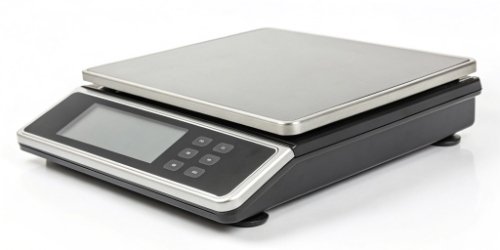
Integrating hardware with your web app is a huge challenge. Dealing with drivers is a nightmare. What if a smart scale could work directly as a standalone terminal?
Absolutely. A smart label printing scale with an embedded OS, like Android, can run a web browser or a specific web-view application. This allows it to function as a standalone terminal for your web-based software, completely removing the need for an external computer.
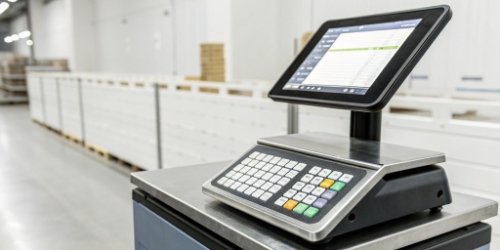
The idea of a scale acting as a direct terminal for your web app is a game-changer. It gets rid of the middleman—the PC—and streamlines your entire process. This shift isn't just about saving desk space; it represents a more integrated, efficient, and modern approach to industrial and commercial tasks. So, how exactly is this possible, and what real benefits does it offer your business? Let's dive deeper and explore how this technology can revolutionize your workflow.
What Are the Advantages of Using a Smart Label Printing Scale as a Standalone Terminal for Web Apps?
Traditional weighing stations using PCs are expensive and cumbersome. They take up valuable space and require constant maintenance. Using a smart scale as a terminal simplifies your setup immensely.
The main advantages are a lower total cost of ownership (TCO), a smaller physical footprint, and simplified maintenance. You also get improved system reliability, leading to a more streamlined and efficient workflow without needing an intermediate PC.
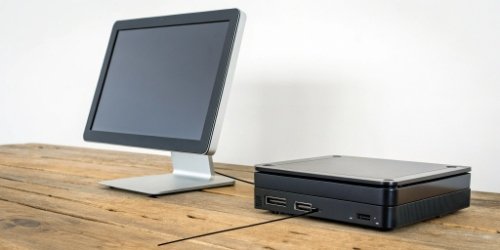
The benefits of moving to a PC-less setup1 are immediate and significant. We see this with our clients all the time. They are often surprised by how much simpler their operations become. The advantages go beyond just the initial setup.
Lower Total Cost of Ownership (TCO)
You no longer need to purchase, license, and maintain a separate desktop computer for each weighing station. This also means no extra costs for monitors, keyboards, or mice. Our smart scales are all-in-one units. They also consume less power than a typical PC, which adds up to significant energy savings over time.
Simplified Operations and Maintenance
Deploying one device is much faster than setting up and connecting multiple components. For your staff, training is easier because they only have to learn one device. For your IT team, maintenance is a breeze. Software updates are managed centrally through your web app, not on individual PCs.
Increased Reliability
A simpler setup has fewer points of failure. Our industrial-grade scales2 are built to withstand harsh environments far better than a standard office PC. This means more uptime and less disruption to your crucial business operations.
| Feature | Traditional PC Setup | Smart Scale Terminal Setup |
|---|---|---|
| Components | Scale + PC + Monitor + Keyboard | All-in-one smart scale |
| Footprint | Large, cluttered | Small, compact |
| Initial Cost | High | Moderate |
| Maintenance | Complex, multiple devices | Simple, single device |
| Reliability | More failure points | Highly reliable |
How Can a Smart Label Printing Scale Function Independently with Your Web-Based Software?
You might think connecting hardware directly to a web app is impossible. This view can limit your operational efficiency. In reality, modern scales make this direct connection surprisingly simple.
It works through a built-in web browser or a dedicated web-view app running on the scale's operating system. The scale connects to your network via Wi-Fi or Ethernet, accesses your web app's URL, and shows the user interface directly on its screen.
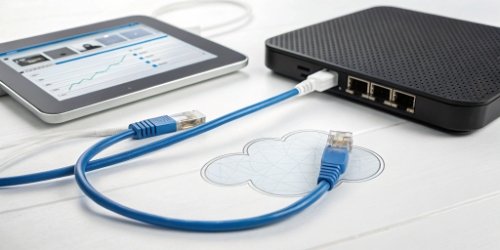
The magic behind this capability lies in combining modern hardware with smart software architecture. We designed our scales to be flexible and powerful enough to bridge the gap between the physical and digital worlds seamlessly. I remember working with a software vendor who was skeptical. We set up a demo, pointed one of our scales to their web app's URL, and within 10 minutes, they were weighing items and printing labels directly from their own software, all on the scale itself. No PC in sight. Their team was amazed at the simplicity.
The Role of the Operating System
Most of our smart scales run on Android. This powerful and familiar OS provides a stable foundation. It allows us to install a standard web browser3 or, for more control, a dedicated web-view application that runs in kiosk mode. This locks the device to your web app, preventing users from browsing elsewhere.
Network Connectivity
Our scales come standard with built-in Wi-Fi and Ethernet ports. They join your local network just like a laptop or a phone. This enables them to access your web application, whether it's hosted on a local server or in the cloud.
Interacting with the Web App
The scale's touchscreen becomes the main user interface. More importantly, we provide a Software Development Kit (SDK)4. This allows your web app, using simple JavaScript commands5, to communicate with the scale's hardware. It can request the current weight and command the integrated printer to print a label. This creates a flawless, two-way conversation between your software and our hardware.
What Features Enable a Smart Label Printing Scale to Operate as a Terminal for Web Applications?
Not all scales labeled 'smart' can do this job. Choosing the wrong one means your project will likely fail. Success depends on key hardware and software features working together perfectly.
Key features include an embedded operating system (like Android), a powerful CPU, and enough RAM. You also need integrated networking (Wi-Fi/Ethernet), a responsive touchscreen, and a supported Software Development Kit (SDK) that allows web-to-hardware communication.
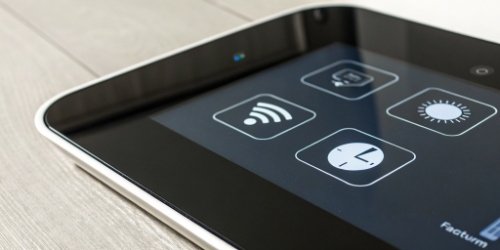
When you are looking for a scale to act as a terminal, you're essentially looking for a specialized computer designed for a specific job. The specifications matter. As manufacturers, we build our scales with these requirements in mind, ensuring they are robust enough for industrial use, not just for show. Below is a checklist of what you should look for.
Core Hardware Specifications
The processor and memory are crucial. Your web app needs to run smoothly on the device without lag. A high-resolution, responsive touchscreen6 is also non-negotiable, as it is the primary way your team will interact with the system.
Software and Connectivity
The operating system is the foundation, but the SDK is the key. The SDK provides the bridge that lets your programmers' code talk to our hardware. Without a well-documented and supported SDK, communication between the web app and the scale is impossible.
| Feature | Why It's Essential for a Web Terminal |
|---|---|
| Embedded OS (e.g., Android) | Provides a versatile platform to run a web browser or a web-view app. |
| Powerful CPU & RAM | Ensures your web application runs smoothly and responsively on the device. |
| Responsive Touchscreen | Acts as the primary user interface for data input and control. |
| Integrated Networking | Connects the scale to the server where your web application is hosted. |
| JavaScript SDK/API | The critical link that allows your web app to get weight data and trigger print jobs. |
How Does Integrating a Smart Label Printing Scale Enhance the Capabilities of Your Web-Based Apps?
Your powerful web app is stuck in the digital realm. This disconnection from the physical world limits its practical use in many industries. Integrating a smart scale directly bridges this critical gap.
It transforms your web app from just a data management tool into a complete operational solution. It enables real-time, error-free weight capture, automates tasks like label printing, and adds immense value to your software offering.
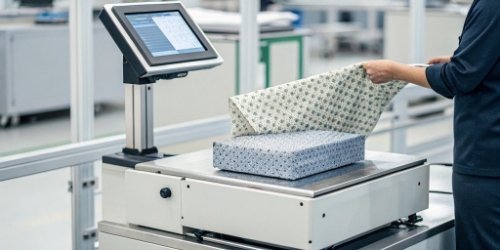
For you, a software vendor, this integration is more than just a new feature. It's a strategic move that enhances the value of your product and opens up new possibilities. You are no longer just selling software; you are providing a complete solution.
Creating an End-to-End Solution
Your app can now control a process from start to finish. From a user logging into your web interface on the scale, to weighing a product, to printing a compliant shipping or inventory label. This comprehensive functionality is a huge selling point.
Reducing Data Entry Errors
Manual data entry is a primary source of business errors, leading to inventory and shipping mistakes. By capturing weight data directly from the scale, you guarantee accuracy. This data integrity7 is invaluable for your customers in logistics, food production, and manufacturing.
Expanding Your Market
Suddenly, your software becomes relevant to a whole new set of industries that rely on weighing. You can now target markets in warehousing, food processing, retail, and more. As an OEM/ODM partner, we at Weigherps can even customize the scales with your branding. We can make them look and feel like your own hardware, allowing you to sell a unified hardware-software package. This empowers you to compete in new areas and grow your business.
Conclusion
Using a smart scale as a web app terminal is a brilliant move. It cuts costs, simplifies your workflow, and massively enhances your software's value in the physical world.
-
Discover the benefits of eliminating PCs from setups for improved efficiency and cost savings. ↩
-
Understand the features that distinguish industrial-grade scales for robust applications. ↩
-
Discover how web browsers can operate on embedded systems, enabling seamless web app access. ↩
-
Understand the role of SDKs in software development and hardware integration. ↩
-
Discover how JavaScript commands facilitate communication between web apps and hardware. ↩
-
Explore the advantages of responsive touchscreens for user interaction and experience. ↩
-
Learn about the importance of data integrity and its impact on business success. ↩

Interesting concept! Using a smart scale as a terminal could really make life easier for those working in industries with heavy tech integration. I’m curious how this impacts the scalability of the system.