
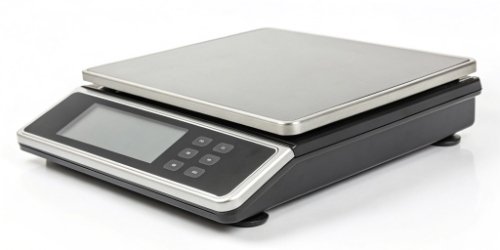
Integrating hardware with your web app is a huge challenge. Dealing with drivers is a nightmare. What if a smart scale could work directly as a standalone terminal?
Absolutely. A smart label printing scale with an embedded OS, like Android, can run a web browser or a specific web-view application. This allows it to function as a standalone terminal for your web-based software, completely removing the need for an external computer.
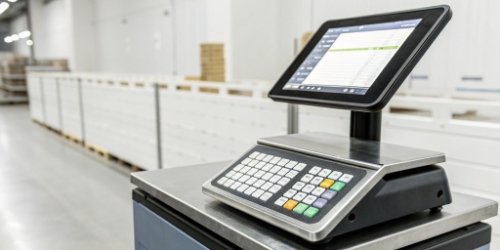
The idea of a scale acting as a direct terminal for your web app is a game-changer. It gets rid of the middleman—the PC—and streamlines your entire process. This shift isn't just about saving desk space; it represents a more integrated, efficient, and modern approach to industrial and commercial tasks. So, how exactly is this possible, and what real benefits does it offer your business? Let's dive deeper and explore how this technology can revolutionize your workflow.
What Are the Advantages of Using a Smart Label Printing Scale as a Standalone Terminal for Web Apps?
Traditional weighing stations using PCs are expensive and cumbersome. They take up valuable space and require constant maintenance. Using a smart scale as a terminal simplifies your setup immensely.
The main advantages are a lower total cost of ownership (TCO), a smaller physical footprint, and simplified maintenance. You also get improved system reliability, leading to a more streamlined and efficient workflow without needing an intermediate PC.
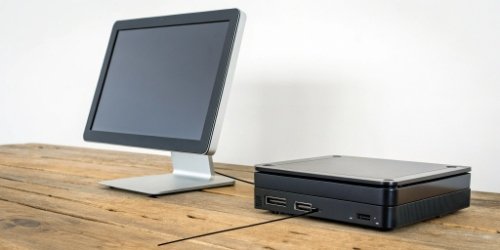
The benefits of moving to a PC-less setup1 are immediate and significant. We see this with our clients all the time. They are often surprised by how much simpler their operations become. The advantages go beyond just the initial setup.
Lower Total Cost of Ownership (TCO)
You no longer need to purchase, license, and maintain a separate desktop computer for each weighing station. This also means no extra costs for monitors, keyboards, or mice. Our smart scales are all-in-one units. They also consume less power than a typical PC, which adds up to significant energy savings over time.
Simplified Operations and Maintenance
Deploying one device is much faster than setting up and connecting multiple components. For your staff, training is easier because they only have to learn one device. For your IT team, maintenance is a breeze. Software updates are managed centrally through your web app, not on individual PCs.
Increased Reliability
A simpler setup has fewer points of failure. Our industrial-grade scales2 are built to withstand harsh environments far better than a standard office PC. This means more uptime and less disruption to your crucial business operations.
| Feature | Traditional PC Setup | Smart Scale Terminal Setup |
|---|---|---|
| Components | Scale + PC + Monitor + Keyboard | All-in-one smart scale |
| Footprint | Large, cluttered | Small, compact |
| Initial Cost | High | Moderate |
| Maintenance | Complex, multiple devices | Simple, single device |
| Reliability | More failure points | Highly reliable |
How Can a Smart Label Printing Scale Function Independently with Your Web-Based Software?
You might think connecting hardware directly to a web app is impossible. This view can limit your operational efficiency. In reality, modern scales make this direct connection surprisingly simple.
It works through a built-in web browser or a dedicated web-view app running on the scale's operating system. The scale connects to your network via Wi-Fi or Ethernet, accesses your web app's URL, and shows the user interface directly on its screen.
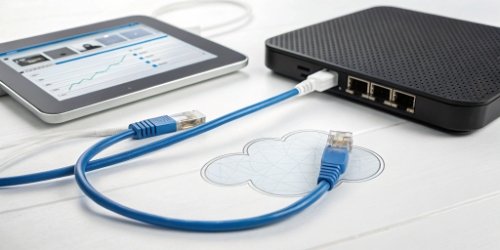
The magic behind this capability lies in combining modern hardware with smart software architecture. We designed our scales to be flexible and powerful enough to bridge the gap between the physical and digital worlds seamlessly. I remember working with a software vendor who was skeptical. We set up a demo, pointed one of our scales to their web app's URL, and within 10 minutes, they were weighing items and printing labels directly from their own software, all on the scale itself. No PC in sight. Their team was amazed at the simplicity.
The Role of the Operating System
Most of our smart scales run on Android. This powerful and familiar OS provides a stable foundation. It allows us to install a standard web browser3 or, for more control, a dedicated web-view application that runs in kiosk mode. This locks the device to your web app, preventing users from browsing elsewhere.
Network Connectivity
Our scales come standard with built-in Wi-Fi and Ethernet ports. They join your local network just like a laptop or a phone. This enables them to access your web application, whether it's hosted on a local server or in the cloud.
Interacting with the Web App
The scale's touchscreen becomes the main user interface. More importantly, we provide a Software Development Kit (SDK)4. This allows your web app, using simple JavaScript commands5, to communicate with the scale's hardware. It can request the current weight and command the integrated printer to print a label. This creates a flawless, two-way conversation between your software and our hardware.
What Features Enable a Smart Label Printing Scale to Operate as a Terminal for Web Applications?
Not all scales labeled 'smart' can do this job. Choosing the wrong one means your project will likely fail. Success depends on key hardware and software features working together perfectly.
Key features include an embedded operating system (like Android), a powerful CPU, and enough RAM. You also need integrated networking (Wi-Fi/Ethernet), a responsive touchscreen, and a supported Software Development Kit (SDK) that allows web-to-hardware communication.

When you are looking for a scale to act as a terminal, you're essentially looking for a specialized computer designed for a specific job. The specifications matter. As manufacturers, we build our scales with these requirements in mind, ensuring they are robust enough for industrial use, not just for show. Below is a checklist of what you should look for.
Core Hardware Specifications
The processor and memory are crucial. Your web app needs to run smoothly on the device without lag. A high-resolution, responsive touchscreen6 is also non-negotiable, as it is the primary way your team will interact with the system.
Software and Connectivity
The operating system is the foundation, but the SDK is the key. The SDK provides the bridge that lets your programmers' code talk to our hardware. Without a well-documented and supported SDK, communication between the web app and the scale is impossible.
| Feature | Why It's Essential for a Web Terminal |
|---|---|
| Embedded OS (e.g., Android) | Provides a versatile platform to run a web browser or a web-view app. |
| Powerful CPU & RAM | Ensures your web application runs smoothly and responsively on the device. |
| Responsive Touchscreen | Acts as the primary user interface for data input and control. |
| Integrated Networking | Connects the scale to the server where your web application is hosted. |
| JavaScript SDK/API | The critical link that allows your web app to get weight data and trigger print jobs. |
How Does Integrating a Smart Label Printing Scale Enhance the Capabilities of Your Web-Based Apps?
Your powerful web app is stuck in the digital realm. This disconnection from the physical world limits its practical use in many industries. Integrating a smart scale directly bridges this critical gap.
It transforms your web app from just a data management tool into a complete operational solution. It enables real-time, error-free weight capture, automates tasks like label printing, and adds immense value to your software offering.
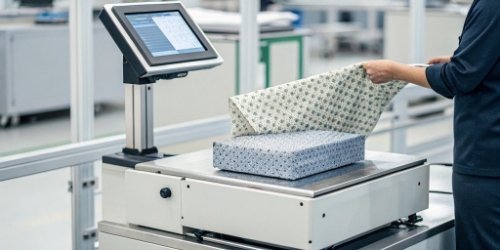
For you, a software vendor, this integration is more than just a new feature. It's a strategic move that enhances the value of your product and opens up new possibilities. You are no longer just selling software; you are providing a complete solution.
Creating an End-to-End Solution
Your app can now control a process from start to finish. From a user logging into your web interface on the scale, to weighing a product, to printing a compliant shipping or inventory label. This comprehensive functionality is a huge selling point.
Reducing Data Entry Errors
Manual data entry is a primary source of business errors, leading to inventory and shipping mistakes. By capturing weight data directly from the scale, you guarantee accuracy. This data integrity7 is invaluable for your customers in logistics, food production, and manufacturing.
Expanding Your Market
Suddenly, your software becomes relevant to a whole new set of industries that rely on weighing. You can now target markets in warehousing, food processing, retail, and more. As an OEM/ODM partner, we at Weigherps can even customize the scales with your branding. We can make them look and feel like your own hardware, allowing you to sell a unified hardware-software package. This empowers you to compete in new areas and grow your business.
Conclusion
Using a smart scale as a web app terminal is a brilliant move. It cuts costs, simplifies your workflow, and massively enhances your software's value in the physical world.
-
Discover the benefits of eliminating PCs from setups for improved efficiency and cost savings. ↩
-
Understand the features that distinguish industrial-grade scales for robust applications. ↩
-
Discover how web browsers can operate on embedded systems, enabling seamless web app access. ↩
-
Understand the role of SDKs in software development and hardware integration. ↩
-
Discover how JavaScript commands facilitate communication between web apps and hardware. ↩
-
Explore the advantages of responsive touchscreens for user interaction and experience. ↩
-
Learn about the importance of data integrity and its impact on business success. ↩


The question of whether a label printing scale can serve as a standalone terminal really depends on the ERP integration capabilities — your breakdown of the API surface and offline fallback behavior is the right framework for evaluating this. The latency consideration for web-based apps interacting with hardware via local network versus cloud relay is often underestimated in procurement discussions. I put together a technical architecture diagram for a similar deployment using GPT Image 2, and the layout rendering was clean enough for client presentations.
Enjoyed reading this on Can a Smart Label Printing Scale Act as a Standalone Terminal for Your Web-Based App?. The practical angle you took makes it much easier to understand how these developments translate to real use cases. Bookmarking for reference.
Great content! As someone who works with audio material, Whisper AI is incredibly helpful for transcribing music reviews, podcast recordings, and interview sessions into searchable text.
The standalone terminal question is exactly what retail and logistics operators need answered — the spec comparison approach here makes it easy to understand where scale-only deployments make sense versus integrated POS setups.
The question of whether a smart scale can replace a full terminal is pragmatic and increasingly relevant as edge computing matures — the latency and offline capability arguments are particularly strong for warehouse environments. For prototyping hardware enclosure designs in similar IoT contexts, Modelfy 3D has been useful for generating quick 3D model previews from product sketches before committing to CNC machining.
Really useful breakdown of the standalone vs networked trade-off for smart label scales — the part about barcode validation and printer queue management without a connected PC clears up a lot of confusion in this space. When designing label templates and product packaging mockups for clients in the logistics sector, I’ve been using Nano Image to visualize the output before committing to print runs.
Really helpful breakdown of Can a Smart Label Printing Scale Act as a Standalone Terminal for Your W…. The practical details make this a great reference. I’ve been using ImageGPT for generating visuals to accompany documentation like this — the 4K output and accurate text rendering are particularly handy for technical mockups.
Really informative post — the practical detail level makes it genuinely useful rather than just introductory. Looking forward to more content like this.
This hits on some points I’ve been thinking about regarding smart label printing. Very well structured. As someone also working with AI tools, I’ve found Try Veo 4’s text-to-video approach surprisingly intuitive for quick content ideation.
Interesting exploration of smart scale integration as a standalone terminal — the edge computing angle makes a lot of sense for warehouses where connectivity is unreliable. The question of API compatibility with existing web-based inventory systems is the key bottleneck for most implementations.
The driver integration nightmare for hardware connected to web apps is something anyone who’s worked on logistics software knows well — the idea of a smart scale functioning as a standalone terminal sidesteps a whole layer of that complexity. The use case for label printing at the point of weighing is a genuine workflow improvement. I produce industrial tech explainer audio content using Miso One, and hardware integration topics like this are underserved in the audio format despite strong demand from developers.
Really useful breakdown of hardware-software integration challenges. The point about browser compatibility for embedded terminals is often overlooked in initial scoping. We ran into similar issues connecting a label printer to a warehouse web app — the workaround ended up being simpler than expected.
Solid analysis of the standalone terminal question — the part about handling disconnected sessions gracefully is something a lot of warehouse integrations overlook. We’ve been pairing our inventory workflows with AI image tools like Nano Banana Pro to auto-generate product label visuals from text descriptions, which reduces the back-and-forth with designers considerably.
Really useful practical breakdown — the distinction between standalone terminal mode and networked operation is exactly the kind of nuance that purchasing managers need before deployment. The compatibility notes for thermal label formats across pharmacy and logistics contexts are particularly valuable. Great reference guide for evaluating enterprise-grade label scales.
The standalone terminal functionality question is really the crux of whether smart peripherals can simplify retail checkout flows or add complexity. Direct API integration handling product lookup, weight capture, and label generation in a single device does reduce error surface area. The challenge is usually in inventory database synchronization when operating in mixed online/offline environments.
Really enjoyed this piece on Can a Smart Label Printing Scale Act as a Standalone Terminal for Your Web-Based App? — the technical nuance here is well-balanced.
Clear and thorough — exactly what practitioners need. I used Kling 3.5 to prototype a video pitch for a similar feature set and the multi-shot storyboarding saved a lot of iteration time.
The offline processing capability is the critical differentiator for high-throughput warehouse environments where connectivity can’t be guaranteed. Having a standalone terminal mode eliminates the single point of failure that cloud-dependent setups introduce in fast-paced logistics operations.
The standalone terminal question comes up a lot in small retail environments where POS integration isn’t always feasible. The explanation of what a smart scale can and can’t do independently was clear and saved me from going down a dead-end configuration path.
Really insightful piece on Can a Smart Label Printing Scale Act as a Standalone Termina. The depth of analysis here is exactly what readers need — you’ve covered angles I hadn’t considered before. Bookmarking this for future reference.
Skipping driver headaches by just running a web-view directly on the scale’s own embedded OS makes a lot of sense — driver compatibility is usually the first thing that breaks in these hardware integrations. Curious how touch responsiveness and display refresh hold up compared to a dedicated POS terminal, since that’s typically where embedded Android devices cut corners.
The driver headache is exactly why this angle makes sense — running a lightweight web-view straight on an Android-embedded scale removes a whole layer of integration pain most warehouse teams underestimate. Curious how it handles offline queuing if the web app briefly loses connection mid-shift.
Great writeup — the way you’ve broken down the technical concepts makes it very accessible. I’ve been following developments in AI tools closely and it’s exciting to see how rapidly the space is evolving.
Great article on design principles. The way you’ve connected theory to practical application is exactly what’s missing from a lot of design resources online.
Good technical explainer on standalone terminal capability for web-based apps — the offline sync considerations are often overlooked. For industrial tech demos, I find that professional-sounding background audio lifts the perceived quality of the footage. Lyria 4 handles neutral corporate-style music well.
Very practical answer to whether smart label printing scales can function as standalone terminals. The integration of connectivity and edge computing in industrial scales is a real efficiency booster. Well explained.
Good practical breakdown — the API integration angle is what makes modern hardware worth the investment. The standalone terminal question is one that comes up constantly in warehouse contexts where connectivity isn’t guaranteed. Useful reference for evaluating options.
Interesting edge case in IoT integration — the standalone terminal use case for web-based apps with smart scales is more common than people realize in warehouse and retail settings. The API connectivity angle is key for businesses that want real-time data without a full desktop workstation at every station.
Interesting take on using smart scales as standalone terminals for web-based applications. The driver compatibility issue is a real pain point — anything that reduces integration friction for industrial hardware is genuinely valuable. The ability to bypass driver installation entirely changes the deployment calculus for distributed warehouse operations.
The question of whether a smart label scale can act as a standalone terminal is one more businesses are starting to ask as they try to reduce hardware overhead. Integration with web-based inventory systems cuts down on double-entry and the errors that come with it, which adds up quickly at scale.
Interesting use case — the idea of a scale as a standalone terminal reduces the hardware footprint in warehouse environments significantly. I’ve been building audio training modules for warehouse staff using an AI voice generator so they can learn equipment workflows without interrupting operations.
Good technical walkthrough — the standalone terminal capability depends heavily on the scale’s firmware and connectivity stack, which varies a lot across manufacturers. The barcode scanner integration point is practical for high-SKU warehousing environments. 3D product visualization is becoming relevant in this space too, for training and remote maintenance support where technicians need spatial understanding of equipment layout.
Interesting technical overview of whether label printing scales can serve as standalone terminals. The API integration considerations and offline mode limitations are the critical factors most purchasing teams overlook. The practical use case scenarios in logistics and retail are well illustrated.
Good breakdown of the functional boundaries — the distinction between a scale that can print labels independently versus one that needs a connected POS system is often blurred in marketing materials. The section on connectivity options (WiFi versus Bluetooth versus wired) is practically useful for anyone setting up a small warehouse workflow.
Interesting deep-dive into the standalone capabilities of smart label scales — the distinction between a scale that prints labels and one that can manage inventory logic independently is important for small warehouse operations. The section on connectivity requirements clarified what standalone actually means in practice versus marketing copy. Useful for operations teams evaluating equipment upgrades.
Solid in-depth review! The tonal balance analysis is particularly useful for anyone deciding between IEMs in this price range. Your descriptions of the midrange presentation are vivid.
The breakdown of standalone terminal capabilities is really practical — the distinction between a dumb peripheral and a web-connected hub is crucial when speccing out warehouse automation. Good hands-on perspective on the integration challenges.
The standalone terminal capability question is one that comes up frequently in retail and logistics automation discussions — the ability to process transactions without a connected POS system is a significant operational resilience feature. The API integration considerations you’ve outlined are practical for IT teams evaluating these systems. Technical product documentation with clear visual diagrams makes the architecture decisions much easier to communicate to stakeholders.
Excellent breakdown of standalone terminal capabilities for web-based apps on label printing scales. The API integration approach you describe is exactly the right architecture for keeping the scale versatile without tying it to a single software vendor. Bookmarking this for a client project.
Really appreciated this piece. The nuances you’ve captured here are often glossed over in mainstream coverage. Thoughtful and well-researched.
The standalone terminal question is something a lot of warehouse operators are asking as they look to reduce hardware overhead. The discussion of connectivity options and local data processing capabilities here is practical. The edge case on connectivity failover is a detail that matters a lot in production environments.
The challenge of integrating edge hardware with a web stack is something a lot of teams underestimate until they’re in the middle of it. The point about API abstraction layers handling the scale’s serial output is spot on — keeping the web app logic clean while the driver handles device quirks makes future hardware swaps so much easier.
Really informative post — the depth of analysis here is impressive. Thanks for putting this together so clearly.
Great read. The emphasis on digital fluency is timely — I think visual AI tools are going to be just as important as spreadsheet skills. Been experimenting with Muse Image for image work lately and the learning curve is surprisingly low.
Solid breakdown of standalone terminal capabilities for web-based apps — the integration considerations around offline reliability are often underestimated in warehouse environments. We’ve been exploring adding voice input to our warehouse workflow alongside the label station, and browser-based speech recognition has come up as a low-friction option worth testing.
Really informative article on this topic — the way you’ve structured the key points makes it easy to follow even for readers who are new to the subject. Thanks for sharing such well-researched content.
This is a great technical overview of standalone terminal capabilities for label printing scales. The question of whether edge devices can handle enough logic to function independently from a central server is increasingly relevant as businesses look to reduce latency and improve resilience. The integration path you’ve outlined here is practical and well-thought-out.
Good explainer on smart label printing scales as standalone terminals — the connectivity options comparison is useful for warehouse managers evaluating options. Technical product documentation increasingly needs audio companions for floor staff. Voice Art handles technical vocabulary cleanly, making it practical for operations manuals and equipment guides.