

Are you tired of difficult hardware integrations that roadblock your projects? It wastes time and money, making it hard to deliver what your clients need. An open SDK is the key.
An open SDK (Software Development Kit) for a label printing scale provides your development team with direct access to the scale's core functions. This enables fast, custom integration with your software. It allows you to create unique features and offer a seamless, branded solution to your customers.

For years, I've spoken with software vendors like you. The story is often the same. You have brilliant software, but getting it to work with peripheral hardware like scales is a constant battle. Closed, proprietary systems force you into rigid boxes, limiting the very innovation that makes your software great. It's frustrating for you, and it's frustrating for your end-users who expect a smooth experience. But what if the hardware could adapt to your software, and not the other way around? This is the fundamental shift an open SDK1 provides. It’s about giving you the control to build the exact solution your market demands, without compromise. Let's explore what that really means for your business.
What Benefits Does an Open SDK Provide for Integrating Label Printing Scales into Software?
Struggling with inflexible hardware integrations that delay your projects? This leads to budget overruns and unhappy clients. An open SDK provides the control and flexibility you need.
The main benefits are speed, control, and lower costs. An open SDK includes the tools and documentation to cut development time significantly. It gives you full control to tailor the integration to your software, avoiding expensive workarounds or third-party middleware for a better ROI.
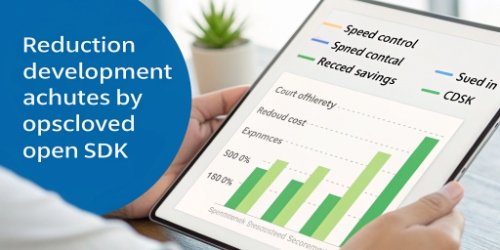
In my 19 years of manufacturing industrial scales, I’ve seen the integration process from every angle. The difference between using an open SDK and a closed system is like night and day. It’s about empowering your developers, not restricting them. Instead of trying to reverse-engineer a communication protocol or waiting on a manufacturer for a minor change, your team gets a complete toolkit. This includes sample code, clear documentation, and direct access to functions. The result is a much faster development cycle. You can build a proof-of-concept2 in days, not months. This speed translates directly into a competitive advantage. You get to market faster with a more robust, integrated solution3. It gives you the power to deliver exactly what your client asked for, creating a seamless workflow that feels like a natural extension of your own software.
Integration Approaches: Open SDK vs. Closed System
| Feature | Open SDK Integration | Closed System / No SDK |
|---|---|---|
| Development Speed | Fast (days to weeks) | Slow (weeks to months) |
| Customization | High (full access to functions) | Low (limited by pre-set commands) |
| Development Cost | Low (uses in-house team) | High (may need specialists) |
| Long-Term Support | Easy (control over code) | Difficult (dependent on manufacturer) |
| Flexibility | High (adapts to your software) | Low (software must adapt to scale) |
How Can an Open SDK Enhance the Functionality of Your Software Solution with Label Printing?
Does your powerful software feel limited by basic hardware? Your competitors might be offering integrated solutions that seem more advanced. An open SDK can help you unlock new features.
An open SDK lets you do more than just print weight. You can create dynamic labels using any data from your software, like SKUs or batch numbers. You can also trigger automated weighing sequences and sync data back to your central database in real time.
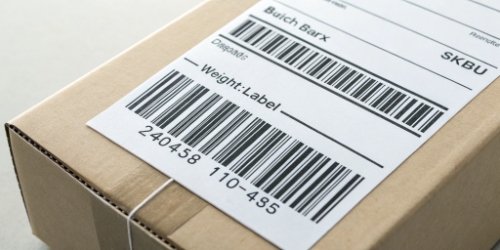
An open SDK transforms a scale from a simple data source into an active, intelligent part of your software ecosystem. This allows you to build features that solve complex, real-world problems for your customers and add significant value to your software offering.
Dynamic Data Integration
With an open SDK, you are no longer stuck with fixed label templates. Your software can send any piece of information to the label printer in real time. Imagine a food production client. Your software could pull the ingredient list, allergen information, packing date, and a unique QR code from its database and print it all on the label, along with the precise weight. This level of dynamic labeling is impossible with closed systems.
Process Automation
You can use the SDK to create fully automated workflows4. For example, in a logistics warehouse, your software could instruct the scale to:
- Wait for a package to be placed on the platform.
- Capture the weight and dimensions.
- Calculate shipping costs based on your software’s rate tables.
- Print the correct shipping label.
- Send a confirmation back to your Warehouse Management System.
This automates a multi-step manual process, reducing errors and increasing throughput for your client.
Two-Way Communication
A great integration isn't just about sending commands. It's also about listening. An open SDK enables the scale to send data and status updates back to your software. You could build a central dashboard that monitors the status of all scales in a factory, tracks total weight processed for analytics, or flags a scale that needs recalibration. This turns the scale into a smart, connected IoT device within your software's control.
What Opportunities Does a Label Printing Scale with an Open SDK Offer for Software Development?
Finding new revenue streams and standing out from the competition is a constant challenge. You might feel stuck competing on the same software features. Hardware integration opens up new markets.
An open SDK lets you create specialized, value-added modules for niche industries. You can package a complete hardware-software solution for retail, logistics, or manufacturing. This creates new revenue and a strong competitive edge by solving a customer's entire workflow problem.
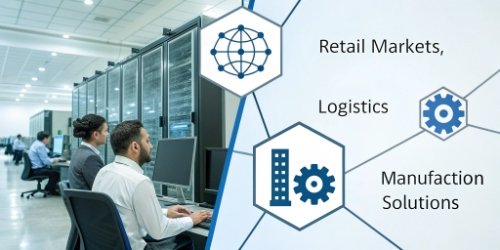
As a software vendor, your core strength is your code. But your customers live in the physical world. An open SDK bridges that gap. It allows you to extend your software's logic into the physical processes of your customers' businesses. This opens the door to creating turnkey solutions that are much more valuable than software alone. Instead of just selling a POS system, you can sell a complete "Fresh Produce Weighing Solution" for grocery stores. Instead of just a warehouse management system, you can offer a pre-configured "Shipping and Receiving Station." These bundled solutions are sticky. They solve a bigger problem for the customer, making your software indispensable. They also create a higher barrier to entry for your competitors. It's one thing to copy a software feature; it is much harder to replicate a perfectly integrated hardware and software ecosystem that you have built.
From Software Vendor to Solution Provider
| Old Model (Software Only) | New Model (Integrated Solution) |
|---|---|
| Sells software license | Sells a complete package (hardware + software) |
| Customer sources their own hardware | You provide a tested, guaranteed solution |
| Integration is the customer's problem | Integration is your value-add |
| Competes on software features | Competes on solving a complete business problem |
| Lower-margin, transactional sale | Higher-margin, partnership-based sale |
How Does Access to an Open SDK Facilitate Customization in Label Printing Software Solutions?
"One-size-fits-all" hardware rarely fits your client's unique workflow. This leads to awkward workarounds and customer frustration. An open SDK empowers true, deep customization.
An open SDK provides the tools to modify the scale's behavior to match your client's exact workflow. This includes creating custom label formats, unique user interfaces on the scale's display, and specific data capture logic that aligns perfectly with your software.

This is where an open SDK truly shines, especially for small and mid-sized software companies. In the past, creating a unique hardware experience was only possible for large corporations with huge budgets for custom engineering. An open SDK changes that. It dramatically lowers the cost and complexity of building a branded, custom solution. You can now offer a level of personalization that makes your product stand out. This helps your customers, and it helps you build your own brand identity. Your client doesn't see a generic scale connected to your software; they see a unified system that works exactly as they need it to. Every interaction reinforces the value your company provides, turning a simple hardware component into a powerful statement about your brand's attention to detail and commitment to solving customer problems.
Workflow-Specific Logic
Imagine a client in the jewelry business. They don't care about kilograms; they work in grams and carats. Their labels don't need a price; they need a stone type, clarity grade, and certification number. With an open SDK, your software can take complete control of the scale. You can program it to switch units, prompt the user for specific data entry, and print a highly specialized label, all driven by the logic within your application.
Building Your Brand
This level of customization helps you build a strong external image. When your customers see a scale with a user interface that mirrors your software's design and branding5, it creates a powerful impression of a polished, professional, and fully integrated solution. It tells your customers that you have thought through every detail of their experience. This is how you move from being just another software supplier to becoming a trusted technology partner.
Conclusion
An open SDK transforms a label printing scale from a peripheral into an integrated asset. It empowers software vendors with speed, deep customization, and opens doors to new business opportunities.
-
Explore how an open SDK can streamline your development process and enhance integration. ↩
-
Understand the importance of proof-of-concept in validating software ideas before full development. ↩
-
Explore the concept of integrated solutions and their benefits for businesses. ↩
-
Learn how automation can streamline operations and reduce manual errors. ↩
-
Understand the importance of branding in creating a cohesive user experience. ↩



Comments (0)