

Your operations halt when digital scales fail, causing costly errors. A single malfunction can ruin production. This guide provides proactive steps to ensure your scales always work accurately.
To prevent common digital scale failures, you must control the environment by managing temperature and vibration. Always operate within load limits and perform daily cleaning. A consistent maintenance schedule, including regular calibration with standard weights, is essential for long-term accuracy and a longer lifespan.

Over my 18 years in the industrial scale business1, I've seen countless companies suffer from preventable equipment issues. The financial impact of downtime or inaccurate batches can be huge. The key isn't just knowing what to do when a scale breaks, but understanding why it fails in the first place. That knowledge is your best defense. It transforms you from being reactive to being proactive, which saves you time, money, and stress. Let's start by breaking down the root causes of these frustrating failures.
What are the most common causes of digital scale failure?
You see a scale acting up, but you're unsure of the cause. Is it overload? Is it the environment? Guessing games waste valuable time and can lead to bigger problems.
The most common causes are environmental stress like moisture and vibration, improper use such as overloading or dropping items on the scale, and neglect. A lack of regular cleaning and calibration are major contributors to inaccurate readings and eventual hardware failure. These are often easy to prevent.
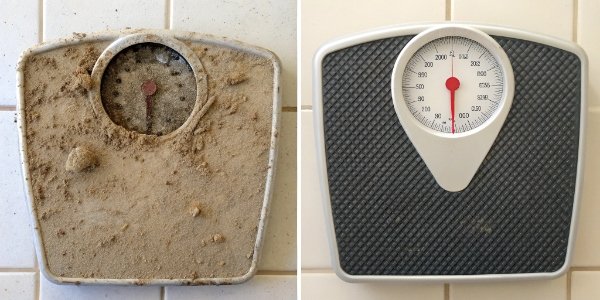
From our experience manufacturing scales, failures rarely happen out of the blue. They are usually the result of consistent stress from one of two areas: the environment it operates in or the way it's used. Understanding these puts you in control.
Environmental Factors
The surrounding environment is a silent enemy to sensitive electronics.
- Temperature & Humidity: Drastic temperature changes or humidity over 80% can cause condensation inside the scale. This moisture corrodes circuit boards and load cell connections. We design our scales for tough conditions, but keeping them in a stable environment (ideally 20±5℃) is best.
- Vibration & Interference: Placing a scale near large motors, generators, or other vibrating machinery can disrupt the delicate load cell. Similarly, strong electromagnetic fields from things like variable frequency drives or even microwaves can interfere with the electronic signals, causing unstable readings.
Operational Errors
How your team uses the scale every day is just as critical.
- Overloading: Every scale has a maximum capacity. Consistently loading it beyond this limit, or even beyond 80% of its capacity, puts permanent strain on the load cell, leading to failure.
- Shock Loading: Dropping a heavy object onto the weighing pan creates a sudden force far greater than the object's actual weight. This impact can instantly damage the internal mechanisms.
| Cause | Effect on Scale | Preventive Action |
|---|---|---|
| High Humidity | Corrosion on electronics, inaccurate readings | Place in a dry area, regularly clean internals |
| Vibration | Unstable or "jumping" numbers | Isolate scale from vibrating machinery |
| Overloading | Permanent load cell damage, total failure | Train staff on capacity limits, never exceed 80% |
| Shock Loading | Immediate sensor damage, broken parts | Gently place items on the pan |
What routine maintenance can I perform to extend the life of my digital scale?
You invested in a quality scale, but now you worry about its longevity. Without proper care, even the best equipment degrades, leading to surprise replacement costs down the road.
To extend your scale's life, perform daily cleaning of the weighing pan and check its level. Conduct weekly deep cleans of sensors and perform zero/span calibrations. Monthly, you should inspect cables and check battery levels, ensuring all components remain in optimal condition for long-term use.
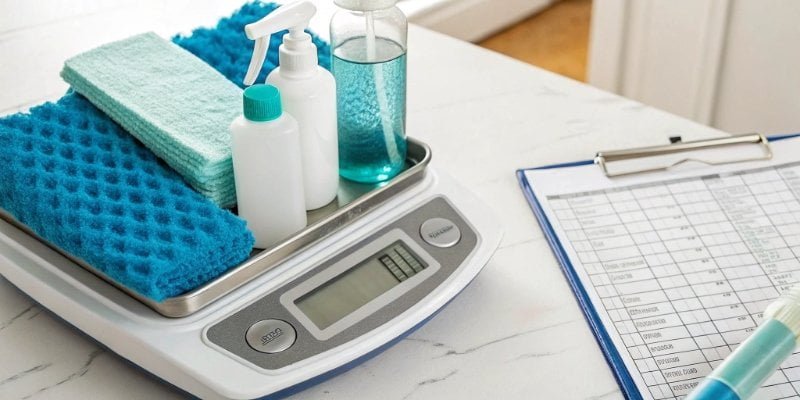
Preventive maintenance is the single most effective strategy for maximizing your return on investment. It's about spending a few minutes each day or week to save you from days of downtime and expensive repairs later. A simple, consistent routine is all it takes. As a manufacturer, we build our scales to be durable, but this simple care is what guarantees they last. We can even work with our clients to create custom maintenance plans that fit their specific usage and environment.
Daily and Weekly Tasks
These small habits make the biggest difference.
- Daily: At the end of every day, wipe down the weighing pan to remove debris, dust, or spills. Make sure the scale is level using its bubble indicator and perform a quick "tare" or "zero" operation before the first use.
- Weekly: This is the time for a slightly deeper clean. Use a soft cloth, perhaps with an alcohol solution, to gently clean the sensor and internal components if accessible. This is also the perfect time to perform a calibration2 check with a known, standard weight. For high-precision applications, this should be done daily.
Monthly and Quarterly Inspections
These checks help you spot wear and tear before it becomes a problem.
- Monthly: Do a visual inspection. Check that all cables are securely connected and show no signs of fraying. For battery-powered units, check the battery status. Look at the display to ensure all digits are clear and bright.
- Quarterly: Plan to replace any parts that are known to wear out, like batteries. This is also a good time for a comprehensive calibration across the scale's full range and to monitor the temperature and humidity3 of the environment.
| Frequency | Maintenance Task | Purpose |
|---|---|---|
| Daily | Clean pan, check level, tare | Ensures starting accuracy and hygiene |
| Weekly | Deep clean sensor, calibrate | Maintains sensor integrity and measurement trust |
| Monthly | Inspect cables & battery | Prevents unexpected power loss or connection issues |
| Quarterly | Replace worn parts, full calibration | Proactively addresses wear, ensures long-term reliability |
How can I protect my digital scale from environmental damage like dust and moisture?
Your work environment is harsh, with dust and moisture everywhere. You know these elements are slowly creeping into your scales, causing corrosion and errors that will lead to failure.
Protect your scale by placing it in a stable environment, away from extreme temperature swings and humidity above 80%. Use purpose-built scale enclosures or covers in dusty areas. Regularly wipe down the sensor and circuit board to remove any collected moisture, preventing corrosion.
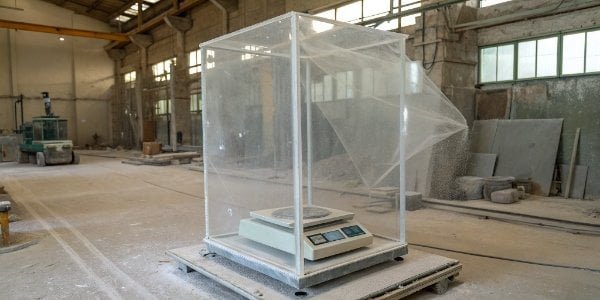
The environment doesn't have to be a death sentence for your equipment. Many of our clients operate in tough industrial settings, from dusty warehouses to humid food processing plants. The solution lies in creating a micro-environment for the scale or choosing a model specifically designed for those conditions. We often provide IP-rated (Ingress Protection) scales for this reason, but even with those, a few extra steps provide a powerful layer of defense.
Temperature and Humidity Control
This is about finding the right location and performing regular checks. If you can't control the entire room's climate, focus on the immediate area around the scale. Avoid placing it near exterior doors, vents, or heat-producing equipment. The ideal spot has a consistent temperature and is naturally dry. In unavoidably humid environments, a simple weekly routine of opening the scale's housing (if designed for it) and gently wiping away any visible moisture from circuit boards or sensors can prevent long-term corrosive damage.
Shielding from Dust, Debris, and Shocks
Physical contaminants are just as damaging as moisture.
- Covers and Enclosures: In very dusty environments, a simple plastic cover used when the scale is idle can make a huge difference. For more extreme situations, a full enclosure with sealed cable ports is a worthwhile investment.
- Vibration Dampening: If the scale must be near vibrating machinery, place it on a dedicated, heavy-duty weighing table or use a vibration-dampening mat underneath it. This isolates the sensitive load cell from the disruptive frequencies, giving you a much more stable and reliable reading.
| Threat | Protective Solution | Best Practice |
|---|---|---|
| Moisture/Humidity | Place in dry area, use IP-rated scale | Weekly check and wipe-down of internals |
| Dust/Debris | Use a dust cover or full enclosure | Clean daily after use |
| Vibration | Isolate with a dampening mat or sturdy table | Position scale away from motors/heavy traffic |
What are the early warning signs that a digital scale is about to become inaccurate?
You trust your scale's readings every day, but you know subtle inaccuracies can creep in over time. By the time you notice a major error, the damage has already been done.
Early warning signs include fluctuating or "drifting" readings even with nothing on the pan (zero drift), and inconsistent weights for the same object (poor repeatability). Other signs are display glitches like flickering numbers or a failure to return to zero after a load is removed.

Treating your scale like any other critical piece of machinery means learning to listen to it. It will almost always tell you something is wrong before it fails completely. Training your operators to spot these subtle signs is a low-cost, high-impact way to prevent disaster. When we provide on-site training for our clients, spotting these early warnings is one of the first things we teach.
Display and Performance Anomalies
The most obvious clues often come from the screen and the numbers it shows.
- Unstable Readings: If the numbers on the display continuously jump around, even when the environment is calm, it's a red flag.
- Zero Drift: The scale should read "0.00" when nothing is on it. If you find it showing a small positive or negative number, or if you have to press the "Zero" button constantly, the sensor is becoming unstable.
- Poor Repeatability: A classic test is to weigh the same item—like a certified calibration weight—three or four times, removing it from the pan between each reading. If you get different results each time, the scale is no longer reliable.
Physical and Functional Signs
Sometimes the issue is physical rather than digital. If the display is flickering or some segments of the numbers are missing, it could be a sign of a failing display or a loose connection. A more serious sign is when the scale simply does not react when you place a load on it. This often points to a major sensor or connection failure. If you see any of these signs, the best course of action is to take the scale out of service immediately and tag it for repair. Continuing to use it risks inaccurate production and can cause further damage. This is when you should contact a professional technician for assessment and recalibration.
Conclusion
Proactively managing your scale's environment, operation, and maintenance prevents most failures. This ensures consistent accuracy, extends equipment life, and protects your business from costly errors and downtime.



[…] توجه به گفته سایت weigherps.com وقتی ترازوهای دیجیتال از کار میافتند، عملیات شما […]
[…] توجه به اطلاعات سایت weigherps.com برای جلوگیری از خرابیهای رایج ترازوی دیجیتال، باید […]