
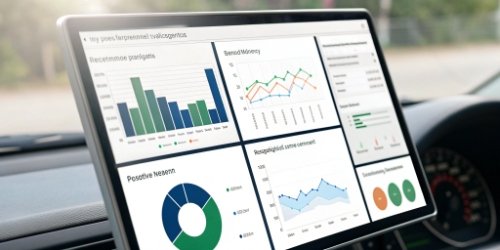
Tired of scales that only do one thing? Integrating them into modern workflows is difficult and costly. A scale with its own operating system changes all that, unlocking incredible new potential.
A scale with an operating system acts as a complete smart terminal. It can run custom software, connect directly to cloud services, integrate peripherals like scanners, and process data locally. This transforms it from a tool into a powerful, multifunctional workstation for your business.
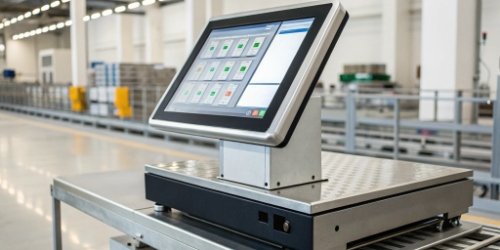
This might sound like a huge leap from the scales you’re used to, but it’s a change that we at Weigherps have been perfecting for years. Seeing a simple weighing device evolve into the brain of an operation is something I’m very passionate about. It’s not just about adding features; it’s about fundamentally changing how you collect data, manage processes, and improve your entire workflow. This shift from a dumb sensor to a smart device is the key to unlocking new levels of efficiency and control.
For over 19 years, we’ve helped businesses move from traditional weighing to smart, integrated solutions. This evolution is the most significant one I’ve seen. Let’s dive deeper into what this means for you and how it can revolutionize what you thought a scale could do.
How Does a Scale with Its Own Operating System Enhance Functionality?
Struggling to add features like data logging to your scales? It often requires extra computers and complex software. An OS-powered scale can do all this and more, right out of the box.
A scale with an OS enhances functionality by allowing custom applications to run directly on the device. This supports advanced data processing, seamless network connectivity, and direct integration with peripherals like barcode scanners and printers, turning it into an all-in-one workstation.
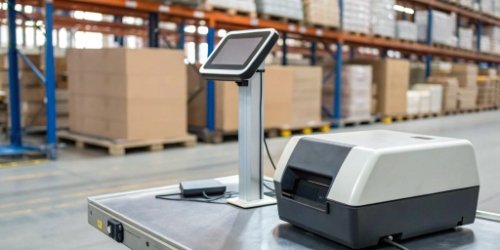
The biggest change is how the scale interacts with your world. For years, we built scales that were just a sensor with a number display. They needed a separate computer to do anything smart. But now, the computer is inside the scale. This completely changes the game.
From a Dumb Sensor to a Smart Hub
In the past, the setup was always the same: scale connects to a computer, which then runs your software to process the data. This created multiple points of failure. The cable could break, the PC could crash, or the software drivers could have issues. A scale with an integrated OS, like Android or Linux, combines these parts into one reliable unit. We’ve seen clients reduce their hardware footprint by 50% just by making this switch. The scale itself becomes the central hub for the weighing task.
Direct Peripheral Integration
Because the scale runs a real operating system1, it has standard ports like USB and can support wireless connections like Bluetooth. This means you can plug peripherals2 directly into the scale.
- Barcode Scanners: Scan a product ID, and the scale can pull up its target weight automatically.
- Label Printers: After weighing, the scale can print a label with weight, price, date, and a barcode.
- Keyboards: For tasks that require manual data entry.
We had a logistics client who used to have a cart with a scale, a laptop, a scanner, and a printer. We replaced it all with a single OS-powered scale on a mobile cart, simplifying their entire process.
On-Device Data Processing
With processing power onboard, the scale can do much more than just show weight. It can run applications that perform complex tasks locally, without needing to send data to a server first.
| Feature | Traditional Scale | OS-Powered Scale |
|---|---|---|
| Checkweighing | Simple beep or light | Full-color screen warnings, on-screen graphics, sounds |
| Data Logging | Requires connection to PC | Saves thousands of records internally, with timestamps |
| User Guidance | None | On-screen instructions, pictures, or even videos |
| Calculations | Basic tare/zero | Custom formulas, piece counting, statistical analysis |
This local processing makes the scale faster, more reliable, and much more useful for operators on the factory floor.
What Unique Features Are Enabled by Having an Operating System on a Scale?
Are you limited by your scale’s fixed buttons and basic display? You can’t easily adapt it to specific jobs. An OS-powered scale lets you create custom interfaces and unique features on the fly.
An OS enables unique features like dynamic graphical user interfaces (GUIs), real-time video tutorials, direct cloud synchronization, and remote diagnostics. These are impossible on traditional scales that lack the required software environment and processing power to support them.
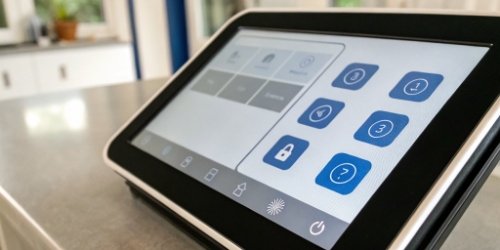
This is where things get really exciting, especially for our clients who are software vendors. An OS gives you a blank canvas to create a user experience that perfectly matches your application and your customers’ needs. You are no longer stuck with the generic interface the manufacturer gave you.
Fully Customizable User Interfaces (UI)
A scale with an OS has a high-resolution color touchscreen, just like a tablet. This means you can design a user interface3 that is perfect for the task. We’ve worked with software partners to create UIs for all sorts of industries. For a food packing plant, we helped them design an interface with large, friendly pictures of the products. The operator just taps the picture of the item they are weighing. This reduces errors and makes training new employees almost instant. You can add your company’s branding, use specific colors, and remove any buttons or information that aren’t needed for the job.
Remote Management and Over-the-Air (OTA) Updates
This is a massive benefit for any company managing more than a few scales. In the past, if you needed to update the scale’s software, you had to send a technician to plug into it. With an OS-powered scale connected to the internet, you can manage your entire fleet remotely. We have a client with scales in warehouses across three continents. When they need to roll out a new feature in their software, they can push the update over the air to all devices at once. This saves them thousands of dollars in service calls and travel time.
Advanced Connectivity and IoT Integration
Old scales spoke their own strange, serial languages. An OS-powered scale speaks the language of the internet. It has a full networking stack, which means it can easily connect to any modern IT system.
| Connectivity Type | Description | Use Case Example |
|---|---|---|
| Wi-Fi / Ethernet | Standard network connection | Connect directly to your company’s servers or the internet. |
| API Integration | Communicate with other software | Pull production orders from an ERP system in real-time. |
| MQTT | Lightweight IoT protocol | Send weight data to a cloud dashboard like AWS IoT or Azure. |
| Cloud Sync | Direct-to-cloud data transfer | Automatically back up all weighing records to a central database. |
This makes the scale a true Internet of Things (IoT) device. It becomes a reliable and intelligent data source for your entire business.
How Can an Integrated Operating System Improve Scale Customization and Control?
Feeling locked into your scale maker’s limited options? Getting custom features is often slow and very expensive. An OS-powered scale puts you—the software and process expert—in the driver’s seat.
An integrated OS delivers unmatched customization by providing a Software Development Kit (SDK). This allows your own developers to write applications, control the user experience, and integrate the scale deeply into your company’s unique software and business logic.
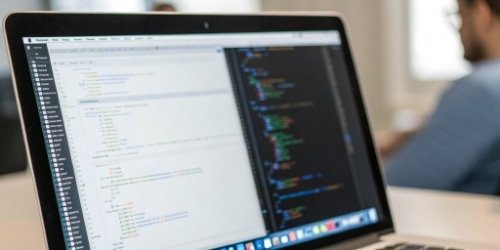
As manufacturers, our expertise is in building accurate and reliable weighing hardware. But you are the expert in your software and your customers’ workflows. An OS-powered scale bridges that gap. It gives you a stable hardware platform and the tools to build exactly what you need on top of it.
The Power of a Software Development Kit (SDK)
The most important tool we provide with our OS-powered scales is the SDK. This is a package of tools and documentation that allows your software developers to write their own apps for the scale. They don’t need to learn a proprietary, low-level language. They can use standard programming languages to control the scale’s functions, read the weight, and design the entire user interface. I remember a client in the chemical industry who needed a very specific multi-step mixing process. Instead of a long and costly custom development project with us, we simply provided the SDK. Their internal team built the perfect application in two weeks.
Tailoring Workflows for Specific Industries
Every industry has unique needs. A generic scale can’t meet them all. An OS-powered scale can be adapted to any workflow.
- Pharmaceuticals: A company needed to enforce FDA 21 CFR Part 11 compliance. Using the SDK, they built an app that required user logins, recorded every action in a secure audit trail, and generated reports directly from the scale.
- Logistics: A shipping company wanted to prevent miss-shipments. Their app pulls order data from their warehouse system. The operator scans a box, and the scale’s screen shows a picture of the item that should be inside and its expected weight.
This level of customization ensures the scale works exactly how your business works, not the other way around.
Security and Access Control
An OS like Android or Linux provides a strong foundation for security. This is not just a simple embedded device; it’s a secure computing system.
| Security Feature | How it Helps |
|---|---|
| User Authentication | Require login with a password, PIN, or RFID card to use the scale. |
| Role-Based Access | Give operators limited access while supervisors have full control. |
| Data Encryption | Protect sensitive weight data stored on the scale and during network transfer. |
| Secure Networking | Use protocols like HTTPS and SSL/TLS to safely connect to your servers. |
For companies in regulated industries or for anyone concerned about data integrity, these built-in security features4 are a necessity. They provide peace of mind that your weighing data is safe and accurate.
What Are the Operational Benefits of a Scale Running Its Own Software System?
Are training costs and operator mistakes eating into your profits? Using complex processes on simple scales is a recipe for error. A smart scale actively guides users, boosting efficiency and accuracy.
The main operational benefits are a smaller hardware footprint, lower total cost of ownership (TCO), and higher operator efficiency. Combining a scale and PC into one unit saves space, cuts failure points, and enables intuitive workflows that dramatically reduce errors.
Ultimately, any investment in new technology has to deliver real, measurable benefits to your operation. After helping hundreds of clients make this transition, we’ve seen the benefits appear in three key areas. This technology pays for itself quickly.
Lowering the Total Cost of Ownership (TCO)
When you look beyond the initial purchase price, an OS-powered scale is far more cost-effective than a traditional setup. You are buying one device instead of two or three.
| Cost Element | Traditional Setup (Scale + PC) | Integrated OS Scale |
|---|---|---|
| Hardware Cost | Scale + PC + Monitor | Single Device |
| Cabling | More cables for power, data | Fewer cables |
| Power Consumption | Higher (multiple devices) | Lower (one efficient device) |
| Maintenance | Two devices to maintain/fail | One device to maintain |
| Workspace | Takes up more bench space | Compact and integrated |
Over a 5-year lifespan, our clients typically report a TCO that is 30-40% lower for an integrated scale compared to a separate scale and PC setup.
Improving Operator Efficiency and Reducing Errors
This is where the return on investment becomes most obvious. A smart interface makes work faster and more accurate. I’ll never forget a food processing client who was struggling with over-packing. We helped them implement a checkweighing5 application on an OS scale. The screen was green in the target range, red for overweight, and yellow for underweight. The clear visual feedback helped them cut packing errors by over 50% in the first month. Because the interface can be designed to be so simple and intuitive, training time for new operators is also significantly reduced.
Streamlined Data Management and Reporting
Manual data entry is the enemy of efficiency and accuracy. An OS-powered scale can eliminate it completely. The scale becomes an automated data capture6 terminal. It can record the weight, product ID from a scanner, operator ID, and timestamp, then send that complete, accurate record directly to your database or ERP system. There are no transcription errors from someone writing down a number and typing it in later. This provides clean, reliable data that you can use for business intelligence, quality control, and process improvement. The scale transforms from a simple measuring tool into a trusted source of business data.
Conclusion
Integrating an OS turns a scale from a basic tool into a smart, customizable business asset. This evolution opens up endless possibilities for improving efficiency, data control, and process innovation.
-
Explore how an operating system enhances functionality and efficiency in scales. ↩
-
Explore the various peripherals that enhance the functionality of smart scales. ↩
-
Learn how tailored user interfaces can enhance operator experience and efficiency. ↩
-
Learn about essential security measures to protect sensitive data in scales. ↩
-
Explore the benefits of checkweighing features in improving accuracy. ↩
-
Learn how automated data capture improves accuracy and efficiency. ↩
A really good blog and me back again.