

Struggling to track inventory when selling parts of a whole item? Manual calculations cause errors and waste time. Our system automates this process, ensuring accuracy for every partial shipment.
The best way to manage partial-unit shipping is with an integrated weighing and software system. This system should support batch scanning of multiple units, mass weighing, and automatic weight division. This eliminates manual errors and streamlines order fulfillment for items sold in fractions, like half a pig.
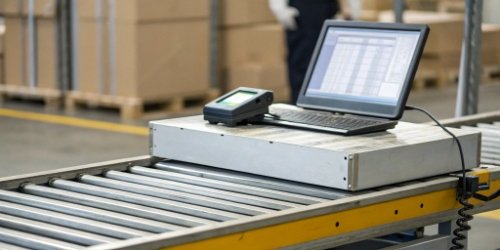
That's the short answer. But the real value comes from how this integration works in the real world. I remember a client in the food processing industry who was constantly dealing with this specific problem. They had to ship half-pigs to customers, but their inventory was tracked by the whole animal. The manual process was a nightmare for them. Let's look at how we helped them solve this, and how these ideas can help your business or your software.
How to Manage Partial-Unit Shipping with Batch Barcode Scanning and Weighing Solutions?
Are shipping errors from partial sales hurting your profits? Manually dividing weights is slow and very easy to get wrong. A system that combines batch scanning and weighing gets every partial order right.
You should combine batch barcode scanning with a weighing solution. Scan all the whole units first, then place them on the scale to get a total weight. Let the system automatically calculate the average weight for each partial unit you are shipping. This method makes things much faster and more accurate.

Let's dive deeper into how this works. The main challenge comes from a mismatch between your inventory unit and your sales unit. A customer wants half of something you track as a whole.1 This is common in industries that handle raw materials, from food processing to textiles.
The Problem: One Item, Partial Sales
Imagine your inventory system has one barcode for a whole pig carcass. A butcher shop orders "half a pig." Your warehouse worker has to take the whole pig, physically divide it, and then figure out how to record the weight for just that half. If they do this manually, they might write down the wrong weight or forget to update the inventory correctly. The other half of the pig sits there, and its weight might not be properly tracked. This creates a big mess in your records and can lead to financial losses.
A Step-by-Step Solution
Our WeigherPS system handles this with a simple, automated process.
- Scan: The operator scans the barcodes of several whole units. For example, they might scan four whole pig carcasses that are ready for processing. The system now knows that four items are part of this batch.
- Weigh: They place all four pigs on the scale at once to get a total combined weight.
- Input: The operator tells the system how many partial units are needed. In this case, four whole pigs make eight half-pigs. They simply input the number "8".
- Calculate: The software does the rest.2 It takes the total weight and divides it by eight to get a precise average weight for each half-pig.
- Record: This average weight is then automatically recorded for each partial unit being shipped. The data is clean, accurate, and linked back to the original batch.
For software vendors, this means our hardware can provide structured data that makes your software even more powerful. Our system can send this final, calculated data directly to your application through an API.3
What Is the Best Approach for Handling Multi-Unit Bulk Weighing and Barcode Management in Shipping?
Is your warehouse wasting time by weighing large, identical items one by one? This old method creates a serious bottleneck. Batch weighing many units at once saves a huge amount of time and labor.
The best approach is to use a system that connects a large-capacity scale with barcode management software. You scan each unit's barcode to add it to a batch, then weigh all the units together. The software can then assign the total weight or an average weight automatically.

For years, I've seen companies stick to weighing items individually. They think it's more accurate, but it's actually just slow. The real gains in efficiency come from changing the process itself, not just trying to do the old process faster.
The Old Way: Inefficient Single-Item Weighing
Think about the old process. A worker picks up a box, places it on the scale, waits for the weight to show, writes it down, and then removes the box. They have to repeat this for every single box in the shipment. If you have 50 boxes, this can take a very long time. It’s a repetitive task that is boring for employees and prone to human error, especially when people get tired. Every manual entry is a chance for a mistake.
The New Way: The Power of Batch Processing
Now, let's look at the batch processing method. The worker puts all 50 boxes on a single large pallet scale. They walk around the pallet with a handheld scanner and scan each box's barcode. The entire weighing process happens only once. In just a couple of minutes, the system has captured 50 unique IDs and a single, accurate total weight.
A Practical Comparison
The difference is huge. We have helped many clients transform their warehouse throughput with this one simple change. Here is a table to show what I mean.
| Feature | Single-Item Weighing | Batch Weighing & Scanning |
|---|---|---|
| Time per Unit | 30-60 seconds | 2-5 seconds (for scanning) |
| Total Time (50 units) | 25-50 minutes | 2-3 minutes + one weigh operation |
| Labor Cost | High | Low |
| Error Potential | High (manual data entry) | Low (automated data capture) |
| Throughput | Low | High |
This isn’t just about making things faster. It's about freeing up your team to do more important work. They can focus on quality control or preparing the next shipment instead of doing a boring, repetitive task.
How Can Batch Barcode Scanning Improve Accuracy and Efficiency in Partial-Unit Shipment Management?
Are typos and manual data entry errors creating chaos in your shipping department? These small mistakes often lead to big problems. Batch barcode scanning gets rid of manual entry and ensures perfect accuracy.
Batch barcode scanning automates all data capture. By scanning each item in a shipment, you remove any chance of manual data entry errors. The system instantly logs each item's ID. This creates a fast, error-proof record for every partial-unit shipment, making everything more efficient.
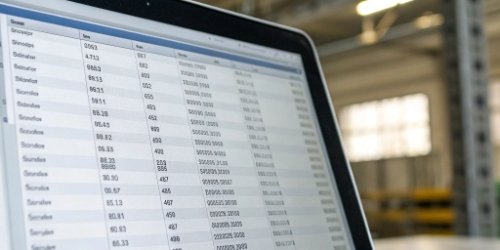
I once had a client who was about to lose one of their biggest customers. The reason was simple: they kept making small mistakes in their shipments. A worker would write down a "7" instead of a "1," and the wrong product or an incorrect weight would be sent. These tiny errors added up and destroyed the trust their customer had in them.
The Hidden Cost of Manual Errors
A single wrong number in a product code or a weight can cause a chain reaction.4 The customer receives the wrong order and complains. You have to manage a return, which costs money for shipping and labor. Your inventory records become a mess because the system thinks an item was sold when it is actually being returned. And worst of all, your customer starts to think you are unreliable. This is the hidden cost of manual errors.
How Automation Builds Trust
A barcode scan is like a digital handshake. It is an absolute confirmation that "this exact item is right here, right now." When you use batch scanning, you create a verified digital list of every single item in the shipment. This data is not based on memory or handwriting; it is a fact. When this accurate data is sent to your customers in shipping notices, it builds their confidence and trust in your operation. They know that what they ordered is exactly what they are going to get.
The Efficiency Flywheel
Here's what happens when you introduce this automation. Faster scanning leads to faster weighing. Faster weighing leads to faster packing. Faster packing means more orders can be shipped each day. This creates a positive feedback loop, what some people call a "flywheel" effect. Your entire operation picks up speed. Your team becomes more productive and feels less stressed because they are no longer fighting with slow, error-prone manual tasks. This is the kind of smooth workflow we build into all our IoT-enabled weighing systems.
What Are Effective Strategies for Streamlining Multi-Unit Shipping with Barcode and Weight Control Systems?
Is your shipping process a series of disconnected steps? This kind of fragmentation creates delays and mistakes. An integrated system for barcodes and weight control brings everything together seamlessly for a smooth workflow.
The most effective strategy is to use a unified system. The barcode scanner, the scale, and your management software should all work together as one. This creates a single source of truth for every shipment, from picking and packing to weighing and dispatch.

As an OEM/ODM manufacturer for 19 years, we've learned that technology is only effective when it works together. A great scale is useless if its data can't get to the right software. A fast scanner is pointless if the operator still has to write things down. The key is integration.5
Strategy 1: Unify Your Hardware
Your scale and scanner should not be treated as separate tools. We design our systems so that the scanner's input is immediately understood by the scale's software terminal. When an operator scans a barcode, that information instantly appears on the scale's display and is logged into the current batch. This tight hardware integration is the foundation of an efficient system. It ensures that no data is lost between devices and that the process is simple for the operator.
Strategy 2: Centralize Your Data
All the weight and barcode data you collect must flow directly into your main business system, like an ERP or a Warehouse Management System (WMS). This is critical. As an OEM/ODM partner, one of our main priorities is ensuring our weighing systems can communicate easily with different software platforms. We do this by using standard data protocols and providing clear API documentation. This is especially important for our software vendor clients, who need our hardware to be a reliable and predictable source of data for their own applications.
Strategy 3: Keep the User Interface (UI) Simple
Even the most powerful system will fail if it's too complicated for people to use. Our design philosophy is to make the operator's job as easy as possible. The ideal workflow is: Scan the items, press one button to weigh the batch, and confirm the transaction.6 All the complex calculations for dividing weights for partial units happen automatically in the background. A simple UI reduces the time needed for training, increases user adoption, and makes your team's work life easier.
Conclusion
In short, managing partial-unit shipments requires an integrated system. By combining batch scanning and weighing, you eliminate errors, increase efficiency, and gain precise control over your valuable inventory.
-
"Fractional VP of Sales for Manufacturing", https://salesxceleration.com/industries/manufacturing/. This source explains the challenges of inventory management when tracking items sold in fractions, such as food processing or textiles. Evidence role: definition; source type: encyclopedia. Supports: Inventory systems face challenges when tracking items sold in fractions.. ↩
-
"About the Body Weight Planner - NIDDK", https://www.niddk.nih.gov/health-information/weight-management/body-weight-planner. This source describes how automated software calculates weights and records data for partial-unit shipments. Evidence role: mechanism; source type: education. Supports: Automated software simplifies weight calculations and data recording for partial-unit shipments.. ↩
-
"API Portal: Open & Licensed Data Resources - LibGuides at ...", https://guides.lib.usf.edu/API/education. This source describes how APIs facilitate data transfer between hardware systems and software applications. Evidence role: mechanism; source type: education. Supports: APIs enable seamless data transfer between hardware systems and software applications.. ↩
-
"A Weighty Mistake | PSNet - AHRQ", https://psnet.ahrq.gov/web-mm/weighty-mistake. This source explains how errors in product codes or weights can disrupt inventory and customer trust. Evidence role: mechanism; source type: education. Supports: Errors in product codes or weights can lead to inventory issues and loss of customer trust.. ↩
-
"Importance of systems integration for the logistics industry - EasyCargo", https://www.easycargo3d.com/en/blog/importance-of-systems-integration-for-the-logistics-industry/. This source highlights the importance of integrating hardware and software systems for efficient shipping operations. Evidence role: expert_consensus; source type: research. Supports: Integration of hardware and software systems is crucial for efficient shipping operations.. ↩
-
"Batch Processing at OSC - Ohio Supercomputer Center", https://www.osc.edu/supercomputing/batch-processing-at-osc. This source outlines the workflow for using integrated systems in batch weighing and scanning. Evidence role: mechanism; source type: education. Supports: Integrated systems simplify the workflow for batch weighing and scanning.. ↩



Comments (0)