
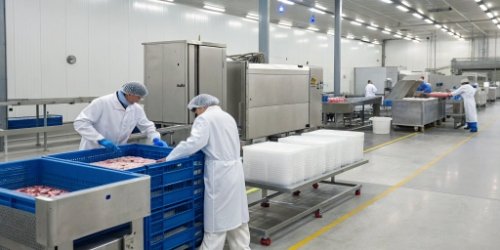
Managing frozen goods across different warehouses is complex. Errors pile up and profits melt away. A smart, unified system is the only way to keep your operations solid.
Effective management uses a unified system with barcode tracking for every single step. From cutting to freezing and transferring, real-time data on workstations, scales, and PDAs ensures accuracy and streamlines operations across all locations, preventing costly errors.

You can see the big picture in theory, but putting these ideas into practice is the real challenge. It all starts by looking closely at your specific processes every single day. I've spent nearly 20 years helping businesses untangle these exact problems. Let's break down the best ways to handle allocations and transfers to build a system that actually works for you and your team.
How to Efficiently Manage Frozen Product Cutting, Quick Freezing, and Warehouse Transfers?
Cutting, freezing, and moving products often feels chaotic. You're losing track of inventory and valuable time. An integrated weighing and tracking system is the key to regaining control.
Use an integrated system that connects weighing scales at each workstation. As products are cut and quick-frozen, barcodes are generated. These barcodes link the product's weight and status, making transfers via PDA scans simple and updating inventory instantly.
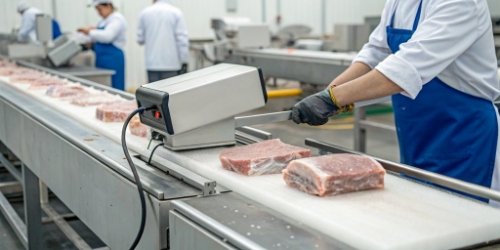
In my experience, many businesses still rely on manual logs or disconnected spreadsheets. This is a recipe for disaster. I once visited a client whose team spent hours at the end of each day trying to match their paperwork with the physical stock. Errors were common, and finding the source of a discrepancy was nearly impossible. This old way of doing things is not just slow; it's expensive.
An efficient workflow connects every step.
From Manual Chaos to Automated Control
The solution is to integrate technology at every point. We designed our systems to create a seamless flow of information from the moment a product is processed. Here’s how it works: At the cutting station, as soon as a portion is weighed on one of our industrial scales, a unique barcode is printed. This label contains all the vital information: exact weight, product ID, and production time. When the product is moved to the freezer, its status is updated with a quick scan. For warehouse transfers, a worker simply uses a handheld PDA to scan the product's barcode and its new location, whether it's a specific pallet or a rack in another building. The inventory database is updated in real-time, for everyone to see. This simple change eliminates manual entry and the human error that comes with it.
| Feature | The Old Way (Manual) | The New Way (Integrated System) |
|---|---|---|
| Data Entry | Pen and paper, spreadsheets | Automatic via scale and scanner |
| Transfers | Manual logs and verbal requests | PDA barcode scans |
| Inventory | Updated daily or weekly | Updated in real-time |
| Accuracy | Low, frequent errors | High, with full traceability |
What Are the Best Practices for Handling Frozen Product Allocation and Storage Transfers?
Allocating frozen stock feels like a guessing game. You move products, but inventory numbers don't match reality. This leads to stockouts or spoilage, directly hurting your bottom line.
The best practice is a "one-to-one" mapping system. Link each frozen product's barcode directly to its pallet or storage rack barcode. This allows for accurate, real-time bulk transfers and provides a complete, traceable history for every item.

I remember a project with a large distributor who had three separate warehouses. Moving stock between them was their biggest headache. A transfer would be initiated, but by the time the product arrived and was manually checked in, the data was already old. We helped them implement a mapping system, and it changed everything.
The Power of Bulk Operations
The core idea is to create a "parent-child" relationship in your data. Individual product boxes are the "children," and the pallet they are stacked on is the "parent." When you stage your products, you scan each box as you place it on the pallet. Then, you scan one master barcode for the pallet itself. From that point on, you don't need to scan every single box again. If you need to transfer the entire pallet from Warehouse A to the quick-freezer in Warehouse B, the operator just scans the single pallet barcode. Our system knows exactly what's on it and automatically updates the inventory in both locations. This saves an incredible amount of time and reduces the chance of scanning errors.1
Ensuring Full Traceability
This method also creates an unbreakable chain of custody. If you ever have a quality issue or a recall, you can scan any barcode on any box and see its entire history. You'll know when it was cut, who weighed it, which freezer it was in, every pallet it was on, and every transfer it ever made. This level of detail is critical for meeting modern food safety standards and gives you—and your customers—complete peace of mind. It’s no longer about just moving boxes; it's about managing data with precision.
How Can Quick Freezing and Inventory Transfers Be Optimized for Frozen Goods?
Your process is slow, and bottlenecks are everywhere. Products wait too long, and transfers are a paperwork nightmare. This inefficiency costs you money and puts product quality at risk.
Optimization comes from integrating smart scales and mobile devices. Use weighing scales that print barcodes at the source. Then, use PDAs for scan-based transfers. This eliminates manual data entry, speeds up the process, and provides real-time inventory visibility.

Optimization isn't about working harder; it's about working smarter. Every operation is different, so a "one-size-fits-all" solution rarely works. That's why we believe in providing flexible tools that can adapt to your specific needs. The goal is to make the correct action the easiest action for your team.
Choosing the Right Tool for the Job
A truly optimized system gives your employees different ways to perform the same task, depending on the situation. For inventory transfers, there isn't just one method. Our WeigherPS platform supports several, ensuring there are no dead-ends in your workflow.
- Workstation Scan Transfer: Perfect for a stationary worker who is breaking down a large pallet into smaller orders. They can scan items and assign them to a new location right from their terminal.
- Weighing-Based Transfer: Sometimes, you're not moving boxes but bulk product. This function allows you to transfer inventory by weight. Place the bulk container on the scale, enter the destination, and the system records the transfer based on the weight change.
- PDA Scan Transfer: This is the most popular method for a reason. It gives your warehouse staff the freedom to move around. They can scan a pallet, drive it across the facility to another warehouse, and scan the new location to complete the transfer instantly.
Here's how you might apply these methods:
| Scenario | Best Method | Why it Works |
|---|---|---|
| Moving a full pallet to another building | PDA Scan Transfer | It's fast, mobile, and captures the move in real-time. |
| Repackaging bulk items into smaller units | Weighing-Based Transfer | It ensures accuracy when dealing with items not in standard boxes. |
| Sorting products for different customer orders | Workstation Scan Transfer | It allows a single operator to manage complex allocations efficiently. |
Giving your team the right tools makes the entire process faster, more accurate, and less stressful.
What Is the Proper Workflow for Managing Frozen Product Cutting, Freezing, and Distribution Across Warehouses?
Your workflow feels disjointed. The cutting department doesn't know what the warehouse needs, and management can't get a clear picture. This creates chaos and costly mistakes.
A proper workflow is a closed loop centered on a unified data system. It starts with barcode generation at cutting, updates status during freezing, and uses mobile scanning for transfers. This ensures every warehouse has the same real-time data for seamless distribution.
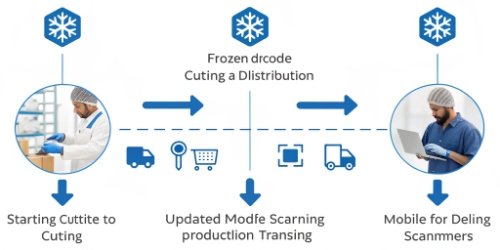
A proper workflow isn't a complex secret; it’s a logical sequence of steps powered by a single source of truth. After helping countless clients, I've seen that success comes from connecting each island of activity into one continuous, data-rich stream. Our vision has always been to empower our customers to achieve zero-error management, and a structured workflow is the foundation.
Here is the ideal flow, step-by-step:
The Path to Zero-Error Management
- Production & Barcoding: The journey starts at the cutting station. A product is processed and placed on a scale. A barcode is instantly printed with its precise weight, product type, creation date, and operator ID. This is the product's "birth certificate."
- Status Update (Freezing): The barcoded product is moved to a quick-freezing unit. An operator scans the item, and its status in the system changes from "Fresh" to "Freezing." This lets everyone know its current state and location.
- Palletizing & Association: Once frozen, items are staged for storage or transfer. An operator scans each box as it's placed onto a pallet. Then, they scan a single, unique barcode for the pallet. The system now understands that this pallet "contains" all those specific boxes.
- Warehouse Transfer: The pallet needs to move from the production warehouse to the main storage warehouse. A forklift driver scans the pallet's barcode with a PDA, then scans the barcode of the new shelf location in the storage warehouse. The system instantly deducts the inventory from one location and adds it to the other.
- Total Visibility & Reporting: At any time, a manager can log into the system from their computer and see a complete, real-time view of all inventory across all warehouses. They can track the history of any item and run reports to analyze efficiency. This moves you from reactive problem-solving to proactive management.
Conclusion
Managing frozen goods requires a unified, barcode-driven system. This ensures real-time accuracy, complete traceability, and streamlined operations, turning complexity into control and profitability for your growing business.
-
"Improving Barcode Scanning Accuracy in High-Volume and Batch ...", https://www.dynamsoft.com/blog/product-features/bulk-barcode-scanning-accuracy/. This source explains how bulk barcode scanning systems save time and reduce errors in warehouse operations. Evidence role: mechanism; source type: research. Supports: Bulk barcode scanning systems save time and reduce errors in warehouse operations.. ↩



Comments (0)