
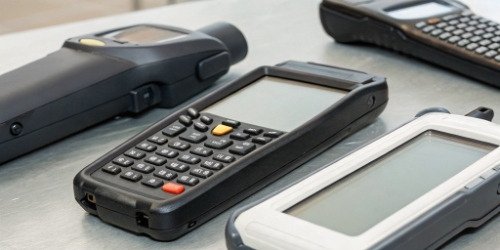
Your software is brilliant, but clients complain it's slow and unreliable. The problem is often the hardware it runs on. This can ruin your reputation and cost you sales.
The best PDA for a slaughterhouse system must be rugged, with at least an IP65 rating for water and dust resistance. It needs a battery that lasts a full 8-hour shift and a fast-scanning engine. Crucially, its operating system (Android/Windows) must be compatible with your software.
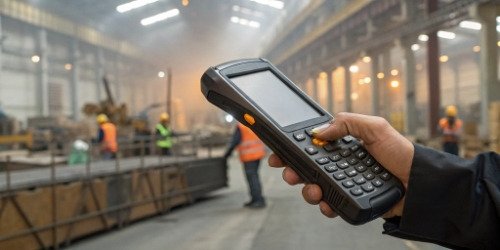
Choosing the right device might seem complex. I've seen many software companies overlook this step, only to face problems later. But it becomes much simpler when you know exactly what to look for. As a hardware partner, we help our clients navigate these choices every day. Let's break down the essential things you need to consider to make sure your software performs perfectly in the field.
How to Select the Right PDA Scanning Device for Slaughterhouse Operations?
Picking a PDA feels like a gamble. A wrong choice leads to equipment failure in the harsh slaughterhouse environment, causing system downtime and very unhappy clients for your software.
To select the right PDA, focus on four key areas. First, ruggedness, with an IP65 rating or higher. Second, a battery that lasts over 8 hours. Third, a high-performance scan engine. And fourth, an operating system (OS) that matches your software's needs.
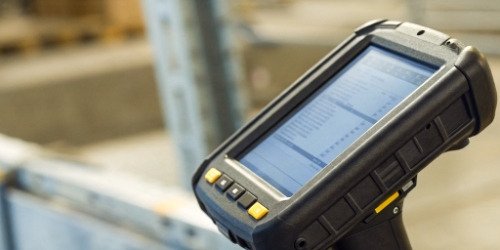
In my 19 years of manufacturing industrial equipment, I've learned that the environment dictates the hardware. A slaughterhouse is one of the toughest places for electronics. It's wet, it's cold, and the work is fast-paced. Your choice of PDA must stand up to these conditions, or your software's performance will suffer. Let's go deeper into these selection criteria.
Understanding the Environment: Ruggedness is Key
A standard consumer device will not survive a week in a slaughterhouse. You need an industrial-grade PDA. The most important specification here is the IP (Ingress Protection) rating. IP65 means the device is dust-tight and can withstand water jets. For areas with heavy washdowns, I recommend IP67, which allows for short-term immersion in water. Also, look for the drop specification. A device rated to survive multiple 1.5-meter drops onto concrete is a solid choice. This ruggedness protects the client's investment and ensures your software stays online.
Powering Through the Shift: Battery Life Matters
A PDA is useless if its battery dies halfway through a shift. This interrupts work, causes data loss, and frustrates users. You must look for a device with a battery capacity that can support continuous, full-load use for at least 8 to 10 hours. Many rugged PDAs come with hot-swappable batteries. This feature allows a user to change the battery without shutting down the device or losing work, which is a huge benefit for 24/7 operations.
Ensuring Seamless Integration: OS and Connectivity
This is where hardware meets your software. The PDA’s operating system must be fully compatible with your application. Most modern PDAs run on Android, which offers great flexibility. However, some legacy systems may still require Windows CE or Windows Mobile. Our engineering team always advises clients to confirm this first. Also, consider connectivity options. Reliable Wi-Fi is a must for real-time data transfer. Bluetooth is also important for connecting to peripheral devices like mobile printers or our weighing scales.
What Are the Guidelines for Using PDA Scanners in Slaughterhouses?
You've provided the perfect PDA, but the client's team is careless. Devices get dropped, cleaned improperly, or lost, leading to damage, data loss, and expensive replacements for them.
Effective usage guidelines are simple but critical. Train users on proper handling, including cleaning procedures. Implement a strict battery charging schedule. Make it mandatory to use protective accessories like holsters. This protects the hardware and ensures your software runs smoothly.
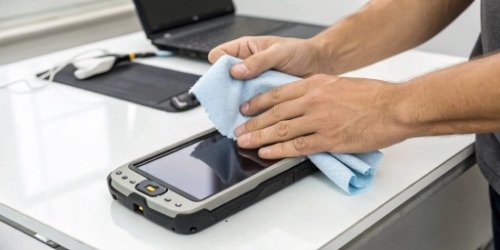
I remember a client who faced constant PDA failures. We visited their site and found workers were using high-pressure water jets to "clean" the devices at the end of the day, frying the internal components. The PDAs were IP67-rated, but not designed for that kind of abuse. We helped them establish simple cleaning and handling rules. The failure rate dropped to almost zero immediately. Proper use is just as important as proper selection.
Daily Maintenance and Cleaning Procedures
Slaughterhouse environments require strict hygiene. Workers must be trained to clean the PDAs correctly. Use a soft cloth with approved sanitizing solutions, like 70% isopropyl alcohol. Never spray liquid directly into ports or vents. Teach them to wipe down the screen, keypad, and scanner window daily. This not only meets hygiene standards but also prevents grime buildup that can interfere with the scanner's performance and touch screen responsiveness. A simple, documented procedure makes all the difference.
Battery Management Best Practices
To maximize battery lifespan, you need a good charging routine. Avoid draining the battery completely. The best practice is to place the devices in their charging cradles at the end of every shift. Multi-slot cradles are a great investment because they charge multiple units at once and often have a second slot for spare batteries. This ensures every shift starts with a fully charged device, eliminating downtime. We always tell clients that consistent charging habits can extend a battery's useful life by more than a year.
User Training and Standard Operating Procedures (SOPs)
Training shouldn't just cover your software; it must include the hardware. Show users how to hold the device correctly, how to scan barcodes efficiently, and how to use any physical buttons. Provide holsters or wrist straps and make their use mandatory to prevent drops. A short SOP document with pictures can be very effective. It should cover cleaning, charging, and what to do if the device has an issue. This empowers users and reduces support calls.
How Can PDA Barcode Scanning Devices Improve Efficiency in Slaughterhouses?
Manual data entry is slow and full of errors. This leads to inventory mistakes, traceability gaps, and a mountain of paperwork. Your clients are losing time and money every day.
PDAs automate data capture at every step. They provide instant, accurate data for animal tracking, weighing, and inventory management. This eliminates human error, speeds up processes from receiving to shipping, and creates a perfect digital trail for full traceability.

The difference between a manual process and a PDA-driven one is like night and day. We've helped many clients make this transition. The moment they pair our weighing systems with a PDA running good software, the entire operation becomes faster and more transparent. The key is real-time information. When everyone has accurate data on a handheld device, they can make better decisions instantly.
From Entry to Processing: Real-Time Tracking
When an animal arrives, its information can be linked to a unique barcode or RFID tag and scanned with a PDA. As it moves through each stage—holding, slaughter, and evisceration—a simple scan updates its status in your system. This eliminates clipboards and manual logs. It provides a real-time view of the entire production floor, allowing managers to spot bottlenecks and manage workflow much more effectively. There is no more guessing where a specific batch is. The data is live on their screen.
Weighing and Grading: Instant Data Capture
This is where our expertise in weighing comes in. When a carcass is weighed on one of our industrial scales, the scale can send the weight data directly to the PDA via Bluetooth or a cable. The worker can then use the PDA to scan the carcass's barcode and add grading information. All this data—ID, weight, grade, and timestamp—is captured in one seamless action. This process is not only faster but also removes any chance of writing down the wrong weight, a common and costly error.
Inventory and Shipping: Accuracy and Speed
Finally, as finished products are boxed, a PDA is used to scan the product label and the case label, creating a parent-child relationship in the inventory system. This ensures 100% accuracy for what is in each box. During shipping, a quick scan of the case labels as they are loaded onto a truck confirms the order is correct. This drastically reduces shipping errors and customer complaints. The entire process, from receiving to shipping, becomes a chain of accurate, verified data.
| Task | Manual Method | PDA Method |
|---|---|---|
| Animal Check-in | Pen and paper, manual entry later | Scan tag, instant data capture |
| Weight Recording | Read scale, write down, enter in PC | Scale sends data to PDA, auto-saved |
| Inventory Count | Manual counting, reconciliation | Scan barcodes, real-time inventory |
| Order Picking | Check paper list, visual confirmation | PDA displays pick list, scan to verify |
What Factors Should Be Considered When Choosing PDA Scanners for Slaughterhouse Workflow?
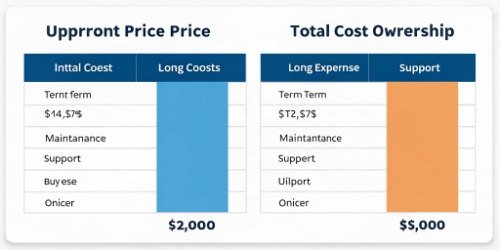
You chose a PDA with great specs, but the client says it is clumsy and their support is slow. A cheap upfront price can hide long-term costs and frustration.
Look beyond the spec sheet. Consider the Total Cost of Ownership (TCO), including warranty and support. Evaluate the device's ergonomics for all-day use. And, most importantly, confirm the supplier provides reliable after-sales service, like our 12-month guarantee.
As a manufacturer, we know that the sale is just the beginning of the relationship. A hardware failure can bring a client's entire operation to a halt. That’s why we focus on being a reliable partner, not just a seller. The true value of a device isn't its price tag; it's its ability to perform reliably day after day, backed by a team that's ready to help when something goes wrong. This long-term thinking is crucial for your success and your client's satisfaction.
Total Cost of Ownership (TCO) vs. Upfront Price
The cheapest device is rarely the most cost-effective. TCO includes the initial purchase price plus the costs of deployment, training, maintenance, repairs, and replacements over the device's lifespan. A more expensive, rugged PDA might have a lower TCO because it fails less often and is supported by a better warranty. Our quality control department tests every single unit before it ships to minimize failures. When you choose a partner, ask about their failure rates1 and what's included in the service plan. A 3-year TCO calculation often shows that a quality device saves money.
Ergonomics and User Experience
A PDA will be held and used for hours every day. If it’s too heavy or poorly balanced, it can cause user fatigue and reduce productivity. If the buttons are too small to be used with gloves, it slows down the work. I always suggest getting a sample unit to test in a real work environment. Let the actual users hold it and perform tasks. Their feedback is invaluable. Also, consider accessories like pistol grips2, which can make scan-heavy tasks much more comfortable.
After-Sales Support and Warranty
What happens when a device breaks? How quickly can you get a replacement or repair? This is a critical question. A supplier with slow or unresponsive support is a major risk for you and your client. At Weigherps, we provide a 12-month after-sales service guarantee on our products. We have dedicated technical and after-sales departments to solve problems quickly. You should look for a partner who sees themselves as part of your team, someone who is invested in keeping your client's operations running smoothly.
Conclusion
Choosing the right PDA is about finding rugged hardware that works perfectly with your software. This ensures efficiency, accuracy, and a strong return on investment for your slaughterhouse clients.
-
"PDAs for the Construction Business-How Tough is Enough?", https://www.constructionbusinessowner.com/technology/pdas-construction-business-how-tough-enough. Failure rates for industrial devices are often tracked to assess reliability and inform purchasing decisions. Evidence role: statistic; source type: research. Supports: Ask about their failure rates and what's included in the service plan.. Scope note: Failure rates can vary significantly between manufacturers and device models. ↩
-
"Mastering Grip: Support Hand Techniques | Find Your Edge - Ep. 5", https://www.youtube.com/watch?v=firlxWyta9Y. Pistol grips are commonly used in industrial PDAs to improve comfort and efficiency during scan-heavy tasks. Evidence role: mechanism; source type: research. Supports: Consider accessories like pistol grips, which can make scan-heavy tasks much more comfortable.. Scope note: The effectiveness of pistol grips depends on task-specific requirements and user preferences. ↩


Comments (0)