

Mixing up internal and customer product names leads to costly shipping errors and invoicing headaches. A smart mapping system can end this confusion for good, automatically syncing names.
The best way to handle inconsistent product names is by using a system that supports product name mapping. This links your internal product name to multiple customer-specific names, ensuring the correct name is used automatically in sales, inventory, and billing without manual data entry.

I remember a client, a large meat processor, who was drowning in spreadsheets. They were manually matching their internal codes like "P-FLM-01" (Pork Front Leg Muscle) with what their customers ordered, such as "Boston Butt" or "Lean Leg for Stew". The errors were constant, and their team spent more time fixing problems than fulfilling orders. But what if this entire process could be automated? Let's explore how to achieve this alignment and prevent these issues from happening in the first place.
What Are Effective Ways to Align Internal Product Names with Customer Naming Standards?
Aligning your internal product names with customer standards seems impossible. This manual effort leads to inventory confusion and fulfillment mistakes. What if a system could manage these translations for you?
The most effective way is to implement a central database or ERP system that allows for aliasing. You create one master product record and then link multiple "aliases" or customer-specific names to it. The system then displays the correct name based on the context.
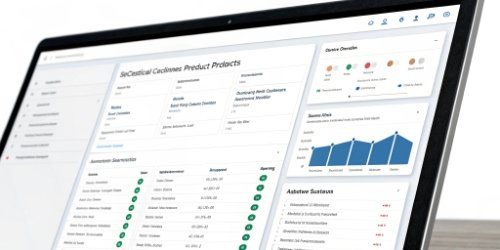
The key is to establish a "Single Source of Truth" (SSOT). Your internal product name and its unique code are the foundation. Everything else is simply a translation of that truth for a specific customer or context.
Create a Single Source of Truth
Your internal inventory should run on one consistent set of names.1 For a slaughterhouse, this might be "Front Leg Muscle." This is the master name that your production and inventory teams use. It is unambiguous and directly related to the physical product.
Implement a Mapping System
A modern weighing management system, like our WeigherPS, is built for this. You input "Front Leg Muscle" once as the master item. Then, you simply map it to your customers' needs. For example:
| Internal Product Code | Internal Name | Customer | Customer Product Name |
|---|---|---|---|
| P-FLM-01 | Front Leg Muscle | Supermarket A | Pork Shoulder Roast |
| P-FLM-01 | Front Leg Muscle | Restaurant B | Carnitas Cut |
| P-FLM-01 | Front Leg Muscle | Wholesaler C | Lean meat from the foreleg |
When you create a sales order for Supermarket A, the system automatically uses "Pork Shoulder Roast" on the order form and invoice. But when your team checks inventory, they see "Front Leg Muscle." This eliminates the need for staff to remember dozens of different names, which dramatically reduces human error.
How to Manage Discrepancies Between Internal and Client-Specified Product Labels?
Your labels show internal codes, but clients expect their product names. This mismatch creates confusion in the warehouse and potential shipping returns. A smart system prints the right label every time.
Manage label discrepancies by integrating your weighing and inventory system with your sales order system. The system should automatically pull the client-specified name during the packing and labeling process, printing it on the final label while keeping your internal code for tracking.
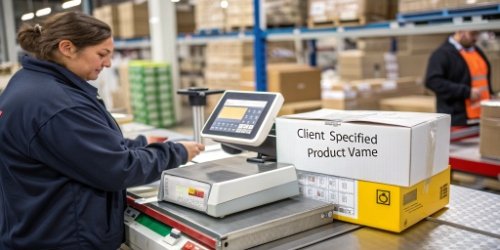
Connecting your digital mapping system to your physical operations is where the real efficiency gains happen.2 It’s not enough to have the data in a computer; it needs to translate to the box you are shipping.
Integrating Data with Physical Labels
This is how a seamless workflow should operate. An order arrives from Restaurant B for "Carnitas Cut." Your sales system knows that "Carnitas Cut" is mapped to your internal product "P-FLM-01." At the packing station, your operator takes the physical product and places it on a connected scale. They might scan a barcode for "P-FLM-01."
The Role of Automation
Instantly, the integrated system—like our WeigherPS—generates the correct label.3 The label prominently displays "Carnitas Cut" because the order is for Restaurant B. It also has the correct weight and pricing. For your internal use, the label can also contain a barcode or QR code that corresponds to "P-FLM-01." This dual-information approach is key. It satisfies the customer's need for a clear, recognizable label while maintaining the integrity and traceability of your internal system. The operator doesn't need to look up a single thing.4 The system does all the work, preventing mislabeled products from ever leaving your facility.
What Processes Can Be Used to Avoid Mismatches Between Internal and Customer Product Names?
Constantly fixing name mismatches is inefficient and frustrating. Without a process, these errors will continue to disrupt your operations. The solution is a standardized setup process for all new products.
To avoid mismatches, you must establish a mandatory process for onboarding new customers or products. This process should include a step where the sales team officially records the customer's product names and maps them to your internal names in your system before any orders are placed.
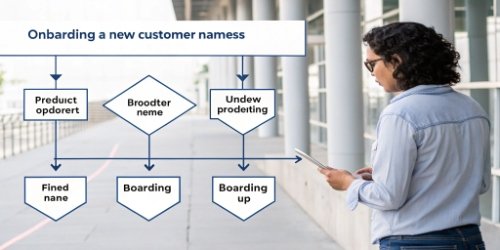
Good software is only half the solution; a good process is the other half.5 You need to prevent these problems proactively instead of constantly reacting to them. This begins the moment you start working with a new client.
Standardizing Customer Onboarding
When you bring on a new wholesale customer, part of the standard operating procedure (SOP) must be to gather their product naming list. This is not optional or something to do later. Your account management or sales team should be responsible for collecting this information and entering it into the system as part of the account setup. This makes product name mapping a formal part of your business relationship.
The New Customer Name-Mapping SOP
We advise our clients to implement a simple but strict checklist for this:
- Gather: The sales team gets a complete list of products the new customer will order, using the customer's exact names and codes.
- Map: An administrator logs into the central system (like WeigherPS) and creates the links, or "maps," between each customer name and the corresponding internal product.
- Verify: A test order is generated, or a confirmation email with the mapped names is sent to the customer to ensure 100% accuracy.
- Activate: Only after the customer verifies the mapping is their account activated for live ordering.
This proactive approach turns a chaotic, recurring problem into a simple, one-time setup task for every new client.
Conclusion
Stop letting product name mismatches create chaos. A central mapping system and clear processes will align your internal data with customer needs, ensuring accuracy from order to delivery.
-
"The importance of a consistent digital asset naming convention", https://www.resourcespace.com/blog/importance-consistent-digital-asset-naming-convent. This source supports the importance of maintaining a consistent naming convention for internal inventory management. Evidence role: expert_consensus; source type: education. Supports: Your internal inventory should run on one consistent set of names.. Scope note: The recommendation may not apply to highly dynamic inventory systems. ↩
-
"Unlocking the Advantages of Digital Mapping for Attractions", https://www.n-gage.io/insights/blog/unlocking-the-advantages-of-digital-mapping-for-attractions. This source highlights the benefits of integrating digital mapping systems with physical operations for efficiency gains. Evidence role: mechanism; source type: research. Supports: Connecting your digital mapping system to your physical operations is where the real efficiency gains happen.. Scope note: The benefits may vary depending on the industry and system used. ↩
-
"Automatic Label Applicators - FoxJet, An ITW Company", https://www.foxjet.com/products/automatic-label-applicators. This source provides examples of integrated systems that automate label generation based on customer-specific product names. Evidence role: case_reference; source type: research. Supports: Instantly, the integrated system—like our WeigherPS—generates the correct label.. Scope note: The examples may focus on specific industries or systems. ↩
-
"Assessing the Real Impact of Automation on Jobs | Stanford HAI", https://hai.stanford.edu/news/assessing-the-real-impact-of-automation-on-jobs. This source provides examples of systems that eliminate manual lookups for operators through automation. Evidence role: case_reference; source type: research. Supports: The operator doesn't need to look up a single thing.. Scope note: The examples may focus on specific industries or systems. ↩
-
"What is software integration? Here's what you should know - Workato", https://www.workato.com/the-connector/software-integration/. This source emphasizes the need for combining software solutions with robust processes for effective product name management. Evidence role: expert_consensus; source type: education. Supports: Good software is only half the solution; a good process is the other half.. Scope note: The discussion may not include specific examples of software and processes working together. ↩



Comments (0)