
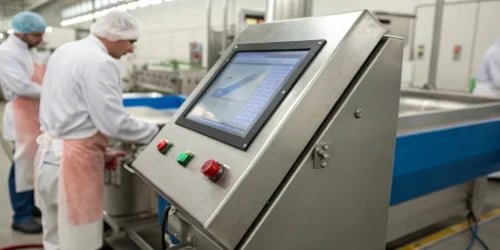
A fast-paced slaughterhouse struggles with slow tech. Workers constantly remove gloves for data entry, risking contamination and wasting time. This simple bottleneck hurts your entire operation's efficiency and safety.
A large, glove-friendly touchscreen dramatically boosts efficiency and hygiene. It allows workers to input data without removing their protective gear. This saves valuable time, reduces contamination risks, and streamlines the entire workflow in a demanding meat processing environment, leading to higher throughput.
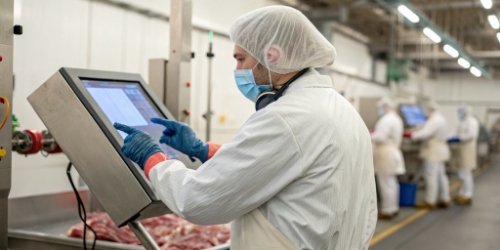
The core benefits seem clear, but the impact runs much deeper than you might think. For 19 years, we've helped facilities upgrade their technology, and we've seen firsthand how a seemingly small change like a better screen can revolutionize a production line1. It's not just about convenience; it's about transforming key operational metrics. Let's explore exactly how these screens achieve such significant improvements in efficiency2, usability, and safety3.
How Does a Glove-Friendly Touchscreen Improve Operations in a Slaughterhouse?
Your team is slowed down by old technology. Every time a worker has to remove a glove to use a screen, the entire line feels the delay.
A glove-friendly screen improves operations by creating a seamless workflow. Workers can weigh products, track carcasses, and enter data without interruption. This direct interaction eliminates a major bottleneck, reduces downtime, and keeps the processing line moving at a steady, efficient pace.
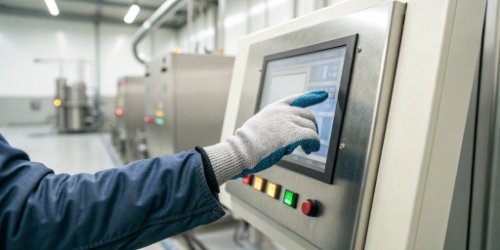
In my experience visiting processing plants, the biggest drains on efficiency are often the smallest, most repetitive actions. The process of taking off a wet, dirty glove, using a screen, and putting it back on is a perfect example. A glove-friendly touchscreen4 directly solves this problem. It is designed to register input through thick materials, whether it's through resistive technology that responds to pressure or advanced capacitive screens calibrated for gloves. This allows for continuous, uninterrupted work.
Eliminating the "Stop-and-Go" Workflow
Standard screens force a "stop-and-go" workflow5. A worker handles meat, then stops, removes gloves, enters data, puts gloves back on, and resumes. This cycle introduces significant delays. Glove-friendly technology changes this completely.
| Action | Standard Screen | Glove-Friendly Screen |
|---|---|---|
| Handling Product | Yes | Yes |
| Stop & Remove Gloves | Yes | No |
| Enter Data | Yes | Yes (Instantly) |
| Put Gloves On | Yes | No |
| Resume Task | Delayed | Immediate |
This seamless interaction doesn't just save a few seconds. It maintains the rhythm of the production line, preventing small delays from causing major backlogs down the line. The operational flow becomes smoother and more predictable.
Why Is a Large Touchscreen Advantageous for Slaughterhouse Workers?
Small, cramped screens are hard to read in a busy facility. Splashes, steam, and distance make it easy to misread data, leading to costly errors and frustration.
A large touchscreen is advantageous because it provides superior visibility and easier interaction. Critical information like weights, batch numbers, and instructions are displayed clearly, reducing eye strain and mistakes. The bigger interface also allows for larger, spaced-out buttons, minimizing input errors.
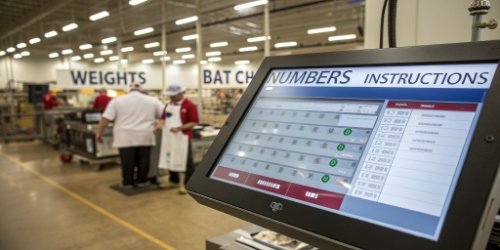
When we design weighing systems, we always consider the environment. A slaughterhouse is fast-paced and often wet, with workers needing information at a glance. A small screen fails in this context. A large one, however, becomes a central, easy-to-read information hub. The benefits are primarily about clarity and ease of use, which directly impact accuracy.
Better Visibility Reduces Errors
The primary advantage is simple: workers can see the screen clearly.
- Large Fonts and Numbers: Information can be displayed in a size that is legible from several feet away. This is crucial when a worker is managing a station and can't be right next to the scale.
- Spacious User Interface (UI): With more screen real estate, buttons and data fields don't need to be crammed together. This makes the interface less intimidating and much easier to navigate, especially for a gloved hand.
Simplified Interaction for Gloved Hands
A larger screen surface makes touch interaction fundamentally easier and more accurate.
| Feature | Small Screen ( < 10 inches) | Large Screen ( > 15 inches) |
|---|---|---|
| Button Size | Small, hard to hit | Large, easy to target |
| Input Accuracy | Higher chance of errors | Lower chance of errors |
| Readability | Poor from a distance | Excellent from a distance |
| Worker Strain | Causes eye strain, frustration | Reduces strain, improves focus |
By making the interface more forgiving, a large screen helps ensure that the data entered is correct the first time, preventing rework and maintaining the integrity of your tracking system6.
What Are the Efficiency Gains from Using Touchscreens in Slaughterhouses?
You know that wasted time is wasted money. Seemingly small inefficiencies, like managing gloves at a workstation, add up to significant financial losses over time across your entire staff.
The efficiency gains are substantial. By saving several seconds on every single interaction, a facility can reclaim hundreds of hours of productive time per year. This accelerates the entire process, from initial weigh-in to final packaging, boosting overall throughput and profitability.
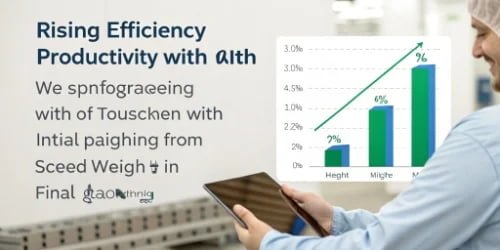
Let's break this down with some real-world numbers I've seen. The simple act of removing a glove, using a screen, and putting the glove back on can take anywhere from 10 to 15 seconds. In contrast, a direct interaction with a glove-friendly screen takes about 2-3 seconds. The time savings7 are immediate and measurable.
Quantifying the Time Saved
The math is simple but powerful. Let's assume a conservative 10-second saving per interaction.
- A Single Worker: If a worker interacts with the screen 100 times in a shift, that's 1,000 seconds saved. This equals nearly 17 minutes of recovered productive time per worker, per day.
- An Entire Team: Now, multiply that by a team of 20 workers. That's 340 minutes, or over 5.5 hours of labor time saved every single day.
The Cumulative Impact on Throughput
This recovered time translates directly into higher output. The table below shows how these daily savings accumulate over a year, assuming 250 workdays.
| Metric | Savings Per Day | Savings Per Year (250 days) |
|---|---|---|
| Time per Worker | 17 minutes | 70.8 hours |
| Time for 20 Workers | 5.6 hours | 1,400 hours |
Those 1,400 hours represent a massive increase in your facility's production capacity8 without needing to hire more staff. The line moves faster, more carcasses are processed, and your entire operation becomes more profitable. This is the quantum leap in business development we aim to help our clients achieve.
How Can Touchscreen Technology Enhance Safety in Meat Processing Facilities?
Safety is non-negotiable in meat processing. Any distraction can lead to worker injury, and any hygiene lapse can lead to food contamination, recalls, and brand damage.
Touchscreen technology enhances safety by reducing both cross-contamination and worker distraction. Keeping gloves on maintains a critical hygiene barrier. A simple, clear interface also allows workers to keep their focus on handling sharp tools and heavy equipment, not on struggling with technology.
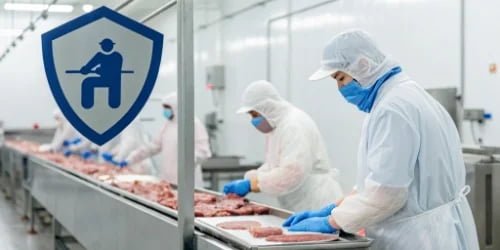
Over my years in this industry, I've learned that the best technology is technology that makes the safest path the easiest path. Forcing a worker to remove gloves to log data is a classic example of poor design that compromises safety for function. A large, glove-friendly touchscreen does the opposite: it aligns the easiest action with the safest one.
Mitigating Food Safety and Hygiene Risks
The primary safety benefit is improved hygiene9. Every time a worker removes a glove, there is a risk of transferring pathogens from their bare hands to equipment, or from contaminated surfaces back to their "clean" gloves.
- Unbroken Hygiene Barrier: By allowing gloves to stay on, the system helps maintain the sterile barrier between the worker and the product. This is a simple but powerful way to support HACCP10 (Hazard Analysis and Critical Control Points) protocols and reduce the risk of cross-contamination.
- Fewer Contamination Points: The screen itself, often made of stainless steel and rated for high-pressure washdowns (like IP67 or IP68), is far easier to clean and sanitize than a combination of keyboards, mice, and standard monitors.
Reducing Distractions and Improving worker Focus
A distracted worker is a safety risk. A compliant, intuitive screen minimizes distractions.
When a worker isn't fumbling with gloves or squinting at a tiny screen, their attention remains on their primary task. In an environment with knives, saws, and heavy moving parts, this enhanced focus is critical for preventing accidents. A system that is easy to see and use allows an employee to log data with a quick tap and immediately return their full attention to their work, creating a safer environment for everyone.
Conclusion
Large, glove-friendly touchscreens are a game-changer. They boost efficiency by saving time on every task, improve data accuracy with clear displays, and create a safer, more hygienic workplace.
-
Discover how modern technology can revolutionize production line efficiency in various industries. ↩
-
Explore essential strategies to boost efficiency in meat processing operations. ↩
-
Discover how touchscreen technology can enhance safety in meat processing facilities. ↩
-
Discover how glove-friendly touchscreens can enhance efficiency and hygiene in meat processing facilities. ↩
-
Understand how optimizing workflow can lead to significant improvements in meat processing. ↩
-
Discover the benefits of implementing tracking systems in meat processing operations. ↩
-
Find out how time savings can lead to increased productivity in meat processing operations. ↩
-
Learn effective strategies to increase production capacity in your facility. ↩
-
Learn about the hygiene advantages of using touchscreen technology in food processing environments. ↩
-
Understand the significance of HACCP in maintaining food safety standards. ↩


[…] operations are fast-paced and continuous. Scales must endure heavy loads4, shock loading from products being dropped onto the platform, and constant use. We build our […]